
1. Introduction
This instruction manual provides important information for the safe installation, operation, and maintenance of your SEBSON IP44 recessed spotlights. Please read this manual thoroughly before installation and keep it for future reference.
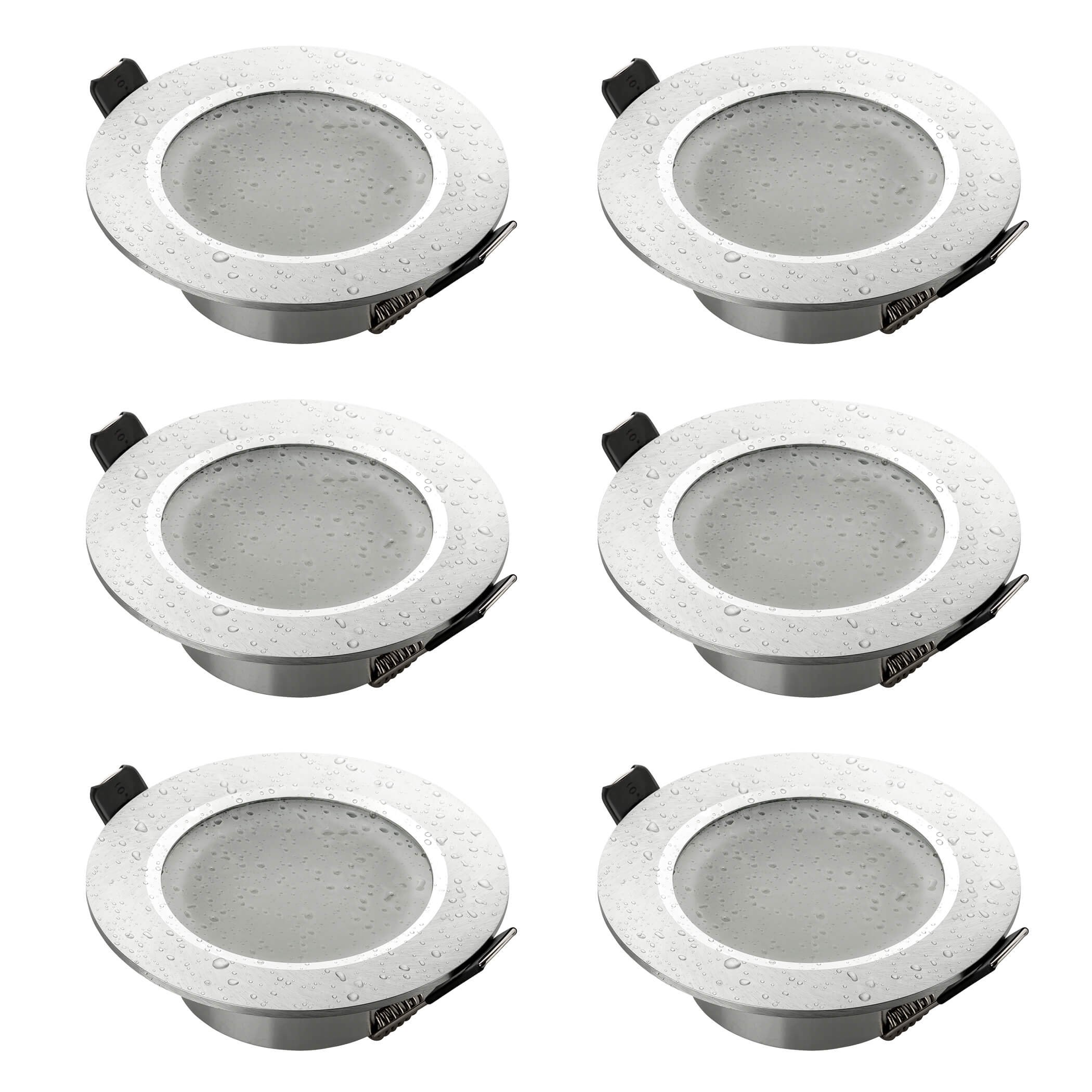
Image 1: Angled view of the SEBSON IP44 recessed spotlight.
2. Safety Instructions
- Electrical Safety: Installation must be performed by a qualified electrician in accordance with local wiring regulations. Ensure the main power supply is switched off before installation or maintenance.
- Voltage: This product operates at 230 Volts.
- IP44 Rating: These spotlights are IP44 rated, making them suitable for damp environments like bathrooms and kitchens. However, they are not suitable for direct water immersion.
- Bulb Compatibility: Use only GU10 LED or halogen bulbs with a maximum power of 50 Watts. Ensure bulbs are fully cooled before handling.
- Heat: Luminaires can become hot during operation. Avoid touching the spotlight or bulb immediately after use.
- Ventilation: Ensure adequate ventilation around the recessed fixture to prevent overheating.

Image 2: The IP44 rating ensures protection against splashing water, making it suitable for damp areas.
3. Package Contents
The package includes:
- 6x SEBSON Recessed Spotlight Mounting Frames (Type 14, Brushed Aluminum)
- 6x GU10 Ceramic Sockets
- Note: GU10 LED or halogen bulbs are not included and must be purchased separately.
4. Specifications
| Brand: | SEBSON |
| Model Number: | 6_X_ES_T14_1044C_SILVER |
| Material: | Aluminum |
| Color: | Silver |
| Finish: | Brushed |
| Shape: | Round |
| Product Dimensions (L x W x H): | 9 x 9 x 2.9 cm |
| Installation Hole Diameter: | 70 mm (min. 67 mm, max. 83 mm) |
| IP Rating: | IP44 (Splash-proof) |
| Voltage: | 230 Volts AC |
| Compatible Bulb Type: | GU10 (LED or Halogen, max 50W) |
| Specific Uses: | Indoor, Bathroom adapted |
| Item Weight: | 456 g (for the set of 6) |
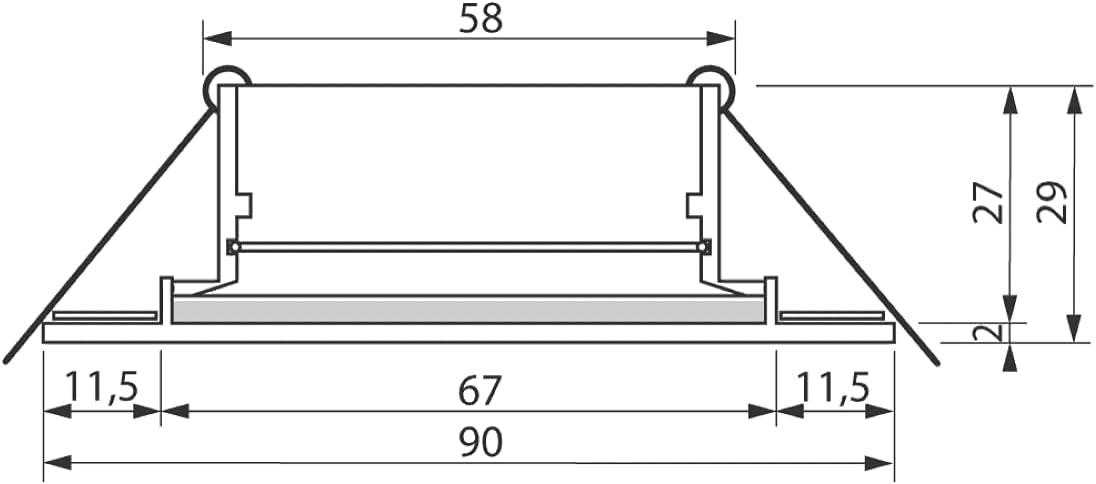
Image 3: Dimensional drawing of the recessed spotlight (dimensions in mm).
5. Installation Instructions
Before you begin: Ensure the power supply to the circuit is switched off at the main breaker. Always consult a qualified electrician if you are unsure about any steps.
- Prepare the Ceiling Hole: Using a suitable hole saw, cut a circular hole in the ceiling with a diameter of 70 mm. The acceptable range is 67 mm to 83 mm.
Image 4: Step 1 - Cutting the installation hole.
- Connect Wiring: Connect the GU10 ceramic socket to the main electrical wiring. Ensure correct polarity (Live, Neutral, Earth) and secure connections using appropriate terminal blocks.
Image 5: Step 2 - Connecting the electrical wires to the GU10 socket.
- Insert Bulb: Carefully insert a GU10 bulb into the ceramic socket. Twist clockwise to secure.
Image 6: Step 3 - Inserting the GU10 bulb.
- Attach Socket to Frame: Secure the GU10 socket with the bulb into the mounting frame.
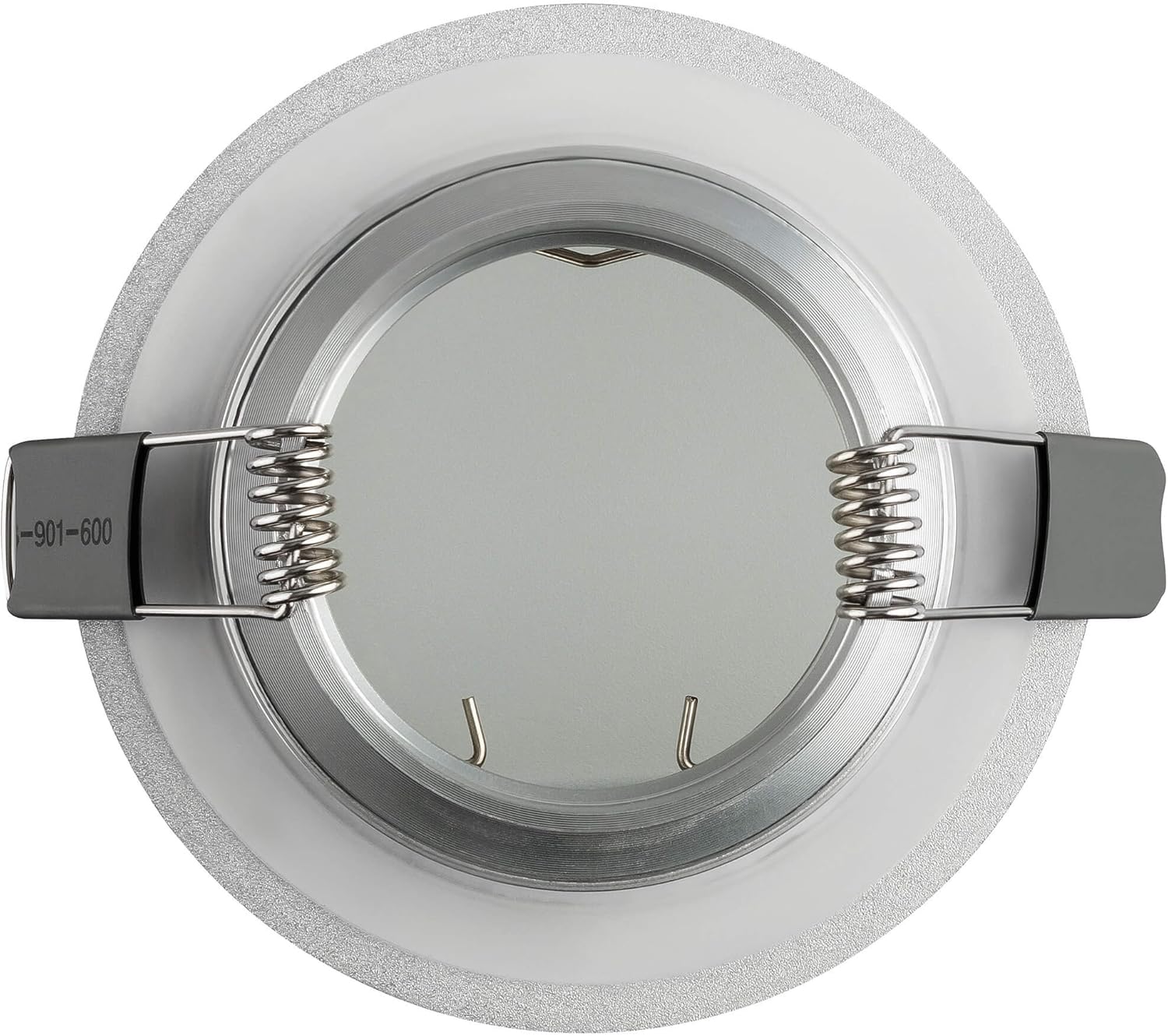
Image 7: Rear view of the mounting frame, showing spring clips.

Image 8: Rear view of the mounting frame with the GU10 socket in place.
- Insert Fixture into Ceiling: Fold the spring clips on the sides of the mounting frame upwards and insert the entire fixture into the prepared ceiling hole. The springs will hold the fixture securely in place.

Image 9: Step 4 - Inserting the fixture into the ceiling.
- Secure the Fixture: Ensure the fixture is flush with the ceiling surface. The spring clips will automatically secure it.
Image 10: Step 5 - Fixture secured in the ceiling.
- Install Frosted Glass (if applicable): If your model includes a separate frosted glass cover, carefully place it into the frame.
Image 11: Step 6 - Inserting the frosted glass cover.
- Final Assembly: Ensure all components are securely in place.
Image 12: Step 7 - Final assembly of the spotlight.
6. Operating Instructions
Once installed and the power supply is restored, the spotlights can be operated via a standard wall switch connected to the circuit. There are no specific operating controls on the fixture itself.
- Switching On/Off: Use the connected wall switch to turn the lights on or off.
- Bulb Replacement: To replace a bulb, ensure the power is off and the bulb has cooled. Gently twist the old GU10 bulb counter-clockwise to remove, then insert a new GU10 bulb and twist clockwise to secure.
7. Maintenance
- Cleaning: Disconnect power before cleaning. Wipe the fixture with a soft, dry or slightly damp cloth. Do not use abrasive cleaners or solvents.
- Inspection: Periodically inspect the fixture for any signs of damage or loose connections. If any issues are found, disconnect power and consult a qualified electrician.
8. Troubleshooting
| Problem | Possible Cause | Solution |
|---|---|---|
| Light does not turn on. |
|
|
| Light flickers. |
|
|
| Fixture is hot to touch. |
|
|
9. Warranty and Support
Specific warranty information for this product is not provided in the available data. For support or warranty inquiries, please contact your retailer or the manufacturer directly using the contact information provided on their official website.
Information regarding spare parts availability and software updates is not available for this product.