
Product Overview
The Retevis RT3S is a dual-band Digital Mobile Radio (DMR) designed for amateur radio enthusiasts. It supports both digital and analog modes, offering versatility in communication. Key features include a large channel capacity, extensive contact storage, GPS APRS functionality, and compatibility with OpenGD77 firmware.
This radio is equipped with a full numeric keypad and an LCD display for easy operation and configuration directly on the device. Its robust design and long-lasting battery make it suitable for various outdoor activities and professional use.

Figure 1: Retevis RT3S DMR Radio with its charging dock and power adapter.
What's in the Box
Upon unboxing your Retevis RT3S DMR Radio, please verify that all the following components are included:
- 1 x RT3S DMR Radio
- 1 x 2000mAh Li-ion Battery
- 1 x Antenna
- 1 x Charger Dock & Belt Clip
- 1 x User Manual (this document)

Figure 2: All components typically included in the Retevis RT3S package.
Product Diagram and Components
Familiarize yourself with the physical layout and key components of your RT3S radio:

Figure 3: Front, side, and top views of the Retevis RT3S with labeled components.
- Antenna: For transmitting and receiving radio signals.
- Channel-selecting knob: Used to select channels or zones.
- LED indicator light: Indicates transmit (red) or receive (green) status.
- Power/Volume knob: Turns the radio on/off and adjusts volume.
- Speaker: Outputs received audio.
- Microphone: For transmitting your voice.
- Side keys: Programmable buttons for various functions.
- PTT (Push-To-Talk) button: Activates transmission.
- Mic/Speaker jack: For connecting external audio accessories or programming cable.
- Belt clip: Attaches the radio to your belt or clothing.
- Li-ion Battery: Provides power to the radio.
Setup
1. Attaching the Battery
Align the battery with the grooves on the back of the radio and slide it upwards until it clicks into place. Ensure it is securely locked to prevent accidental detachment.
Video 1: Demonstration of attaching and detaching the battery from the Retevis RT3S radio. This video also shows the location of the battery release catch.
2. Attaching the Antenna
Screw the antenna clockwise onto the SMA connector located on the top of the radio until it is finger-tight. Do not overtighten.
3. Attaching the Belt Clip
The belt clip can be screwed into the designated holes on the back of the radio for convenient carrying.
Operating Instructions
Power On/Off and Volume Control
To power on the radio, rotate the Power/Volume knob clockwise. Continue rotating to increase the volume. To power off, rotate the knob counter-clockwise until it clicks.
Channel and Zone Selection
Use the Channel-selecting knob to navigate through programmed channels. The RT3S supports multiple zones, which are groups of channels. You can select a zone from the menu to access its associated channels.
Menu Navigation
The radio features a full numeric keypad and navigation buttons (up/down arrows, confirm/back) to access and configure settings. Press the 'Menu' button to enter the main menu.
- Contacts: Manage your contact list, add new contacts, or manually dial. The radio can store up to 120,000 contacts.
- Scan: Select and scan through programmed scan groups to monitor activity across multiple channels.
- Zone: View and select from your list of programmed zones. You can also create new zones or manage existing ones.
- Messages: Access your inbox, compose new text messages, send quick texts, or review sent items and drafts.
- Call Log: Review missed, answered, and outgoing calls. The radio also features a recording function to capture conversations.
- Utilities: Access various radio settings including Talkaround, Tones/Alerts, Power level, Backlight, Squelch, Intro Screen, Keypad Lock, LED Indicator, VOX, Password Lock, Record function (turn on/off), Clock, Mode (Channel/Memory), and Voice Announce.
- Radio Info: View your DMR number and firmware version.
- Program Radio: Manually program channels directly from the radio's interface, including RX/TX frequencies, channel names, time-out timers, CTCSS/DCS, color codes, time slots, and more.
Video 2: Detailed walkthrough of the Retevis RT3S menu system, demonstrating navigation through contacts, scan, zone, messages, call log, and utility settings, including the call recording playback feature.
Maintenance
Battery Care
The RT3S is equipped with a 2000mAh Li-ion battery. For optimal performance and longevity, fully charge the battery before initial use. Avoid overcharging or completely draining the battery frequently. Store the radio and battery in a cool, dry place when not in use for extended periods.
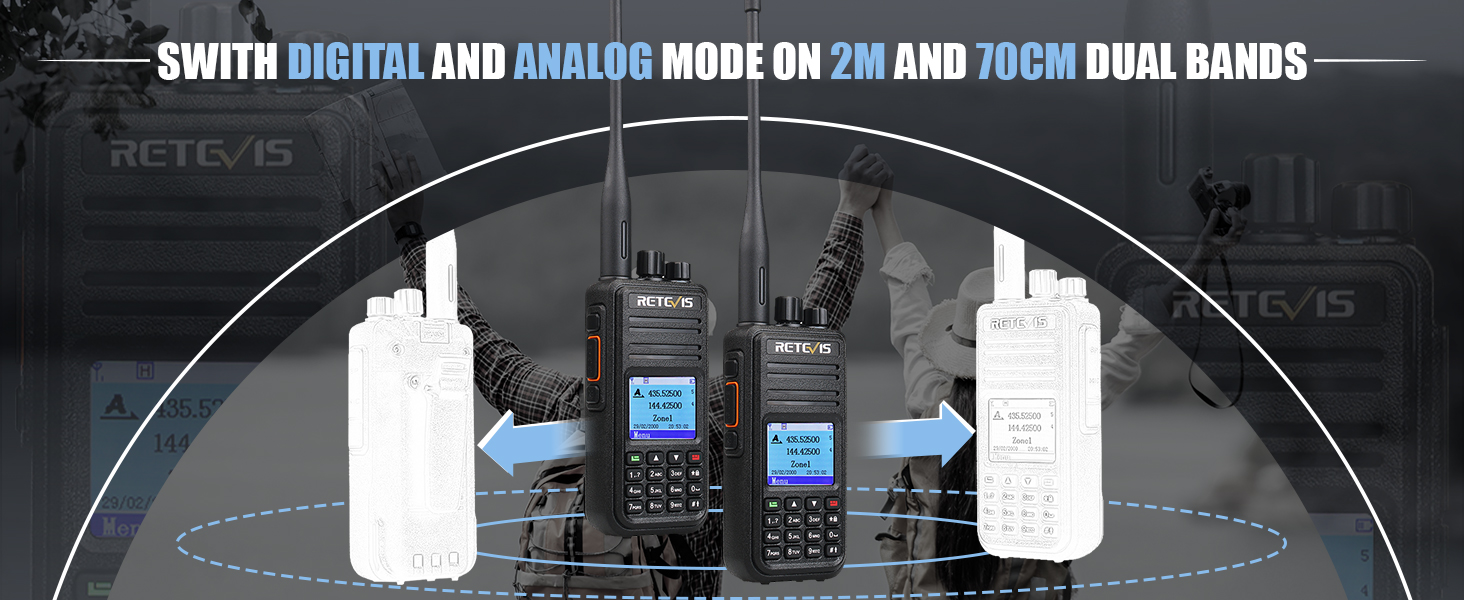
Figure 4: The 2000mAh Li-ion battery provides approximately 16 hours of normal use and up to 150 hours of standby time.
Cleaning
Wipe the radio's surface with a soft, damp cloth. Do not use harsh chemicals or abrasive cleaners. Ensure the speaker/microphone jack cover is properly sealed to prevent dust and moisture ingress.
Troubleshooting
| Problem | Possible Cause | Solution |
|---|---|---|
| Radio does not power on. | Battery is not charged or not properly installed. | Ensure battery is fully charged and correctly attached. |
| Cannot transmit or receive. | Incorrect frequency/channel, antenna not attached, or low battery. | Verify channel settings, ensure antenna is secure, and charge battery. |
| Poor audio quality. | Weak signal, incorrect squelch setting, or damaged speaker/mic. | Move to an area with better signal, adjust squelch, or check accessories. |
| GPS/APRS not working. | GPS signal obstruction or incorrect configuration. | Ensure clear view of sky, check GPS/APRS settings in menu. |
Specifications
| Feature | Detail |
|---|---|
| Model Number | RT3S |
| Item Weight | 1.5 pounds |
| Product Dimensions | 8.97 x 6.81 x 4.25 inches |
| Battery Type | 1 Lithium Ion battery (included) - 2000mAh |
| Display Type | LCD |
| Number of Channels | 3000 |
| Frequency Range | Dual Band |
| Talking Range Maximum | 5 Mile (approximate, varies by terrain) |
| Tuner Technology | DMR Dual Band |
| Voltage | 7.4 Volts |
| Water Resistance Level | Not Water Resistant |
| Special Features | GPS, APRS, OpenGD77 Support, VFO Mode, 2 Time Slot, DTMF, SMS, Emergency Alarm, CTCSS/CDCSS, Promiscuous Mode, Record, Talk Around |
Warranty and Support
Retevis provides a 2-year warranty for the radio body and a 1-year warranty for accessories from the date of purchase. A 30-day no-reason return policy is also available.
Beyond the warranty period, maintenance services are still offered, with buyers responsible for associated costs. For any inquiries or support, please contact Retevis customer service via Amazon. They aim to reply within 12 hours.
For additional resources and product information, visit the official Retevis Store: Retevis Amazon Store