
Introduction
The DJI Neo Fly More Combo is a lightweight, portable mini drone designed for capturing high-quality aerial footage. This manual provides essential information for safe and effective operation, maintenance, and troubleshooting of your DJI Neo drone.
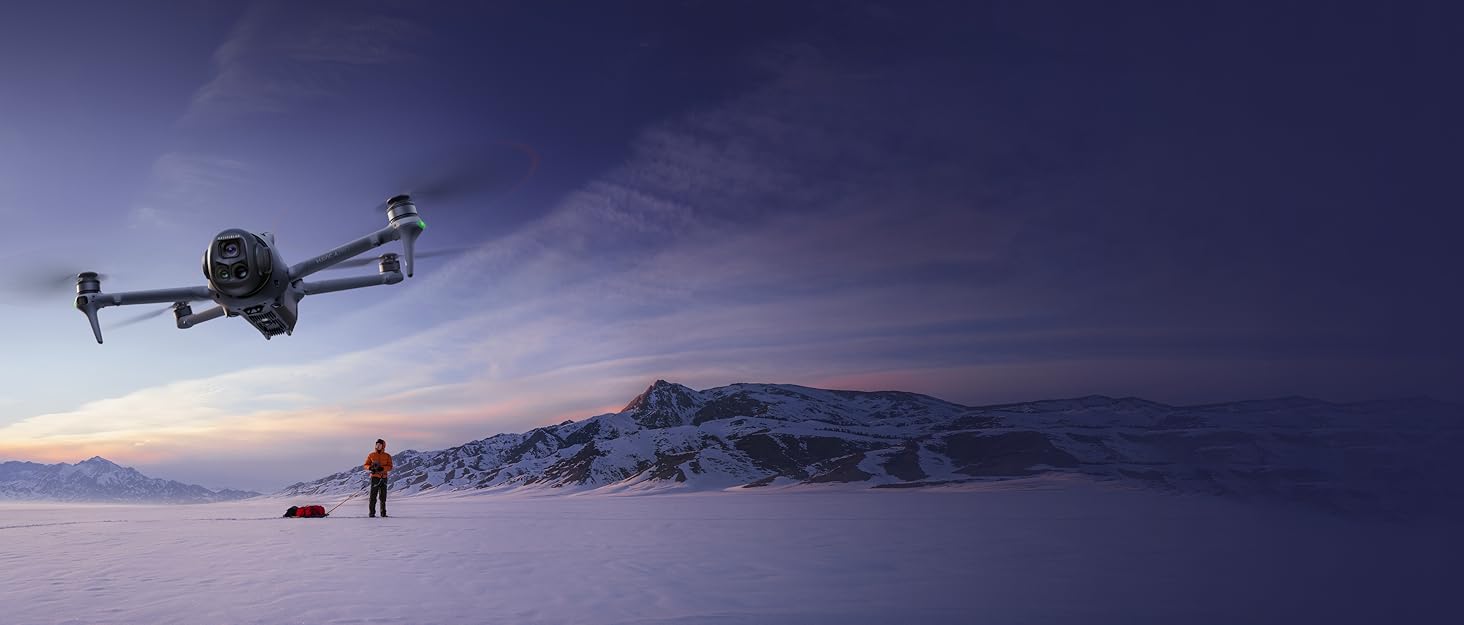
Image: DJI Neo drone in flight over a vast, snowy landscape with mountains in the background.

Image: The DJI Neo drone positioned on a wooden table alongside common personal items, illustrating its compact and regulation-friendly design.
What's in the Box
The DJI Neo Fly More Combo includes the following components:
- DJI Neo Aircraft x 1
- DJI RC-N3 Remote Controller x 1
- DJI RC-N3 RC Cable (USB-C Connector) x 1
- DJI Neo Intelligent Flight Battery x 3
- DJI Neo Two-Way Charging Hub x 1
- DJI Neo Propeller Guard (Pair) x 1
- DJI Neo Spare Propellers (Pair) x 1
- DJI Neo Spare Propeller Screw x 4
- Screwdriver x 1
- DJI Neo Gimbal Protector x 1
- Type-C to Type-C PD Cable x 1

Image: All components of the DJI Neo Fly More Combo laid out, featuring the drone, RC-N3 remote controller, two-way charging hub, and three intelligent flight batteries.

Image: A clear visual representation of the DJI Neo aircraft, intelligent flight batteries, two-way charging hub, RC-N3 remote controller, and propeller guards, as included in the Fly More Combo package.
Setup
1. Initial Charging
Before first use, ensure all Intelligent Flight Batteries and the RC-N3 Remote Controller are fully charged. Use the provided Type-C to Type-C PD Cable with a compatible charger (recommended DJI 65W Portable Charger) to charge the Two-Way Charging Hub with batteries inserted, or directly charge the aircraft body.
2. Battery Installation
Slide a fully charged Intelligent Flight Battery into the battery compartment located at the rear of the DJI Neo aircraft until it clicks securely into place.
3. Gimbal Protector Removal
Before powering on the aircraft, gently remove the DJI Neo Gimbal Protector from the camera. Always reattach the protector when storing or transporting the drone to prevent damage.
Operating
1. Powering On/Off
To power on the DJI Neo aircraft or the RC-N3 Remote Controller, press the power button once, then press and hold it until the indicator lights illuminate. To power off, repeat the same sequence.
2. Control Methods
The DJI Neo offers versatile control options:
- Palm Takeoff & Landing: The drone can take off and land directly from your hand with a simple button press. This method is ideal for quick, spontaneous shots.
- Mobile App Control: Use the DJI Fly app on your smartphone to control the drone via virtual joysticks. This allows for tracking angle, distance adjustments, and switching between horizontal and vertical displays.
- RC-N3 Remote Controller: For precise control and extended range (up to 10 km), use the included DJI RC-N3 Remote Controller. Connect your smartphone to the controller to view the live feed and access advanced settings.
- Voice Control: The DJI Fly app supports voice commands (English/Chinese) for basic flight directives like "Hey Fly," "Follow Me," and "Start Recording."
- Motion Control (Optional): For an immersive experience, the DJI Neo can be paired with DJI Goggles N3/Goggles 3 and an RC Motion 3 or FPV Remote Controller 3 (sold separately).

Image: Demonstrates multiple control methods for the DJI Neo, including controller-free hand gestures, voice control, mobile app control, motion control with goggles, and traditional RC control.
3. Flight Modes & Features
The DJI Neo is equipped with intelligent flight modes to enhance your aerial photography:
- Palm Takeoff & Landing: Initiate flight directly from your palm.
- Subject Tracking: The drone can intelligently follow a designated subject, keeping it centered in the frame.
- QuickShots: Eight creative modes (Boomerang, Circle, Dronie, Helix, Follow, DirectionTrack, Rocket, Spotlight) allow for automated cinematic maneuvers.
- 4K Ultra-Stabilized Video: Capture smooth, high-quality 4K UHD footage thanks to DJI stabilization technology and level-4 wind resistance.

Image: A three-step visual guide demonstrating how to achieve unique shots with the DJI Neo, including turning on the drone, selecting a mode, and performing a palm takeoff to start filming.

Image: The DJI Neo drone demonstrating its ability to take center frame with features like close-up shooting, smart tracking, and multiple QuickShots modes, including a circular flight path around subjects.
4. Video and Photo Capture
The DJI Neo captures 4K/30fps stabilized videos and 12MP photos. It also supports 1080p vertical video recording for social media. The camera features a single-axis mechanical gimbal for pitch control, complemented by RockSteady and HorizonBalancing stabilization.

Image: A comparison of DJI Neo's 4K Ultra HD video capabilities, showing the difference between RockSteady stabilization on and off, and a visual comparison between 4K and 2.7K resolution footage.
5. Data Transfer
With 22GB of built-in storage, the DJI Neo can store up to 55 minutes of 1080p/60fps video or 40 minutes of 4K/30fps video. Footage can be quickly transferred to your phone via Wi-Fi using the DJI Fly app, eliminating the need for data cables.
6. Return to Home (RTH)
The DJI Neo supports various Return to Home (RTH) functions, including Return to Me, Return to Home (RTH), Low Battery RTH, and Scene Recognition RTH, ensuring safe navigation back to the takeoff point using palm or app controls.
Maintenance
1. Propeller Replacement
In case of damage, replace propellers using the provided spare propellers and screwdriver. Ensure correct propeller type (A or B) is installed on the corresponding motor.
2. Battery Care
Always store batteries in a cool, dry place. Avoid overcharging or completely draining batteries. For optimal performance, use the DJI Two-Way Charging Hub and recommended DJI 65W Portable Charger.
3. Calibration
Regularly calibrate the compass and Inertial Measurement Unit (IMU) via the DJI Fly app settings to ensure accurate flight data and stable performance.
Troubleshooting
If you encounter issues with your DJI Neo, consider the following:
- Connection Issues: Ensure the drone and controller (or smartphone) are powered on and within range. Re-pair devices if necessary via the DJI Fly app.
- Flight Instability: Check for damaged propellers and replace if needed. Perform compass and IMU calibration. Avoid flying in strong winds (Neo is rated to Level 4 wind resistance).
- Battery Life: Ensure batteries are fully charged. Flight time can be affected by wind conditions and aggressive flying.
- Propeller Noise: Propeller guards may slightly increase noise levels. This is normal.
- Subject Tracking Reliability: Ensure clear visual algorithms for reliable tracking. Maximum tracking speed is 6 m/s.
Specifications
| Feature | Specification |
|---|---|
| Brand | DJI |
| Model Name | DN1A0626 |
| Item Weight | 135g (Aircraft), 1.42 pounds (Package) |
| Product Dimensions | 6.18"L x 5.12"W x 1.9"H |
| Video Capture Resolution | 4K |
| Effective Still Resolution | 12.0 MP |
| Video Output Resolution | 4 megapixels |
| Supported Image Format | JPEG |
| Connectivity Technology | Bluetooth, Wi-Fi |
| Maximum Range | 10 Kilometers (with RC-N3) |
| Battery Capacity | 31500 mAh (total for 3 batteries) |
| Flight Time | Up to 18 minutes |
| Internal Storage | 22GB |
| Operating Temperature | 32 Degrees Fahrenheit |
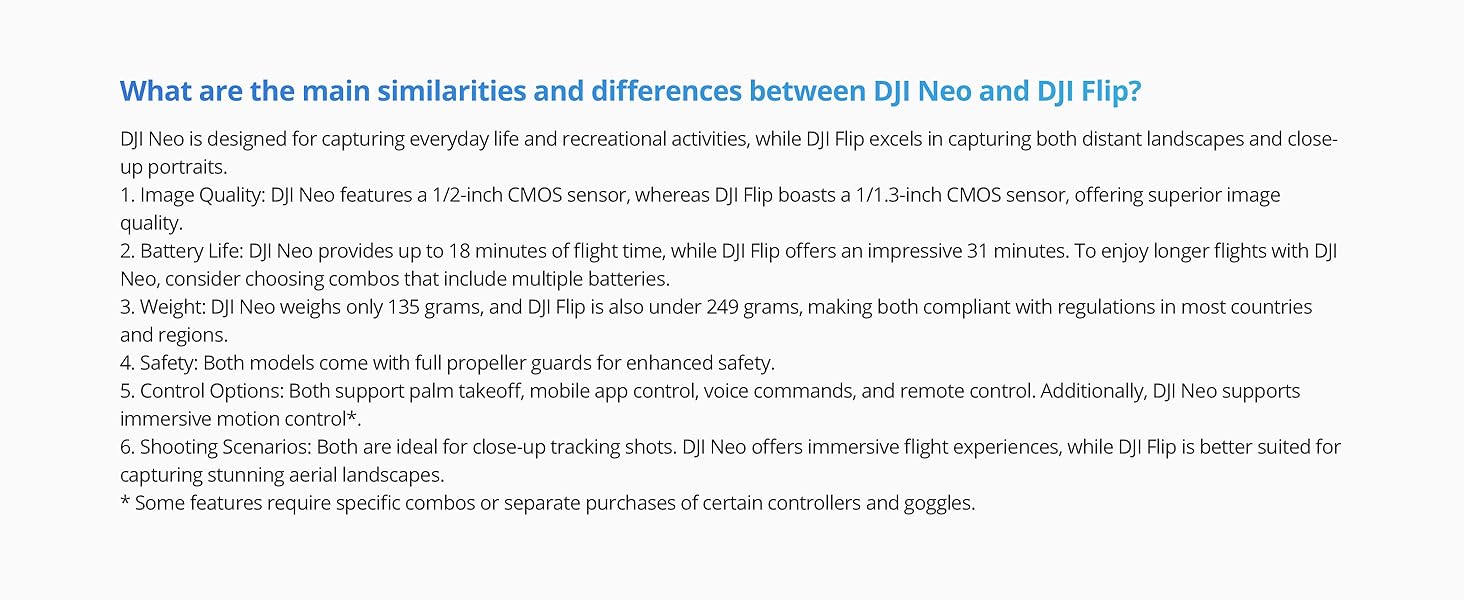
Image: A graphic illustrating the DJI Neo's 18-minute flight time, emphasizing its capability for extended exploration and capturing moments.
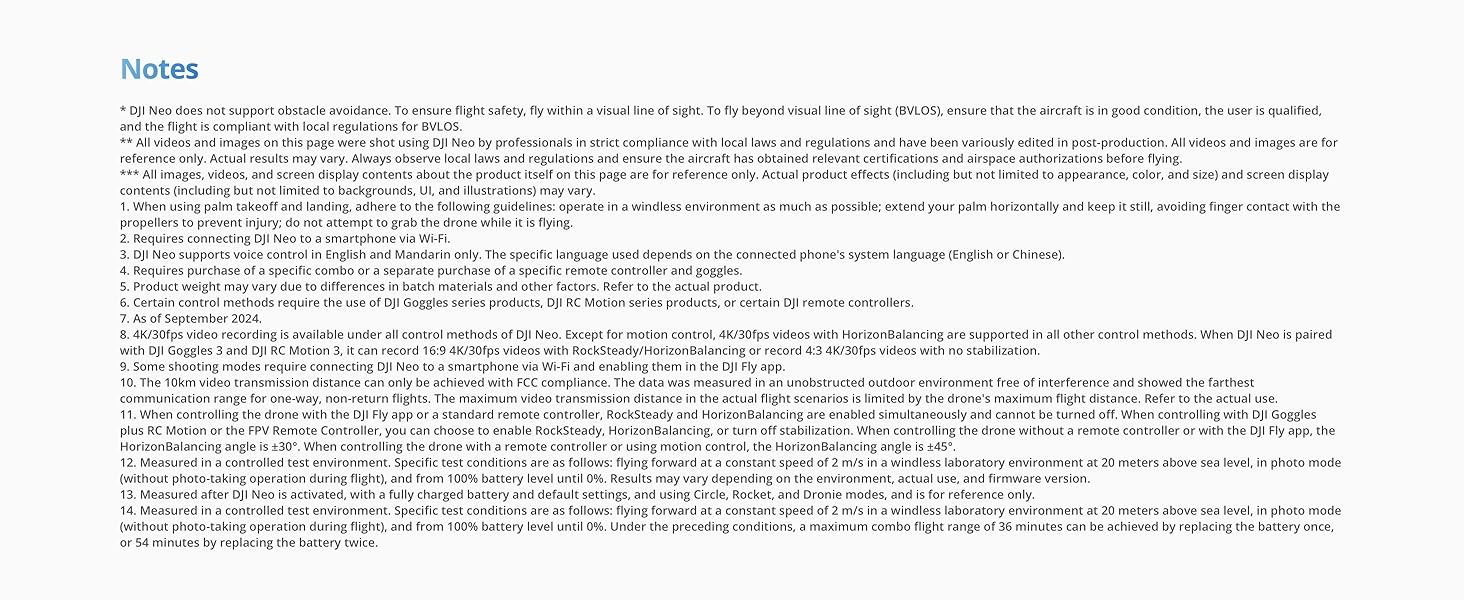
Image: A cutaway view of the DJI Neo drone highlighting its 22GB built-in storage, capable of holding 40 minutes of 4K/30fps video or 55 minutes of 1080p/60fps video.
Important Safety Information
Always operate the DJI Neo in compliance with local laws and regulations. Maintain visual line of sight (BVLOS) with the aircraft. Avoid flying near crowds, airports, or restricted airspace. Ensure the drone is in good condition before each flight. Use propeller guards for enhanced safety, especially when flying indoors or in confined spaces.
Warranty and Support
DJI offers comprehensive after-sales service and an official warranty for its products. For detailed warranty terms, technical support, or service inquiries, please visit the official DJI website or contact DJI customer service. DJI is a global leader in civilian drones, committed to quality and continuous innovation.

Image: A graphic highlighting DJI as a trusted brand, emphasizing its global leadership in civilian drones, quality assurance, comprehensive product line, and official warranty with one-stop technical support.


