
Important Safety Information
Read all instructions carefully before using this product. Keep this manual for future reference.
- Avoid exposing the headset to extreme temperatures or humidity.
- Do not disassemble or attempt to repair the headset yourself.
- Clean the headset with a soft, dry cloth. Do not use liquid cleaners.
- Prolonged listening at high volume levels may cause hearing damage.
Package Contents
Verify that all items are present in the package:
- NUBWO HW02 USB Computer Headset
- USB Cable
- User Manual (this document)
Setup
Connecting to a Computer (USB)
- Locate an available USB port on your computer.
- Plug the USB connector of the NUBWO HW02 headset into the USB port.
- The operating system will typically install the necessary drivers automatically. This may take a few moments.
- Once installed, the headset should be recognized as an audio input and output device.
- You may need to select the "NUBWO HW02" headset as your default audio device in your computer's sound settings.
Connecting to a Device (3.5mm Jack)
The NUBWO HW02 headset features a 3.5mm jack for broader compatibility.
- Locate the 3.5mm audio jack on your device (e.g., gaming console controller, smartphone, tablet).
- Insert the 3.5mm connector from the headset into the device's audio jack.
- Ensure the connection is secure.
- Adjust audio settings on your device as needed to select the headset for input and output.
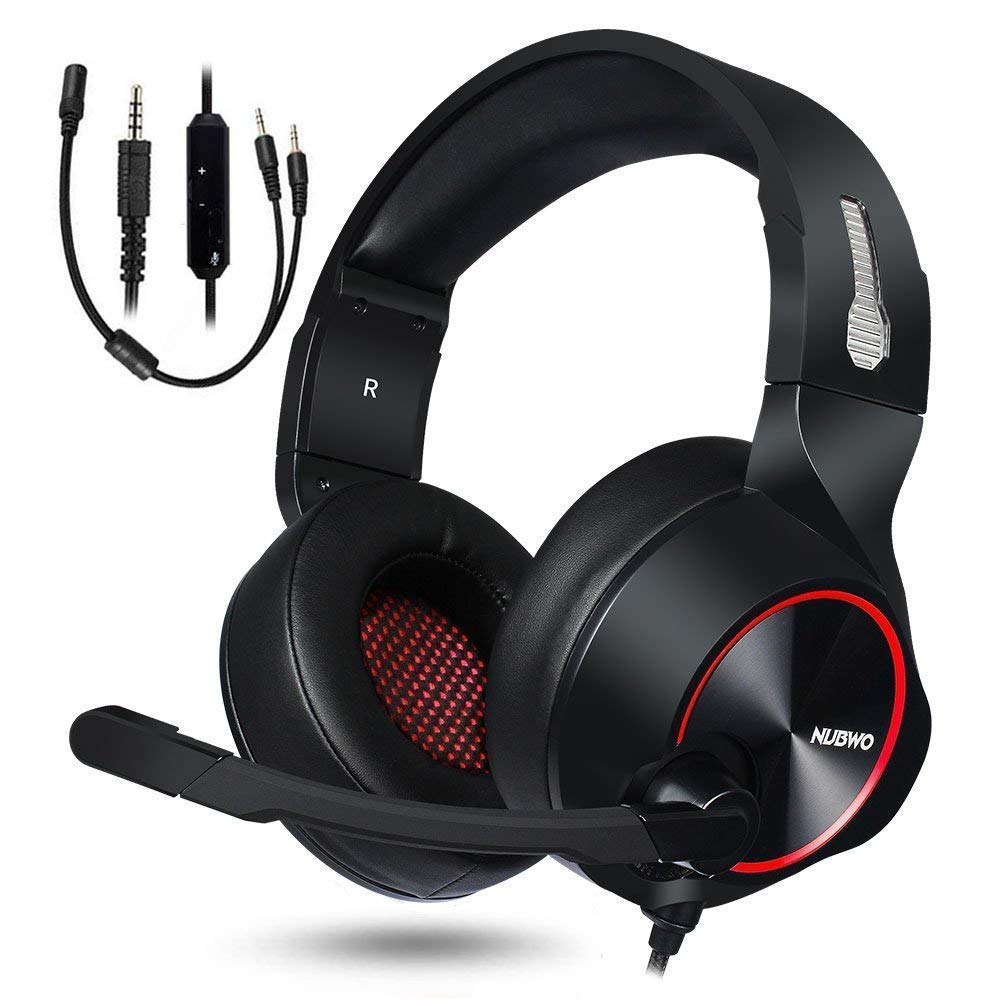
Image: NUBWO HW02 USB Computer Headset. This image displays the overall design of the headset, featuring orange accents on the earcups and headband, with a flexible microphone arm.
Operating Instructions
Adjusting the Headset
- Headband Adjustment: Gently slide the earcups up or down along the headband to achieve a comfortable fit over your ears.
- Microphone Positioning: Bend the flexible microphone arm to position the microphone approximately 1-2 inches from your mouth for optimal voice clarity.
Volume Control
The NUBWO HW02 headset features an in-line volume control.
- Increase Volume: Roll the volume wheel upwards.
- Decrease Volume: Roll the volume wheel downwards.
Microphone Mute Function
An in-line switch allows you to mute or unmute the microphone.
- Mute Microphone: Slide the switch to the "Mute" position.
- Unmute Microphone: Slide the switch to the "Unmute" position.
Maintenance
- Cleaning: Use a soft, dry, lint-free cloth to wipe down the earcups and headband. Do not use abrasive cleaners, alcohol, or solvents.
- Storage: When not in use, store the headset in a clean, dry place away from direct sunlight and extreme temperatures.
- Cable Care: Avoid sharp bends or excessive pulling on the cable to prevent damage.
Troubleshooting
| Problem | Possible Cause | Solution |
|---|---|---|
| No sound from headset | Headset not properly connected. Volume too low. Incorrect audio output device selected. | Ensure USB or 3.5mm jack is fully inserted. Increase volume using in-line control and computer/device settings. Select "NUBWO HW02" as the default playback device in your sound settings. |
| Microphone not working | Microphone muted. Incorrect audio input device selected. Microphone positioned incorrectly. | Check the in-line mute switch. Select "NUBWO HW02" as the default recording device in your sound settings. Adjust microphone position closer to your mouth. |
| Sound quality is poor or distorted | Volume too high. Loose connection. Interference. | Lower the volume. Re-seat the USB or 3.5mm connection. Try connecting to a different USB port or device. |
Specifications
- Model: HW02
- Connectivity: Wired (USB, 3.5mm Jack)
- Ear Placement: Over Ear
- Noise Control: Active Noise Cancellation
- Platform Compatibility: Gaming Console, PC
- Material: Silicone
- Item Weight: 1.11 pounds
- Product Dimensions: 9 x 7 x 4 inches
Warranty and Support
For warranty information or technical support, please refer to the NUBWO official website or contact their customer service. Keep your purchase receipt as proof of purchase.
NUBWO Official Website: Visit the NUBWO Store on Amazon

