
Introduction
This manual provides detailed instructions for the EBL 8-Bay Smart Battery Charger, designed to efficiently charge 1.2V AA and AAA Ni-MH/Ni-CD rechargeable batteries. It also includes information on the accompanying 2800mAh AA and 1100mAh AAA rechargeable batteries. Please read this manual thoroughly before use to ensure proper operation and safety.
Product Overview
The EBL 8-Bay Smart Battery Charger is a versatile charging solution featuring eight independent charging bays and two additional USB output ports for charging external devices.
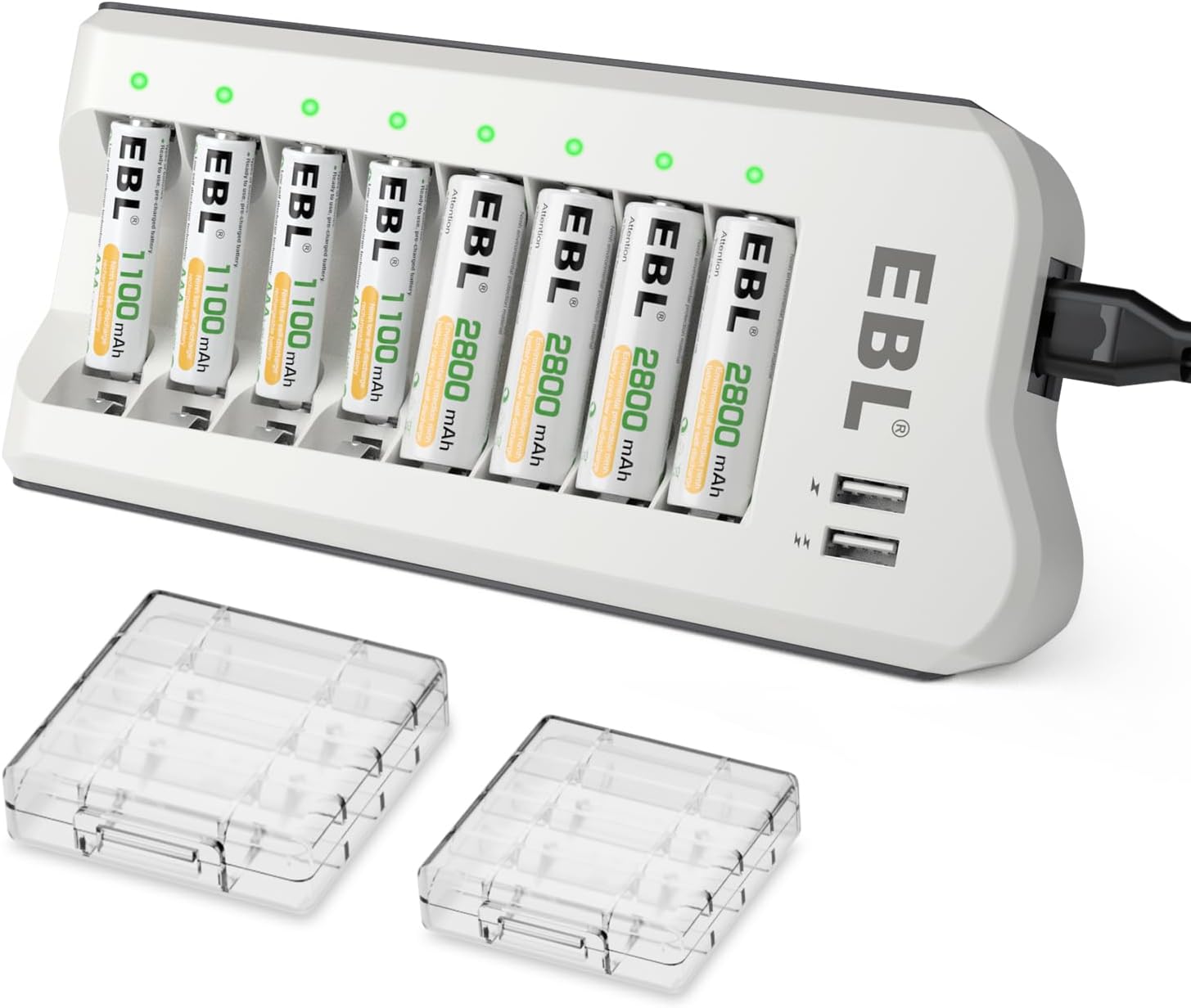
Figure 1: EBL 8-Bay Smart Battery Charger with included AA and AAA rechargeable batteries.
Key Features:
- 8 Independent Charging Bays: Allows for flexible charging of 1 to 8 AA or AAA Ni-MH/Ni-CD batteries simultaneously.
- Smart IC System: Automatically detects non-rechargeable or short-circuited batteries, preventing damage.
- Dual USB Fast Charging Ports: Provides 5V/2A output for charging USB-powered devices like smartphones and tablets.
- LED Indicators: Clear LED lights indicate charging status for each battery bay (Red: Charging, Green: Fully Charged, Red Flashing: Abnormal Charging).
- Multi-Protection Features: Includes cell protection, short-circuit protection, over-voltage protection, over-charge protection, over-heat protection, and over-current protection.
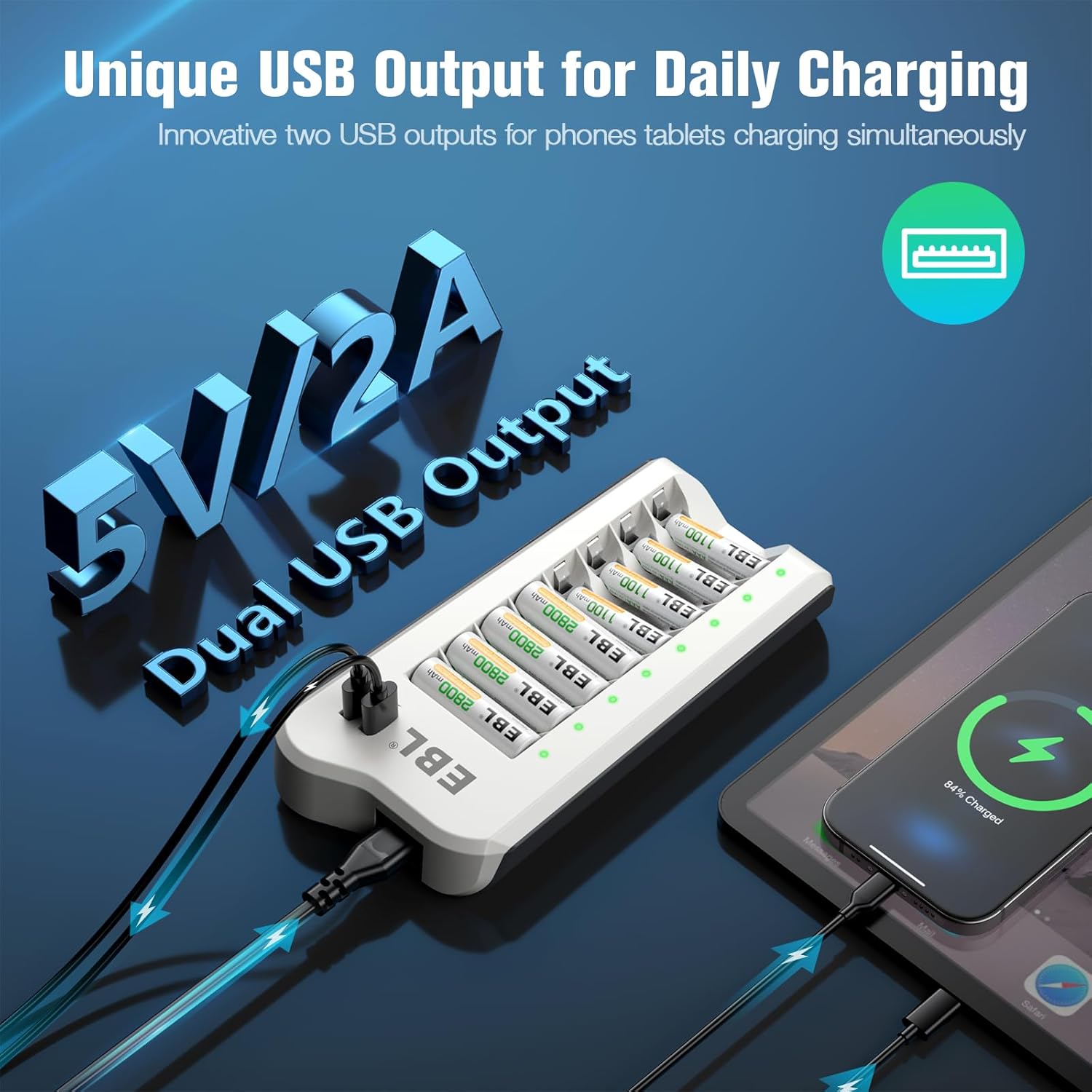
Figure 2: The new version of the EBL charger (C9041UW) supports independent charging for each battery slot, unlike older models that required charging in pairs.
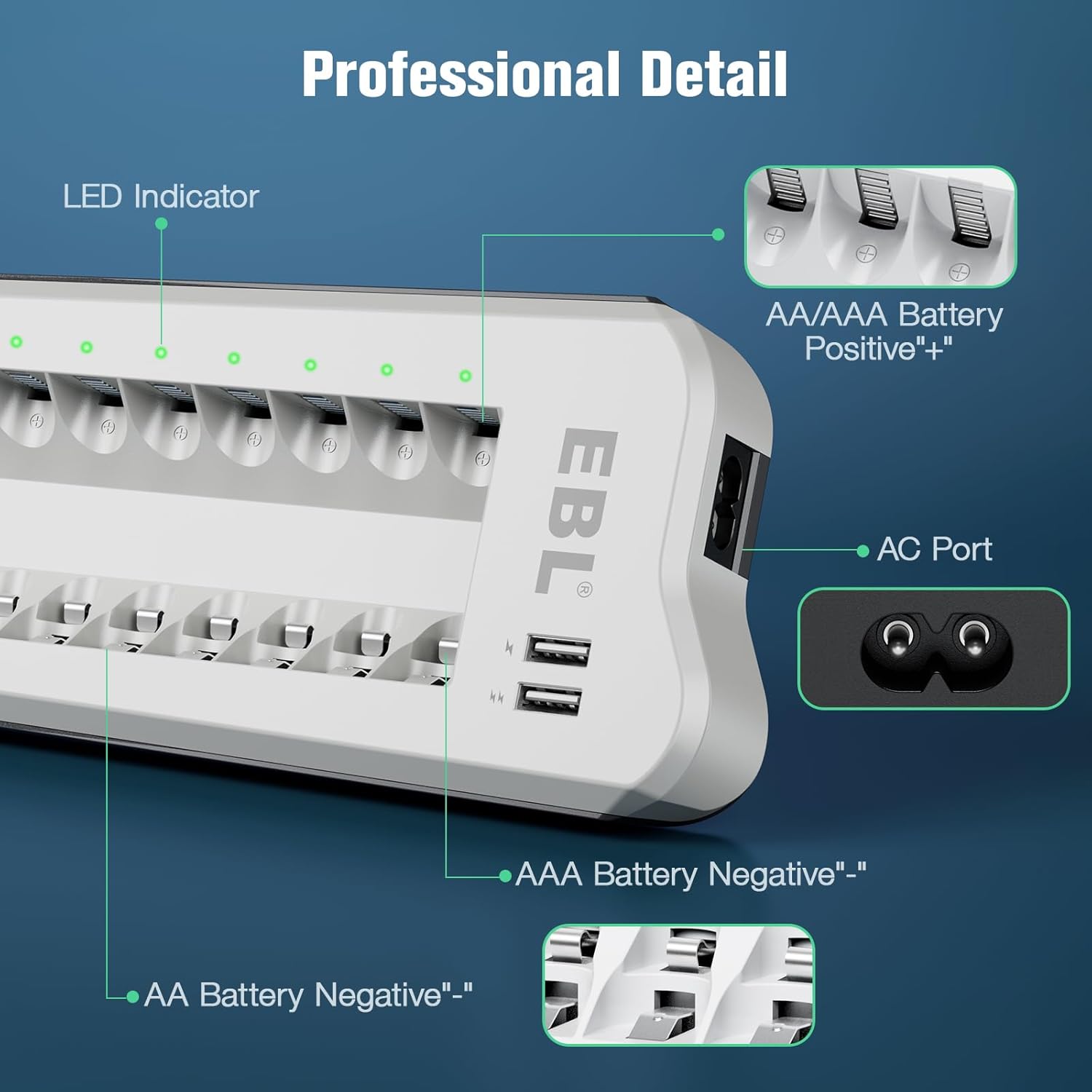
Figure 3: The charger features dual USB output ports (5V/2A) for convenient daily charging of external devices.

Figure 4: Professional detail view highlighting the LED indicators, AC power port, and battery negative terminals for both AA and AAA batteries.
Setup
- Unpack: Carefully remove the EBL 8-Bay Smart Battery Charger and included batteries from the packaging.
- Connect Power: Plug the charger's AC power cord into a standard wall outlet (100-240V compatible). The power-on LED indicator will illuminate.
- Insert Batteries: Insert 1.2V AA or AAA Ni-MH/Ni-CD rechargeable batteries into the charging bays, ensuring correct polarity (+ and - ends match the markings on the charger).
Operating Instructions
Charging Batteries:
- Ensure the charger is connected to a power source.
- Insert 1.2V AA or AAA Ni-MH/Ni-CD rechargeable batteries into any of the 8 charging slots. The charger supports individual charging, so you can charge 1 to 8 batteries at a time.
- Observe the LED indicators:
- Red Light: Indicates that the battery is currently charging.
- Green Light: Indicates that the battery is fully charged.
- Red Flashing Light: Indicates abnormal charging (e.g., non-rechargeable battery, short-circuit, or damaged battery). Remove the battery immediately.
- Once the LED turns green, the battery is fully charged and ready for use. You may remove it from the charger.

Figure 5: The clear LED indicators provide real-time charging status: Power On, Charging, Fully Charged, and Wrong Charging.
Using USB Output Ports:
- Connect your USB-powered device (e.g., smartphone, tablet) to one of the two USB output ports on the side of the charger using a compatible USB cable.
- The charger will provide 5V/2A output to charge your device.
Maintenance
- Cleaning: Disconnect the charger from power before cleaning. Use a soft, dry cloth to wipe the surface. Do not use abrasive cleaners or immerse the charger in water.
- Storage: Store the charger and batteries in a cool, dry place away from direct sunlight and extreme temperatures.
- Battery Care: For optimal battery life, avoid fully discharging batteries before recharging. Store partially charged batteries if not used for extended periods.

Figure 6: The EBL charger incorporates multiple safety features including cell protection, short-circuit protection, over-voltage protection, over-charge protection, over-heat protection, and over-current protection.
Troubleshooting
| Problem | Possible Cause | Solution |
|---|---|---|
| Battery not charging (LED off or flashing red) | Incorrect battery type; Incorrect polarity; Damaged battery; Short-circuited battery. | Ensure only 1.2V Ni-MH/Ni-CD batteries are used. Check battery polarity. Remove and reinsert the battery. If flashing red persists, the battery may be faulty. |
| USB output not working | Charger not powered; USB cable faulty; Device not compatible. | Ensure the charger is plugged into a live outlet. Try a different USB cable. Verify device compatibility with 5V/2A output. |
Specifications
- Model Number: C808U
- Product Dimensions: 7.5 x 3.8 x 1.2 inches (1.1"D x 3.7"W x 7.2"H)
- Item Weight: 5.9 ounces
- Input Voltage: 100-240V AC
- Output Voltage: 5 Volts (for USB ports)
- Battery Compatibility: 1.2V AA/AAA Ni-MH/Ni-CD rechargeable batteries
- USB Output: 5V/2A
- Included Batteries: 4pcs 2800mAh AA Ni-MH, 4pcs 1100mAh AAA Ni-MH
Warranty & Support
EBL products are designed for reliability and performance. For any questions, technical support, or warranty claims, please refer to the official EBL website or contact their customer service directly.
An electronic version of the user guide is available for download: User Guide (PDF)


