
1. Introduction and Product Overview
The XPOWER FC-420 is a high-performance utility fan designed for focused and extended airflow, capable of whole-room air circulation. It is suitable for various applications including drying and cooling in home, office, workshop, or industrial environments.
Key features include:
- Powerful and Efficient: 3600 CFM airflow, drawing only 2.8 Amps, thanks to an advanced high-torque motor and unique grille design for focused airflow up to 120+ feet.
- Versatile Controls: 5 adjustable speeds and a 3-hour set-and-forget timer.
- Adjustable Airflow: 360-degree frame rotation for precise directional airflow.
- Durable Construction: Features durable injection-molded housing and a heavy-duty wrap-around cord design.
- Easy Storage: Stackable design allows for efficient storage and transportation of multiple units.
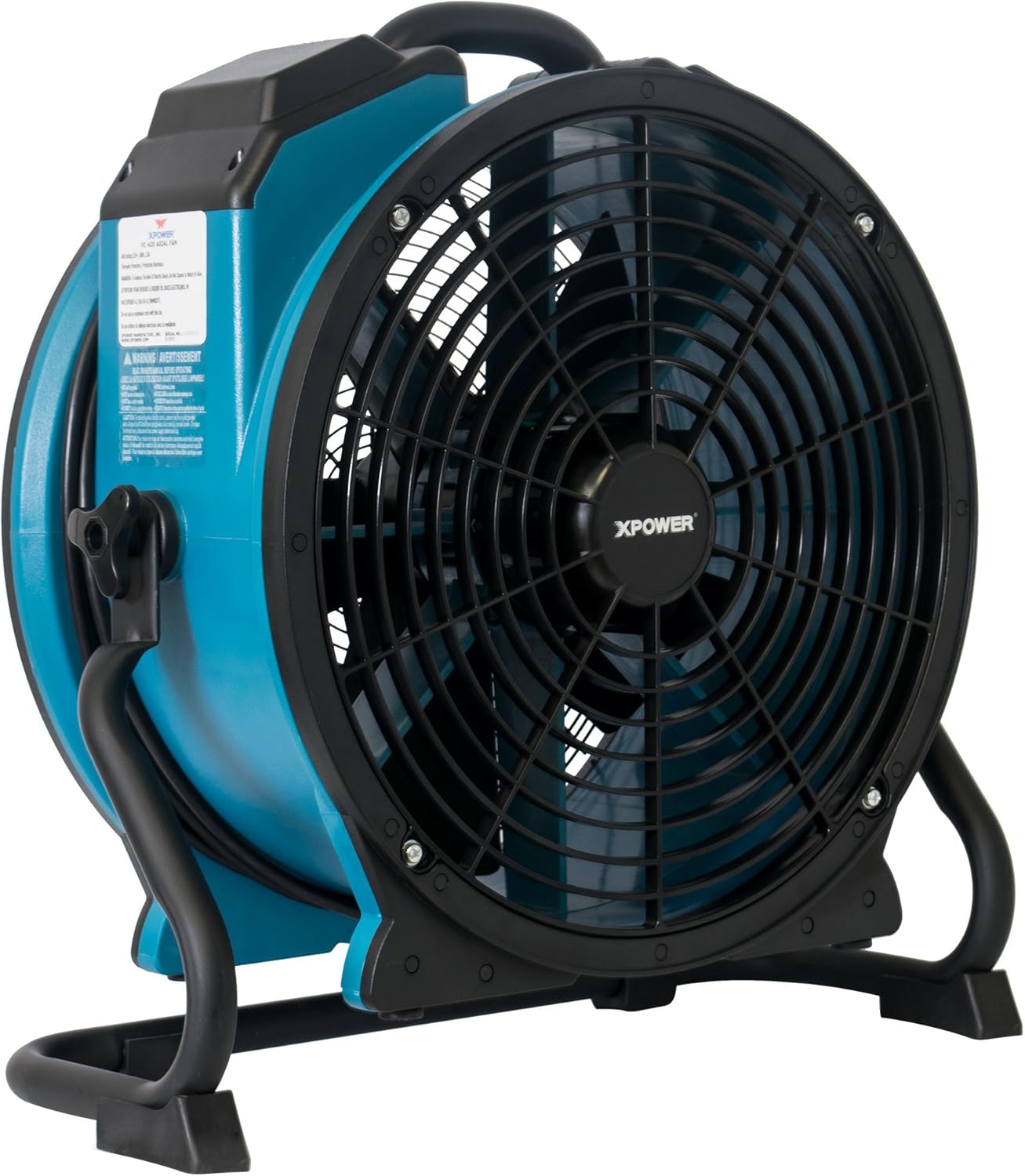
Figure 1: Front-side view of the XPOWER FC-420 Air Mover, highlighting its compact and robust design.
2. Setup
The XPOWER FC-420 Air Mover comes fully assembled and ready for use. No complex assembly is required.
- Unpacking: Carefully remove the unit from its packaging. Inspect for any signs of damage during transit.
- Placement: Place the air mover on a stable, flat surface. Ensure the intake and exhaust grilles are clear of obstructions to allow for optimal airflow.
- Power Connection: Unwind the power cord from the wrap-around design. Plug the unit into a standard 115V AC grounded electrical outlet.

Figure 2: Direct front view of the XPOWER FC-420 Air Mover, showing the protective grille and sturdy base.
3. Operating Instructions
The FC-420 features intuitive controls for power, speed, and timer settings.
- Power On/Off and Speed Selection: Locate the speed control knob on the unit. Turn the knob clockwise to select one of the 5 available speeds (1-5). Turn counter-clockwise to turn the unit off.
- Timer Function: The unit includes a 3-hour timer. To activate, set the timer knob to the desired duration. The unit will automatically shut off once the set time has elapsed.
- Adjusting Airflow Direction: The FC-420 features a 360-degree frame rotation. Loosen the adjustment knobs on the sides of the unit, position the fan head to the desired angle (up, down, or any intermediate position), and then tighten the knobs to secure it.

Figure 3: Illustration of the XPOWER FC-420 generating focused and extended airflow for efficient air movement.

Figure 4: Diagram illustrating how the XPOWER FC-420 promotes effective whole-room air circulation.
For a visual demonstration of XPOWER Axial Fans, please watch the video below:
Video 1: XPOWER Axial Fans Overview. This video demonstrates the features and capabilities of XPOWER Axial Fans, including their powerful airflow and versatile applications in various settings.
4. Maintenance
Regular maintenance ensures optimal performance and longevity of your XPOWER FC-420 Air Mover.
- Cleaning: Periodically clean the intake and exhaust grilles to prevent dust and debris buildup, which can restrict airflow. Use a soft brush or vacuum cleaner.
- Exterior Cleaning: Wipe the exterior housing with a damp cloth. Do not use harsh chemicals or abrasive cleaners.
- Storage: When not in use, store the unit in a cool, dry place. Utilize the wrap-around cord design to neatly secure the power cord. The stackable design allows for efficient storage of multiple units.
5. Troubleshooting
If you encounter issues with your XPOWER FC-420, refer to the following common troubleshooting steps:
- Unit Not Turning On:
- Ensure the power cord is securely plugged into a functional electrical outlet.
- Check the circuit breaker in your electrical panel.
- Verify the speed control knob is set to an active speed (1-5) and not "Off".
- Reduced Airflow:
- Check for any obstructions in the intake or exhaust grilles.
- Ensure the unit is placed in an area with adequate air circulation.
- Clean the grilles if dust or debris is present.
- Unusual Noise:
- Turn off and unplug the unit. Inspect the fan blades and interior for any foreign objects.
- Ensure the unit is on a stable, level surface to prevent vibrations.
If problems persist after attempting these steps, contact XPOWER customer service for assistance.


