1. Introduction
The Spektrum H6050 is a digital cyclic servo designed for helicopter models up to 500 size. It features a powerful coreless motor and a durable full metal gear train, providing precise control and reliability for various RC applications.
Key Features:
- Standard size servo, suitable for 500 size helicopter models and smaller.
- Provides 160oz of torque and a speed of 0.103 seconds at 6.0V.
- Supports 4.8V-6.0V input voltage.
- Equipped with a long 10-inch (255mm) connector wire, reducing the need for extensions.
- Features a 23-tooth spline and bearing-supported output spline for enhanced durability.
2. Safety Information
WARNING: Read the ENTIRE instruction manual to become familiar with the features of the product before operating. Failure to operate the product correctly can result in damage to the product, personal property, and cause serious injury. This is a sophisticated hobby product. It must be operated with caution and common sense and requires some basic mechanical ability. Failure to operate this Product in a safe and responsible manner could result in injury or damage to the product or other property. This product is not intended for use by children without direct adult supervision. Do not use with incompatible components or alter this product in any way outside of the instructions provided by Horizon Hobby, LLC. The product manual contains instructions for safety, operation, and maintenance. It is essential to read and follow all the instructions and warnings in the manual, prior to assembly, setup or use, in order to operate correctly and avoid damage or serious injury.
3. Product Overview
The Spektrum H6050 servo is engineered for performance and durability in demanding RC helicopter environments. Its robust construction and precise digital control ensure reliable operation.
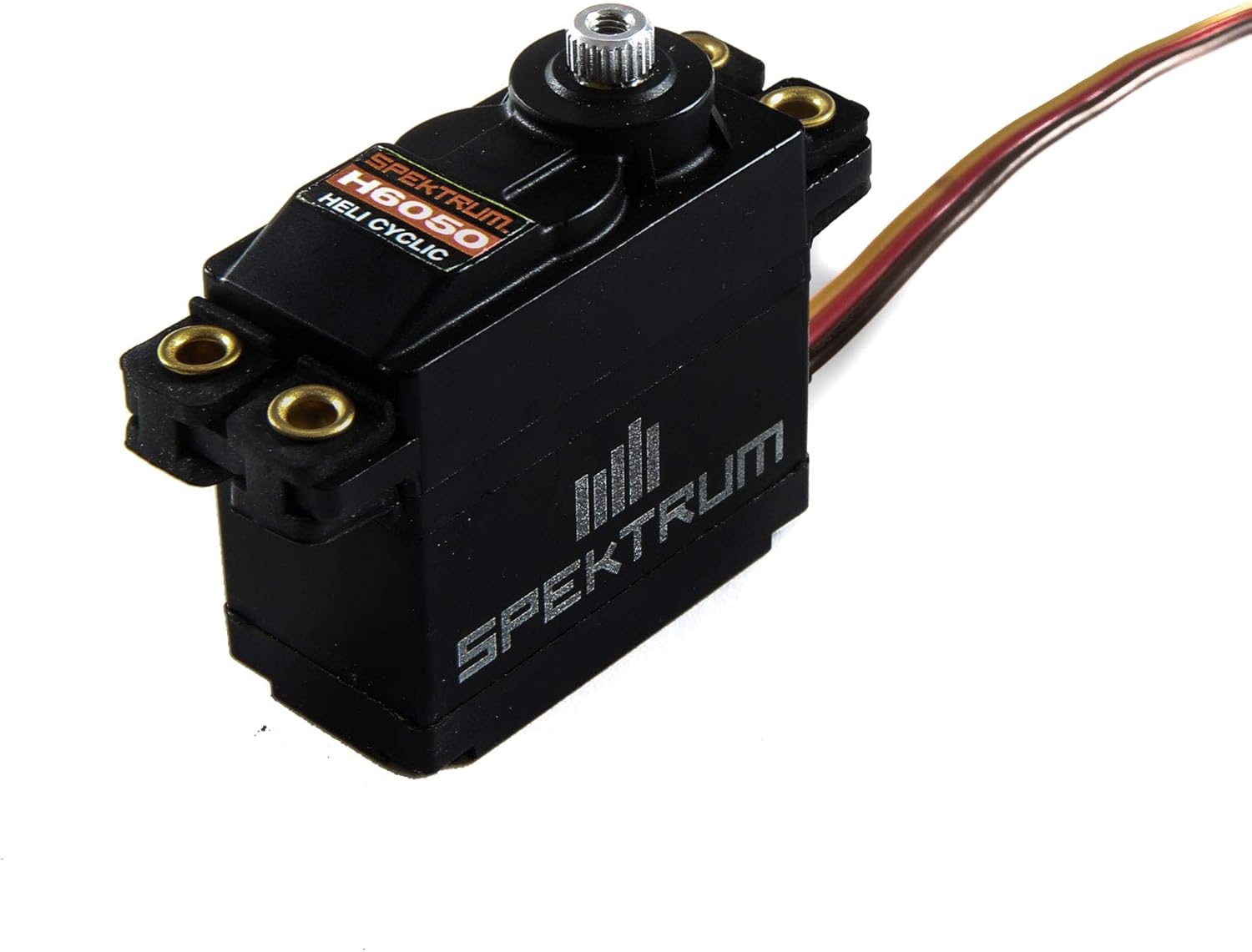
Figure 1: Spektrum H6050 servo, top-down view, showing the output spline and mounting tabs.

Figure 2: Spektrum H6050 servo with included mounting hardware and various servo horns.
The servo's metal gear train is designed to withstand the stresses of high-performance cyclic applications, while the coreless motor provides consistent power and quick response times. The standard size ensures compatibility with a wide range of models.
4. Setup
4.1. Mounting the Servo
- Identify the designated servo mounting location in your RC model.
- Secure the servo using the provided mounting screws and rubber grommets (if applicable) to minimize vibration. Ensure the servo is firmly seated but not overtightened.
- Attach the appropriate servo horn to the 23-tooth output spline. Ensure the horn is centered before tightening the retaining screw.
4.2. Wiring Connection
- Connect the 10-inch (255mm) servo connector wire to the corresponding channel on your receiver or flight controller.
- Ensure the polarity is correct (typically brown/black for ground, red for positive, orange/yellow/white for signal). Refer to your receiver's manual for specific wiring diagrams.
- Verify that the power supply to the receiver is within the servo's operating voltage range of 4.8V-6.0V.
5. Operation
5.1. Basic Function
The H6050 servo translates electrical signals from your receiver into mechanical motion, controlling the cyclic surfaces of your helicopter. When power is applied and a signal is received, the servo's output shaft will rotate to a commanded position.
5.2. Centering and Travel Adjustment
- Before initial flight, ensure the servo is properly centered. This can typically be done through your transmitter's sub-trim or servo centering functions.
- Adjust the servo travel (endpoints) on your transmitter to achieve the desired range of motion for your helicopter's cyclic controls without binding or over-stressing the servo or linkages.
6. Maintenance
Regular maintenance helps ensure the longevity and optimal performance of your Spektrum H6050 servo.
- Keep Clean: Periodically clean the servo case to prevent dirt and debris from entering the internal mechanisms.
- Inspect Gears: Check the metal gear train for any signs of wear, damage, or excessive play. Replace gears if necessary.
- Check Wiring: Ensure the servo wire and connector are free from cuts, pinches, or corrosion.
- Lubrication: The internal gears are pre-lubricated. Avoid excessive external lubrication unless specifically recommended by the manufacturer for specific conditions.
- Storage: Store the servo in a dry, cool environment away from direct sunlight and extreme temperatures.
7. Troubleshooting
If you encounter issues with your Spektrum H6050 servo, consider the following common troubleshooting steps:
- No Movement:
- Check all wiring connections to ensure they are secure and correctly polarized.
- Verify that the receiver and servo are receiving adequate power.
- Test with a different servo or receiver channel to isolate the problem.
- Erratic Movement or Glitching:
- Ensure there is no interference from other electronic components.
- Check for loose connections or damaged wiring.
- Verify that the servo horn and linkages are not binding.
- Buzzing or Humming:
- A slight buzz is normal for digital servos, especially when holding a position.
- Excessive buzzing might indicate mechanical binding in the linkages or an overloaded servo. Check for free movement of control surfaces.
8. Specifications
| Specification | Detail |
|---|---|
| Product Dimensions | 3.9 x 3.5 x 1.1 inches |
| Item Weight | 2.82 ounces |
| ASIN | B07FN8SCGR |
| Item Model Number | SPMSH6050 |
| Manufacturer Recommended Age | 14 years and up |
| Batteries | 1 Nonstandard Battery batteries required. |
| Manufacturer | Spektrum |
| Date First Available | July 18, 2018 |
| Input Voltage | 4.8V-6.0V |
| Torque | 160oz (at 6.0V) |
| Speed | 0.103 sec (at 6.0V) |
| Gear Type | Metal Gear |
| Spline | 23 Tooth |
9. Warranty and Support
For warranty information, technical support, or service inquiries regarding your Spektrum H6050 servo, please refer to the official Spektrum website or contact their customer service directly. Keep your proof of purchase for any warranty claims.
You can visit the Spektrum Store for more information on their products.


