
Mobility Lab ML311210
MOBILITY LAB ML311210 Solar Power Bank User Manual
Model: ML311210
1. Introduction
Thank you for choosing the MOBILITY LAB ML311210 Solar Power Bank. This device is designed to provide portable power for your electronic devices, featuring a 10,000 mAh capacity, two USB output ports, an integrated LED flashlight, and IPX4 splash resistance. Its solar panel offers supplementary charging, making it ideal for outdoor use. Please read this manual carefully to ensure proper use and maintenance of your power bank.
2. Package Contents
Please check the box for the following items:
- MOBILITY LAB ML311210 Solar Power Bank
- Micro USB Charging Cable
- Carabiner
- User Manual (this document)
3. Product Overview
Familiarize yourself with the components of your power bank:
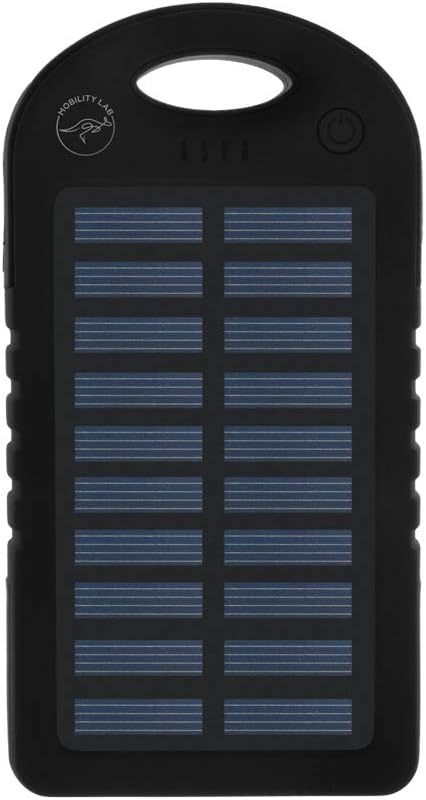
- Solar Charging Panel: Located on the front, converts sunlight into energy for supplementary charging.
- LED Battery Indicators: Four blue LED lights indicate the remaining battery capacity.
- Power Button: Activates the power bank and the LED flashlight.
- USB Output Ports (x2): For charging external devices.
- Micro USB Input Port: For charging the power bank itself.
- LED Flashlight: Integrated light for illumination.
- Carabiner Loop: For attaching the power bank to bags or gear.
4. Setup
4.1 Initial Charging
Before first use, it is recommended to fully charge the power bank using the included Micro USB cable and a wall adapter (not included). This ensures the internal battery is conditioned for optimal performance.
- Connect the Micro USB cable to the power bank's input port.
- Connect the other end of the cable to a USB wall adapter or a computer's USB port.
- The LED indicators will light up progressively as the power bank charges. All four LEDs will be solid when fully charged.
4.2 Solar Charging
The solar panel provides supplementary charging and is ideal for maintaining charge or for emergency power in outdoor environments. It is not intended as the primary charging method due to varying sunlight intensity and efficiency.
- Place the power bank in direct sunlight with the solar panel facing upwards.
- A green LED indicator (if present, or one of the blue LEDs might blink differently) will illuminate to show solar charging is active.
- For best results, ensure the panel is clean and unobstructed.
5. Operating Instructions
5.1 Charging External Devices
The power bank features two USB output ports to charge smartphones, tablets, and other USB-powered devices.
- Connect your device's USB charging cable to one of the power bank's USB output ports.
- Press the power button once to activate the power bank and begin charging.
- The LED indicators will show the remaining battery level.
- Disconnect your device once fully charged or when you no longer need power. The power bank will automatically turn off after a period of inactivity.
5.2 Using the LED Flashlight
The integrated LED flashlight is useful for emergencies or low-light conditions.
- To turn on: Double-press the power button quickly.
- To turn off: Double-press the power button quickly again.
5.3 Checking Battery Level
The four blue LED indicators show the approximate remaining battery capacity:
- 4 LEDs: 75% - 100% charged
- 3 LEDs: 50% - 75% charged
- 2 LEDs: 25% - 50% charged
- 1 LED: 0% - 25% charged (recharge soon)
Press the power button once to check the current battery level.
6. Maintenance
- Cleaning: Wipe the power bank with a soft, dry cloth. Do not use harsh chemicals or abrasive cleaners.
- Storage: Store the power bank in a cool, dry place away from direct sunlight and extreme temperatures.
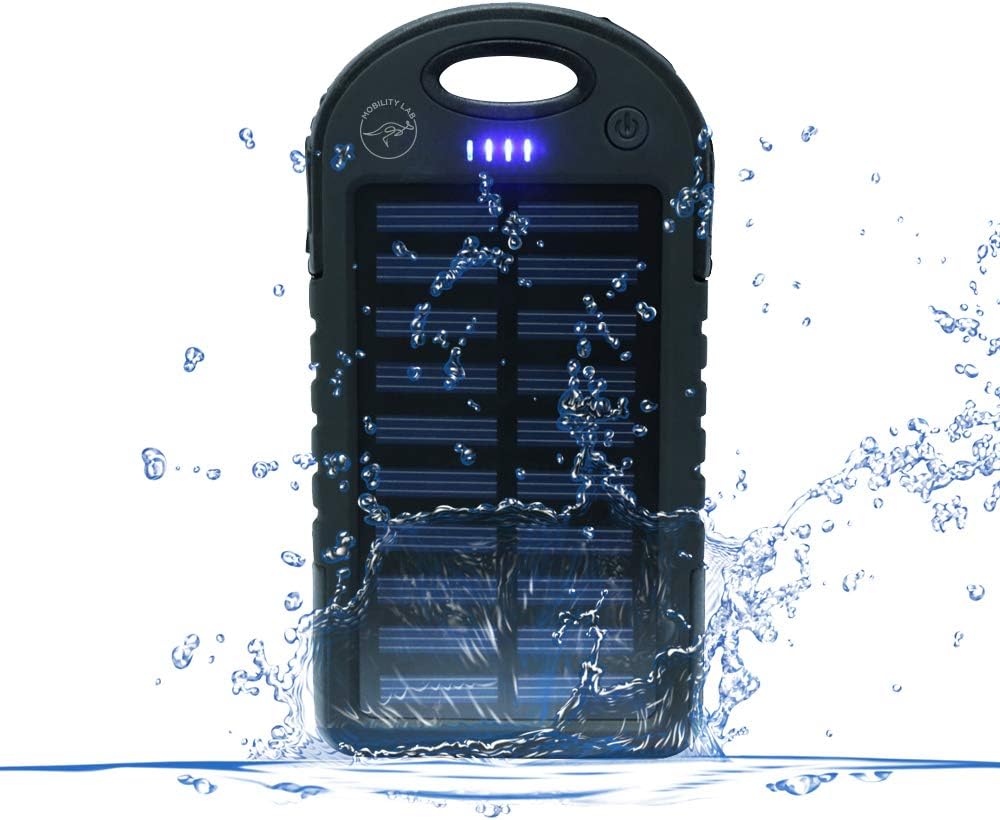
- Water Resistance (IPX4): The device is resistant to splashing water from any direction. Do not submerge the power bank in water or expose it to heavy rain. Ensure all ports are dry before charging or connecting devices.
- Battery Care: To prolong battery life, fully charge the power bank at least once every three months if not in regular use.
7. Troubleshooting
- Power bank is not charging:
- Ensure the charging cable is securely connected to both the power bank and the power source. Try a different cable or wall adapter. Check if the power source is active.
- Device is not charging from the power bank:
- Ensure the power bank is turned on (press the power button). Check if your device's charging cable is properly connected to the power bank's output port. Verify that the power bank has sufficient charge. Try a different USB port or cable.
- Solar charging seems slow or ineffective:
- Solar charging is supplementary and slower than wall charging. Ensure the solar panel is in direct, strong sunlight and is clean. Avoid charging in shaded areas or through windows.
- LED flashlight is not working:
- Double-press the power button quickly to activate/deactivate the flashlight. Ensure the power bank has sufficient charge.
8. Specifications
| Feature | Detail |
|---|---|
| Model Number | ML311210 |
| Battery Capacity | 10,000 mAh |
| Input Port | Micro USB |
| Output Ports | 2 x USB |
| Special Features | Solar Charging, LED Flashlight, IPX4 Water Resistance |
| Compatible Devices | Smartphones, Tablets |
| Included Components | Micro USB Cable, Carabiner |
9. Warranty and Support
9.1 Manufacturer's Warranty
This MOBILITY LAB ML311210 Solar Power Bank comes with a 2-year manufacturer's warranty from the date of purchase. This warranty covers defects in materials and workmanship under normal use. It does not cover damage caused by misuse, accidents, unauthorized modifications, or natural disasters.
9.2 Customer Support
For technical support, warranty claims, or further assistance, please refer to the official Mobility Lab website or contact their customer service department. Please have your product model number (ML311210) and proof of purchase ready when contacting support.
Related documentsML311210

Ask a question about this manual
Ask about setup, troubleshooting, compatibility, parts, safety, or missing instructions. Manuals+ will review the question and use this page’s manual context to help answer it.