
Product Overview
The Yakry Y28 RV Backup Camera System provides enhanced visibility and safety for various large vehicles, including RVs, 5th wheels, trucks, and campers. This system features a 7-inch HD 1080P monitor and two wireless cameras, offering crystal clear views day and night. Key functionalities include a dual antenna display for stronger signal, a recording function for trip documentation, and an expandable 4-channel system for comprehensive coverage.


Package Contents
Upon unboxing your Yakry Y28 RV Backup Camera System, please verify that all components are present:
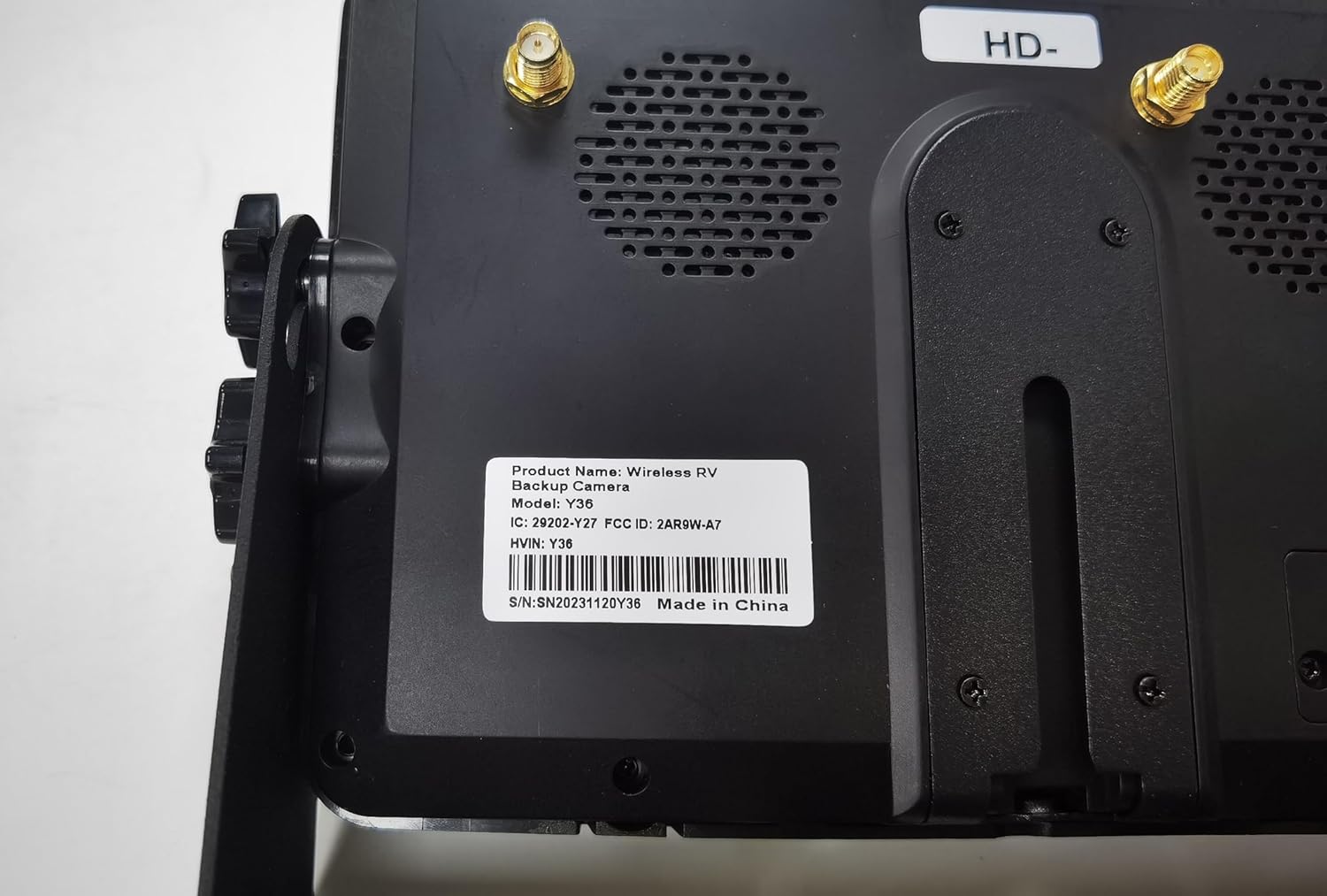
- 1 x 7-inch HD 1080P Wireless Monitor (Model: Y36)
- 2 x HD 1080P Wireless Cameras (IP69K Waterproof)
- 1 x Monitor Power Cable with Cigarette Lighter Adapter
- 2 x Camera Power Cables
- 2 x Mounting Brackets for Cameras
- 1 x Monitor Mounting Bracket (Dashboard/Windshield options)
- 1 x Antenna Extension Cable (for enhanced signal range)
- Necessary Screws and Installation Accessories
- User Manual
Setup & Installation
Follow these steps to set up your Yakry Y28 RV Backup Camera System:
- Monitor Placement: Choose a suitable location on your dashboard or windshield for the 7-inch monitor. Use the provided mounting bracket to secure the monitor, ensuring it does not obstruct your view.
- Monitor Power Connection: Connect the monitor's power cable to your vehicle's 12V cigarette lighter socket. The monitor will power on automatically when the vehicle's ignition is on.
- Camera Mounting: Install the wireless cameras at the rear of your vehicle. For RVs pre-wired for Furrion systems, the installation is simplified using compatible adapters. Ensure the cameras are securely mounted and have a clear line of sight.
- Camera Power Connection: Connect the camera power cables to a 12V power source, typically the vehicle's running lights or reverse lights. This allows the cameras to receive power when needed.
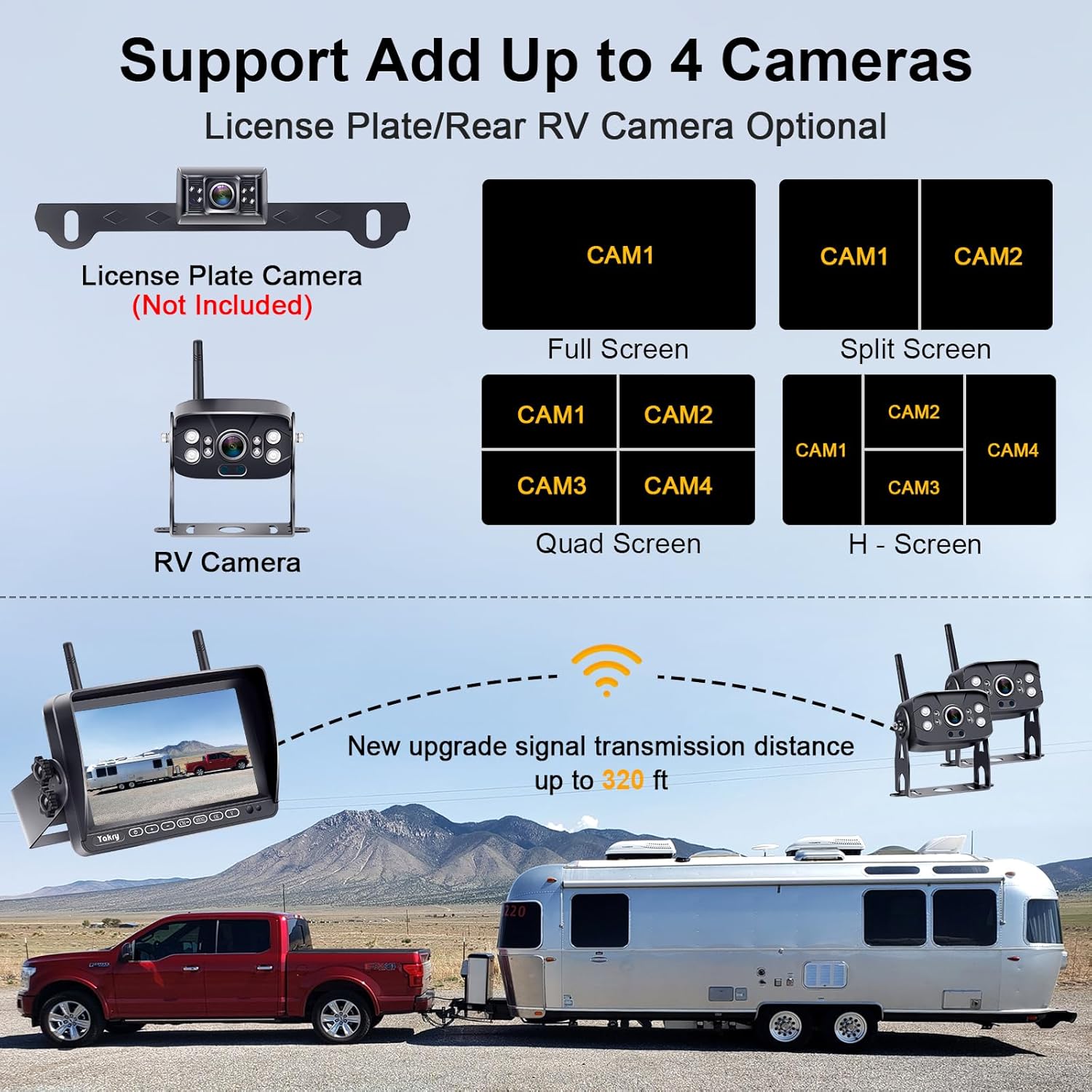
- Antenna Installation: Attach the antennas to both the monitor and cameras. For extended range or improved signal stability, utilize the provided antenna extension cable, especially for longer vehicles.
- System Pairing: The monitor and cameras are pre-paired from the factory. If re-pairing is necessary, refer to the 'Operating Instructions' section for detailed steps.

Operating Instructions
The Yakry Y28 system is designed for intuitive operation. Here's how to use its main features:
- Power On/Off: The monitor automatically powers on when connected to a live 12V power source. Use the power button on the monitor to manually turn it on or off.
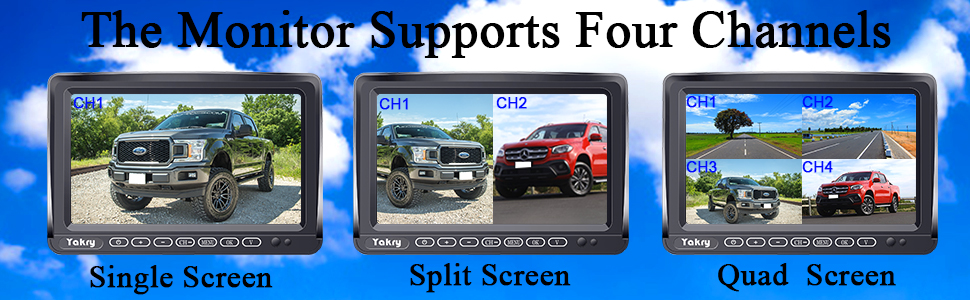
- Channel Switching: The system supports up to 4 cameras. Use the 'CH' button on the monitor to cycle through available camera channels (CAM1, CAM2, CAM3, CAM4) or to view multiple cameras simultaneously in split-screen or quad-screen mode.
- Menu Navigation: Use the 'MENU' button to access settings such as image flip mode, guidelines, and recording options. Navigate through options using the '+' and '-' buttons and confirm with 'OK'.
- Guidelines: Adjustable parking guidelines can be turned on or off via the monitor's settings. These lines assist with accurate parking and reversing.
- Recording Function: Insert an SD card (up to 128GB, not included) into the monitor to enable the driving recorder function. The system will automatically record footage, providing documentation of your trips and maneuvers.
- HD 1080P Display: The 7-inch monitor provides a sharp 1080P HD image quality, ensuring clear visibility of your surroundings.
- Night Vision: The cameras are equipped with night vision capabilities, providing clear images even in low-light conditions.


Maintenance
To ensure the longevity and optimal performance of your Yakry Y28 system, follow these maintenance guidelines:
- Cleaning: Regularly clean the camera lenses and monitor screen with a soft, damp cloth. Avoid abrasive cleaners that could scratch surfaces.
- Waterproofing: The cameras are IP69K waterproof, designed to withstand harsh weather conditions. However, ensure all connections are secure and free from debris to maintain water resistance.
- Storage: When not in use for extended periods, especially in extreme temperatures, it is recommended to store the monitor in a cool, dry place.
Troubleshooting
If you encounter issues with your Yakry Y28 system, try the following solutions:
- No Signal Displayed:
- Ensure both the monitor and cameras are receiving power. Check all power connections.
- Verify that the antennas are securely attached to both the monitor and cameras.
- If experiencing signal loss over long distances (e.g., with a long trailer), consider using the provided antenna extension cable to improve signal strength.
- Ensure no large metal objects are obstructing the wireless signal path between the camera and monitor.
- Image Quality Issues:
- Clean the camera lenses to remove any dirt or smudges.
- Check for strong interference from other wireless devices.
- Recording Not Working:
- Ensure an SD card is properly inserted into the monitor.
- Format the SD card through the monitor's menu settings.
- Check if the SD card is full; delete old footage or replace the card if necessary.
Specifications
| Feature | Detail |
|---|---|
| Product Dimensions | 7.1 x 0.9 x 4.6 inches |
| Item Weight | 3.95 pounds |
| Item Model Number | Y36 |
| Display Technology | LCD |
| Screen Size | 7 Inches |
| Video Capture Resolution | 1080p |
| Voltage | 12 Volts |
| Optical Sensor Technology | CMOS |
| Waterproof Rating | IP69K |
| Working Range (Vehicles) | Up to 320ft |
| Working Range (Open Areas) | Up to 830ft |
Warranty & Support
Yakry is committed to providing high-quality products and excellent customer service.
- Warranty: This product comes with a 3-year replacement warranty.
- Technical Support: Enjoy lifetime technical support for your Yakry Y28 RV Backup Camera System. For any inquiries or assistance, please contact Yakry-US customer service.