
Introduction
This manual provides instructions for the BOMAZ Universal Replacement Remote Control. This remote is designed to be a direct replacement for original Samsung Smart TV remotes, offering immediate functionality without complex setup procedures. It is compatible with various Samsung Smart TV models, including UN55KU6290FXZA, UN65KU6290FXZA, and BN59-01259E.
The remote features a slim design for comfortable handling and stable performance, operating effectively at distances of over 8 meters.
Setup
The BOMAZ Universal Replacement Remote Control is designed for immediate use with compatible Samsung Smart TVs. No programming or pairing is required.
Installing Batteries
- Locate the battery compartment on the back of the remote control.
- Slide the battery cover open.
- Insert two (2) AAA batteries, ensuring the positive (+) and negative (-) terminals match the diagrams inside the compartment. (Note: 2 AAA batteries are typically included with the remote.)
- Close the battery cover securely.
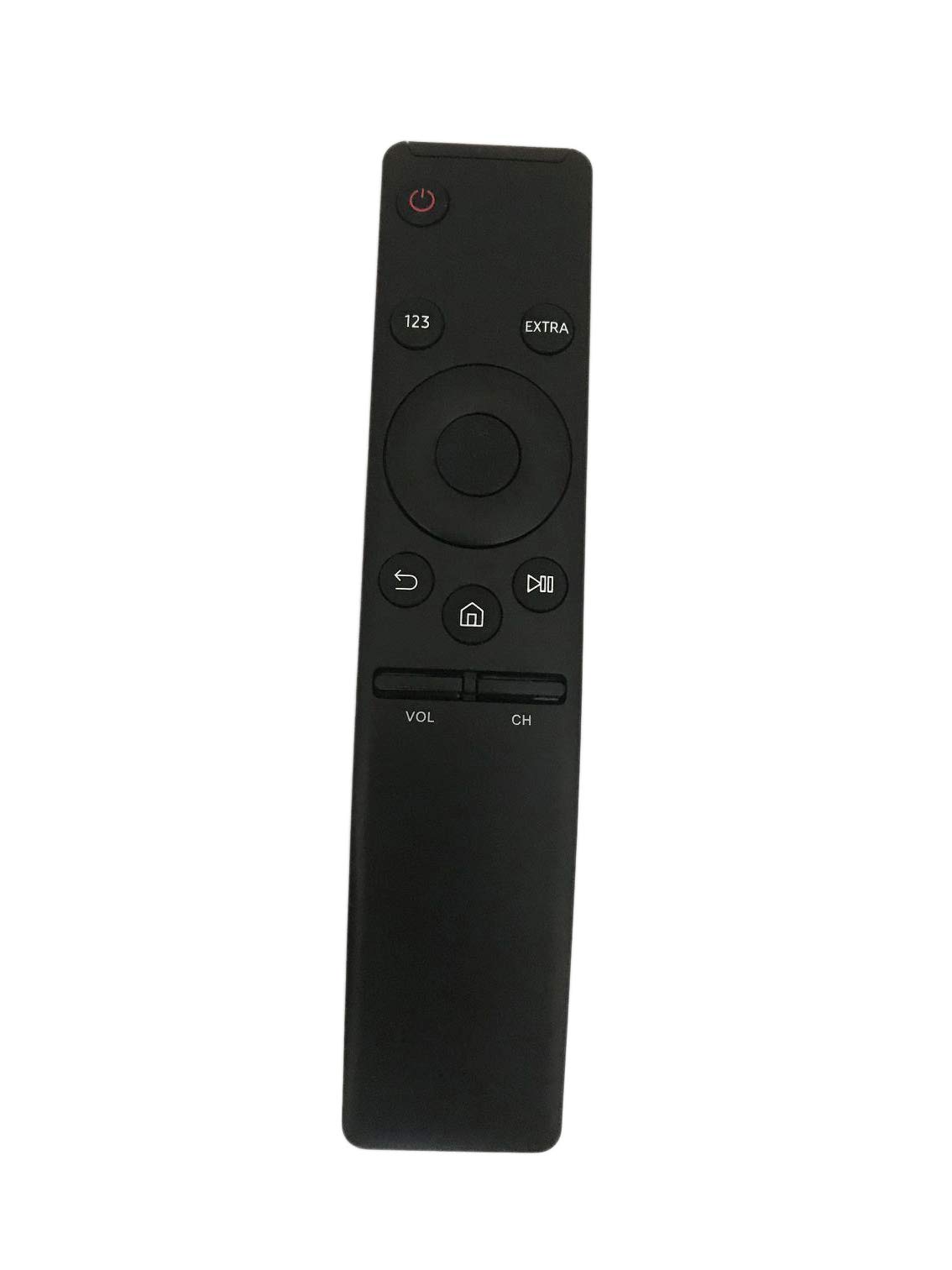
Image: Side view of the remote control, illustrating its slim design. The battery compartment is located on the back.
Operating Instructions
Once batteries are installed, the remote is ready to operate your compatible Samsung Smart TV. Point the remote directly at the TV's infrared receiver.

Image: Front view of the remote control, showing the button layout for operation.
Key Functions:
- Power Button (⏻): Turns the TV on or off.
- 123 Button: Accesses the numeric keypad for direct channel input or other numerical functions.
- EXTRA Button: Provides access to additional TV functions or menus, depending on the TV model.
- Navigation Pad (Up, Down, Left, Right, Select): Used to navigate menus, select options, and adjust settings.
- Back Button (↶): Returns to the previous screen or menu.
- Home Button (⌂): Opens the Smart Hub or main home screen of the TV.
- Play/Pause Button (⏸): Controls media playback (play, pause).
- Volume Buttons (VOL +/-): Increases or decreases the TV volume.
- Channel Buttons (CH +/-): Changes the TV channel up or down.
Maintenance
Proper maintenance ensures the longevity and optimal performance of your remote control.
- Cleaning: Wipe the remote control regularly with a soft, dry cloth. For stubborn dirt, slightly dampen the cloth with water or a mild, non-abrasive cleaner. Avoid excessive moisture.
- Battery Replacement: Replace batteries when the remote's response becomes sluggish or it stops functioning. Always replace both batteries at the same time with new ones of the same type (AAA).
- Storage: Store the remote in a dry place, away from direct sunlight, extreme temperatures, and high humidity.
- Avoid Drops: Protect the remote from physical impact, as drops can damage internal components.
Troubleshooting
If you experience issues with your remote control, refer to the following common solutions:
| Problem | Solution |
|---|---|
| Remote is not responding. |
|
| Remote range is poor. |
|
| Specific buttons are not working. |
|
| Remote does not control the TV. |
|
Specifications
| Brand | BOMAZ |
| Model Number | 8541715130 |
| Compatible Devices | Samsung Smart Televisions (e.g., UN55KU6290FXZA, UN65KU6290FXZA, BN59-01259E) |
| Connectivity Technology | Infrared (IR) |
| Special Feature | No Programming Required, Universal |
| Color | Black |
| Maximum Range | 10 Meters (approximately 33 feet) |
| Battery Type | 2 x AAA batteries |
| Material | ABS Material |
| UPC | 758232812310 |
Warranty and Support
This BOMAZ remote control comes with a manufacturer's warranty. Please refer to the specific terms provided with your purchase for exact details.
- Warranty Period: The product typically includes a 120-day warranty from the date of purchase, covering manufacturing defects.
- Customer Support: If you encounter any issues with your remote control, or if it arrives with a problem, please contact the seller or manufacturer directly for assistance. They test every remote before shipment and are available to help.