
1. Introduction
This manual provides comprehensive instructions for the safe and efficient use of your RaLeno White LED Video Light, Model PLV-S104. This portable lighting solution is designed for various applications, including video conferencing, photography, and live streaming, offering soft, adjustable illumination with a built-in rechargeable battery.
2. What's Included
Please verify that all items listed below are present in your package:
- White LED Video Light (1 unit)
- BLACK Mini Tripod (1 unit)
- Cold Shoe Adapter (1 unit)
- Type-C Charging Cable (1 unit)
- User Manual (1 unit)

Figure 2.1: Package Contents
3. Product Features
-
3.1 Soft and Even Lighting
The RaLeno LED Video Light utilizes edge-lit technology and 4-layer diffusers to produce soft, uniform illumination. This design minimizes glare, making it comfortable for extended use in video conferences, photography, and live streaming. It features 116 high-brightness lamp beads.

Figure 3.1: Soft Light Output
-
3.2 Built-in Rechargeable Battery
Equipped with a 4000mAh built-in battery, the light provides up to 80 minutes of operation at full brightness. It supports use while charging and can be powered via USB or Type-C connections. For optimal charging, use a 5V/3A adapter.
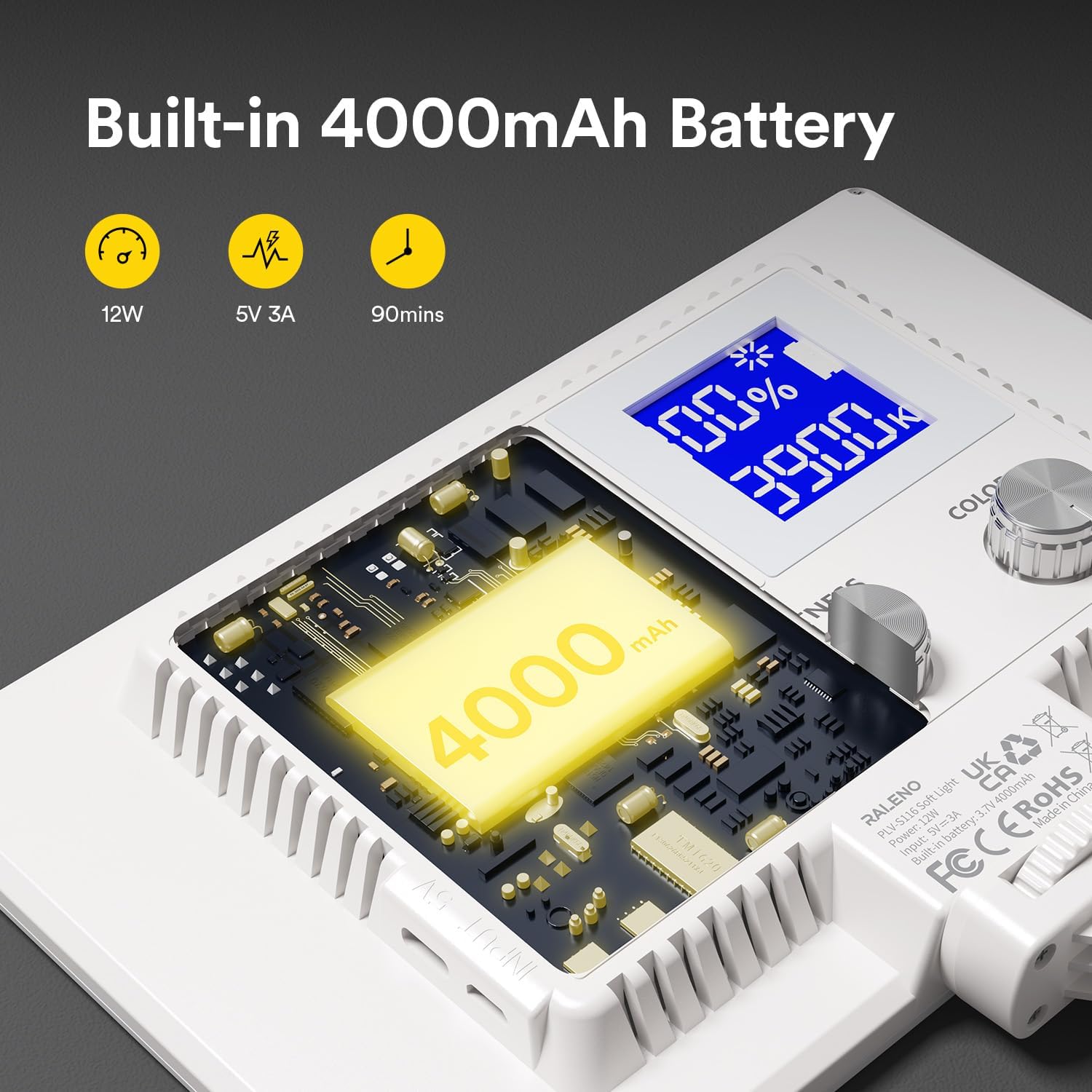
Figure 3.2: Battery Specifications
-
3.3 Multifunctional Mini Stand
The included mini stand offers adjustable height from 3.74 inches (9.5 cm) to 7.09 inches (18 cm), providing versatility for video conferencing or handheld shooting. The light can also be mounted on other compatible equipment using the cold shoe adapter.

Figure 3.3: Mini Stand in Use
-
3.4 Adjustable Brightness and Color Temperature
Easily adjust the brightness from 0% to 100% and the color temperature from 2500K (warm) to 6500K (cool) to achieve various lighting effects. The integrated LCD screen displays current settings.

Figure 3.4: Brightness and Color Temperature Adjustment
-
3.5 Portable Design
The lightweight and compact design makes this video light ideal for outdoor use and easy transport. Its Type-C charging capability ensures convenient power access on the go.
4. Setup
- Unpacking: Carefully remove all components from the packaging. Retain the packaging for future storage or transport.
-
Attaching the Cold Shoe Adapter:
Locate the cold shoe adapter. Screw the adapter into the 1/4-inch thread on the bottom or side of the LED video light. Ensure it is securely tightened.

Figure 4.1: Cold Shoe Attachment Point
-
Mounting the Light:
- On the Mini Tripod: Attach the cold shoe adapter (with the light) to the mini tripod. Adjust the tripod legs for stability.
- On a Camera/Camcorder: Slide the cold shoe adapter into your camera's hot shoe mount. Tighten the locking mechanism if available.
- On a Light Stand: If using a light stand, ensure it has a compatible cold shoe or 1/4-inch screw mount.
5. Operating Instructions
-
Power On/Off:
Press and hold the power button (usually located on the side or back) for a few seconds to turn the light ON or OFF. The LCD screen will illuminate upon powering on.
-
Checking Battery Level:
A short press of the power button will display the current battery level on the LCD screen or via indicator lights.
-
Adjusting Brightness:
Rotate the "BRIGHTNESS" dial (or similar control) to increase or decrease the light intensity from 0% to 100%. The current brightness level will be shown on the LCD screen.
-
Adjusting Color Temperature:
Rotate the "COLOR" dial (or similar control) to change the color temperature from 2500K (warm, yellowish light) to 6500K (cool, bluish-white light). The current color temperature will be displayed on the LCD screen.

Figure 5.1: Control Panel Overview
6. Charging the Battery
The RaLeno LED Video Light features a built-in rechargeable battery. Follow these steps to charge it:
- Connect the provided Type-C charging cable to the charging port on the light.
- Connect the other end of the Type-C cable to a compatible USB power source (e.g., computer USB port, power bank, or a 5V/3A wall adapter).
- The battery indicator lights or LCD screen will show the charging status.
- The light can be used while it is charging.
Note: Using a 5V/3A adapter is recommended for efficient charging and to maintain good lighting performance during use.
7. Maintenance
- Cleaning: Use a soft, dry cloth to clean the surface of the light. Do not use harsh chemicals or abrasive materials.
- Storage: When not in use, store the light in a cool, dry place away from direct sunlight and extreme temperatures.
- Battery Care: For optimal battery longevity, avoid fully discharging the battery frequently. If storing for extended periods, charge the battery to about 50% every few months.
8. Troubleshooting
| Problem | Possible Cause | Solution |
|---|---|---|
| Light does not turn on. | Battery is depleted. | Charge the light using the provided Type-C cable and a 5V/3A adapter. |
| Light flickers or strobes when plugged in. | Overpowering or incompatible charger. | Ensure you are using a 5V/3A adapter. Try a different Type-C cable. If the issue persists, use the light on battery power. |
| Short battery life. | Battery degradation over time or high brightness settings. | Reduce brightness settings to extend battery life. Ensure the battery is fully charged before use. Consider using the light while connected to a power source for longer sessions. |
| Light output is not soft enough. | Incorrect distance or angle. | Adjust the distance of the light from the subject. Ensure the 4-layer diffusers are clean and unobstructed. |
9. Specifications
| Feature | Detail |
|---|---|
| Brand | RaLeno |
| Model Name | PLV-S116 |
| Model Number | PLV-S104 |
| Power | 12W |
| Battery Capacity | 4000mAh |
| Battery Life (Full Brightness) | Approx. 80 minutes |
| Color Temperature | 2500K-6500K (Adjustable) |
| Brightness Adjustment | 0%-100% |
| Connectivity Technology | USB, Type-C |
| Product Dimensions (L x W x H) | 7.56" x 5.04" x 0.84" (19.2cm x 12.8cm x 2.1cm) |
| Item Weight | 11.04 ounces (313g) |
| Compatible Devices | SLR cameras, camcorders, tripods, light stands with cold shoe mount or 1/4 inch thread |
| Water Resistance Level | Not Water Resistant |
10. Warranty and Support
Your RaLeno LED Video Light (Model PLV-S104) comes with a 1-year warranty from the date of purchase. This warranty covers manufacturing defects and ensures the product functions as intended under normal use.
For technical support, warranty claims, or any inquiries regarding your product, please visit the official RaLeno store or contact customer service through the platform where you purchased the product.