
Introduction
The Thermaltake V200 Tempered Glass RGB Edition is an ATX mid-tower chassis designed for PC builders. It features a tempered glass side panel and pre-installed 12V RGB fans, offering both aesthetic appeal and functional design. This manual provides essential information for the proper assembly, operation, and maintenance of your chassis.
Product Features
- Integrated RGB Fans: Includes three pre-installed 120mm 12V motherboard sync RGB fans at the front and one black 120mm rear fan.
- Dual-Mode RGB Control: RGB lighting can be controlled via the front I/O panel's RGB Light button or synchronized with compatible 12V RGB header motherboards (ASUS, Gigabyte, MSI, Asrock, BIOSTAR).
- Multiple LED Modes: Offers 16 LED modes through the I/O port RGB Light button, including RGB mode, 7 single color modes (red, yellow, green, cyan, blue, white, purple), 7 breath modes, and a light-off option.
- Tempered Glass Side Panel: A 4mm thick tempered glass side panel provides a clear view of internal components.
- Power Supply Cover: Features a built-in PSU cover for improved cable management and a cleaner internal appearance.
- Drive Bays: Supports 3 x 2.5" drives and 2 x 3.5" drives.
- Motherboard Compatibility: Compatible with Mini ITX, Micro ATX, and ATX motherboards.
- Front I/O Ports: Includes 1 x USB 3.0, 2 x USB 2.0, 1 x HD Audio, and 1 x RGB Light button.
- Expandability: Features 7 expansion slots.
- Dimensions: 17.6 x 8.54 x 17 inches (447 x 217 x 432 mm).
Product Overview
Familiarize yourself with the various components and views of the Thermaltake V200 chassis.

Front-left view of the Thermaltake V200 chassis, showcasing the tempered glass side panel and three 120mm RGB fans on the front panel, illuminated in blue.

Comprehensive views of the chassis from different angles: top with magnetic dust filter, bottom with PSU intake filter, and internal left and right sides detailing component mounting areas and cable management.

Detail of the top I/O port featuring USB 3.0, USB 2.0, HD Audio, and the RGB button. Also shown is the internal RGB switch board for fan lighting control and motherboard synchronization.
Setup and Installation
1. Tempered Glass Panel Removal
To access the internal components, carefully remove the tempered glass side panel. It is secured by four screws with rubber grommets. Lay the chassis on its side on a soft, flat surface before removal to prevent damage.

The 4mm thick tempered glass side panel detached from the chassis, illustrating its removal for internal access.
2. Motherboard Installation
Install your Mini ITX, Micro ATX, or ATX motherboard onto the pre-installed standoffs. Ensure all necessary I/O shield components are in place before securing the motherboard.
3. Drive Installation
The chassis supports 3 x 2.5" drives and 2 x 3.5" drives. Utilize the designated mounting locations for secure installation.
4. Power Supply Installation
Install your power supply unit (PSU) in the bottom mount area, utilizing the built-in PSU cover for a clean setup. Ensure proper cable routing through the designated cutouts.
5. Fan and Radiator Support
The V200 chassis offers flexible cooling options. Refer to the compatibility chart below for supported radiator and all-in-one liquid cooler sizes for various mounting positions.
A compatibility chart indicating supported radiator sizes (120mm, 240mm, 280mm, 360mm, 420mm) and all-in-one liquid cooler series for front, top, and rear mounting locations.
Operating RGB Lighting
The pre-installed RGB fans can be controlled in two ways:
- I/O Port RGB Light Button: Press the dedicated RGB button on the front I/O panel to cycle through 16 different LED modes, including static colors and breathing effects.
- Motherboard Synchronization: Connect the fan RGB cables to a compatible 12V RGB header on your motherboard (ASUS Aura Sync, Gigabyte RGB Fusion, MSI Mystic Light Sync, Asrock RGB LED, BIOSTAR Vivid LED DJ) to control lighting via motherboard software.

Visual representation of the 16 available RGB lighting modes, controllable via the I/O port button.

An assembled system inside the V200 chassis, demonstrating component placement with fans illuminated in blue.

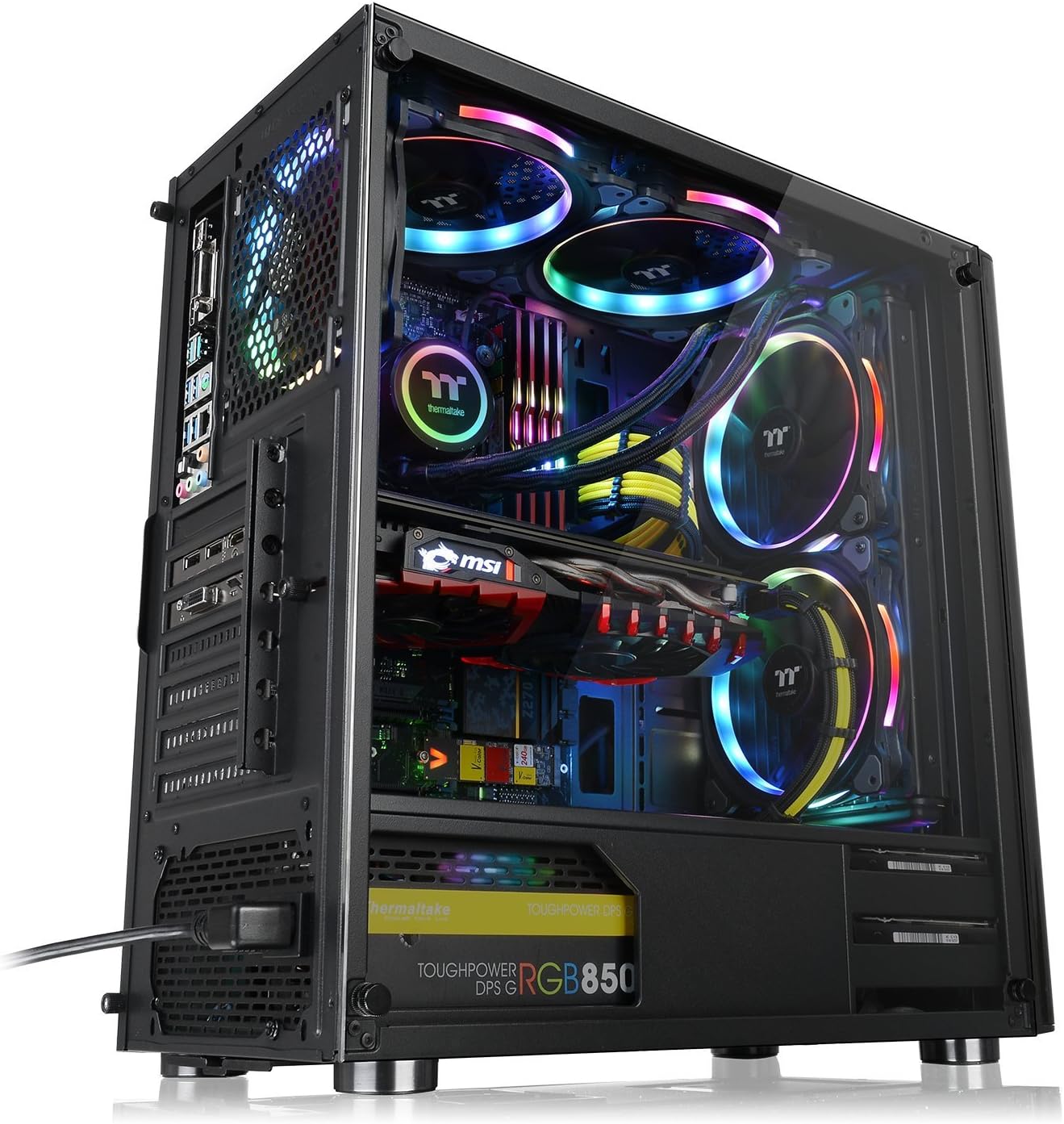
An assembled system inside the V200 chassis, showcasing the vibrant rainbow RGB lighting effects on the fans and other components.
Maintenance
Regular maintenance helps ensure optimal performance and longevity of your chassis.
- Dust Filters: The chassis includes dust filters on the top and bottom. Periodically remove and clean these filters to maintain good airflow and prevent dust buildup inside the system.
- Exterior Cleaning: Use a soft, damp cloth to clean the exterior surfaces, including the tempered glass panel. Avoid abrasive cleaners that may scratch the finish.
- Internal Dust Removal: With the system powered off and unplugged, use compressed air to gently remove dust from internal components and fans.
Troubleshooting
- RGB Fans Not Lighting Up: Ensure all RGB fan cables are securely connected to the internal RGB switch board and that the switch board is powered. If using motherboard sync, verify the connection to the 12V RGB header and check motherboard software settings.
- Poor Airflow/Overheating: Check that all fans are spinning correctly. Clean dust filters and internal components to ensure unobstructed airflow. Verify fan orientation for proper intake and exhaust.
- Damaged Tempered Glass Panel: Tempered glass, while durable, can break if subjected to sharp impacts or improper handling. If the panel is damaged, contact Thermaltake support for replacement options. Handle the panel with care during installation and removal.
- Front I/O Ports Not Functioning: Ensure all front panel connectors (USB, HD Audio) are correctly plugged into the corresponding headers on your motherboard.
Technical Specifications
| Feature | Specification |
|---|---|
| Brand | Thermaltake |
| Series | V200 |
| Model Number | CA-1K8-00M1WN-01 |
| Case Type | Mid Tower |
| Color | Black |
| Case Material | SPCC, Tempered Glass |
| Side Panel | 4mm Tempered Glass x1 |
| Drive Bays | Hidden: 2 x 3.5", 3 x 2.5" |
| Expansion Slots | 7 |
| Motherboard Compatibility | Mini ITX, Micro ATX, ATX |
| I/O Port | USB 3.0 x 1, USB 2.0 x 2, HD Audio x 1, RGB button x 1 |
| Pre-installed Fans | Front: 3 x 120mm 12V RGB Fan, Rear: 1 x 120mm Black Fan |
| Max CPU Cooler Height | 160mm |
| Max VGA Length | 380mm |
| Max PSU Length | 170mm |
| Dimensions (H x W x D) | 17.6 x 8.54 x 17 inch / 447 x 217 x 432 mm |
| Net Weight | 7.1 kg / 15.65 lb |
Warranty and Support
For warranty information and technical support, please refer to the official Thermaltake website or contact their customer service directly. Specific warranty terms may vary by region and retailer.
You can visit the Thermaltake Store for more product information: Thermaltake Store on Amazon


