
1. Introduction
Thank you for purchasing the DBPOWER RD820 Mini Projector. This projector is designed to provide a versatile and immersive viewing experience for home entertainment, gaming, and presentations. With its upgraded brightness, multimedia compatibility, and user-friendly design, it offers a convenient solution for projecting content onto a large screen.
2. Key Features
- Upgraded Brightness: Features 3500 lux, offering a 70% brighter and 50% sharper image compared to similar mini projectors. Supports 1920x1080 resolution with a 2000:1 contrast ratio for enhanced home entertainment.
- Large Screen Size Experience: Capable of displaying images from 32 to 170 inches, with an optimal projection distance of 1 to 5 meters.
- Multimedia Compatibility: Compatible with a wide range of devices including Fire TV Stick, PCs, Laptops, Chrome Book, DVD players, SD Cards, USB drives, iPhones, and Android smartphones.
- Advanced Fan Noise Suppression: Incorporates advanced pure copper tube cooling technology and a powerful yet quiet turbo fan for reduced operational noise.
- 3-Year Warranty: Backed by a 3-year warranty for peace of mind.
3. Package Contents
Please check the package contents upon unboxing to ensure all items are present:
- DBPOWER RD820 Mini Projector
- Remote Control
- Power Cable
- HDMI Cable
- AV Cable
- User Manual
4. Product Overview
Familiarize yourself with the projector's components and controls.

Figure 4.1: DBPOWER RD820 Mini Projector and Remote Control

Figure 4.2: Focus and Keystone Correction Dials
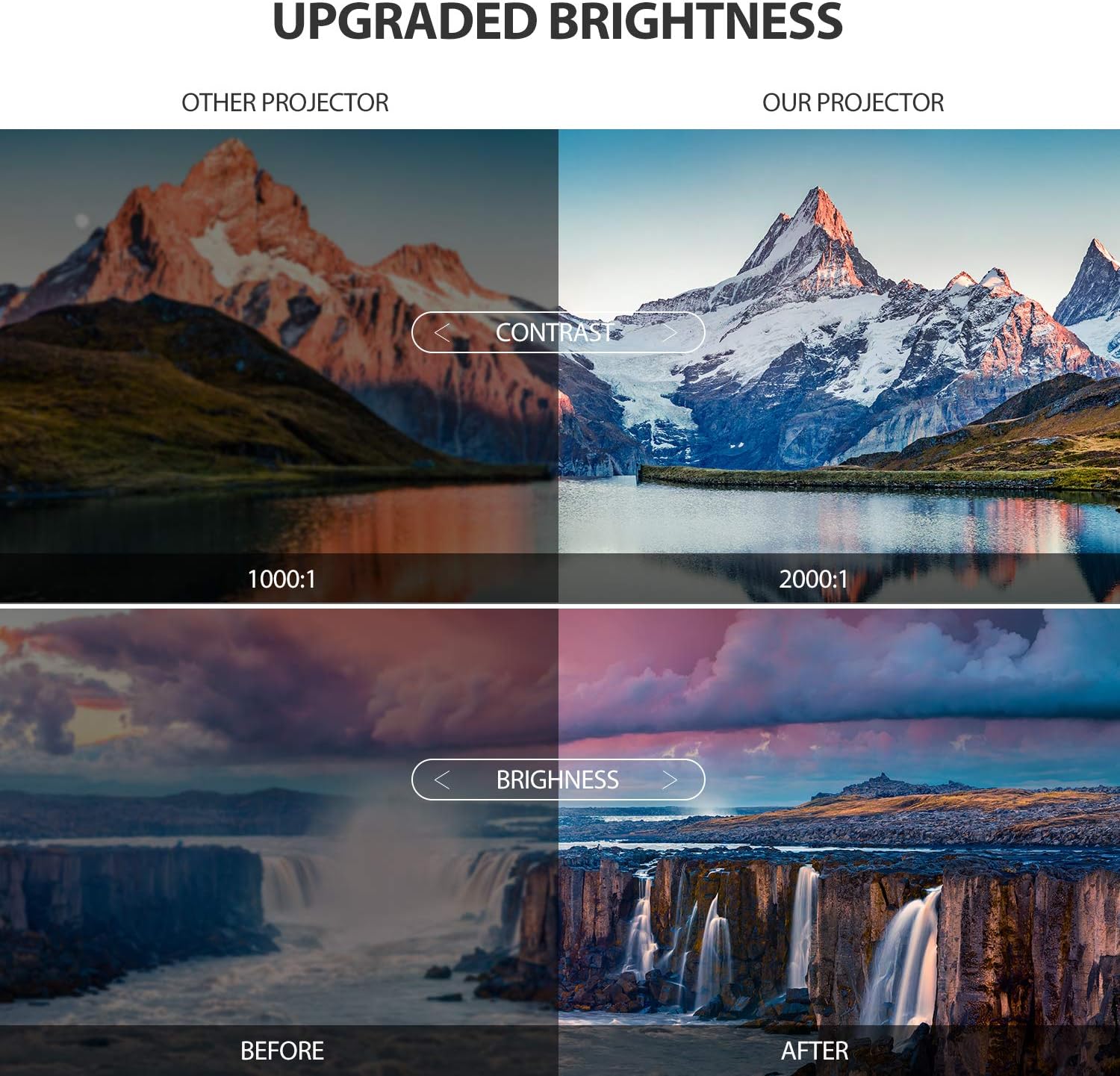
Figure 4.3: Enhanced Brightness and Contrast

Figure 4.4: Versatile Application Scenarios
Video 4.1: Official DBPOWER Mini Projector Overview, showcasing features like upgraded brightness, internal components, built-in stereo, and various connectivity options.
5. Setup Guide
5.1 Placement
For the best viewing experience, place the projector on a stable, flat surface. The optimal projection distance is between 1.8 to 2.0 meters to achieve a clear and appropriately sized image. The projector can display images from 32 to 170 inches diagonally.
5.2 Power Connection
Connect the provided power cable to the projector's power input port and then plug the other end into a standard electrical outlet. The power indicator light will illuminate.
6. Operating Instructions
6.1 Powering On/Off
- To Power On: Press the power button on the projector or the remote control. The projector lamp will turn on.
- To Power Off: Press the power button again. The projector will shut down.
6.2 Adjusting Focus and Keystone Correction
To achieve a clear and rectangular image, use the focus and keystone correction dials located on the top of the projector:
- Focus Adjustment: Rotate the focus ring until the projected image appears sharp and clear.
- Keystone Correction: If the image appears trapezoidal (wider at the top or bottom), adjust the keystone correction dial to square the image. The projector supports ±15° keystone correction.
6.3 Input Source Selection
Use the 'Source' button on the remote control or the projector's control panel to cycle through available input sources (HDMI, USB, VGA, AV, TF Card).
7. Connectivity
The DBPOWER RD820 Mini Projector offers multiple connectivity options:
- HDMI: Connect to laptops, PCs, gaming consoles, Fire TV Stick, etc.
- USB: Play media directly from USB flash drives.
- VGA: Connect to older PCs or laptops.
- AV: Connect to DVD players or older video devices using the included AV cable.
- TF Card: Insert a TF (Micro SD) card to play media files.
7.1 Connecting to Smartphones
To connect your smartphone to the projector, an additional HDMI adapter is required (not included):
- For iPhone: A Lightning to HDMI adapter is needed.
- For Android Smartphones: A Micro USB/Type-C to HDMI adapter is needed.
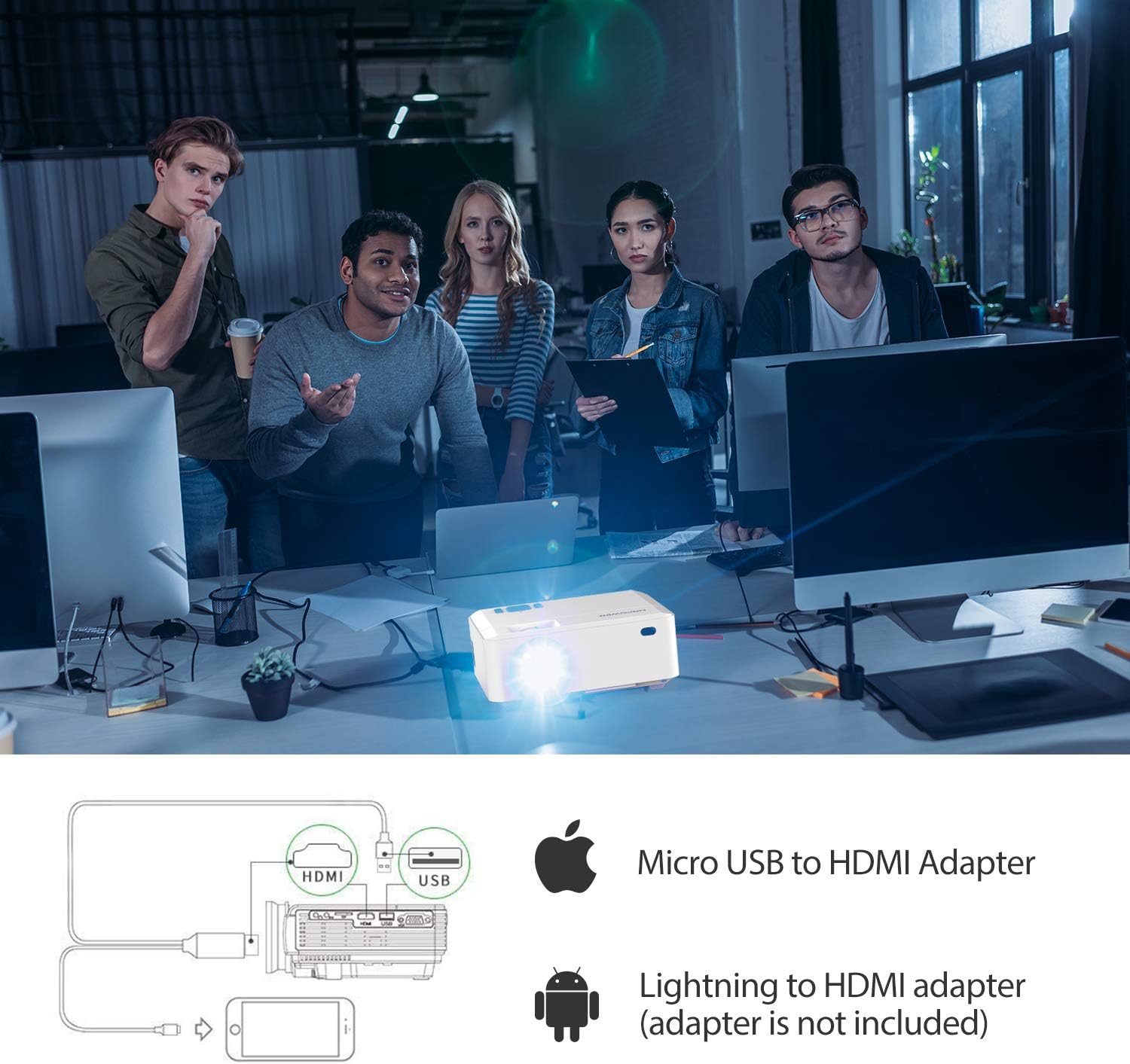
Figure 7.1: Smartphone Connectivity Diagram
8. Maintenance
Proper maintenance ensures the longevity and optimal performance of your projector.
- Cleaning the Lens: Use a soft, lint-free cloth specifically designed for optical lenses. Avoid abrasive materials or harsh chemicals.
- Cleaning Air Vents: Regularly check and clean the air vents to prevent dust buildup, which can affect cooling and performance. Use a soft brush or compressed air.
- Storage: When not in use for extended periods, store the projector in a cool, dry place, ideally in its original packaging or a protective case.
9. Troubleshooting
If you encounter issues with your projector, refer to the table below for common problems and their solutions.
| Problem | Possible Cause | Solution |
|---|---|---|
| No image on screen | Incorrect input source selected; Loose cable connection; Power issue. | Select the correct input source; Check all cable connections; Ensure projector is powered on. |
| Image is blurry | Focus not adjusted; Projector too close/far from screen. | Adjust the focus ring; Adjust projection distance. |
| Image is trapezoidal | Keystone not adjusted. | Adjust the keystone correction dial. |
| No sound | Volume too low; Audio cable not connected; Source device audio settings. | Increase projector volume; Check audio connections; Adjust audio output on source device. |
| Remote control not working | Batteries low/dead; Obstruction between remote and projector. | Replace batteries; Ensure clear line of sight to IR receiver. |
10. Specifications
| Feature | Detail |
|---|---|
| Brand | DBPOWER |
| Model Number | RD820 |
| Brightness | 3500 Lux (Upgraded) |
| Native Resolution | Not specified (Supports 1920x1080) |
| Supported Resolution | 1920 x 1080 (Full HD) |
| Contrast Ratio | 2000:1 |
| Projection Size | 32 - 170 inches |
| Projection Distance | 1 - 5 meters |
| Keystone Correction | ±15° Manual |
| Connectivity Technology | HDMI, USB, VGA, AV, TF Card |
| Speaker Type | Built-In |
| Item Weight | 2.18 pounds |
| Product Dimensions | 5.8 x 2.8 x 7.3 inches |
11. Warranty and Support
The DBPOWER RD820 Mini Projector comes with a 3-YEAR warranty. To activate your warranty and receive exclusive gifts, please register your product within 7 days of purchase. Details for registration can be found on the product packaging or the official DBPOWER website.
For technical support, troubleshooting assistance, or warranty claims, please contact DBPOWER customer service through their official channels. Refer to the contact information provided with your product or on the manufacturer's website.


