
Introduction
This manual provides essential information for the setup, operation, and maintenance of your AtGames Bandai Namco Pac-Man Flashback Blast! Classic Arcade Game Console. Please read this manual thoroughly before use to ensure proper functionality and to maximize your gaming experience.
The Pac-Man Flashback Blast! is an HDMI wireless dongle and wireless controller system featuring 8 classic games built-in, including PAC-MAN. It delivers video output in HD resolution.
Package Contents
- 1 x Pac-Man Flashback Blast! HDMI Wireless Dongle
- 1 x Wireless Controller
- USB Power Cable
Note: Batteries for the wireless controller are not included and must be purchased separately.
Setup
1. Installing Batteries in the Wireless Controller
Locate the battery compartment on the back of the wireless controller. Insert the required batteries (typically AA or AAA) ensuring correct polarity (+/-). Close the battery compartment cover securely.
2. Connecting the HDMI Wireless Dongle
- Plug the Pac-Man Flashback Blast! HDMI wireless dongle directly into an available HDMI port on your television or monitor.
- Connect the USB power cable to the dongle.
- Plug the other end of the USB power cable into a USB port on your television or a compatible USB power adapter (not included). Ensure the power source provides sufficient power for the dongle to operate.
It is recommended to use a dedicated USB power adapter if your TV's USB port does not provide stable power, or if the provided cable is too short for your setup.
3. Powering On and Pairing
Once the dongle is connected and powered, turn on your television and select the correct HDMI input source. The dongle should display the game selection menu. The wireless controller should automatically pair with the dongle. If not, refer to the troubleshooting section.
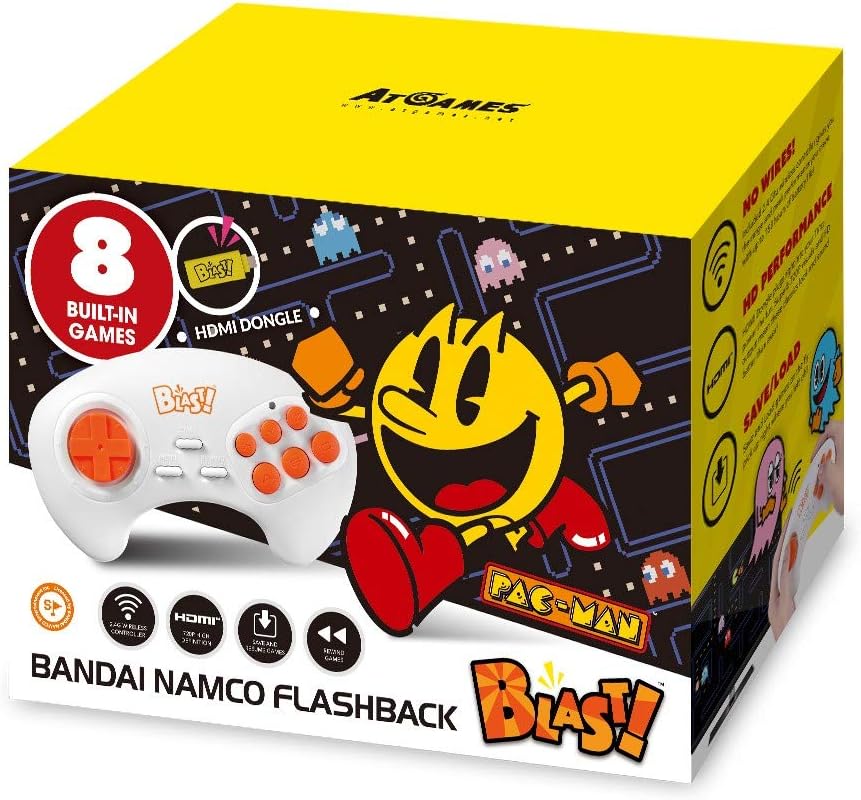
Image: The Pac-Man Flashback Blast! console box, highlighting the compact HDMI dongle and the ergonomic wireless controller. The box also indicates "8 Built-in Games" and "HD Performance."
Operating Instructions
1. Game Selection
Upon successful setup, the main menu will display the list of 8 built-in classic games. Use the directional pad (D-pad) on the wireless controller to navigate through the game titles and the action buttons to select a game.
2. Gameplay
Each game utilizes the wireless controller's D-pad for movement and the action buttons for specific in-game actions (e.g., shooting, jumping, eating dots). Familiarize yourself with the controls for each game as you play.
3. Saving and Loading Games
The system supports saving and loading game progress. Specific instructions for saving and loading will typically be available within the game's menu or by pressing a designated button on the controller (e.g., a 'Menu' or 'Pause' button, if present). Look for on-screen prompts.
4. Exiting a Game
To return to the main game selection menu, press the designated 'Menu' or 'Home' button on the controller. If no such button is apparent, some systems require powering off and on, or a specific button combination (e.g., holding a button for several seconds).
Maintenance
- Cleaning: Use a soft, dry cloth to clean the HDMI dongle and wireless controller. Do not use liquid cleaners or abrasive materials.
- Storage: When not in use, store the console and controller in a cool, dry place away from direct sunlight and extreme temperatures.
- Battery Replacement: Replace batteries in the wireless controller when performance degrades or the controller stops responding. Dispose of old batteries responsibly.
Troubleshooting
| Problem | Possible Cause | Solution |
|---|---|---|
| No display on TV. | Incorrect HDMI input selected; Dongle not powered; Loose HDMI connection. |
|
| Controller not responding. | Low or dead batteries; Controller not paired; Interference. |
|
| Games are slow or glitchy. | Insufficient power supply; Overheating. |
|
Specifications
- Product Name: Bandai Namco Pac-Man Flashback Blast! Classic Arcade Game Console
- Model Number: 818858029551
- Brand: AtGames
- Connectivity: HDMI (Dongle), Wireless (Controller)
- Input Device: Gamepad
- Platform: No Operating System (Dedicated Game Console)
- Built-in Games: 8 Classic Games (including PAC-MAN)
- Video Output: HD Resolution
- Product Dimensions: 7.48 x 4.13 x 5.39 inches
- Item Weight: 8 ounces
- Manufacturer: Bandai Namco
- First Available: September 12, 2018
Warranty and Support
This product is often sold as refurbished. Please refer to the retailer or original manufacturer's website for specific warranty information, as terms may vary. For technical support or further inquiries, please contact AtGames customer service or the retailer from whom you purchased the product.
Note: The DLC (Downloadable Content), Trials/Subscriptions mentioned in some product descriptions may or may not be included and are not guaranteed to work with refurbished units.