
1. Introduction
The Giro Nine MIPS Snow Helmet is designed for snow sports, offering a combination of protection, comfort, and ventilation. This manual provides essential information for the proper use, maintenance, and care of your helmet.
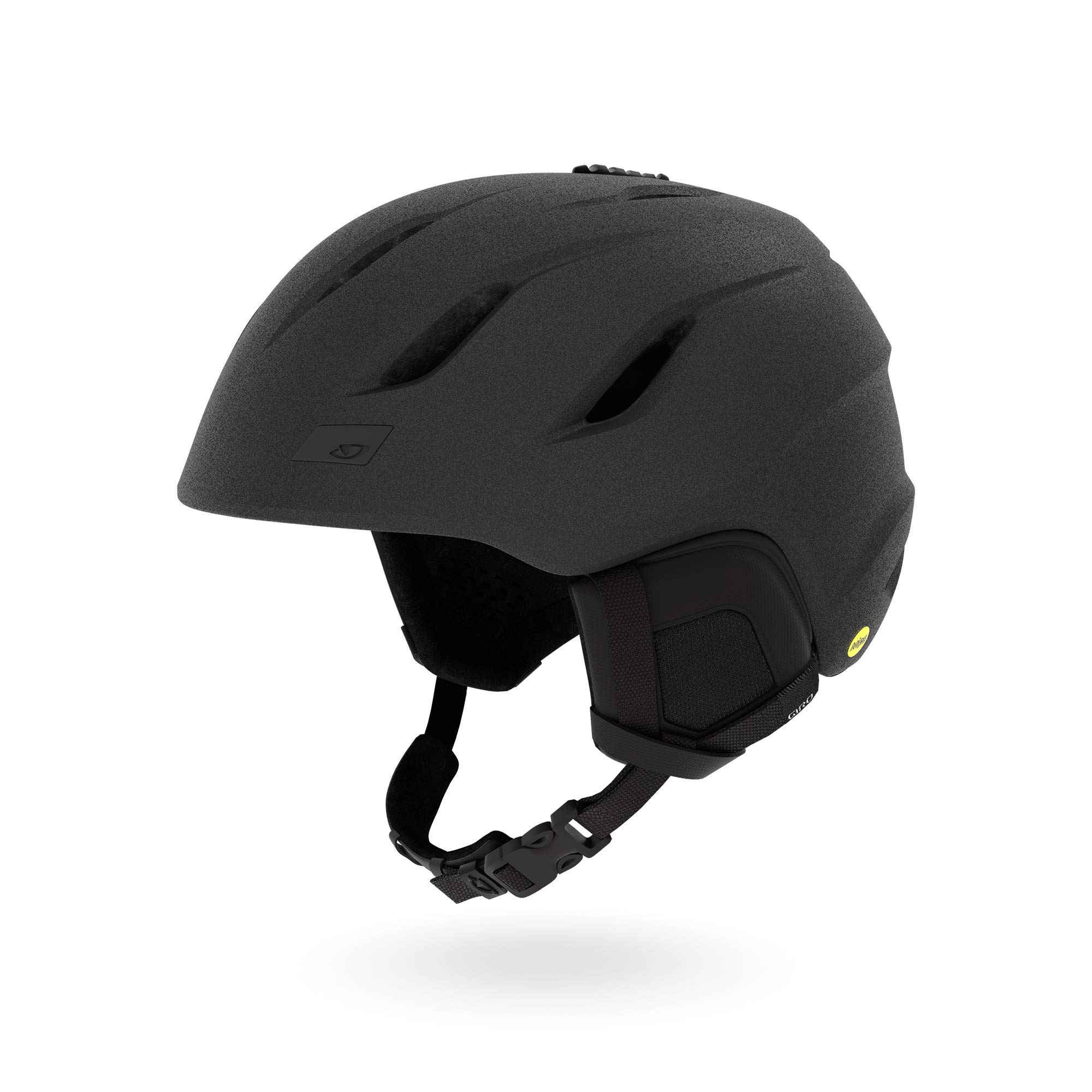
Image 1.1: The Giro Nine MIPS Snow Helmet in Matte Graphite. This helmet features a sleek, low-profile design with multiple vents visible on the top and front. The MIPS logo is visible on the side.
Key Features
- MIPS (Multi-directional Impact Protection System): Designed to reduce rotational forces that can result from certain impacts.
- In-Mold Construction: Fuses a tough polycarbonate outer shell with the helmet's impact-absorbing foam liner, enhancing durability and ventilation.
- Form Fit System: Allows for easy, custom fit adjustments, even while wearing gloves.
- Thermostat Control Ventilation: Adjustable venting system to regulate airflow and temperature.
- Stack Venting: Aligns with goggle vents to help prevent fogging.
Video 1.1: Official product video demonstrating the features and benefits of the Giro Nine MIPS Ski Helmet. This video highlights the helmet's design, MIPS technology, and ventilation system in action.
2. Safety Information
Always wear a properly fitted helmet when participating in snow sports. This helmet is designed to reduce the risk of head injury, but it cannot protect against all possible impacts. For maximum protection, ensure the helmet fits snugly and the chin strap is securely fastened.
- Inspect your helmet regularly for any signs of damage. If the helmet has sustained an impact, even if no visible damage is present, it should be replaced.
- Do not modify the helmet in any way, including drilling holes, cutting the shell or liner, or adding accessories not approved by Giro.
- Avoid exposing the helmet to extreme heat, such as leaving it in a hot car, as this can damage the protective materials.
- Use only mild soap and water for cleaning. Harsh chemicals can degrade helmet materials.
3. Helmet Components
Familiarize yourself with the main parts of your Giro Nine MIPS Snow Helmet:
- Outer Shell: The hard exterior layer providing impact resistance.
- EPS Liner: Expanded Polystyrene foam designed to absorb impact energy.
- MIPS Liner: A low-friction layer inside the helmet designed to reduce rotational motion transferred to the brain during angled impacts.
- Form Fit System: Adjustable dial system at the back for a secure and comfortable fit.
- Chin Strap: Adjustable strap with buckle for securing the helmet.
- Ear Pads: Removable pads for warmth and comfort, often compatible with audio systems.
- Ventilation Sliders: Controls for opening and closing the helmet's vents.
- Goggle Clip: Located at the rear of the helmet to secure goggle straps.
4. Setup and Fitting
4.1. Proper Helmet Fit
A correctly fitted helmet is crucial for safety and comfort. Follow these steps to ensure a proper fit:
- Placement: Position the helmet squarely on your head, ensuring the front edge sits just above your eyebrows. It should not be tilted back or forward.
- Form Fit System Adjustment: Locate the ergonomic dial at the base of the helmet. Turn the dial clockwise to tighten the fit system until the helmet feels snug but comfortable, without excessive pressure points. Turn counter-clockwise to loosen.
- Vertical Tuning: The Form Fit System also allows for vertical adjustment to accommodate different head shapes and goggle sizes, ensuring a gap-free fit between the helmet and goggles. Adjust as needed for optimal comfort and goggle integration.
- Chin Strap Adjustment: Fasten the chin strap buckle. Adjust the straps so they form a “V” shape just below your ears. The strap should be snug under your chin, allowing only one or two fingers to fit between the strap and your chin.
- Shake Test: With the chin strap fastened, shake your head side to side and front to back. The helmet should move with your head and not shift independently.
4.2. Goggle Integration
The Giro Nine MIPS helmet is designed for seamless compatibility with Giro goggles to optimize performance and prevent goggle fogging.
- Place your goggles over your eyes and position the strap around the helmet.
- Secure the goggle strap using the goggle clip at the rear of the helmet.
- Ensure the top edge of your goggles aligns with the bottom edge of the helmet, creating a flush fit without a gap. This alignment is crucial for the Stack Venting system to function effectively.
5. Operating Features
5.1. Thermostat Control Ventilation
The Thermostat Control system allows you to customize the airflow and temperature inside your helmet with a simple, low-profile control button on the top of the helmet.
- To Open Vents: Slide the control button forward to open the vents, increasing airflow for warmer conditions or high-exertion activities.
- To Close Vents: Slide the control button backward to close the vents, reducing airflow to retain warmth in colder conditions.
Adjust the vents as needed to maintain optimal comfort and prevent overheating or chilling.
6. Maintenance and Care
6.1. Cleaning Your Helmet
- Exterior: Use a soft cloth, mild soap, and cool water to clean the outer shell. Avoid abrasive cleaners or solvents.
- Interior/Pads: The ear pads and interior lining can often be removed for washing. Hand wash with mild soap and water, then air dry completely before reinserting.
- Chin Strap: Clean the chin strap with mild soap and water.
6.2. Storage
Store your helmet in a cool, dry place away from direct sunlight and extreme temperatures. Avoid storing it in areas where it might be crushed or damaged.
7. Troubleshooting
| Issue | Possible Cause | Solution |
|---|---|---|
| Helmet feels loose or uncomfortable | Improper fit adjustment | Adjust the Form Fit System dial and vertical tuning until snug. Ensure chin strap is tight. |
| Goggles fogging up | Insufficient ventilation; poor goggle-helmet integration | Open Thermostat Control vents. Ensure goggles are properly seated with the helmet for Stack Venting. Check goggle condition. |
| Helmet too warm/cold | Ventilation settings incorrect for conditions | Adjust Thermostat Control vents to increase or decrease airflow as needed. |
| Clicking sound from MIPS liner | Normal operation of the MIPS system | This is normal. The MIPS liner is designed to move slightly within the helmet. |
8. Specifications
| Feature | Detail |
|---|---|
| Model Name | Giro Nine MIPS Snow |
| Brand | Giro |
| Color | Graphite |
| Age Range | Adult |
| Special Feature | Adjustable (Form Fit System, Thermostat Control) |
| Construction | In-Mold Construction, MIPS Equipped |
| Outer Material | Polycarbonate (PC) |
| Inner Material | Expanded Polystyrene (EPS) |
| Item Weight | 10.56 ounces (approx. 300g) |
| Recommended Use | Snowboarding, Skiing |
| UPC/GTIN | 768686137624 |
9. Warranty and Support
9.1. Warranty Information
Giro helmets are covered by a limited warranty against defects in materials and workmanship. The specific terms and duration of the warranty may vary. Please refer to the official Giro website or contact customer support for detailed warranty information.
9.2. Customer Support
For further assistance, questions, or to report any issues with your helmet, please contact Giro customer support through their official website or the contact information provided with your purchase.
Visit the official Giro Store: Giro Store on Amazon

