
TNP Products CBL_HDMI20_R270_10FT
TNP Right Angle HDMI Cable User Manual
Model: CBL_HDMI20_R270_10FT
Introduction
This manual provides essential information for the proper use and care of your TNP Right Angle HDMI Cable. Designed for high-speed data transfer, this cable ensures optimal audio and video performance for a wide range of devices. Its unique right-angle connector is ideal for installations in tight spaces, preventing cable strain and damage.
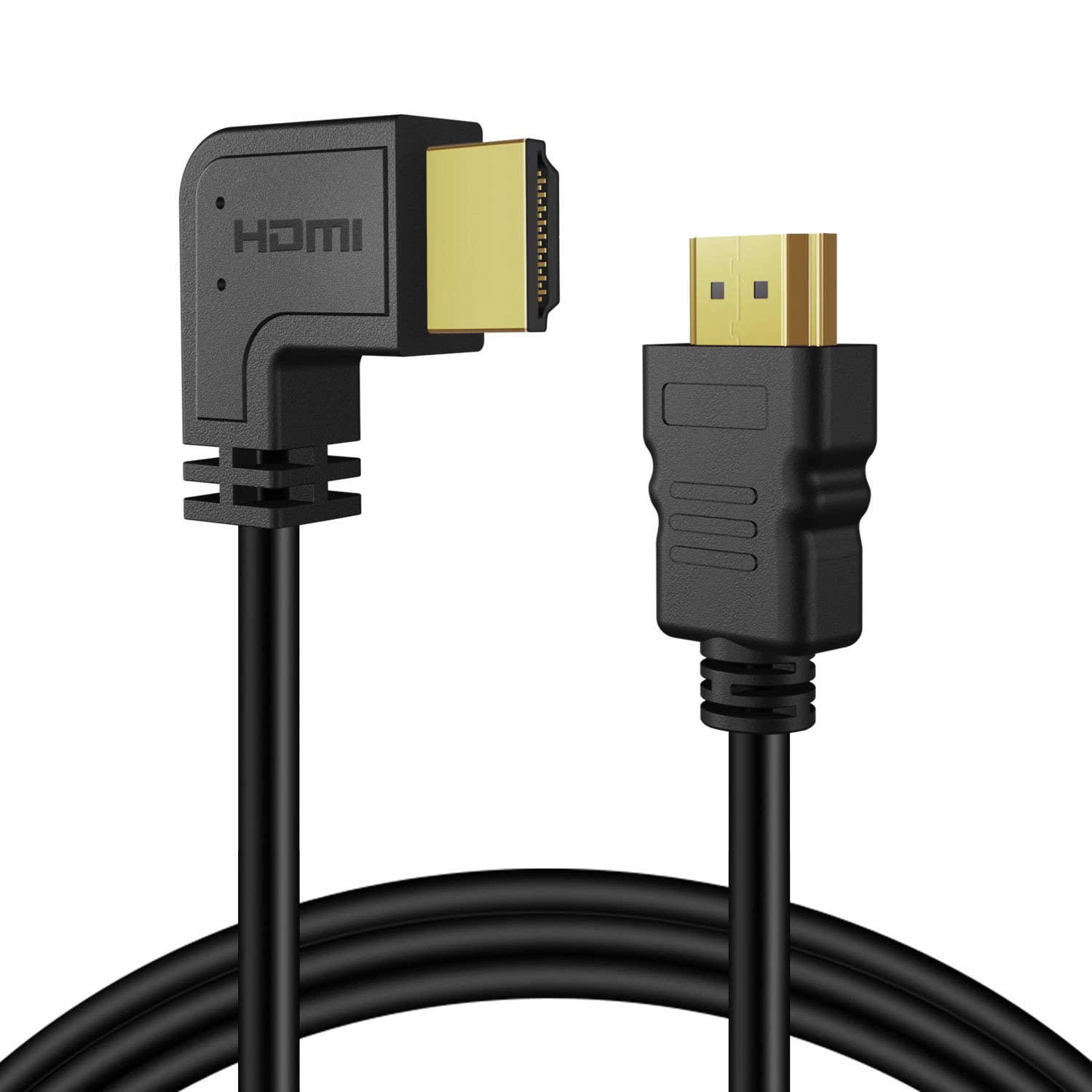
Image: The TNP Right Angle HDMI Cable, featuring both its standard and 90-degree angled connectors.
Key Features
The TNP Right Angle HDMI Cable is engineered with advanced features to deliver superior performance:
- HDMI 2.0 Full Features: Supports all HDMI 2.0 capabilities including Full HD, UHD, Audio Return Channel (ARC), HDMI Ethernet Channel (HEC), Dolby True HD 7.1 Audio, DTS-HD Master Audio, 3D, 48 Bit Deep Color, 32 channel Audio, and HDCP.
- Right Angle Design: The 90-degree angled connector allows for better fitting in wall-mounted devices or narrow spaces, reducing cable strain and preventing damage.
- High Speed Performance: Provides 10.2 Gbps / 340 MHz data transfer speed and supports refresh rates up to 240Hz. Compatible with resolutions up to 4Kx2K (UHD), 4096x2160, 3840x2160, 2560x1600, 2560x1440, 1920x1200, and 1080p.
- Premium Construction: Constructed with 30 AWG oxygen-free copper, corrosion-resistant gold-plated contacts, and multi-shielded cable material for maximum interference shielding and stable signal connection.
- Universal Compatibility: Connects seamlessly with Blu-Ray players, Cable Boxes, Apple TV, Roku, Amazon Fire TV, PlayStation (PS5, PS4, PS3), Xbox (Series X/S, One, 360), PCs, Laptops, MacBook Pro, HDTVs, monitors, and projectors. Backward compatible with HDMI 1.4, 1.3, and 1.2.

Image: Visual representation of the advanced features supported by the HDMI cable.

Image: The cable's universal compatibility with a wide range of entertainment and computing devices.
Setup Instructions
Follow these steps to connect your TNP Right Angle HDMI Cable:
- Identify Ports: Locate the HDMI output port on your source device (e.g., Blu-Ray player, gaming console, PC) and the HDMI input port on your display device (e.g., HDTV, monitor, projector).
- Connect Source: Insert one end of the HDMI cable into the HDMI output port of your source device.
- Connect Display: Insert the other end of the HDMI cable into the HDMI input port of your display device. Utilize the 90-degree angled connector for devices mounted close to a wall or in confined spaces to ensure a secure and strain-free connection.
- Power On Devices: Turn on both your source device and your display device.
- Select Input: On your display device, select the correct HDMI input source using your remote control or display menu.

Image: The 90-degree angled connector providing a space-saving solution for wall-mounted displays.
Operating the Cable
Once connected, the TNP Right Angle HDMI Cable operates automatically to transmit digital audio and video signals. No additional configuration is typically required for the cable itself.
- Video Transmission: The cable supports various video resolutions, including 4Kx2K (UHD), 1440p, 1080p, 1080i, 720p, 480p, and 480i, with refresh rates up to 240Hz, ensuring a clear and vibrant picture.
- Audio Transmission: It supports advanced audio formats such as True HD Dolby 7.1 and DTS-HD Master Audio, providing immersive sound experiences. The Audio Return Channel (ARC/eARC) feature allows audio to be sent from your TV back to an AV receiver or soundbar with a single HDMI cable.
- Ethernet Channel: The HDMI Ethernet Channel (HEC) allows for internet connectivity through the HDMI cable, eliminating the need for a separate Ethernet cable for compatible devices.

Image: High-resolution and high-refresh-rate support for an enhanced viewing experience.

Image: The eARC feature provides superior audio quality and simplified connectivity for sound systems.
Specifications
| Feature | Description |
|---|---|
| Model Number | CBL_HDMI20_R270_10FT |
| HDMI Standard | HDMI 2.0 (Backward compatible with 1.4, 1.3, 1.2) |
| Connector Type | HDMI Male to HDMI Male (One end 90-degree Right Angle) |
| Cable Length | 10 Feet |
| Supported Resolutions | 4Kx2K (UHD), 4096x2160, 3840x2160, 2560x1600, 2560x1440, 1920x1200, 1080p, 1080i, 720p, 480p, 480i |
| Max Refresh Rate | Up to 240Hz (depending on resolution) |
| Data Transfer Rate | Up to 10.2 Gbps / 340 MHz |
| Audio Support | Audio Return Channel (ARC/eARC), True HD Dolby 7.1, DTS-HD Master Audio, 32 channel Audio |
| Additional Features | HDMI Ethernet Channel (HEC), 3D, 48 Bit Deep Color, HDCP Compliant |
| Conductor Material | 30 AWG Oxygen-Free Copper |
| Connector Plating | Gold-plated |
| Shielding | Foil & Braid Shielding |
Troubleshooting
If you encounter issues with your HDMI cable, consider the following common troubleshooting steps:
- No Signal / Black Screen:
- Ensure both ends of the HDMI cable are securely plugged into their respective ports.
- Verify that your display device is set to the correct HDMI input source.
- Try connecting the cable to different HDMI ports on both your source and display devices.
- Test the cable with another known working source or display to isolate the issue.
- Poor Picture Quality / Flickering:
- Check that the cable is not bent or kinked excessively, which can damage internal wires.
- Ensure your source device's output resolution matches your display's capabilities.
- Reduce the resolution or refresh rate settings on your source device to see if the issue resolves.
- Verify that the cable is not near strong electromagnetic interference sources.
- No Audio:
- Confirm that the audio settings on both your source device and display are correctly configured to output/receive audio via HDMI.
- If using ARC/eARC, ensure both devices support the feature and it is enabled in their settings.
- Check the volume levels on all connected devices.
Maintenance
To ensure the longevity and optimal performance of your TNP Right Angle HDMI Cable, follow these simple maintenance guidelines:
- Handle with Care: Avoid pulling the cable by the cord itself; always grasp the connector when plugging or unplugging.
- Avoid Sharp Bends: Do not bend the cable at sharp angles, especially near the connectors, as this can damage the internal wiring.
- Keep Clean: Periodically wipe the cable and connectors with a soft, dry cloth to remove dust and debris. Do not use liquid cleaners directly on the connectors.
- Store Properly: When not in use, coil the cable loosely and store it in a cool, dry place away from direct sunlight and extreme temperatures.
Warranty and Support
For warranty information or technical support regarding your TNP Right Angle HDMI Cable, please contact TNP Products customer service. Refer to the product packaging or the official TNP Products website for the most current contact details and warranty terms.
You can typically find support information on the manufacturer's website: www.tnpproducts.com
Ask a question about this manual
Ask about setup, troubleshooting, compatibility, parts, safety, or missing instructions. Manuals+ will review the question and use this page’s manual context to help answer it.