Introduction
This manual provides detailed instructions for the proper use and maintenance of your MEGIR MG2030 men's chronograph quartz watch. Please read this manual thoroughly to ensure optimal performance and longevity of your timepiece.
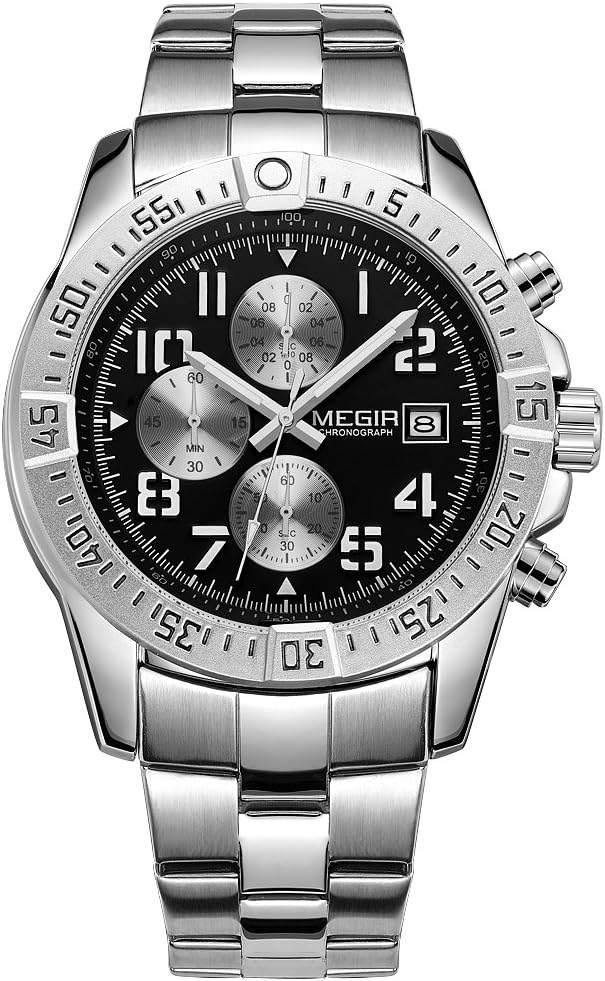
Image: Front view of the MEGIR MG2030 chronograph watch, showcasing its black dial, silver sub-dials, and stainless steel bracelet.
Watch Components
Familiarize yourself with the main components of your MEGIR MG2030 watch:

Image: Diagram illustrating the specific functions of the MEGIR MG2030 watch, pointing out the Start/Pause Button, Crown, Adjust Calendar, Restart Button, and Calendar Window.
- Crown: Used for setting the time and date.
- Start/Pause Button: Initiates and pauses the chronograph function.
- Restart Button: Resets the chronograph hands to their original position.
- Calendar Window: Displays the current date.
- Chronograph Sub-dials: Measure elapsed time (1/10 second, minute, second).
Setup and Initial Adjustment
Setting the Time
- Pull the crown out to the second click position.
- Rotate the crown to set the hour and minute hands to the desired time.
- Push the crown back to the normal position to start the watch.
Setting the Date
- Pull the crown out to the first click position.
- Rotate the crown clockwise to set the date in the calendar window.
- Once the correct date is displayed, push the crown back to the normal position.
Operating the Chronograph
The MEGIR MG2030 features a multifunction chronograph for measuring elapsed time.

Image: Diagram detailing the multifunction chronograph dials, including the 1/10 Second, Minute, and Second Chronograph small dials and their measurement cycles.
- Start: Press the Start/Pause Button (top pusher) to begin the chronograph measurement. All three chronograph sub-dials will start moving.
- Pause: Press the Start/Pause Button again to pause the chronograph. The sub-dials will stop, displaying the elapsed time.
- Resume: Press the Start/Pause Button again to resume timing from where it was paused.
- Reset: While the chronograph is paused, press the Restart Button (bottom pusher) to reset all chronograph hands to their original zero positions.
Luminous Function
The watch hands and markers feature a luminous coating that glows in the dark after absorbing light. Exposure to light will charge the luminous elements, allowing for time readability in low-light conditions.

Image: A close-up of the MEGIR MG2030 watch dial in low light, demonstrating the luminous hands and markers glowing.
Maintenance and Care
Water Resistance
Your MEGIR MG2030 watch is water resistant up to 30 meters (3 ATM). This means it is suitable for daily splashes, rain, and hand washing. It is not suitable for showering, swimming, diving, or any other water immersion activities. Avoid pressing buttons or operating the crown when the watch is wet.

Image: A MEGIR MG2030 watch with water droplets, illustrating its 3 ATM water resistance for splashes and rain.
Cleaning
To maintain the appearance of your watch, wipe the case and bracelet regularly with a soft, dry cloth. For stainless steel parts, a slightly damp cloth can be used, followed by a dry cloth. Avoid using chemical cleaners or abrasive materials.
Battery Replacement
The MEGIR MG2030 uses a quartz movement powered by a battery. When the watch stops or the second hand begins to jump erratically, it indicates a low battery. Battery replacement should be performed by a qualified watch technician to ensure proper sealing and water resistance.
Troubleshooting
- Watch not running: Check if the crown is pushed in completely. If not, push it in. If the watch still does not run, the battery may need replacement.
- Date not changing: Ensure the time is set correctly, especially distinguishing between AM and PM. The date typically changes around midnight.
- Chronograph hands not resetting to zero: If the chronograph hands do not return to the 12 o'clock position after pressing the Restart Button, consult a watch technician for adjustment.
Specifications
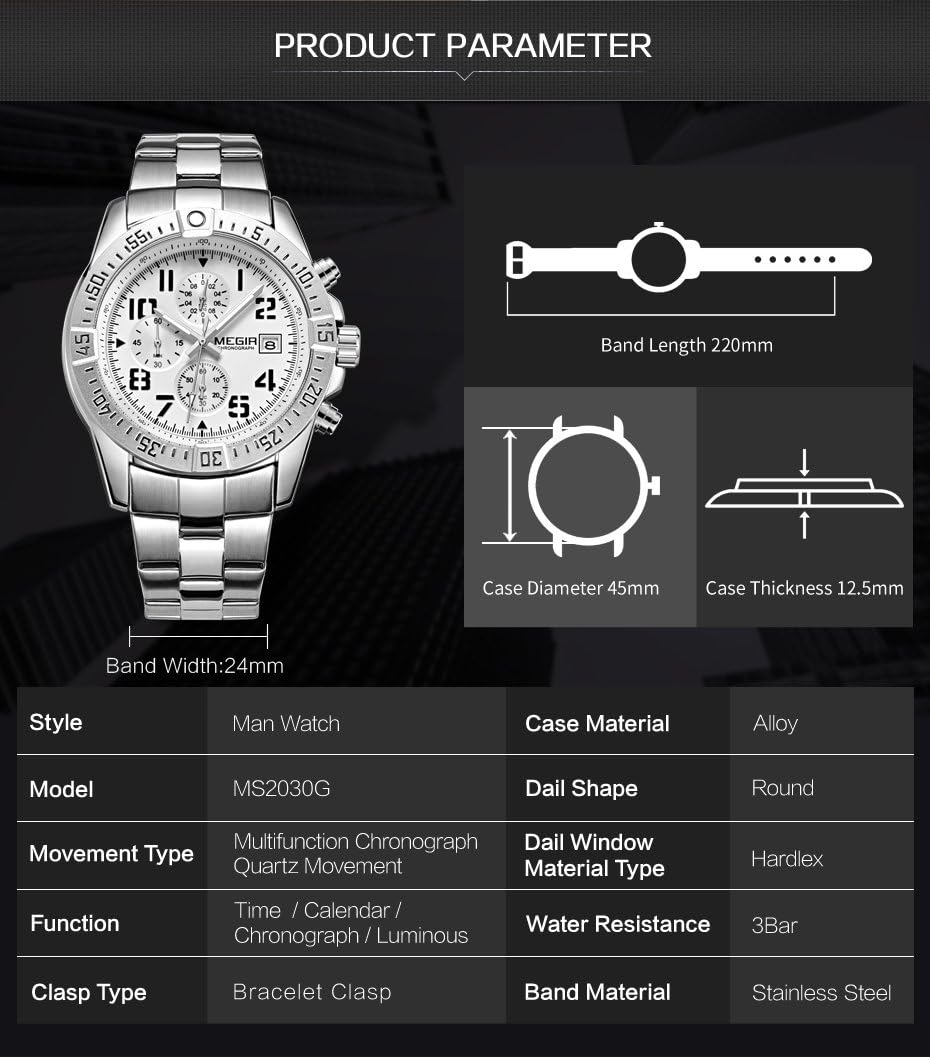
Image: Diagram showing key product parameters for the MEGIR MG2030 watch, including dimensions and material specifications.
| Feature | Specification |
|---|---|
| Model | MG2030 |
| Movement Type | Multifunction Chronograph Quartz Movement |
| Case Material | Alloy |
| Dial Shape | Round |
| Dial Window Material | Hardlex |
| Band Material | Stainless Steel |
| Clasp Type | Deployant Buckle Clasp |
| Water Resistance | 3 ATM (30 meters) |
| Band Length | 220 mm |
| Band Width | 24 mm |
| Case Diameter | 45 mm |
| Case Thickness | 12.5 mm |
| Functions | Time, Calendar, Chronograph, Luminous |
Warranty and Support
For warranty information or technical support, please contact MEGIR customer service through their official website or the retailer where the watch was purchased. Information regarding spare parts availability is not provided in the product specifications.