
Introduction
This manual provides essential information for the safe and efficient operation of your FOVAL 200W Car Power Inverter. Please read it thoroughly before use and retain it for future reference.

This image shows the FOVAL 200W Car Power Inverter, a compact white device with two AC outlets, four USB ports, and an attached cigarette lighter plug.
Important Safety Information
Always observe the following safety precautions to prevent injury or damage to the inverter or connected devices.
- Do not expose the inverter to water, rain, or snow.
- Do not operate the inverter if it has been dropped or damaged.
- Ensure proper ventilation; do not block cooling vents.
- Do not attempt to disassemble or modify the inverter.
- Keep out of reach of children.
- Connect the inverter only to a 12V DC vehicle power outlet.
- Do not exceed the rated power output of 200W.
- Disconnect the inverter from the vehicle outlet when not in use.

This image illustrates the internal components and various protection features of the inverter, including over-charging, over-power, over-current, over-voltage, temperature, and short-circuit protection.
Product Features and Components
The FOVAL 200W Car Power Inverter is designed to convert 12V DC power from your vehicle's cigarette lighter outlet into 110V AC power and provide USB charging.
Key Features:
- 200W continuous power, 400W peak power.
- Two 110V AC outlets.
- Four 2.4A USB-A charging ports (8.4A total output).
- Built-in cooling fan.
- Multiple protection systems (overload, over-voltage, short-circuit, etc.).
- Compact and portable design.
Components Diagram:

This diagram labels the main components of the inverter: Power Switch, LED Power Indicator, AC Outlets (x2), Silent Cooling Fan, 4*2.4A USB A Ports, Cigarette Lighter Plug, and Velcro Straps.
Specifications
| Feature | Detail |
|---|---|
| Brand | FOVAL |
| Model Name | 200W Car Power Inverter |
| Wattage | 200 watts (Continuous), 400 watts (Peak) |
| Power Source | DC 12V from Vehicle Outlet |
| AC Output | 110V |
| USB Output | 4 x 2.4A USB-A Ports (8.4A total) |
| Overload Protection | 240W ± 20W |
| Dimensions | Approximately 4.82in (122.5mm) x 3.13in (79.5mm) x 1.47in (37.5mm) |

This image provides the dimensions of the inverter, showing its compact size, similar to a passport.
Setup and Installation
- Ensure your vehicle's engine is running or the ignition is in the "ACC" position to provide power to the cigarette lighter socket.
- Insert the inverter's cigarette lighter plug firmly into your vehicle's 12V DC power outlet.
- The LED power indicator on the inverter should illuminate, indicating it is receiving power.
- Before connecting any devices, ensure their total power consumption does not exceed 200W.

This image illustrates the power flow: 12V DC input from the vehicle, converting to 110V AC output from the two outlets and 2.4A max output from each of the four USB ports.
Operation
Using AC Outlets:
- Plug your 110V AC device into one of the inverter's AC outlets.
- Turn on the inverter using the power switch.
- Turn on your device.
- After use, turn off your device, then turn off the inverter, and finally unplug it from the vehicle.
Using USB Ports:
- Connect your USB-powered device (e.g., smartphone, tablet) to any of the four USB-A ports using a compatible USB cable.
- The inverter will automatically begin charging your device.
- The USB ports can deliver up to 2.4A per port, with a total maximum output of 8.4A across all four ports.

This image demonstrates an AC plug connected to the inverter, highlighting its strong loading capacity suitable for devices within 200W, with a peak power of 400W and overload protection at 240W ± 20W.
Wide Compatibility
The FOVAL 200W Car Power Inverter is suitable for powering a wide range of electronic devices, making it ideal for road trips, camping, and emergency use.
Compatible Devices (within 200W):
- Laptops
- Tablets
- Smartphones
- Digital Cameras
- Drones
- Small Fans
- Breast Pumps
- LED Lights
- Power Banks
- Small Inflatable Beds (with compatible pump)
- Other small electronics
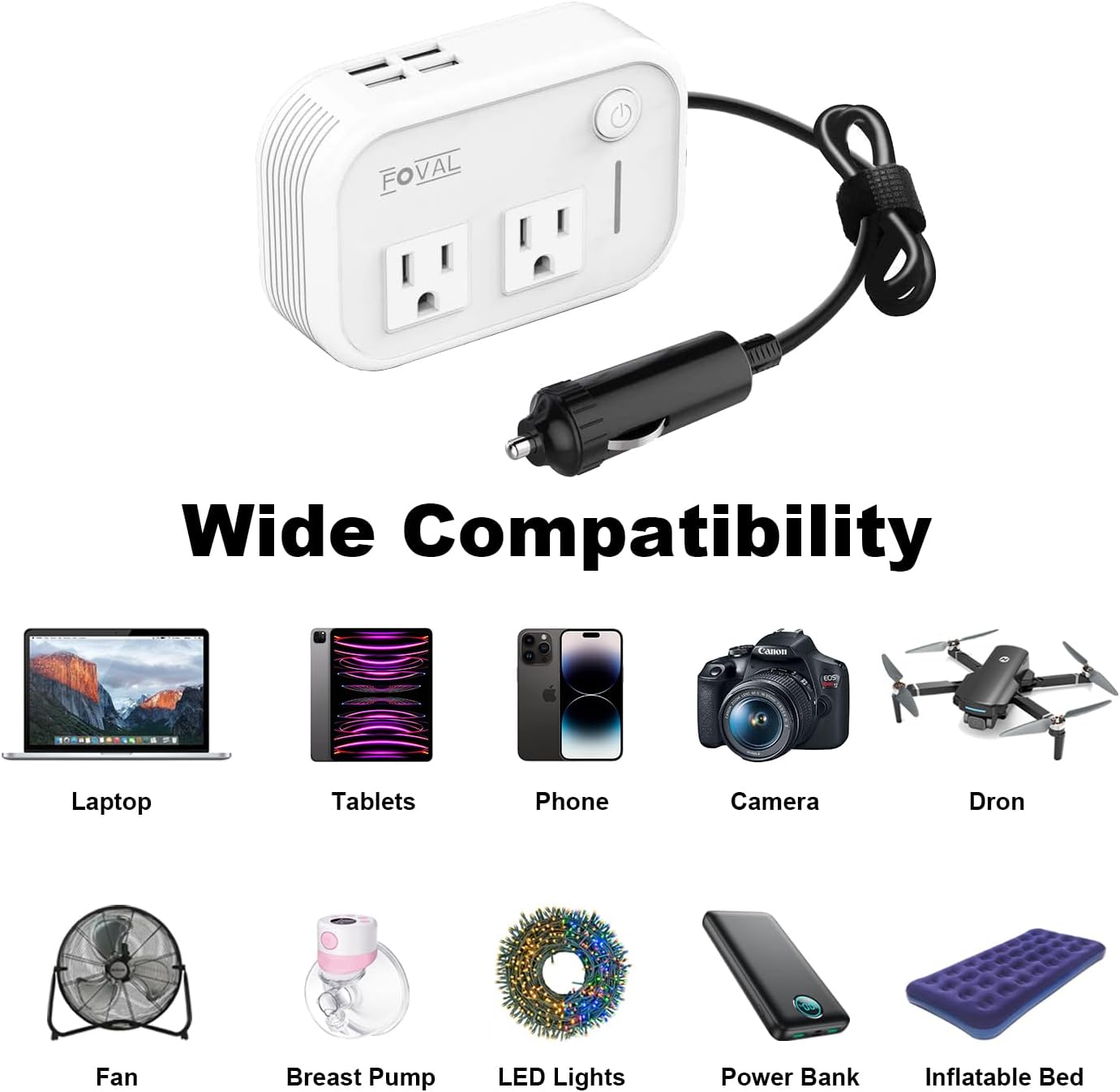
This image visually presents various compatible devices such as laptops, tablets, phones, cameras, drones, fans, breast pumps, LED lights, power banks, and inflatable beds.
Maintenance and Care
- Keep the inverter clean and dry. Use a soft, dry cloth to wipe the exterior.
- Ensure the cooling vents are free from dust and debris to maintain proper airflow.
- Store the inverter in a cool, dry place when not in use.
- Do not expose the inverter to extreme temperatures.
Troubleshooting
Inverter not powering on:
- Check if the cigarette lighter plug is fully inserted into the vehicle's 12V outlet.
- Ensure the vehicle's engine is running or ignition is in "ACC" mode.
- Check the vehicle's fuse for the cigarette lighter socket.
- Ensure the inverter's power switch is in the "ON" position.
Device not charging/powering:
- Verify the device's power consumption does not exceed 200W.
- Check if the device's power cable or USB cable is properly connected.
- The inverter may have entered protection mode due to overload, over-temperature, or low/high voltage. Disconnect devices, unplug the inverter, wait a few minutes, and try again.
Inverter fan is noisy:
- The fan activates automatically to cool the unit when it reaches a certain temperature or under heavy load. This is normal operation.
- Ensure vents are not blocked.
Warranty and Support
FOVAL products are designed for reliability and performance. For specific warranty details and customer support, please refer to the warranty card included with your purchase or visit the official FOVAL website.
For technical assistance or inquiries, please contact FOVAL customer service.