1. Introduction
This manual provides essential instructions for the safe and effective use of your SKY BOY SH03XL rechargeable laptop battery. Designed for various HP Spectre X360 models, this battery offers reliable power for your device. Please read this manual thoroughly before installation and use.
1.1 Product Overview
The SH03XL battery is a Lithium-Ion power source with a capacity of 5020mAh / 57.9Wh and a voltage of 11.55V. It features 6 A+ Cells for enhanced performance and durability. Two screwdrivers are included for installation convenience.
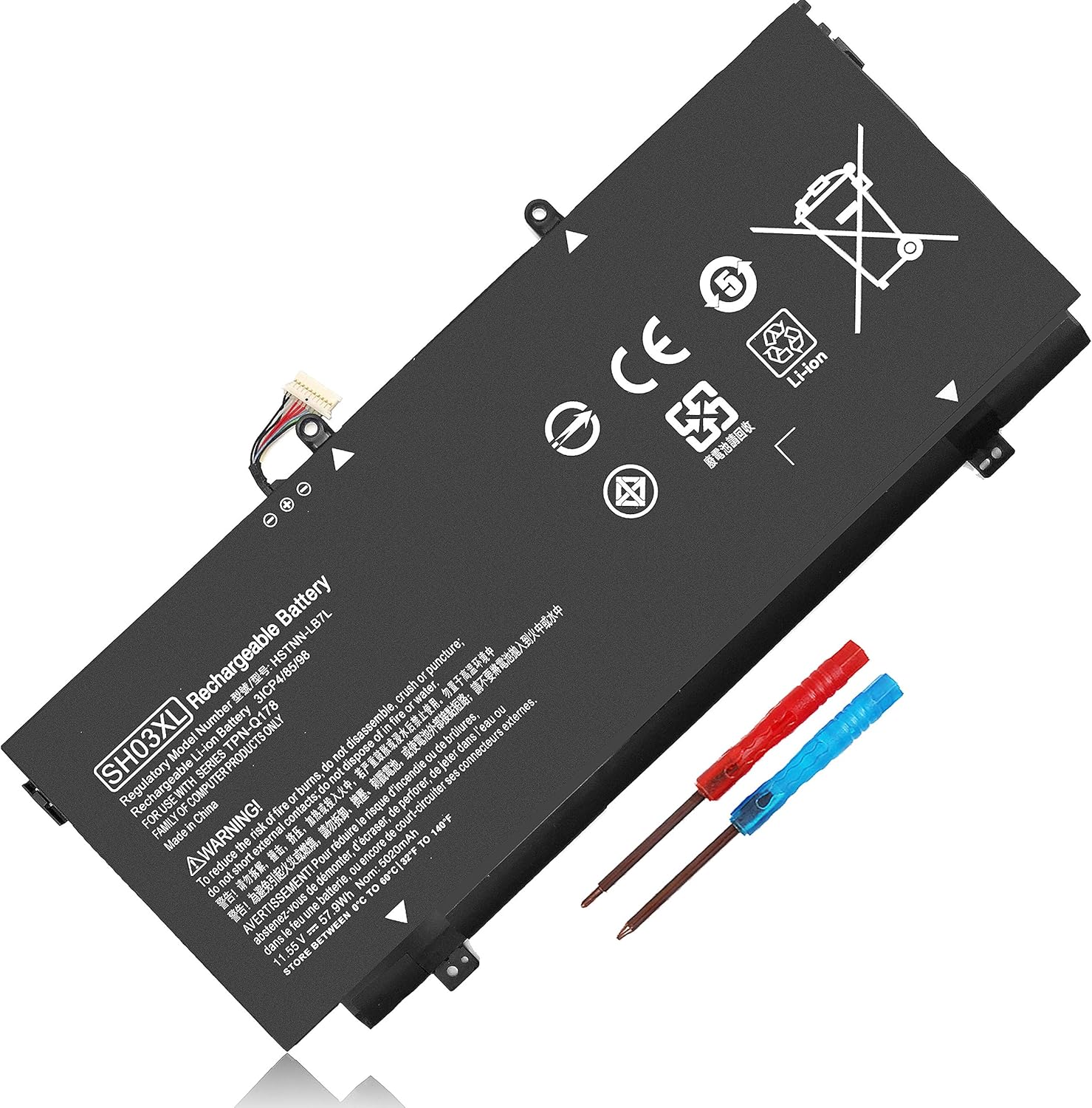
Image 1: The SKY BOY SH03XL rechargeable laptop battery, shown with two included screwdrivers (red and blue handles).
1.2 Compatibility
This battery is compatible with a wide range of HP Spectre X360 laptop models and part numbers. Ensure your laptop model or existing battery part number matches those listed below:
Compatible Part Numbers: SH03XL, SH03, SHO3XL, SH03057XL, SHO3057XL, SHO3O57XL, 859026-421, 901308-421, 859356-855, HSTNN-LB7L, TPN-Q178.
Compatible HP Spectre X360 Laptop Models:
- HP Spectre X360 13-AC0XX Series (e.g., 13-AC000, 13-AC013DX, 13-AC023DX, 13-AC033DX, 13-AC063DX)
- HP Spectre X360 13-AB0XX Series (e.g., 13-AB001, 13-AB099, 13T-AB000)
- HP Spectre X360 13-W0XX Series (e.g., 13-W000, 13-W013DX, 13-W023DX, 13-W063NR)
- And other models listed in the product description.
Note: The SH03XL connector has various lengths. This battery features a 30MM connector, which is compatible with both long and short connector types.
2. Installation Guide
Before proceeding with the installation, ensure your laptop is powered off and disconnected from any power source. It is recommended to discharge the existing battery to a low level before removal, if possible. Use appropriate tools, such as the included screwdrivers, to avoid damage.
2.1 Identifying Your Laptop Model and Existing Battery
To confirm compatibility and prepare for installation:
- Check Laptop Model: Press Windows + R, type "
msinfo32", and click OK. Locate "System Model" in the pop-up window. - Inspect Existing Battery: Carefully remove the back cover of your laptop and take out the old battery. Note the model number printed on it. This helps verify you have the correct replacement.

Image 2: Physical dimensions of the SH03XL battery, indicating it is an accurate 1:1 mold for the original size.
2.2 Battery Installation Steps
- Power Off: Shut down your laptop completely and disconnect the AC adapter.
- Discharge: If possible, allow the laptop to run on battery until it's nearly depleted.
- Access Battery: Carefully open the laptop's back panel. Refer to your laptop's specific service manual for precise instructions on accessing the battery compartment.
- Disconnect Old Battery: Gently disconnect the old battery's cable from the motherboard.
- Remove Old Battery: Unscrew any retaining screws holding the old battery in place and carefully lift it out.
- Insert New Battery: Place the new SKY BOY SH03XL battery into the compartment, ensuring it aligns correctly.
- Connect New Battery: Connect the new battery's cable to the motherboard. Ensure the connection is secure.
- Secure Battery: Fasten any retaining screws to hold the new battery in place.
- Reassemble Laptop: Carefully reattach the laptop's back panel.
- Initial Charge: Connect the AC adapter and fully charge the new battery before its first use.
Safety Warning: Always handle the battery with care. Do not puncture, disassemble, or expose to extreme temperatures or liquids. If you are unsure about any step, seek professional assistance.
3. Operating Instructions
To maximize the performance and lifespan of your new battery, follow these operating guidelines:
- First Use: Fully charge the battery to 100% before using your laptop on battery power for the first time.
- Regular Charging: For optimal battery health, avoid frequently discharging the battery completely. It is generally recommended to keep the charge level between 20% and 80%.
- Calibration (Optional): Periodically, about once every 2-3 months, allow the battery to discharge completely until the laptop shuts down, then fully recharge it. This helps calibrate the battery's charge indicator.
- Temperature: Operate your laptop in a moderate temperature environment. Extreme heat or cold can negatively impact battery performance and lifespan.

Image 3: The SH03XL battery positioned near a laptop, illustrating its intended use.
4. Maintenance and Storage
Proper maintenance ensures the longevity and safety of your battery.
- Cleaning: Keep the battery and its contacts clean and dry. Use a soft, dry cloth to wipe away dust or debris.
- Storage: If storing the battery for an extended period (more than a month), charge it to approximately 50-60% and store it in a cool, dry place away from direct sunlight and extreme temperatures. Do not store a fully charged or fully discharged battery for long periods.
- Avoid Physical Damage: Protect the battery from drops, impacts, and pressure.
- Disposal: Do not dispose of the battery in household waste. Follow local regulations for proper disposal of lithium-ion batteries.
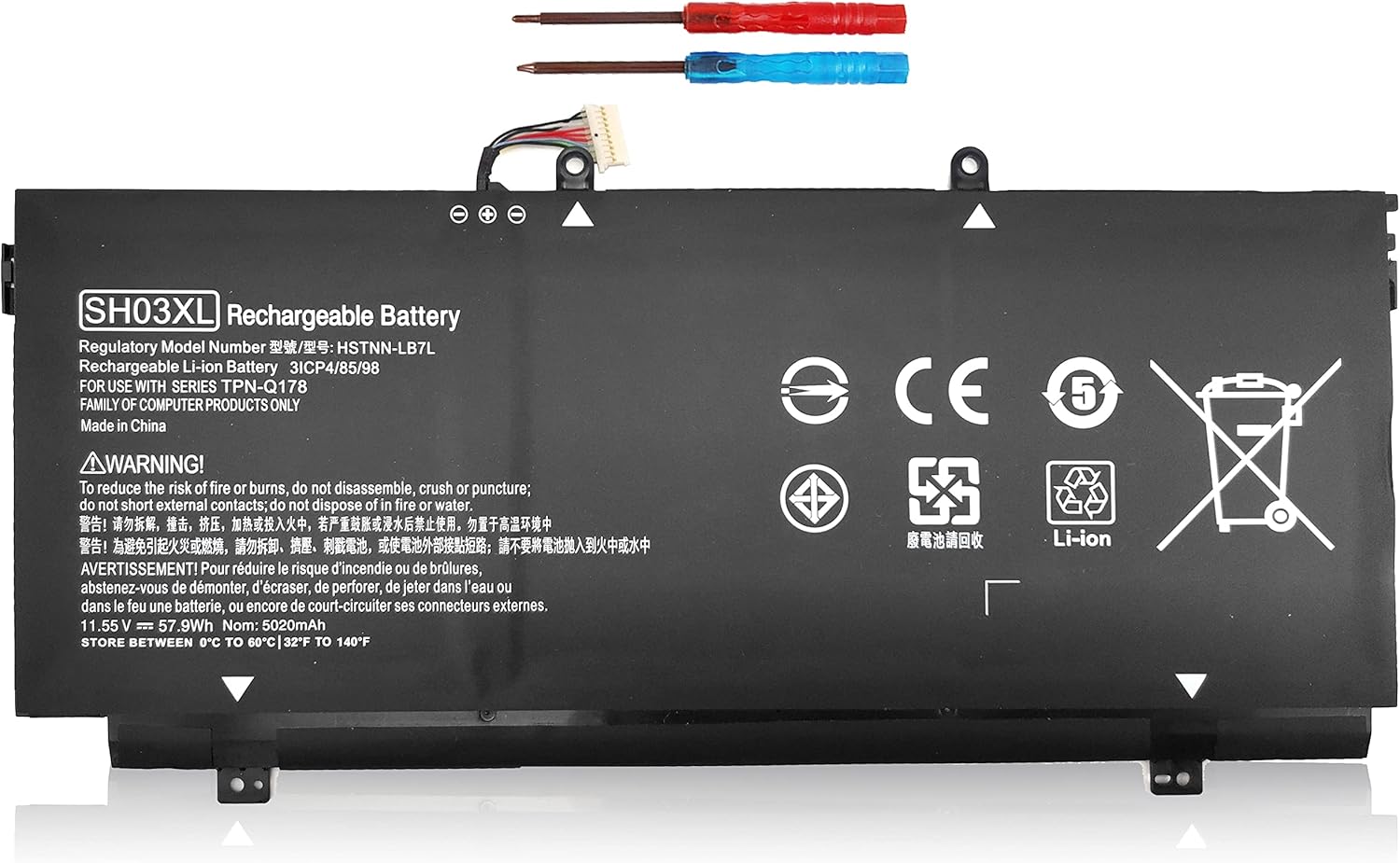
Image 4: Detailed view of the battery's warning labels and regulatory information.
5. Troubleshooting
If you encounter issues with your new battery, consider the following common solutions:
- Battery Not Charging:
- Ensure the AC adapter is properly connected to both the laptop and a working power outlet.
- Verify that the battery connector is securely seated inside the laptop.
- Try restarting your laptop.
- Check if your AC adapter is functioning correctly with another device, if possible.
- Laptop Not Recognizing Battery:
- Re-seat the battery to ensure proper connection.
- Update your laptop's BIOS and battery drivers. Refer to HP's official support website for instructions.
- Perform a power reset: Disconnect AC, remove battery, hold power button for 15-20 seconds, then reinsert battery and connect AC.
- Short Battery Life:
- Adjust power settings in your operating system to optimize for battery life.
- Close unnecessary applications running in the background.
- Reduce screen brightness.
- Ensure the laptop's cooling system is clean and functioning to prevent overheating, which can drain the battery faster.
If these steps do not resolve the issue, please contact customer support for further assistance.
6. Product Specifications
| Feature | Detail |
|---|---|
| Model Number | SH03XL |
| Battery Type | Lithium-Ion (Li-ion), 6 A+ Cells |
| Capacity | 5020mAh / 57.9Wh |
| Voltage | 11.55V |
| Color | Black |
| Dimensions (LxWxH) | Approximately 10.25 x 4.35 x 0.18 inches |
| Weight | Approximately 5 ounces |
| Charge Cycles | 500+ |
| Operating Temperature | 0°C to 60°C (32°F to 140°F) |

Image 5: Key features of the SH03XL battery, highlighting its Grade A cells and performance benefits.

Image 6: Illustration of the battery's smart control chip and its protective features.
7. Warranty and Customer Support
Your SKY BOY SH03XL battery comes with a comprehensive warranty and dedicated customer support.
- Warranty: This product includes a 90-day money-back guarantee and a 365-day free exchange guarantee.
- Contact Support: If you experience any issues with the product within the warranty period, please contact us directly. You can typically find a "ASK A QUESTION" button on the product's purchase page. We aim to resolve all inquiries within 24 hours.
- Included Accessories: The package includes the SH03XL battery, an antistatic bag, double sponge protection, and a bandbox, along with two screwdrivers for installation.

Image 7: Contents of the SKY BOY SH03XL battery package.


