
Introduction
Thank you for choosing the NICREW ClassicLED Plus LED Aquarium Light with Timer. This manual provides essential information for the safe and efficient operation of your new aquarium light. Please read these instructions thoroughly before installation and use, and retain them for future reference.
The NICREW ClassicLED Plus is designed to provide full-spectrum lighting for your aquarium, featuring 6500K white, 450nm blue, TRUE 660nm deep red, and green LEDs. It includes an integrated timer for automated daylight and moonlight cycles, with adjustable ramp-up and dim-down functions to simulate natural sunrise and sunset. The light is suitable for freshwater or saltwater fish and low-to-medium light level plants, and is designed for aquariums measuring 30 to 36 inches.
Safety Instructions
- Electrical Safety: Always unplug the light from the power outlet before performing any maintenance or handling the unit. Ensure your hands are dry when plugging or unplugging the power adapter.
- Water Contact: This light is NOT waterproof. Do not immerse the light unit or the power adapter in water. Avoid splashing water directly onto the light fixture. If the light falls into water, unplug it immediately before attempting to retrieve it.
- Proper Placement: Ensure the light is securely mounted on your aquarium. Do not operate the light if it is damaged or has a frayed cord.
- Ventilation: The aluminum alloy shell aids in heat dissipation. Ensure adequate ventilation around the light fixture to prevent overheating.
- Intended Use: This product is designed for indoor aquarium use only. Do not use it for purposes other than its intended use.
- Children and Pets: Keep out of reach of children and pets.
Package Contents
- NICREW ClassicLED Plus Aquarium Light Unit
- Adjustable Mounting Brackets (2x)
- Power Adapter with Integrated Timer Controller
- User Manual
Setup
1. Unpacking and Inspection
Carefully remove all components from the packaging. Inspect the light unit and all accessories for any signs of damage. If any damage is found, do not proceed with installation and contact customer support.
2. Mounting the Light
- Attach the adjustable mounting brackets to both ends of the light fixture. The brackets slide into the slots on the light unit.
- Extend the brackets to fit the length of your aquarium. The light is designed for tanks between 30 to 36 inches.
- Place the light fixture securely on the rim of your aquarium. Ensure the light is stable and centered over the tank.
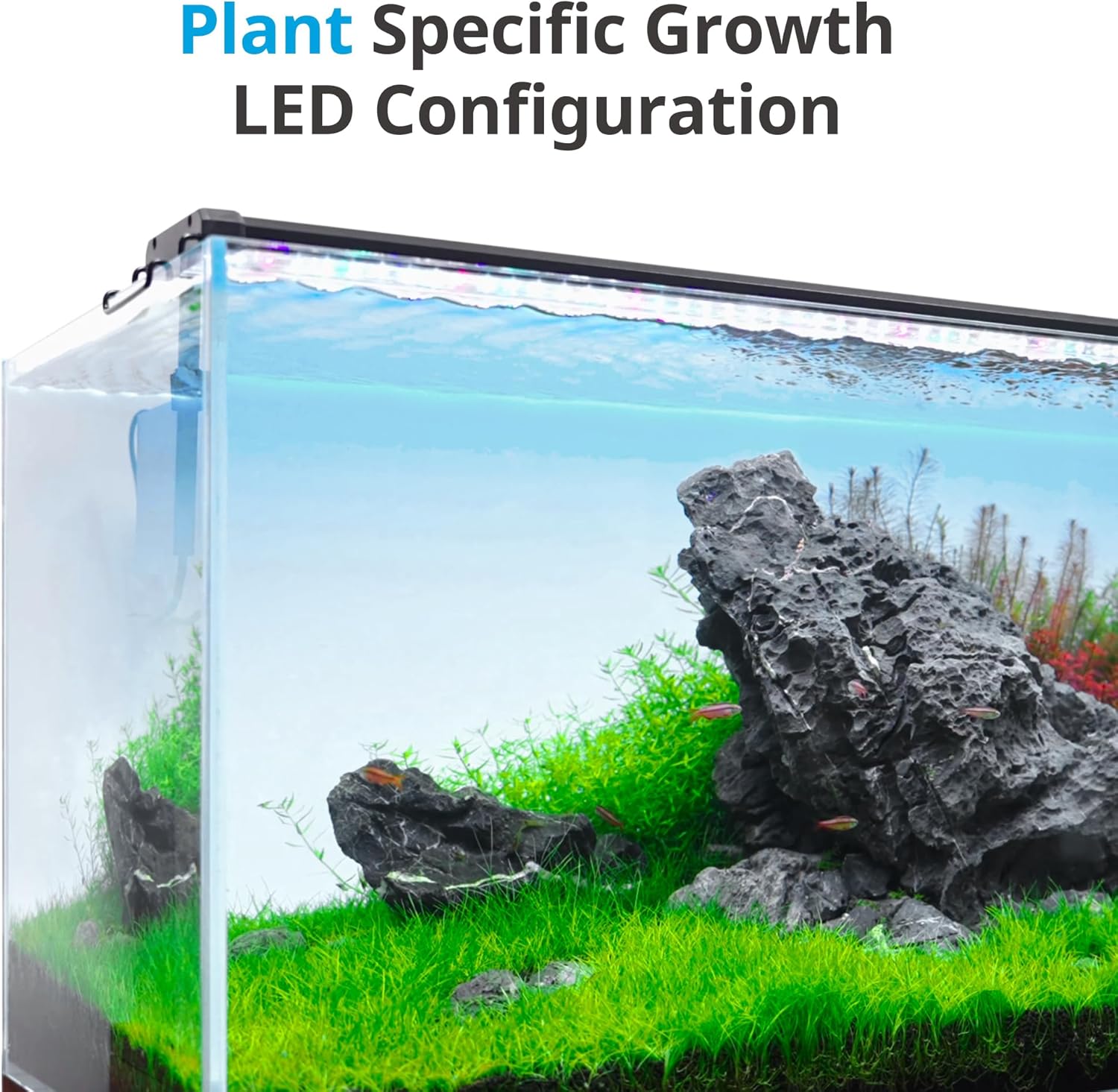
Image: NICREW ClassicLED Plus light with adjustable mounting brackets extended, showing how it fits over an aquarium.

Image: A diagram illustrating the dimensions of the light unit and its compatibility with different aquarium sizes, including the 30-36 inch model.
3. Connecting Power
Connect the power adapter to the light unit and then plug the adapter into a suitable power outlet. The integrated timer controller will display '00:00' and flash, indicating it's ready for time setting.
Operating Instructions
Timer Controller Overview

Image: The timer controller showing its display and buttons for Hour, Minute, Settings (Gear icon), and Power.
The timer controller allows you to set the current time, program on/off times for two lighting channels, adjust brightness, and select ramp-up/dim-down durations.
Setting Current Time
- When the display shows '00:00' and is flashing, press the 'Set' button (gear icon). The hour digits will start flashing.
- Use the 'Hour' button (+) to adjust the current hour. The clock operates on a 24-hour format (e.g., 13:00 for 1 PM).
- Press 'Set' again. The minute digits will start flashing.
- Use the 'Minute' button (-) to adjust the current minute.
- Press 'Set' one more time to confirm the current time. The display will stop flashing.

Image: The timer controller displaying '09:30', indicating the current time has been set.
Programming Lighting Channels (CH1 & CH2)
The light features two independent channels:
- CH1: White, Red, and Green LEDs (Full Spectrum)
- CH2: Blue LEDs (Moonlight)

Image: A visual representation of the independent dual-channel control, showing CH1 (White, Red, Green LEDs) and CH2 (Blue LEDs) with different brightness percentages.
Setting CH1 (White, Red, Green LEDs)
- From the current time display, press the 'Mode' button. The display will show '00:00' (CH1 ON time) and flash.
- Use 'Hour' and 'Minute' buttons to set the desired ON time for CH1.
- Press 'Mode' again. The display will show '00:00' (CH1 OFF time) and flash.
- Use 'Hour' and 'Minute' buttons to set the desired OFF time for CH1.
- Press 'Mode' again. The display will show '100' (CH1 brightness percentage) and flash.
- Use 'Hour' and 'Minute' buttons to adjust the brightness from 0% to 100%.
- Press 'Mode' again. The display will show '15' or '30' (ramp-up/dim-down duration in minutes) and flash.
- Use 'Hour' and 'Minute' buttons to select 15 or 30 minutes for the sunrise/sunset simulation.
Setting CH2 (Blue LEDs)
- After setting CH1's ramp-up/dim-down, press 'Mode' again. The display will show '00:00' (CH2 ON time) and flash.
- Repeat steps 2-8 from the CH1 programming section to set the ON time, OFF time, brightness, and ramp-up/dim-down duration for CH2.
- After setting CH2's ramp-up/dim-down, press 'Mode' one last time to save all settings and return to the current time display.
Video: Official NICREW guide on how to program the timer for the ClassicLED Plus aquarium light.
Manual Mode
To manually turn the light on or off, press the 'Power' button. In manual mode, the brightness is fixed at 100% and spectrum adjustment is not available. The timer functions will be temporarily overridden until the next programmed cycle begins or the light is returned to automatic mode.
Maintenance
- Cleaning: Regularly wipe the light fixture with a soft, dry cloth to remove dust and water spots. Do not use abrasive cleaners or solvents. Ensure the light is unplugged before cleaning.
- LED Longevity: The LEDs are designed for long-lasting performance. Avoid touching the LEDs directly.
- Power Cord: Periodically check the power cord for any signs of damage. If the cord is damaged, discontinue use and replace the unit.
Troubleshooting
| Issue | Possible Cause | Solution |
|---|---|---|
| Light does not turn on. | No power, loose connection, or faulty unit. | Check power outlet, ensure all connections are secure. If still not working, contact customer support. |
| Timer settings are not working correctly. | Incorrect time setting or programming error. | Re-set the current time and re-program the lighting channels following the instructions in this manual. Ensure the light is not in manual mode. |
| Light is too bright/dim. | Brightness setting is incorrect. | Adjust the brightness percentage for CH1 and CH2 in the programming mode. |
| Ramp-up/dim-down not functioning. | Ramp duration not set or light in manual mode. | Ensure a 15 or 30-minute ramp duration is selected for each channel in programming mode. Confirm the light is in automatic mode. |
Specifications
| Feature | Specification |
|---|---|
| Model Number | N10373 |
| Wattage | 21 Watts |
| Brightness | 1150 Lumens |
| Voltage | 20 Volts |
| Light Source Type | LED (6500K white, 450nm blue, TRUE 660nm deep red, green) |
| Control Method | Integrated Timer Controller |
| Material | Aluminum Alloy, Acrylic, Glass |
| Product Dimensions | 4"D x 36"W x 1.7"H |
| Item Weight | 2.42 pounds (1.1 Kilograms) |
| Aquarium Size Compatibility | 30 - 36 inches |
| Water Resistance Level | Not Water Resistant |
Warranty and Support
NICREW provides a hassle-free 12-month warranty for this product from the date of purchase. This warranty covers manufacturing defects and malfunctions under normal use. It does not cover damage caused by misuse, accident, unauthorized modification, or improper installation.
For technical support, warranty claims, or any questions regarding your NICREW ClassicLED Plus LED Aquarium Light, please contact NICREW Customer Service. Our team is available to provide 24-hour friendly customer service.
Contact Information: Please refer to the contact details provided on the product packaging or the official NICREW website for the most up-to-date support information.
