
1. Introduction
This manual provides essential information for the safe and effective use of the Rubi Tools DU-200 EVO 850 Tile Saw. This mobile head cutter is designed for precise cutting of ceramic and porcelain wall and floor tiles, suitable for renovation and light construction projects. It features foldable legs, wheels for portability, an external water tank, and an 8-inch CEV-SUPERPRO diamond blade.
Please read this manual thoroughly before operating the saw to ensure proper setup, safe operation, and optimal performance.

Figure 1: Overall view of the Rubi Tools DU-200 EVO 850 Tile Saw.
2. Safety Information
WARNING: Failure to follow these safety instructions may result in serious injury or property damage.
- Always wear appropriate personal protective equipment (PPE), including safety glasses, hearing protection, and gloves.
- Ensure the work area is well-lit, clean, and free of obstructions.
- Keep children and bystanders away from the operating saw.
- Never operate the saw with damaged or missing guards.
- Ensure the saw is properly grounded and connected to a suitable power supply (120V, 60Hz).
- Do not operate the saw in wet conditions or expose it to rain.
- Always disconnect power before performing any adjustments, maintenance, or blade changes.
- Use only diamond blades specified for wet cutting of ceramic and porcelain tiles.
- Maintain a firm grip on the tile during cutting and keep hands clear of the blade path.
- Do not force the cut; allow the blade to cut at its own pace.
3. Components Overview
Familiarize yourself with the main components of your DU-200 EVO 850 Tile Saw:
- Motor Assembly: Houses the motor and blade, mounted on sliding bearings for smooth operation.
- Diamond Blade: 8-inch (200 mm) CEV-SUPERPRO blade for cutting tiles.
- Cutting Table: The surface where tiles are placed for cutting.
- Foldable Legs: Provide stability during operation and fold for transport.
- Wheels: Facilitate easy movement of the saw.
- External Water Tank: Supplies water for blade cooling and cleaning.
- C³ System: Enhances blade cooling and cleaning within the water tank.
- Adjustable Square: Allows for precise angle cuts from 0 to 45°.
- Lateral Stop: Used for consistent, repetitive cuts.
- Ergonomic Handle: For comfortable transport.

Figure 2: Front view highlighting the water bucket and foldable legs.

Figure 3: Detail of the cutting head and diamond blade.
4. Setup
Follow these steps to set up your tile saw for operation:
- Unpacking: Carefully remove the saw and all components from the packaging. Inspect for any shipping damage.
- Leg Assembly: Unfold the legs until they lock securely into position. Ensure all four legs are stable on a level surface.
- Wheel Attachment: If not already attached, secure the wheels to the designated points on the saw frame for easy mobility.
- Water Tank Preparation: Fill the external water tank with clean water. Ensure the water level is sufficient to cover the lower portion of the diamond blade during operation. Position the tank correctly to allow the C³ system to function.
- Blade Check: Verify that the CEV-SUPERPRO diamond blade (8" / 200 mm) is securely installed and free from damage. The saw comes with the blade pre-installed.
- Power Connection: Connect the power cable to a grounded 120V, 60Hz electrical outlet. Ensure the corrugated tube protects both the power cable and water pipe.

Figure 4: Underside view showing transport wheels and handle.
5. Operating Instructions
Before operating, ensure all safety precautions are understood and followed.
- Tile Preparation: Mark the desired cut line on the tile. Ensure the tile is clean and free of debris.
- Adjusting the Cutting Angle: For straight cuts, ensure the adjustable square is set to 0°. For mitre cuts, adjust the square to the desired angle between 0° and 45°. The motor assembly can also be folded for mitre cuts.
- Positioning the Tile: Place the tile firmly on the cutting table, aligning the marked cut line with the blade path. Use the lateral stop for repetitive cuts to ensure consistency.
- Starting the Saw: Turn on the saw. Allow the blade to reach full speed before beginning the cut.
- Making the Cut: Gently push the motor assembly forward, guiding the blade through the tile. Apply steady, even pressure. Do not force the blade. The water system will automatically cool and clean the blade during the cut.
- Completing the Cut: Continue pushing until the cut is complete. Once the cut is finished, retract the motor assembly to its starting position and turn off the saw. Wait for the blade to stop completely before removing the tile.

Figure 5: User demonstrating tile cutting with the saw.
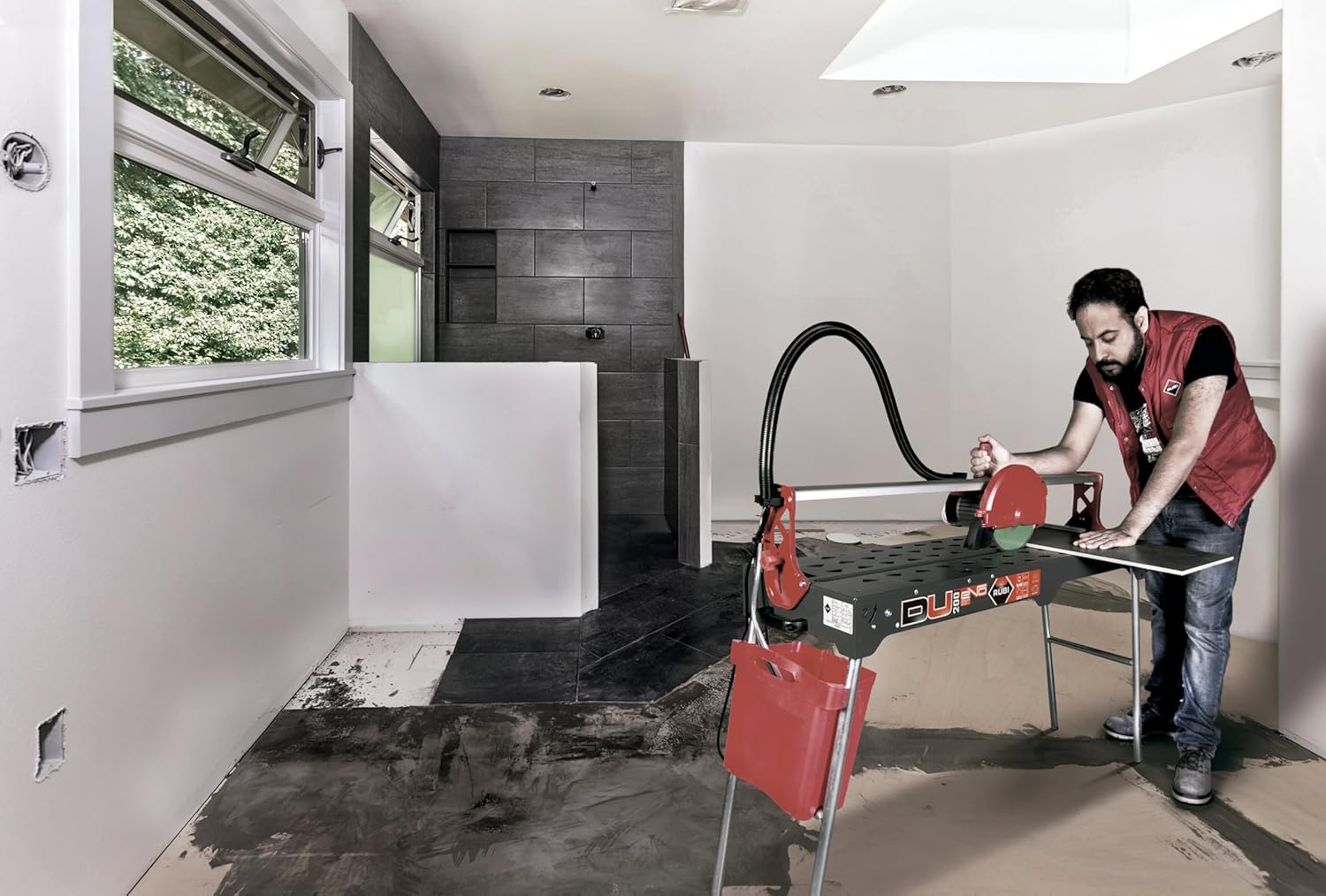
Figure 6: Another view of the saw in use for tile installation.
6. Maintenance
Regular maintenance ensures the longevity and optimal performance of your tile saw.
- After Each Use:
- Disconnect the saw from power.
- Empty and clean the external water tank to prevent sediment buildup and ensure proper function of the C³ system.
- Rinse the cutting table and motor assembly to remove tile dust and slurry.
- Wipe down the entire saw with a damp cloth.
- Blade Inspection: Regularly inspect the diamond blade for wear, cracks, or damage. A worn or damaged blade can affect cut quality and safety. Replace the blade as needed.
- Motor Assembly Rails: Keep the sliding bearings and rails clean and free of debris to ensure smooth movement of the motor assembly.
- Power Cable and Water Pipe: Periodically check the corrugated tube protecting the power cable and water pipe for any signs of wear or damage.
7. Troubleshooting
This section addresses common issues you might encounter with your tile saw.
| Problem | Possible Cause | Solution |
|---|---|---|
| Poor cut quality (chipping, rough edges) | Worn or incorrect blade; insufficient water flow; forcing the cut. | Replace blade with appropriate type; check water tank level and C³ system; reduce cutting speed. |
| Motor overheating | Overloading the motor; insufficient ventilation; prolonged continuous use. | Reduce cutting pressure; ensure proper ventilation around motor; allow saw to cool periodically. |
| Blade not spinning | No power; motor fault; blade jammed. | Check power connection; inspect for obstructions around blade; contact service if motor fault suspected. |
| Inconsistent water flow | Low water level; clogged C³ system or pump; kinked water hose. | Refill water tank; clean C³ system and pump; straighten water hose. |
8. Specifications
- Model: DU-200 EVO 850
- Part Number: 54976
- Manufacturer: Rubi Tools
- Voltage: 120V
- Frequency: 60Hz
- Blade Diameter: 8 inches (200 mm)
- Included Blade: CEV-SUPERPRO Diamond Blade
- Cutting Angles: 0° to 45° (adjustable square)
- Features: Mobile head, foldable legs, wheels, external water tank, C³ system, direct drive motor with thermal protection, reinforced chassis.
- Intended Use: Cutting ceramic and porcelain wall and floor tiles for renovations and light works.
9. Warranty and Support
The Rubi Tools DU-200 EVO 850 Tile Saw comes with a 2-year warranty from the date of purchase, covering manufacturing defects. Please retain your proof of purchase for warranty claims.
For technical support, service, or warranty inquiries, please contact Rubi Tools customer service. Refer to the contact information provided with your product packaging or visit the official Rubi Tools website for assistance.
