
Beautifive BF-1716N
Beautifive 6.3-inch Lighted Makeup Mirror User Manual
Model: BF-1716N | Brand: Beautifive
Introduction
Thank you for choosing the Beautifive 6.3-inch Lighted Makeup Mirror. This versatile mirror is designed to provide optimal lighting and magnification for your beauty routine, whether at home or on the go. With its dual-sided magnification, adjustable lighting modes, and portable design, it offers convenience and precision. Please read this manual thoroughly to ensure proper use and maintenance of your mirror.
Safety Information
Use with care to avoid breakage. Keep out of reach of children. Use caution when adjusting height and angle to prevent tipping. Do not take the mirror out with your bare hands if it falls into the water. Do not place it facing another light source when using.

Image: Safety warning text regarding handling and placement of the mirror.
Package Contents
Please check the package to ensure all items are present:
- 1 x Foldable Lighted Makeup Mirror
- 1 x Product Gift Box
- 1 x USB Cable (Type-C)
- 1 x User Manual
- 1 x Cleaning Cloth
- 1 x Flannelette Storage Bag

Image: A visual representation of the mirror and its included accessories: gift box, USB cable, user manual, cleaning cloth, and storage bag.
Product Features
Dual-Sided Magnifying Mirror (10X & 1X)
This lighted mirror features a 10X magnification side for ultra-precise makeup details and a standard 1X side for full-face viewing. Switch seamlessly between close-up refinement and overall style checks.

Image: The mirror displaying its 1X and 10X magnification sides, highlighting its utility for detailed tasks like applying makeup or contact lenses.
Adjustable Mirror Angle and Height
Features a flexible folding neck, allowing height and angle adjustments up to a fully extended height of 35cm (14 inches). When fully extending the mirror, ensure sufficient weight is placed on the base to prevent tipping.

Image: The mirror shown in various adjustable positions, demonstrating its flexible neck and height extension capabilities.
3 Light Modes and Stepless Dimming
Offering 3 lighting color options—warm (3000-3500K), natural (4500-5000K), and cool (6000-6500K)—allowing you to adjust the lighting to suit any environment or occasion. With stepless dimming, the brightness can be adjusted to meet your needs. It also features a smart memory function, which retains the brightness setting from your last use.

Image: Visual representation of the three distinct light color temperatures: warm, natural, and cool, available on the mirror.

Image: The mirror demonstrating its stepless dimming capability, allowing for precise adjustment of light intensity from 0% to 100%.
Long-Lasting Illumination & Type-C Rechargeable
Equipped with a 2000mAh rechargeable battery (Type-C charging), this lighted mirror delivers up to 200 minutes of continuous use per full charge, minimizing the need for constant recharging. It also features overcharge protection.
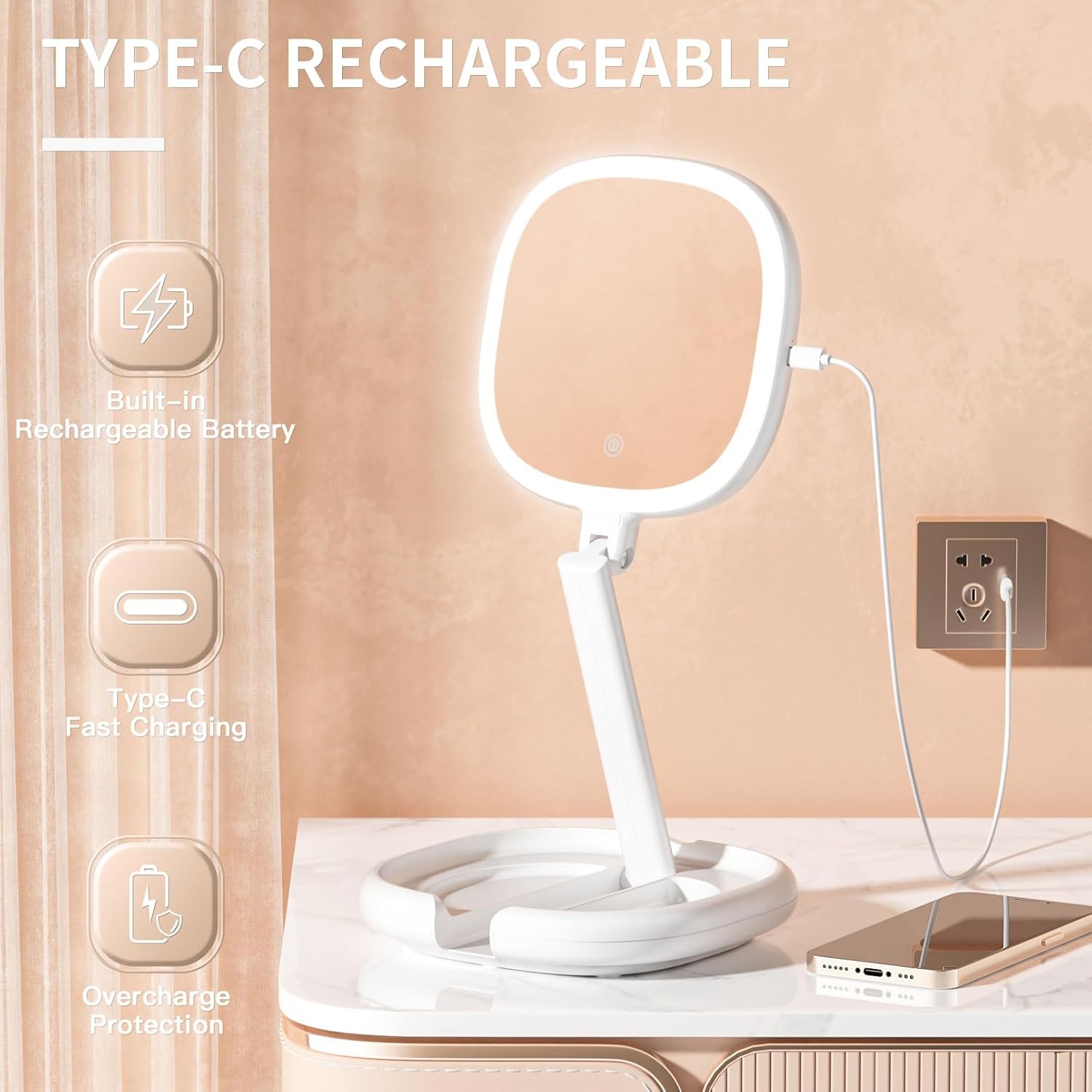
Image: The mirror connected via a Type-C cable, illustrating its rechargeable battery and fast charging capabilities.
Compact & Portable Design
This makeup mirror has a diameter of 7.6 inches and measures 0.9 inches thick when folded. Its foldable design saves space, keeping your desktop neat and organized. The mirror weighs approximately 0.7kg (1.5 pounds), making it ideal for both personal use as a desktop mirror and as a thoughtful gift option.

Image: The mirror in its compact, folded state, demonstrating its portability by fitting easily into a suitcase.
Setup
Unfold the Mirror: Gently open the mirror from its folded position. The base will unfold to provide stability.
Adjust Height and Angle: Extend the mirror arm upwards to your desired height. The flexible neck allows for various angles. Ensure the base is stable, especially when fully extended.
Charge Before First Use: For optimal performance, fully charge the mirror using the provided Type-C USB cable before its initial use.

Image: The Beautifive mirror shown both in its compact, folded state and fully extended, ready for use.
Operating Instructions
Power On/Off: Locate the touch button on the mirror frame. Short tap to turn the light on or off.
Switch Light Colors: While the light is on, short tap the touch button again to cycle through the three color temperatures: Warm, Natural, and Cool.
Adjust Brightness (Stepless Dimming): To adjust the brightness, press and hold the touch button. The brightness will gradually increase or decrease. Release the button when the desired brightness is reached. The mirror will remember your last brightness setting.
Switch Magnification: The mirror features two sides. Gently rotate the mirror head 180 degrees to switch between the 1X (standard) and 10X (magnified) sides.

Image: A detailed view of the touch-sensitive power button on the mirror, indicating how to short tap for on/off/color change and press and hold for dimming.
Charging
The Beautifive makeup mirror is equipped with a built-in 2000mAh rechargeable battery. To charge the mirror:
Connect the provided Type-C USB cable to the charging port located on the mirror's base.
Connect the other end of the USB cable to a compatible USB power adapter (not included) or a computer's USB port.
The charging indicator light will illuminate during charging and turn off when fully charged. A full charge provides up to 200 minutes of continuous use.
Image: The mirror connected via a Type-C cable, illustrating its rechargeable battery and fast charging capabilities.
Maintenance
Cleaning: Use the provided cleaning cloth or a soft, dry, lint-free cloth to wipe the mirror surface. Do not use abrasive cleaners or harsh chemicals.
Storage: When not in use or for travel, fold the mirror flat and store it in the included flannelette storage bag to protect it from dust and scratches.
Battery Care: To prolong battery life, avoid fully discharging the battery frequently. Charge the mirror regularly, even if not in constant use.
Troubleshooting
| Problem | Possible Cause | Solution |
|---|---|---|
| Light does not turn on. | Battery is low or depleted. | Charge the mirror using the Type-C USB cable. |
| Light flickers or is dim. | Low battery. | Recharge the mirror. |
| Mirror does not hold its adjusted position. | Joints may be loose or insufficient weight on base. | Ensure the base is fully extended and stable. If joints are loose, gently tighten any visible screws if applicable (refer to product diagram). Ensure sufficient weight is placed on the base to prevent tipping. |
| Charging port or power button stopped working. | Internal component failure. | Contact customer support for assistance. |
Specifications
| Feature | Detail |
|---|---|
| Model Number | BF-1716N |
| Magnification | 10X / 1X |
| Light Modes | Warm (3000-3500K), Natural (4500-5000K), Cool (6000-6500K) |
| Dimming | Stepless Dimming |
| Battery Capacity | 2000mAh Lithium Ion |
| Charging Type | Type-C USB |
| Continuous Use Time | Up to 200 minutes (on full charge) |
| Product Dimensions (folded) | 7.6 inches (diameter) x 0.9 inches (thickness) |
| Max Extended Height | 35cm (14 inches) |
| Weight | Approx. 0.7kg (1.5 Pounds) |
| Material | Acrylonitrile Butadiene Styrene (ABS), Glass |
| UPC | 713289922733 |
Warranty and Support
For any questions, concerns, or issues regarding your Beautifive 6.3-inch Lighted Makeup Mirror, please contact Beautifive customer support. Refer to the product packaging or the official Beautifive website for contact information.
Ask a question about this manual
Ask about setup, troubleshooting, compatibility, parts, safety, or missing instructions. Manuals+ will review the question and use this page’s manual context to help answer it.