
1. Introduction
This manual provides detailed instructions for the setup, operation, and maintenance of your Victrola Willow Retro Wood Bluetooth Radio. This device combines classic aesthetics with modern audio technology, offering both AM/FM radio and wireless Bluetooth streaming capabilities.
2. Safety Instructions
- Read all instructions before operating the device.
- Keep this manual for future reference.
- Do not use this apparatus near water.
- Clean only with a dry cloth.
- Do not block any ventilation openings. Install in accordance with the manufacturer's instructions.
- Do not install near any heat sources such as radiators, heat registers, stoves, or other apparatus (including amplifiers) that produce heat.
- Protect the power cord from being walked on or pinched, particularly at plugs, convenience receptacles, and the point where they exit from the apparatus.
- Only use attachments/accessories specified by the manufacturer.
- Unplug this apparatus during lightning storms or when unused for long periods of time.
- Refer all servicing to qualified service personnel. Servicing is required when the apparatus has been damaged in any way, such as power-supply cord or plug is damaged, liquid has been spilled or objects have fallen into the apparatus, the apparatus has been exposed to rain or moisture, does not operate normally, or has been dropped.
3. Package Contents
Ensure all items are present upon unpacking:
- Victrola Willow Retro Wood Bluetooth Radio (Model VRS-2800-ESP)
- Power Adapter
- Instruction Manual
4. Product Overview
Familiarize yourself with the various controls and features of your radio.

Image 4.1: Front view of the Victrola Willow Radio with key features labeled. This includes Bluetooth connectivity, AM/FM radio with analog tuner, classic retro design, and bass & treble control knobs.
Controls and Indicators:
- Volume/Power Knob: Rotates to adjust volume. Press to power the unit ON/OFF.
- Function Selector (BT/FM/AM): Selects between Bluetooth, FM radio, and AM radio modes.
- Tuning Dial: Rotates to manually tune AM/FM radio frequencies.
- Bass & Treble Control Knob: Adjusts the bass and treble levels for customized audio output.
- Built-in Speakers: Provides integrated audio output.
- FM Wire Antenna: Located at the rear for improved FM reception.
5. Setup
5.1 Power Connection
- Unpack the Victrola Willow Radio and place it on a stable, flat surface.
- Connect the provided power adapter to the DC IN port on the back of the radio.
- Plug the other end of the power adapter into a standard wall outlet.
5.2 Initial Power On
Press the Volume/Power knob to turn the radio ON. The unit will typically default to the last used mode.
6. Operating Instructions
6.1 AM/FM Radio Operation
- Press the Function Selector button to choose either "FM" or "AM" mode.
- Extend the FM wire antenna located at the back of the unit for optimal FM reception. For AM, the internal antenna is generally sufficient.
- Rotate the Tuning Dial to scan for desired radio stations. The frequency will be indicated on the dial.
- Adjust the Volume/Power knob to set the listening volume.

Image 6.1: Close-up of the Victrola Willow Radio's analog tuning dial for AM/FM radio.
6.2 Bluetooth Streaming
- Press the Function Selector button to choose "BT" (Bluetooth) mode. The Bluetooth indicator light will flash, indicating it is ready for pairing.
- On your Bluetooth-enabled device (smartphone, tablet, etc.), enable Bluetooth and search for available devices.
- Select "Victrola Willow" from the list of devices. Once paired, the Bluetooth indicator light will stop flashing and remain solid.
- You can now stream audio wirelessly from your device to the Victrola Willow Radio.
- Adjust the Volume/Power knob on the radio and the volume on your connected device for desired sound level.
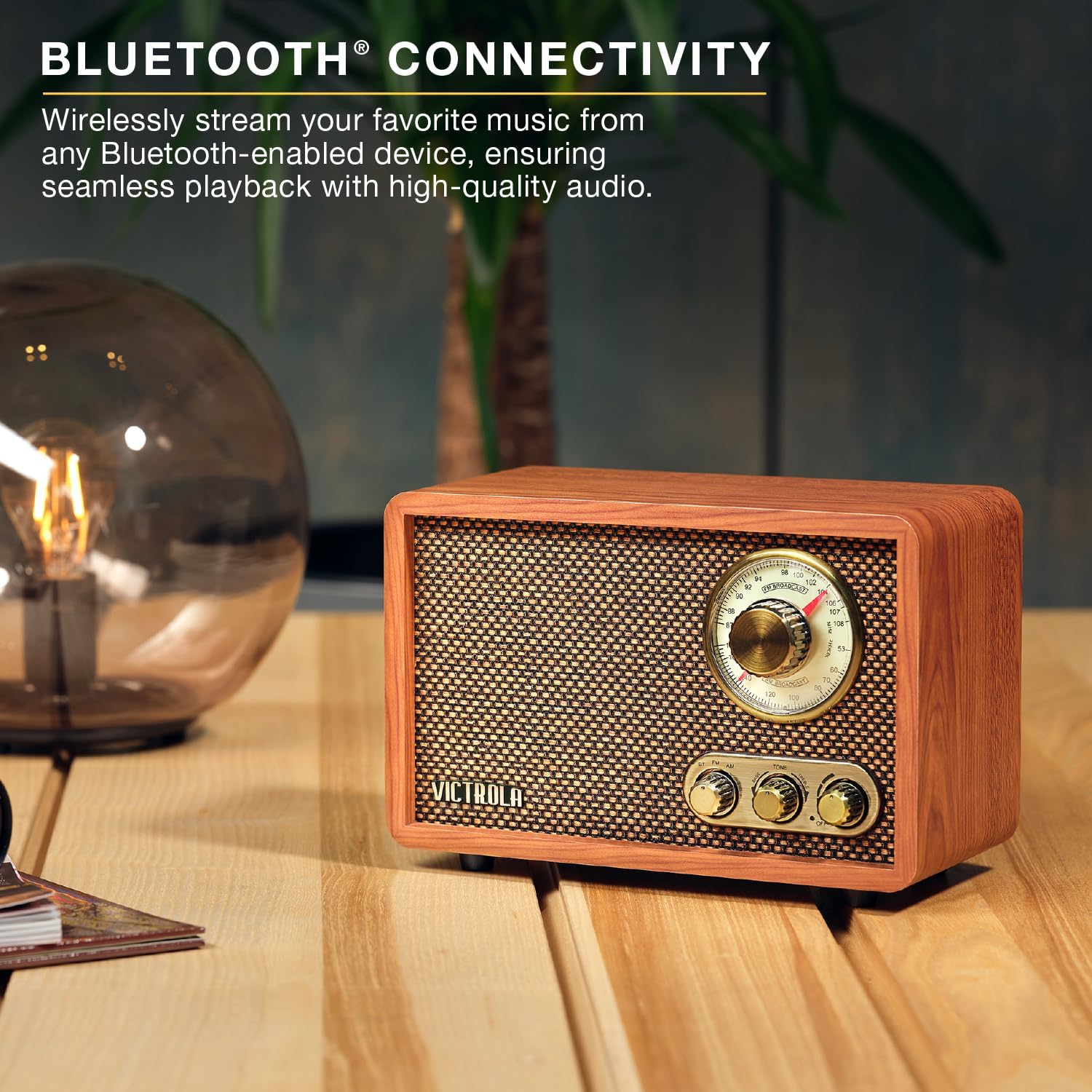
Image 6.2: The Victrola Willow Radio demonstrating its Bluetooth connectivity feature, allowing wireless audio streaming.
6.3 Bass & Treble Control
Rotate the Bass & Treble Control knob to adjust the audio equalization. Turn clockwise to increase treble and counter-clockwise to increase bass, or find a balanced position in the middle for a neutral sound profile.

Image 6.3: The Victrola Willow Radio's bass and treble control knob, allowing users to customize their listening experience.
7. Maintenance
- Cleaning: Use a soft, dry cloth to clean the exterior of the radio. Do not use liquid cleaners or abrasive materials.
- Storage: If storing the unit for an extended period, unplug it from the power outlet and store it in a cool, dry place.
- Ventilation: Ensure the radio has adequate ventilation and is not placed in an enclosed space that could restrict airflow.
8. Troubleshooting
| Problem | Possible Solution |
|---|---|
| No power | Ensure the power adapter is securely connected to the radio and a working wall outlet. Press the Volume/Power knob to turn on. |
| Poor radio reception | For FM, fully extend and adjust the FM wire antenna. For AM, try rotating the unit for better signal. Move away from other electronic devices that may cause interference. |
| Bluetooth not pairing | Ensure the radio is in "BT" mode and the indicator light is flashing. Make sure Bluetooth is enabled on your device and it is within range (approx. 30 feet). Forget "Victrola Willow" from your device's Bluetooth settings and try pairing again. |
| No sound from Bluetooth | Check the volume levels on both the radio and your connected Bluetooth device. Ensure the device is successfully paired (solid Bluetooth indicator light). |
9. Specifications
| Model Number | VRS-2800-ESP |
| Product Dimensions (L x W x H) | 9.5" x 4.9" x 6.3" (241mm x 124mm x 160mm) |
| Item Weight | 2.83 pounds |
| Connectivity Technology | Bluetooth |
| Tuner Technology | FM |
| Radio Bands Supported | AM/FM (2-Band) |
| Power Source | AC Power Adapter |
| Special Features | Bass Boost, Hi-Res Audio, USB Port |
| Manufacturer | Innovative Technology |

Image 9.1: Dimensions of the Victrola Willow Radio, showing length, width, and height measurements.
10. Warranty and Support
10.1 Manufacturer's Warranty
Victrola products are manufactured by Innovative Technology. For information regarding the standard manufacturer's warranty, please refer to the warranty card included with your product or visit the official Victrola website. Warranty terms typically cover defects in materials and workmanship under normal use.
10.2 Customer Support
For technical assistance, troubleshooting, or service inquiries, please contact Victrola customer support. Contact information can typically be found on the manufacturer's website or on the product packaging.
Manufacturer: Innovative Technology
Brand: Victrola