
BLACK+DECKER 18V Cordless Pet Multipower Stick Vacuum Cleaner
Model: CUA525BHP-GB
Introduction
The BLACK+DECKER 18V Cordless Pet Multipower Stick Vacuum Cleaner (Model CUA525BHP-GB) is designed for versatile and efficient cleaning. This 2-in-1 unit functions as a powerful stick vacuum for floors and easily converts into a lift-off handheld vacuum for targeted cleaning. It features an 18V Lithium-Ion battery, a 1-liter dust bowl, and a specialized anti-tangle beater bar, making it ideal for homes with pets. Intelligent floor sensors automatically adjust suction power to optimize cleaning performance and battery life.
Important Safety Instructions
Please read and understand all safety instructions before using this appliance. Failure to follow these instructions may result in electric shock, fire, or serious injury.
- This appliance is intended for domestic use only.
- Do not use the appliance outdoors or on wet surfaces.
- Do not allow children to operate the appliance. Close supervision is necessary when used near children.
- Use only as described in this manual. Use only manufacturer's recommended attachments.
- Do not use with a damaged cord or plug. If the appliance is not working as it should, has been dropped, damaged, left outdoors, or dropped into water, return it to a service center.
- Do not pull or carry by cord, use cord as a handle, close a door on cord, or pull cord around sharp edges or corners. Do not run appliance over cord. Keep cord away from heated surfaces.
- Do not unplug by pulling on cord. To unplug, grasp the plug, not the cord.
- Do not handle plug or appliance with wet hands.
- Do not put any object into openings. Do not use with any opening blocked; keep free of dust, lint, hair, and anything that may reduce airflow.
- Keep hair, loose clothing, fingers, and all parts of body away from openings and moving parts.
- Do not pick up anything that is burning or smoking, such as cigarettes, matches, or hot ashes.
- Do not use to pick up flammable or combustible liquids, such as gasoline, or use in areas where they may be present.
- Use extra care when cleaning on stairs.
- Do not use without dust cup and/or filters in place.
- Prevent unintentional starting. Ensure the switch is in the off-position before connecting to battery pack, picking up or carrying the appliance.
- Recharge only with the charger specified by the manufacturer.
Package Contents
Verify that all items are present in the packaging:
- BLACK+DECKER Stick Vacuum Unit
- Lift-out Handheld Unit
- Floorhead with Anti-tangle Beater Bar
- 3-in-1 Multi Tool Accessory
- Crevice tool designed for pet hair
- Charging Dock
- Instruction Manual (this document)
Setup
1. Assembly
Carefully remove all components from the packaging. Insert the handheld unit into the main stick body until it clicks securely into place. Attach the floorhead to the bottom of the stick body, ensuring a firm connection.

Image: The fully assembled BLACK+DECKER stick vacuum cleaner, ready for use.
2. Initial Charging
Before first use, fully charge the vacuum cleaner. Place the vacuum onto the charging dock, ensuring the charging contacts align. The battery indicator lights on the control panel will illuminate to show charging status. A full charge typically takes approximately 6 hours and provides up to 1 hour of runtime, depending on the suction mode used.

Image: The BLACK+DECKER vacuum cleaner docked for charging, showing the charging station.
Operating the Vacuum Cleaner
1. Power On/Off and Suction Modes
Press the power button located on the control panel to turn the vacuum on or off. The vacuum offers multiple suction modes: 'Min' for light tasks, 'Max' for powerful cleaning, and 'Auto' mode. In 'Auto' mode, the intelligent floor sensor automatically adjusts suction power based on the surface (e.g., increasing suction on carpets and reducing it on hard floors) to optimize cleaning and battery life.

Image: A finger pressing the 'Max' suction button on the vacuum's control panel, showing battery and dust bowl indicators.
2. Using as a Stick Vacuum
For general floor cleaning, use the appliance in its upright stick vacuum configuration. The easy-steer floorhead allows for smooth maneuverability around furniture. The integrated LED lights on the floorhead illuminate the cleaning path, making dirt and debris more visible, especially in dimly lit areas.
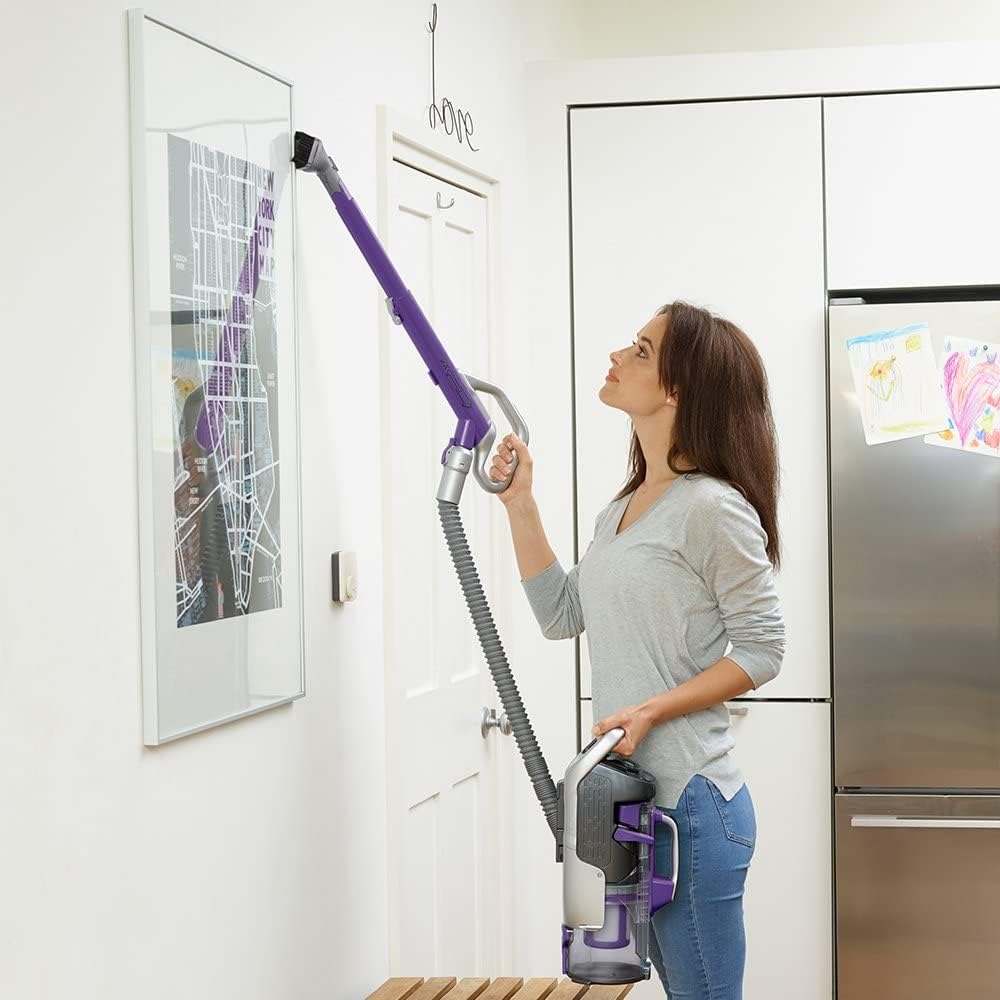
Image: A person operating the BLACK+DECKER stick vacuum on a carpet, demonstrating its use for floor cleaning.

Image: The floorhead of the vacuum cleaner with its LED lights activated, highlighting debris on a carpet.
3. Using the Handheld Unit and Accessories
To clean hard-to-reach areas, upholstery, or car interiors, detach the handheld unit from the main body. Press the release button to separate the handheld unit. Connect the flexible hose and desired accessory (3-in-1 multi-tool or crevice tool) to the handheld unit. The crevice tool is specifically designed for effectively picking up pet hair.

Image: A person using the detached handheld vacuum with the flexible hose and brush attachment to clean a high surface.
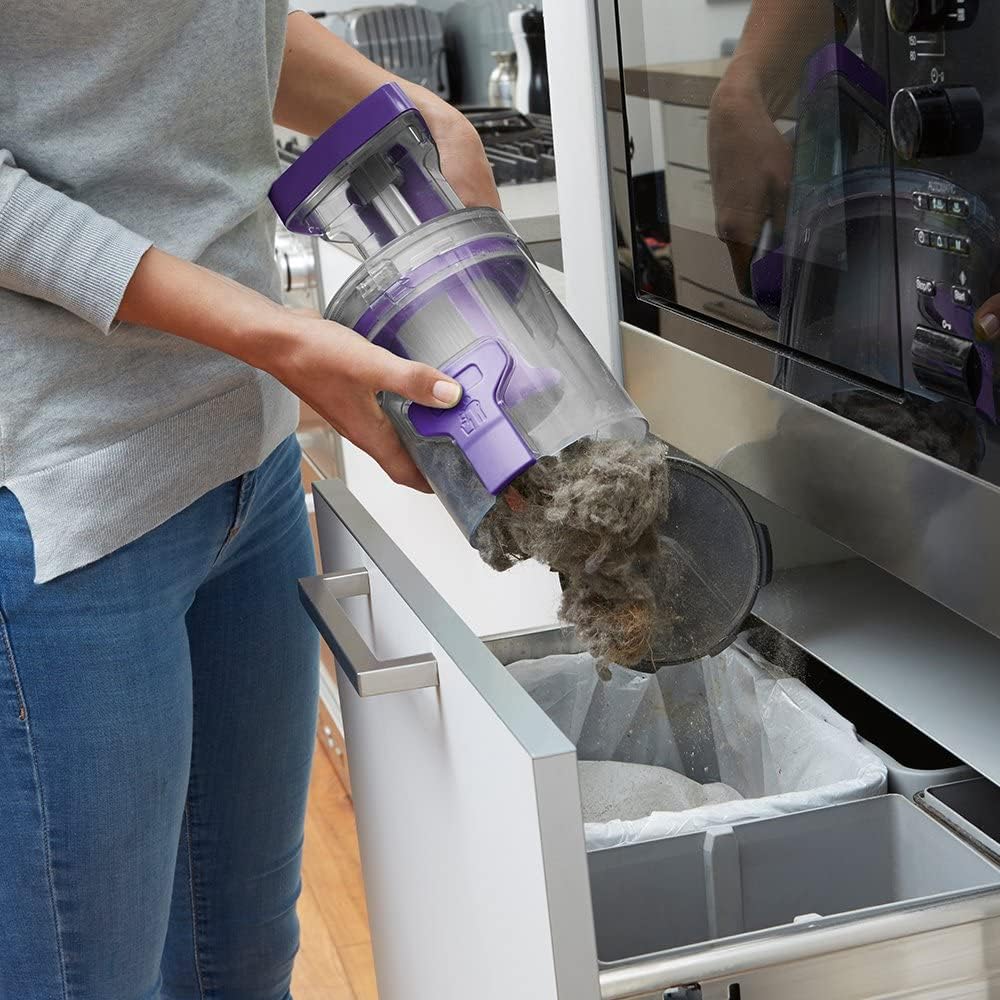
Image: A person using the handheld vacuum with a brush attachment to clean a sofa cushion, demonstrating its versatility.
Maintenance
1. Emptying the Dust Bowl
For optimal performance, empty the 1-liter dust bowl regularly, especially when the 'Dust Bowl Full' indicator illuminates. The quick-release mechanism allows for easy emptying without direct contact with debris. Simply press the release button and tip the contents into a waste bin.

Image: A hand holding the detached dust bowl of the vacuum cleaner, emptying collected debris into a trash receptacle.
2. Cleaning the Filter
The vacuum is equipped with a HEPA filter. To maintain suction power, clean the filter periodically. Twist and pull to remove the filter from the dust bowl. Tap off loose dirt or rinse under cold water. Ensure the filter is completely dry before reinserting it into the vacuum. Do not use detergents or hot water.
3. Cleaning the Beater Bar
The anti-tangle beater bar is designed to prevent hair wrap, but occasional cleaning may be necessary. To access the beater bar, turn off the vacuum and detach the floorhead. Use a coin or screwdriver to unlock the side cover of the beater bar. Remove any tangled hair or debris. Reassemble securely before use.
Troubleshooting
Refer to the table below for common issues and their solutions:
| Problem | Possible Cause | Solution |
|---|---|---|
| Vacuum not turning on | Battery depleted | Charge the battery fully. |
| Reduced suction power | Dust bowl full, filter clogged, or beater bar tangled | Empty the dust bowl. Clean or replace the filter. Clear any obstructions from the beater bar. |
| Short operating runtime | Battery not fully charged, or continuous use of 'Max' suction mode | Ensure the battery is fully charged before use. Utilize 'Auto' or 'Min' mode for lighter cleaning tasks to extend battery life. |
| Unusual noises during operation | Obstruction in the air path or beater bar | Turn off and unplug the vacuum. Check the floorhead, hose, and dust bowl for any blockages and remove them. Clean the beater bar. |
Specifications
- Brand: BLACK+DECKER
- Model Number: CUA525BHP-GB
- Voltage: 18 Volts
- Power / Wattage: 45 Watt-hours
- Dust Bowl Capacity: 1 Liters
- Runtime: Up to 1 hour (depending on mode)
- Item Weight: 4 Kilograms
- Filter Type: HEPA Filter
- Special Features: Compact, Lightweight, Spotless Cleaning, Cordless, 2-in-1 design, Floor Sensor, Anti-tangle Beater Bar
- Included Components: 3-in-1 Multi Tool Accessory, Charging Dock, Crevice tool designed for pet hair, Instruction Manual, Stick Vacuum
Warranty and Support
This BLACK+DECKER product is covered by a manufacturer's warranty. Please refer to the warranty information provided with your purchase documentation for specific terms and conditions. For technical support, spare parts, or service inquiries, please visit the official BLACK+DECKER website or contact their customer service department in your region.


