
1. Introduction
Thank you for choosing the Redlemon Smartwatch Model 1245. This manual provides essential information for setting up, operating, maintaining, and troubleshooting your device. Please read it carefully to ensure proper use and to maximize the smartwatch's features.
2. Safety Information
- Do not attempt to disassemble or modify the smartwatch.
- Keep the device away from extreme temperatures and direct sunlight.
- Avoid exposing the smartwatch to strong impacts or drops.
- Use only the provided charging cable or a compatible charger.
- Consult a medical professional before starting any new exercise regimen, especially if you have pre-existing health conditions.
3. Product Overview
The Redlemon Smartwatch 1245 features a robust design with multiple functions for daily use and sports activities. It includes a digital display, physical buttons for navigation, and a comfortable strap.
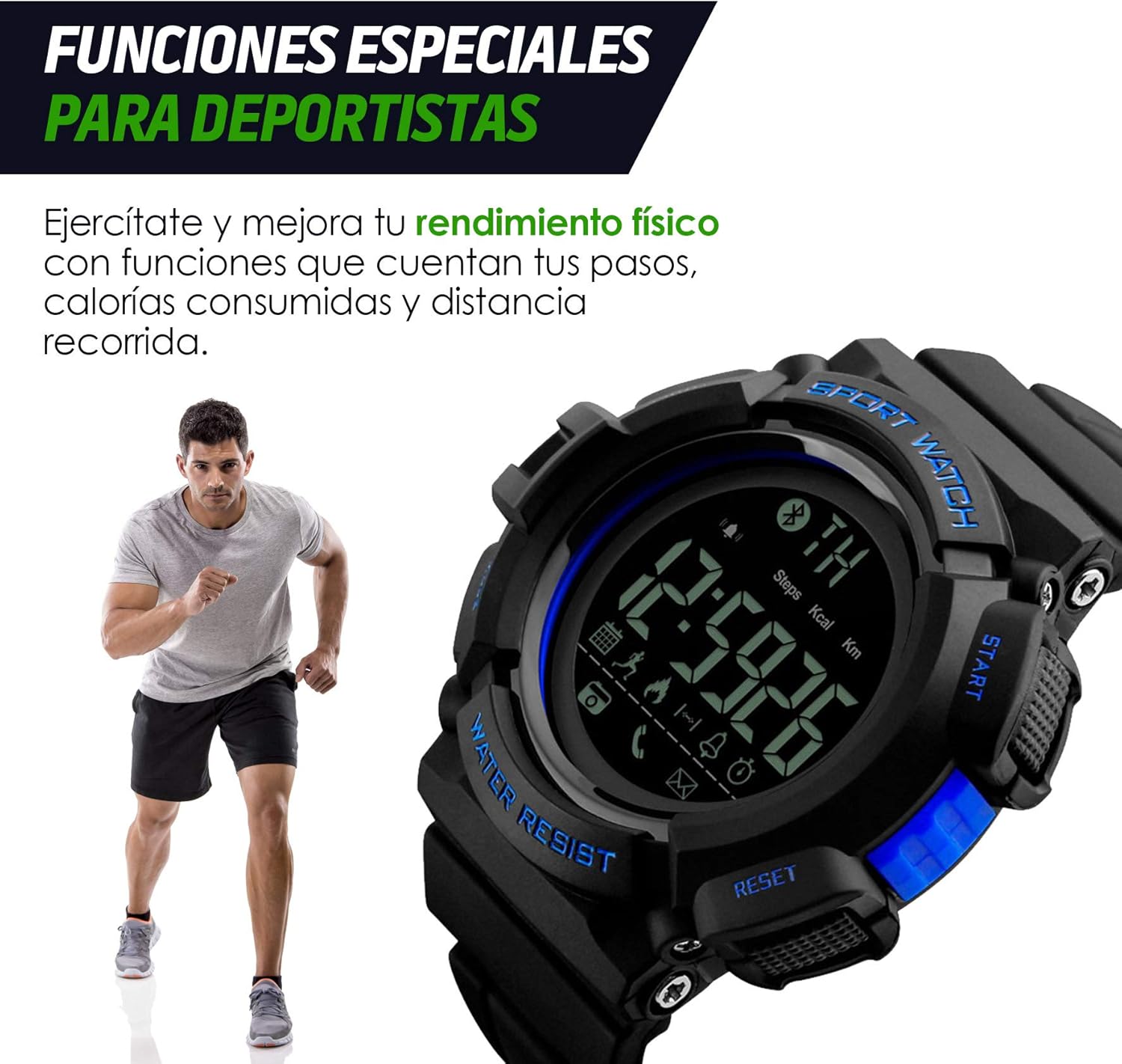
Figure 3.1: Smartwatch Button Layout. This image illustrates the Redlemon Smartwatch 1245, highlighting its four main buttons: 'Light' (top left), 'Mode' (bottom left), 'Start' (top right), and 'Reset' (bottom right). These buttons are used for navigating menus and activating functions.
3.1 Key Features
- Bluetooth Connectivity: For smartphone pairing and notifications.
- Water and Dust Resistant: Designed to withstand splashes and dust. Submersible up to 1 meter.
- Health Functions: Includes pedometer (step counter) and calorie counter.
- Notifications: Receive alerts for social media and messages.
- Backlight: For visibility in low-light conditions.
- Durable Design: Rigid, impact-resistant casing protects against scratches and falls.

Figure 3.2: Durable Design. This image showcases the robust and impact-resistant design of the Redlemon Smartwatch 1245, emphasizing its suitability for active use.

Figure 3.3: Water Resistance. The image displays the Redlemon Smartwatch 1245 partially submerged in water, demonstrating its water-resistant capabilities.
4. Setup
4.1 Charging the Smartwatch
Before first use, fully charge your smartwatch. Connect the charging cable to the designated port on the smartwatch and to a USB power source (e.g., computer, wall adapter). The charging indicator on the screen will show the charging status.
4.2 Powering On/Off
- To Power On: Press and hold the START and MODE buttons simultaneously for approximately 4 seconds until the screen illuminates.
- To Power Off: Navigate to the power off option in the settings menu or press and hold the appropriate button combination as indicated on the device.
4.3 App Installation and Pairing
To unlock the full potential of your smartwatch, including health tracking data and notifications, you need to pair it with your smartphone.
- Download the App: Search for and download the "Sports+" application from your smartphone's app store (Google Play Store for Android or Apple App Store for iOS).
- Enable Bluetooth: Ensure Bluetooth is enabled on your smartphone.
- Open the App: Launch the "Sports+" app on your smartphone.
- Pair Device: Follow the on-screen instructions within the app to search for and connect to your Redlemon Smartwatch 1245. The app will guide you through the pairing process.
5. Operating the Smartwatch
5.1 Basic Navigation
Use the physical buttons (Light, Mode, Start, Reset) to navigate through the smartwatch's interface. Refer to Figure 3.1 for button identification.
- MODE Button: Cycles through different display modes (e.g., time, date, pedometer, calories).
- START Button: Used to initiate or confirm actions, such as starting a timer or selecting an option.
- RESET Button: Used to reset values (e.g., stop a timer, clear step count) or go back in menus.
- LIGHT Button: Activates the backlight for improved visibility.

Figure 5.1: Backlight Function. This image demonstrates the smartwatch display with its backlight activated, making the time and other information clearly visible in low-light conditions.
5.2 Activity Tracking
The smartwatch automatically tracks your daily activities.
- Pedometer: Counts your steps throughout the day.
- Calorie Counter: Estimates calories burned based on your activity.
Detailed activity data can be viewed and analyzed within the "Sports+" app on your smartphone.
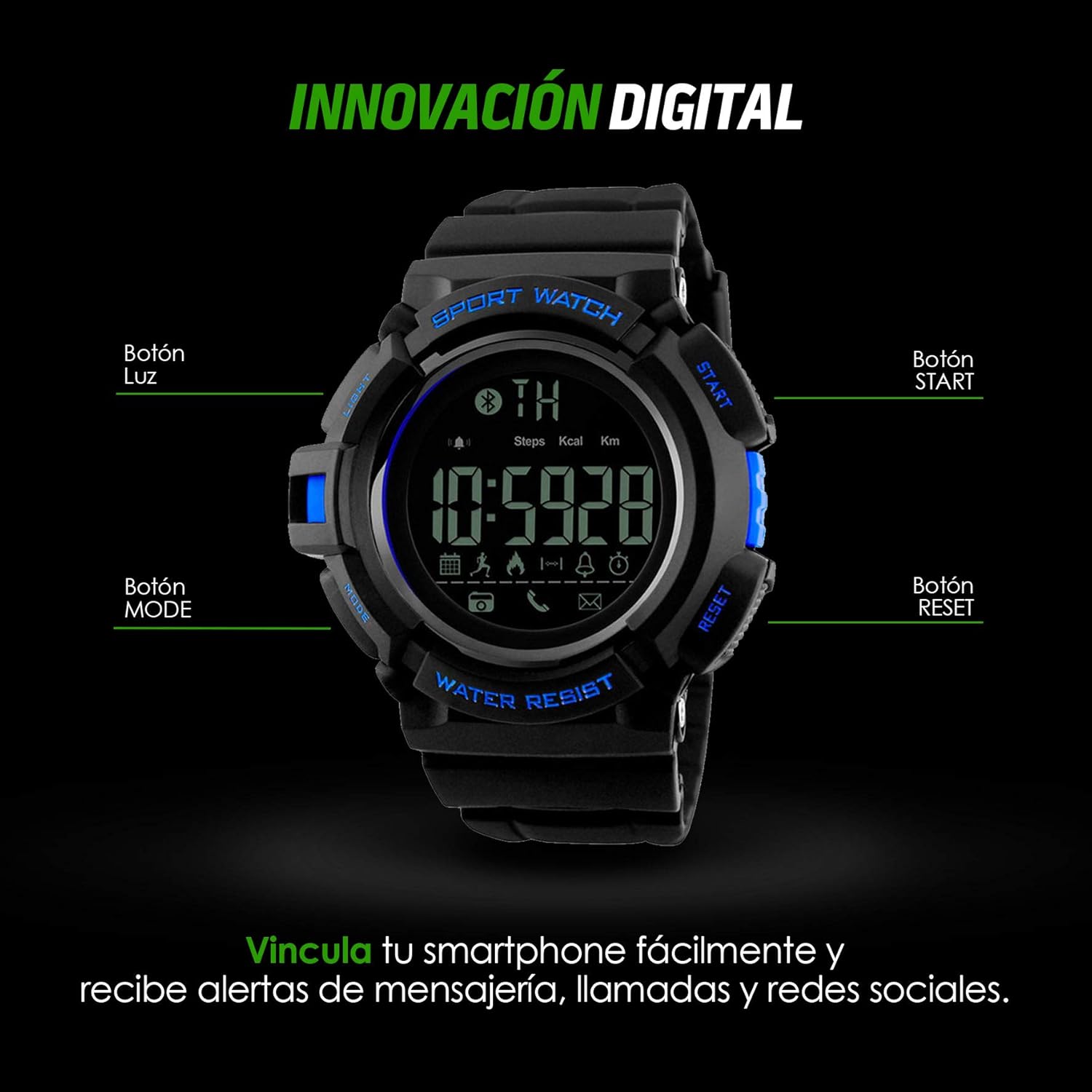
Figure 5.2: Sports Functions. The image highlights the smartwatch's display showing activity metrics like steps and calories, indicating its utility for sports and fitness tracking.
5.3 Notifications
Once paired with your smartphone, the smartwatch can display notifications for incoming calls, messages, and social media alerts. Ensure notification permissions are granted to the "Sports+" app on your phone.
6. Maintenance
6.1 Cleaning
Wipe the smartwatch regularly with a soft, dry cloth. For stubborn dirt, a slightly damp cloth can be used, followed by drying. Avoid using harsh chemicals or abrasive materials.
6.2 Water Resistance
The smartwatch is water-resistant up to 1 meter. This means it can withstand splashes, rain, and brief immersion. However, it is not suitable for hot water activities, diving, or prolonged submersion. Do not press buttons while the watch is wet or submerged.
6.3 Battery Care
To prolong battery life, avoid fully discharging the battery frequently. Charge the device when the battery level is low. Store the smartwatch in a cool, dry place if not used for extended periods.
7. Troubleshooting
7.1 Smartwatch Does Not Turn On
- Ensure the smartwatch is sufficiently charged. Connect it to a charger for at least 30 minutes.
- Press and hold the START and MODE buttons simultaneously for approximately 4 seconds to power on.
7.2 Unable to Pair with Smartphone
- Make sure Bluetooth is enabled on your smartphone.
- Ensure the "Sports+" app is installed and open on your phone.
- Restart both your smartwatch and smartphone.
- Ensure the smartwatch is within Bluetooth range of your phone (typically 10 meters or 33 feet).
- If previously paired, try unpairing the device from your phone's Bluetooth settings and then re-pairing through the app.
7.3 Inaccurate Activity Data
- Ensure the smartwatch is worn correctly on your wrist.
- Check the "Sports+" app for any calibration settings or personal information (height, weight) that might affect accuracy.
8. Specifications
| Feature | Detail |
|---|---|
| Brand | Redlemon |
| Part Number | 77965_A |
| Operating System | Android Wear |
| Compatible Devices | Smartphone |
| Special Features | Calendar, Camera (remote control), Notifications, Pedometer |
| Display Size | 1.3 Inches |
| Display Type | Analog-digital |
| Wattage | 10 watts |
| Batteries Required | Yes |
| Wireless Connection Type | Bluetooth |
| Connector Type | Bluetooth |
| Human Interface Input | Buttons |
| Package Dimensions | 18.8 x 12 x 6.2 cm |
| Item Weight | 80 g |
| Wireless Communication Standard | Bluetooth |
| Shape | Round |
| Style | Modern |
| Target Audience | Unisex Adults |
| Age Range Description | Adult |
9. Warranty Information
Please refer to the product packaging or the official Redlemon website for detailed warranty information. Typically, products come with a limited manufacturer's warranty covering defects in materials and workmanship under normal use.
10. Support
For further assistance, technical support, or customer service, please visit the official Redlemon store or contact their customer support channels.
Redlemon Store: https://www.amazon.com.mx/stores/Redlemon/page/CECC6FE6-7F1C-4E9C-A297-1E5B9C435219