
MeloAudio MA1008
MeloAudio Tone Shifter Mega User Manual
Model: MA1008
Brand: MeloAudio
Introduction
The MeloAudio Tone Shifter Mega is a versatile MIDI foot controller and USB guitar recording audio interface designed for musicians. It offers high-quality audio performance and flexible connectivity for use with various devices and software, including iPhone, iPad, Android devices, Mac, and PC. This manual provides essential information for setting up, operating, and maintaining your Tone Shifter Mega.
Key Features
- Professional Audio Quality: Features 192kHz/24-bit audio sampling, 112 dB dynamic range, and -100dB THD+N for clear and precise sound.
- Multi-Platform Compatibility: Designed for seamless integration with iOS, Mac, Windows, and Android devices, transforming them into powerful guitar amp and effects rigs.
- Versatile Inputs: Includes L Input for guitar/bass with an integrated analog guitar boost module, R Input for dynamic microphones, and an XLR Input for condenser microphones with 12V low-noise phantom power.
- Durable MIDI Control: Functions as a USB MIDI controller or standalone MIDI controller, sending MIDI CC signals via footswitches. Offers default host configurations for popular software (Bias, JamUp, KPA, AXE) and custom assignable footswitches.
- Dual Expression Pedal Jacks: Allows simultaneous control of effects like wah or volume.
- Self-Powered Operation: No external power required for core functions. An optional standard mobile phone adapter can be used to charge connected iOS/Android devices.
- Balanced Outputs & Headphone Amplifier: Features fully balanced L and R outputs, XLR output, and an integrated 200mW earphone amplifier for direct monitoring.
Package Contents

Image: Contents of the MeloAudio Tone Shifter Mega package.
- 1 x Tone Shifter Mega Unit
- 1 x MIDI Cable
- 1 x USB-B Cable
- 1 x Micro B Power Cable
- 1 x 6.5mm Audio Adapter
- 1 x Pick
- 1 x OTG Cable
- User Manual (this document)
Product Overview

Image: Top view of the MeloAudio Tone Shifter Mega, showing footswitches and control knobs.
The Tone Shifter Mega features a robust design with clearly labeled inputs, outputs, and controls. Familiarize yourself with the layout before connecting your devices.
Key Components:
- Footswitches (1, 2, A, B, C, D): Used for MIDI control, preset changes, and effect toggling.
- L-IN / R-IN: Input jacks for instruments (L-IN for guitar/bass) and dynamic microphones (R-IN).
- XLR IN (R): Input for condenser microphones, providing 12V phantom power.
- L-OUT / R-OUT: Balanced audio outputs for connecting to amplifiers, mixers, or studio monitors.
- MIDI IN / MIDI OUT: Standard MIDI connections for external MIDI devices.
- USB Port: For connecting to computers or mobile devices.
- PWR: Power input.
- EXP1 / EXP2: Jacks for connecting external expression pedals.
- BST (Boost): Knob for adjusting the integrated guitar boost module.
- RST (Reset): Button for resetting the device.
- MIC PWR: Button to activate 12V phantom power for the XLR input.

Image: Close-up of the Tone Shifter Mega showing the EXP1 and EXP2 expression pedal inputs.
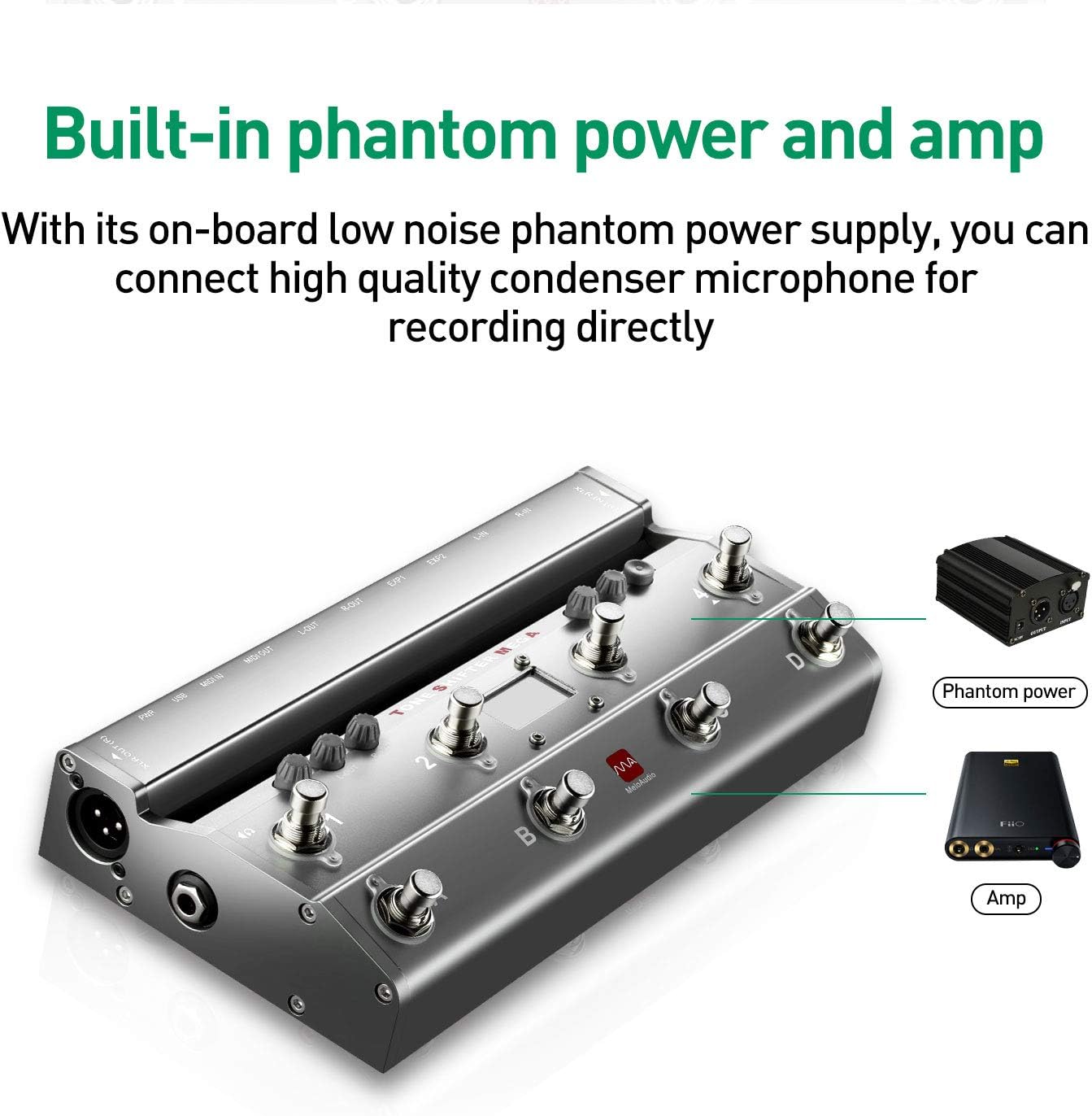
Image: Illustration highlighting the built-in phantom power capability for condenser microphones.
Setup
Follow these steps to set up your Tone Shifter Mega:
- Power Connection: The Tone Shifter Mega is self-powered via USB when connected to a compatible device. For extended use or to charge connected mobile devices, connect the Micro B Power Cable to a standard mobile phone adapter (not included) and plug it into a power outlet.
- Device Connection:
- For Computers (Mac/PC): Connect the Tone Shifter Mega to your computer using the provided USB-B cable.
- For Mobile Devices (iPhone/iPad/Android): Use the provided OTG cable to connect the Tone Shifter Mega to your mobile device.
- Instrument/Microphone Connection:
- Connect your guitar or bass to the L-IN jack.
- Connect a dynamic microphone to the R-IN jack.
- Connect a condenser microphone to the XLR IN (R) jack. If using a condenser microphone, press the MIC PWR button to activate 12V phantom power.
- Audio Output: Connect the L-OUT and R-OUT jacks to your amplifier, mixer, or audio interface using appropriate cables. For personal monitoring, connect headphones to the dedicated earphone output.
- MIDI Devices (Optional): If using external MIDI devices, connect them to the MIDI IN and MIDI OUT ports using the provided MIDI cable.
- Expression Pedals (Optional): Connect up to two expression pedals to the EXP1 and EXP2 jacks for real-time control over effects.

Image: Diagram illustrating various connection possibilities for the Tone Shifter Mega with instruments, microphones, and output devices.
Operating Instructions
The Tone Shifter Mega is designed for intuitive operation, primarily through its footswitches and integration with software.
Software Integration:
Once connected to your device, the Tone Shifter Mega acts as an audio interface and MIDI controller. Launch your preferred music software or app (e.g., Bias, JamUp, Garageband) and select the Tone Shifter Mega as your audio input/output device.

Image: The Tone Shifter Mega connected to an iPad, demonstrating its use with music software.
MIDI Control:
The footswitches send MIDI CC (Control Change) signals to control effects and parameters within your software or external MIDI hardware. The unit comes with built-in host modes for popular applications and hardware, and you can also custom assign the footswitches in learning mode.

Image: Visual representation of the Tone Shifter Mega's ability to function as a MIDI controller with various software and hardware effects.
Using Expression Pedals:
Connect compatible expression pedals to the EXP1 and EXP2 jacks. These can be assigned within your software to control parameters such as wah, volume, or other continuous effects.
Compatibility
The Tone Shifter Mega is compatible with a wide range of devices and operating systems:

Image: List of compatible iOS, Windows, Mac, and Android devices for the Tone Shifter Mega.
- iOS Devices: Supports iPhone X/8plus/8/7plus/7/6splus/6plus/6s/6/5s/5/SE/iPad Pro (9.7-inch)/(12.9-inch)/iPad Air/Air 2/iPad mini 2/3/4/iPad (4th generation)/iPod touch (5th/6th generation).
- Windows Devices: Windows 7/Windows 8/Windows 8.1/Windows 10. (Note: Windows devices require ASIO driver installation).
- Mac Devices: MacBook, iMac. (Note: Mac devices require iOS 10.6 or above).
- Android Devices: Android devices with Samsung Profess Audio, such as Samsung Galaxy S6/Galaxy S6 Edge/Galaxy Note Edge/Galaxy S5/Galaxy Note 3/Galaxy Tab S2, etc.
Maintenance
To ensure the longevity and optimal performance of your Tone Shifter Mega, follow these maintenance guidelines:
- Keep the device clean by wiping it with a soft, dry cloth. Avoid using abrasive cleaners or solvents.
- Store the unit in a cool, dry place away from direct sunlight, extreme temperatures, and humidity.
- Avoid dropping the device or subjecting it to strong impacts.
- Ensure all cables are connected securely but do not force them.
- When not in use for extended periods, disconnect the power and all cables.
Troubleshooting
If you encounter issues with your Tone Shifter Mega, refer to the following common problems and solutions:
- No Power/Device Not Recognized:
- Ensure the USB cable is securely connected to both the Tone Shifter Mega and your device.
- If using an external power adapter, verify it is properly connected and the power outlet is functional.
- Try a different USB port or cable.
- For Windows, ensure the ASIO driver is correctly installed. For Mac, verify your OS version is 10.6 or above.
- No Sound/Poor Audio Quality:
- Check all audio cable connections (instrument, microphone, outputs).
- Verify that the Tone Shifter Mega is selected as the input/output device in your software/app settings.
- Adjust input and output levels on the Tone Shifter Mega and within your software.
- If using a condenser microphone, ensure phantom power (MIC PWR) is activated.
- Test with different instruments or microphones to isolate the issue.
- Footswitch Malfunction:
- Ensure the footswitch covers are securely attached. In some cases, a loose or detached switch cover (as observed in unboxing videos) can affect functionality or indicate a manufacturing defect. If a switch cover is detached, attempt to reattach it carefully. If it cannot be reattached or the switch remains unresponsive, contact customer support.
- Verify MIDI assignments within your software.
- Perform a factory reset if custom assignments are causing issues (refer to advanced manual for reset procedure).
Specifications
| Feature | Detail |
|---|---|
| Product Dimensions | 10.1 x 5.1 x 1.6 inches |
| Item Weight | 3.12 pounds |
| Model Number | MA1008 |
| Brand | MeloAudio |
| Compatible Devices | Personal Computer, iPhone, iPad, Android Devices |
| Supported Software | Bias, JamUp, Garageband |
| Connectivity Technology | USB |
| Number of Channels | 5 |
Warranty and Support
MeloAudio products come with a limited warranty. Please refer to the warranty card included in your package for specific terms and conditions. For technical support, troubleshooting assistance, or warranty claims, please visit the official MeloAudio website or contact their customer service department.
MeloAudio Store: Visit the MeloAudio Store on Amazon
Ask a question about this manual
Ask about setup, troubleshooting, compatibility, parts, safety, or missing instructions. Manuals+ will review the question and use this page’s manual context to help answer it.