
Introduction
This manual provides instructions for the Atlantic 33007257 HD TV Digital Amplified Indoor Antenna. This antenna is designed to receive over-the-air digital television broadcasts, offering access to local channels without a monthly subscription. Please read this manual carefully before installation and operation.
Package Contents
- Atlantic 33007257 Indoor Antenna
- Amplifier/Signal Booster
- Coaxial Cable
- Power Adapter for Amplifier
- Adhesive Mounting Pads (e.g., 3M pads)

This image displays the Atlantic 33007257 indoor antenna, its detachable amplifier, coaxial cable, power adapter, and two adhesive mounting pads.
Setup
- 1. Choose a Location: Place the antenna on a wall, window, or flat on a tabletop. For optimal reception, position the antenna as high as possible and near a window, away from large metallic objects or appliances that may cause interference.
- 2. Connect the Antenna: Connect the coaxial cable from the antenna to the "ANT/IN" port on your television.
- 3. Connect the Amplifier: If using the amplifier, connect the antenna's coaxial cable to the amplifier's input, then connect the amplifier's output coaxial cable to the TV's "ANT/IN" port. Plug the amplifier's power adapter into a standard electrical outlet.
- 4. Power On TV and Scan for Channels: Turn on your television and navigate to the TV's menu. Select "Channel Scan" or "Auto Program" to search for available over-the-air channels. This process may take several minutes.
Operating
After completing the setup and channel scan, you can use your TV's remote control to browse and watch the received channels.
If you experience poor reception on certain channels, try repositioning the antenna and performing another channel scan. Small adjustments in antenna placement can significantly impact signal quality.
Maintenance
- Cleaning: Use a soft, dry cloth to clean the antenna. Do not use liquid cleaners or abrasive materials.
- Storage: If storing the antenna, ensure it is kept in a dry, cool place, away from direct sunlight and extreme temperatures.
Troubleshooting
No Signal or Poor Picture Quality
- Check Connections: Ensure all cables are securely connected to the antenna, amplifier (if used), and TV.
- Reposition Antenna: Try moving the antenna to a different location, such as higher on a wall or closer to a window. Perform a new channel scan after each repositioning.
- Rescan Channels: Always perform a channel scan after moving the antenna or if new channels are available.
- Check TV Settings: Ensure your TV's input is set to "Antenna" or "Air" and not "Cable" or "Satellite."
- Interference: Keep the antenna away from large metal objects, electronics, and appliances that can cause interference.
Fewer Channels Than Expected
- Antenna Placement: The number of channels received depends heavily on your location, terrain, and the antenna's placement. Experiment with different locations.
- Signal Strength: Digital signals can be affected by obstacles. An amplifier can boost weak signals, but it cannot create a signal where none exists.
- Local Broadcasts: Verify which channels are available in your area using online resources that map broadcast towers.
Specifications
| Feature | Detail |
|---|---|
| Model Number | 33007257 |
| Brand | Atlantic |
| Color | Black |
| Product Dimensions | 13.5 x 1.5 x 13.5 inches |
| Item Weight | 12 ounces |
| Maximum Range | 50 Miles |
| Reception Type | Multi-directional |
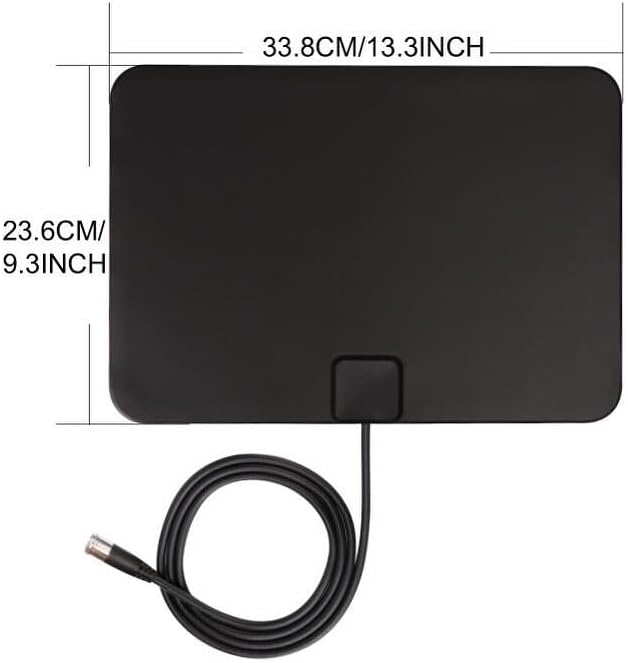
This image illustrates the physical dimensions of the antenna, measuring 13.3 inches (33.8 cm) in width and 9.3 inches (23.6 cm) in height.
Warranty and Support
For warranty information or technical support, please refer to the contact details provided with your purchase documentation or visit the official Atlantic website. Keep your purchase receipt for warranty claims.