
1. Product Overview
The uxcell Carbon Brush Holder Caps are designed as replacement parts for various electric motors. These caps secure the carbon brushes within the motor, ensuring proper electrical contact and motor function. They are suitable for a range of power tools including rotary hammers, grinding machines, electric saws, electric grinders, cutting machines, and trimming machines.
Each package contains 2 carbon brush holder caps.
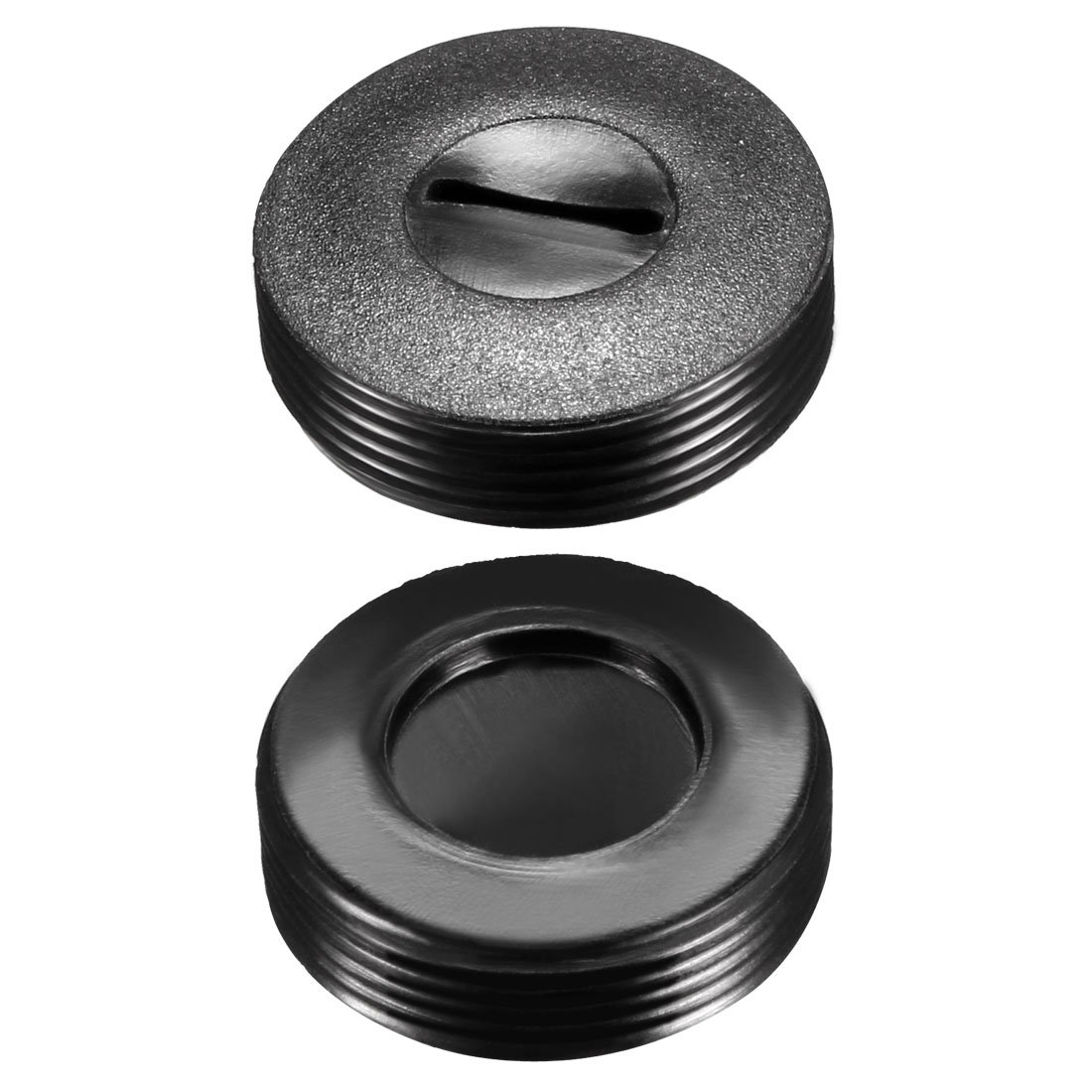
Image 1: A single uxcell Carbon Brush Holder Cap, black in color, showing its threaded exterior and flat top surface.
2. Safety Information
- Always disconnect the power tool from its power source before attempting any installation, maintenance, or repair.
- Wear appropriate personal protective equipment (PPE) such as safety glasses.
- Ensure the replacement cap matches the specifications of the original part.
- If unsure about the replacement process, consult a qualified technician.
3. Installation (Setup)
Follow these steps to replace a carbon brush holder cap:
- Prepare the Tool: Ensure the power tool is unplugged or its battery is removed.
- Locate the Old Cap: Identify the carbon brush holder cap(s) on your motor that need replacement.
- Measure the Old Cap: Before ordering or installing, it is crucial to measure the dimensions of your existing cap. Use a vernier caliper to accurately measure the outside diameter (O.D.), inside diameter (I.D.), and thickness. For example, if the measured cap diameter is approximately 11.5mm, a 12mm carbon brush cap is recommended.
- Remove the Old Cap: Carefully unscrew the old cap. Some caps may require a flat-head screwdriver for removal if they have a slotted connector.
- Inspect Carbon Brush: While the cap is removed, inspect the carbon brush for wear. Replace the carbon brush if it is significantly worn.
- Install the New Cap: Align the new uxcell Carbon Brush Holder Cap with the threaded opening. Gently screw it in by hand until it is snug. Do not overtighten, as this can damage the cap or the motor housing.
- Test Functionality: Reconnect the power tool to its power source and perform a brief test to ensure proper operation.

Image 2: uxcell Carbon Brush Holder Cap with indicated dimensions: 22mm O.D. and 6.7mm Thickness.
4. Operating Instructions
The carbon brush holder cap is a passive component that facilitates the proper function of an electric motor by holding the carbon brush in place. Once correctly installed, no specific operating procedure is required for the cap itself. The motor will operate as designed, with the cap ensuring consistent electrical contact between the carbon brush and the commutator.
5. Maintenance
Regular maintenance of the carbon brush holder caps is minimal but important for the longevity of your power tool:
- Periodic Inspection: During routine maintenance of your power tool, inspect the carbon brush holder caps for any signs of damage, cracks, or wear.
- Cleanliness: Ensure the area around the caps is free from excessive dust or debris, which could impede proper function or ventilation.
- Replacement: If a cap shows signs of damage or degradation, replace it promptly to prevent further issues with the motor.
6. Troubleshooting
If your motor is not functioning correctly after replacing the carbon brush holder caps, consider the following:
- Incorrect Size: Verify that the installed caps match the required dimensions for your motor. An ill-fitting cap can prevent proper brush contact.
- Improper Installation: Ensure the caps are screwed in completely and securely, but not overtightened. Check that the carbon brushes are correctly seated.
- Worn Carbon Brushes: The issue might not be the cap itself, but the carbon brushes. Inspect the brushes for wear and replace them if necessary.
- Other Motor Issues: If the caps and brushes are confirmed to be in good condition and correctly installed, the problem may lie with other motor components. Consult a professional for further diagnosis.
7. Specifications
| Feature | Specification |
|---|---|
| Model Number | a18050500ux0061 |
| Outside Diameter (O.D.) | 22mm / 0.87" |
| Inside Diameter (I.D.) | 10.5mm / 0.41" |
| Thickness | 6.7mm / 0.26" |
| Material | Plastic |
| Main Color | Black |
| Feature | Screw thread with slotted connector |
| Net Weight (per cap) | Approximately 3g (6g for 2pcs) |
| Package Content | 2 x Carbon Brush Holder Caps |
| Product Dimensions | 1.97 x 0.79 x 0.39 inches (approximate package dimensions) |

Image 3: Close-up view of the top surface of the carbon brush holder cap, showing the slotted connector for a screwdriver.
8. Warranty and Support
Specific warranty information for this product is not provided in the available documentation. For warranty inquiries or technical support, please refer to the manufacturer's official website or contact their customer service directly.
Manufacturer: uxcell
For additional product information, you may visit the uxcell Store on Amazon.