
1. Important Safety Instructions
Please read all instructions carefully before using the Mestic MO-80 Mini Oven. Keep this manual for future reference.
- Always ensure the oven is placed on a stable, heat-resistant surface, away from flammable materials.
- Do not touch hot surfaces. Use oven mitts or gloves when handling hot items or surfaces.
- To protect against electrical shock, do not immerse the cord, plug, or oven in water or other liquids.
- Close supervision is necessary when any appliance is used by or near children.
- Unplug from outlet when not in use and before cleaning. Allow to cool before putting on or taking off parts.
- Do not operate any appliance with a damaged cord or plug, or after the appliance malfunctions or has been damaged in any manner.
- Do not use attachments not recommended by the appliance manufacturer.
- Do not place on or near a hot gas or electric burner, or in a heated oven.
- Extreme caution must be used when moving an appliance containing hot oil or other hot liquids.
- Do not cover the crumb tray or any part of the oven with metal foil. This will cause overheating of the oven.
- Do not clean with metal scouring pads. Pieces can break off the pad and touch electrical parts, creating a risk of electric shock.
2. Product Overview
The Mestic MO-80 Mini Oven is a compact and versatile appliance designed for various cooking tasks. It features an 800 W heating element and a 10-liter capacity, suitable for small meals, snacks, or reheating.

Figure 2.1: Angled view of the Mestic MO-80 Mini Oven, showcasing its compact design and front door handle.

Figure 2.2: Front view of the oven, highlighting the temperature and timer control knobs on the right side, and the glass door with the Mestic logo.

Figure 2.3: The oven with its door open, revealing the internal rack and baking tray. This view demonstrates the accessible interior for placing food.
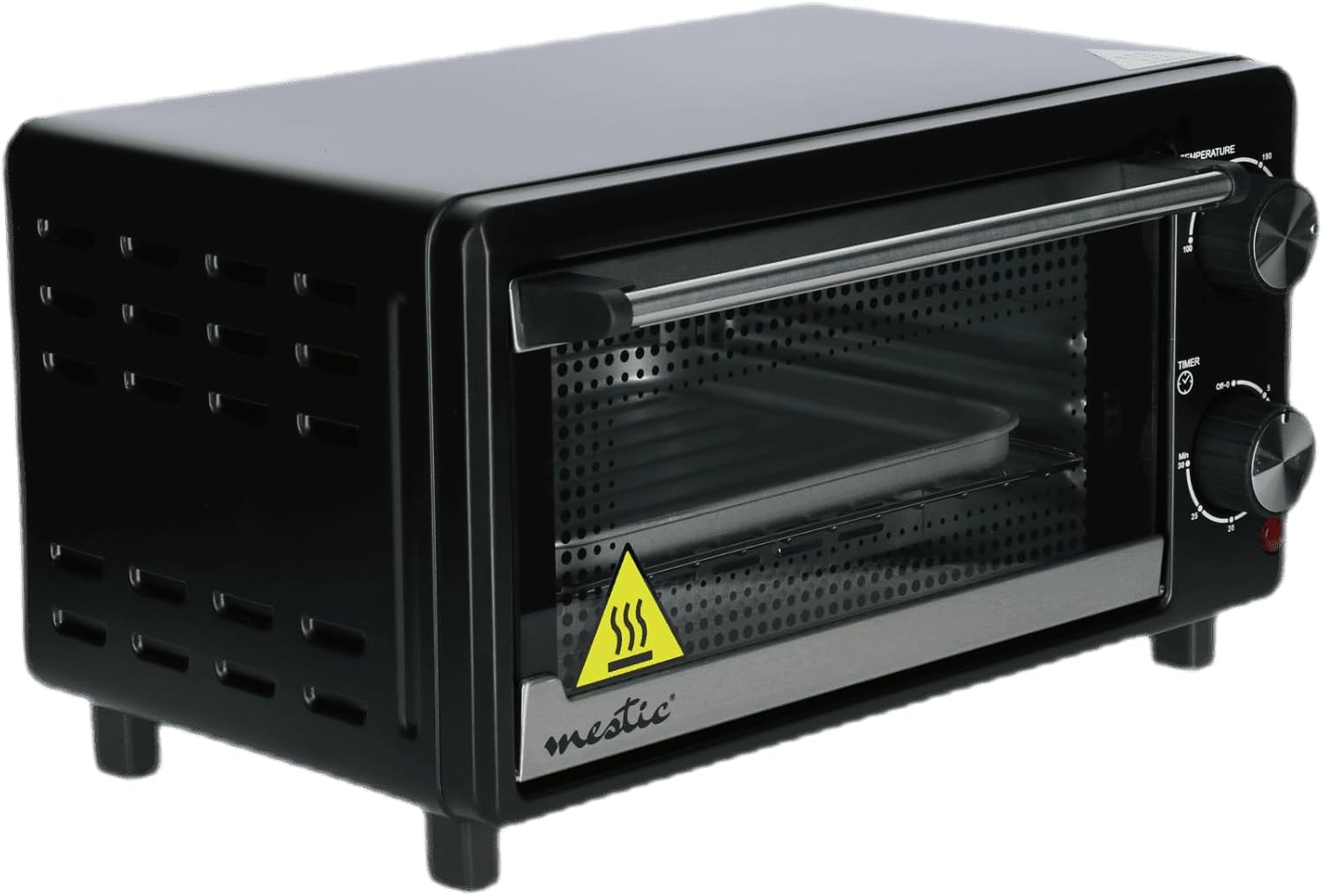
Figure 2.4: The Mestic MO-80 Mini Oven in operation, with croissants baking inside, illustrating its cooking capability.

Figure 2.5: A close-up of the oven's interior, showing the removable baking tray positioned on the wire rack.
3. Setup
- Unpacking: Carefully remove the oven and all accessories from the packaging. Retain packaging for storage or disposal.
- Initial Cleaning: Before first use, wipe the interior and exterior of the oven with a damp cloth. Wash the baking tray and wire rack in warm, soapy water. Dry all parts thoroughly.
- Placement: Place the oven on a flat, stable, heat-resistant surface. Ensure there is adequate ventilation around the oven (at least 10 cm clearance on all sides and top) to prevent overheating. Do not place it directly against a wall or under cabinets.
- Power Connection: Plug the power cord into a grounded electrical outlet. Ensure the outlet voltage matches the oven's requirements (220-240V, 50/60Hz).
- First Use Burn-Off: It is recommended to run the oven empty for about 15 minutes at the highest temperature setting (230°C) during its first use. This helps to burn off any manufacturing residues. A slight odor or smoke may be present; ensure the area is well-ventilated.
4. Operating Instructions
Controls:
- Temperature Knob: Located on the top right, this knob allows you to select the desired cooking temperature, typically ranging from 100°C to 230°C.
- Timer Knob: Located on the bottom right, this knob sets the cooking time, usually up to 30 minutes. It also includes an 'OFF-0' position to turn the oven off.
Basic Operation:
- Prepare Food: Place your food on the baking tray or wire rack.
- Insert Food: Carefully slide the tray or rack into the desired position inside the oven. Close the oven door.
- Set Temperature: Turn the Temperature Knob to your desired cooking temperature.
- Set Timer: Turn the Timer Knob to the desired cooking time. The oven will begin heating. A red indicator light may illuminate to show the oven is operating.
- Cooking: The oven will cook for the set duration. When the timer reaches '0', the oven will automatically turn off, and a bell may sound.
- Remove Food: Using oven mitts, carefully open the door and remove the cooked food.
Special Functions:
- Roasting Function: For roasting meats or vegetables, set the temperature according to your recipe. The oven's convection capability ensures even cooking.
- Grill Option: To use the grill function, place food on the wire rack closer to the top heating element. Set the temperature to a high setting (e.g., 230°C) and monitor closely to prevent burning.
- Steam Function: While this mini oven does not have a dedicated steam generator, you can create a moist environment by placing a small, oven-safe dish filled with water on the bottom rack during cooking. This can help keep food from drying out.
- Automatic Cooking Menu: The oven may feature an automatic cooking menu. For specific instructions on using pre-programmed settings, please refer to the detailed recipe guide that may accompany your product.
5. Maintenance and Cleaning
Regular cleaning ensures optimal performance and extends the life of your oven.
- Before Cleaning: Always unplug the oven from the power outlet and allow it to cool completely before cleaning.
- Interior Cleaning: Wipe the interior walls with a damp cloth and mild detergent. For stubborn stains, a non-abrasive cleaner can be used. Avoid harsh chemicals or abrasive sponges that could damage the surface.
- Exterior Cleaning: Wipe the exterior with a damp cloth. Do not use abrasive cleaners or immerse the oven in water.
- Accessories: The baking tray and wire rack can be washed in warm, soapy water or placed in a dishwasher if they are dishwasher-safe. Ensure they are completely dry before reinserting them into the oven.
- Crumb Tray: Regularly remove and clean the crumb tray located at the bottom of the oven to prevent grease buildup and fire hazards.
6. Troubleshooting
- Oven does not heat:
- Ensure the oven is properly plugged into a working electrical outlet.
- Check if the timer knob is set to a cooking duration and not 'OFF-0'.
- Verify that the temperature knob is set to a desired temperature.
- Food cooks unevenly:
- Ensure food is placed centrally on the rack or tray.
- Preheat the oven for 5-10 minutes before placing food inside.
- Rotate food halfway through cooking for more even results.
- Smoke or odor during operation:
- A slight odor or smoke during first use is normal (see Setup).
- Excessive smoke may indicate food spills or grease buildup. Clean the interior thoroughly.
- Ensure no packaging materials or foreign objects are inside the oven.
7. Specifications
| Model Name | Mestic MO-80 Mini Oven |
| Capacity | 10 Litres |
| Power | 800 Watts |
| Control Type | Rotary Knobs (Manual Control) |
| Special Features | Roasting function, Steam function (via water dish), Automatic cooking menu, Grill option |
| Door Style | Side opening |
| Door Material | Cast Iron (frame), Glass (window) |
| Power Source | AC adapter (Mains powered) |
8. Warranty and Support
This product is covered by a manufacturer's warranty. Please refer to the warranty card included with your purchase for specific terms and conditions, including the warranty period and coverage details.
For technical support, spare parts, or service inquiries, please contact the Mestic customer service department. Contact information can typically be found on the manufacturer's official website or on the product packaging.
Please have your model number (MO-80) and proof of purchase ready when contacting support.
