
1. Introduction
Thank you for choosing the Intex 10000mAh PB-10K Poly Li-Polymer Mobile Battery Charger Power Bank. This device is designed to provide portable power for your mobile devices, ensuring you stay connected on the go. Please read this manual carefully before using the product to ensure safe and optimal performance. Keep this manual for future reference.
2. Safety Information
To prevent injury or damage to your device, please observe the following safety precautions:
- Do not expose the power bank to extreme temperatures, direct sunlight, or fire.
- Do not immerse the power bank in water or other liquids.
- Do not disassemble, modify, or attempt to repair the power bank yourself.
- Keep out of reach of children.
- Use only certified charging cables and adapters.
- Avoid dropping or subjecting the power bank to strong impacts.
- If the power bank swells, emits an odor, or becomes hot during use or charging, discontinue use immediately.
- Dispose of the power bank responsibly according to local regulations.
3. Product Overview
The Intex PB-10K power bank features a compact design with multiple charging options and an LED display for battery status.
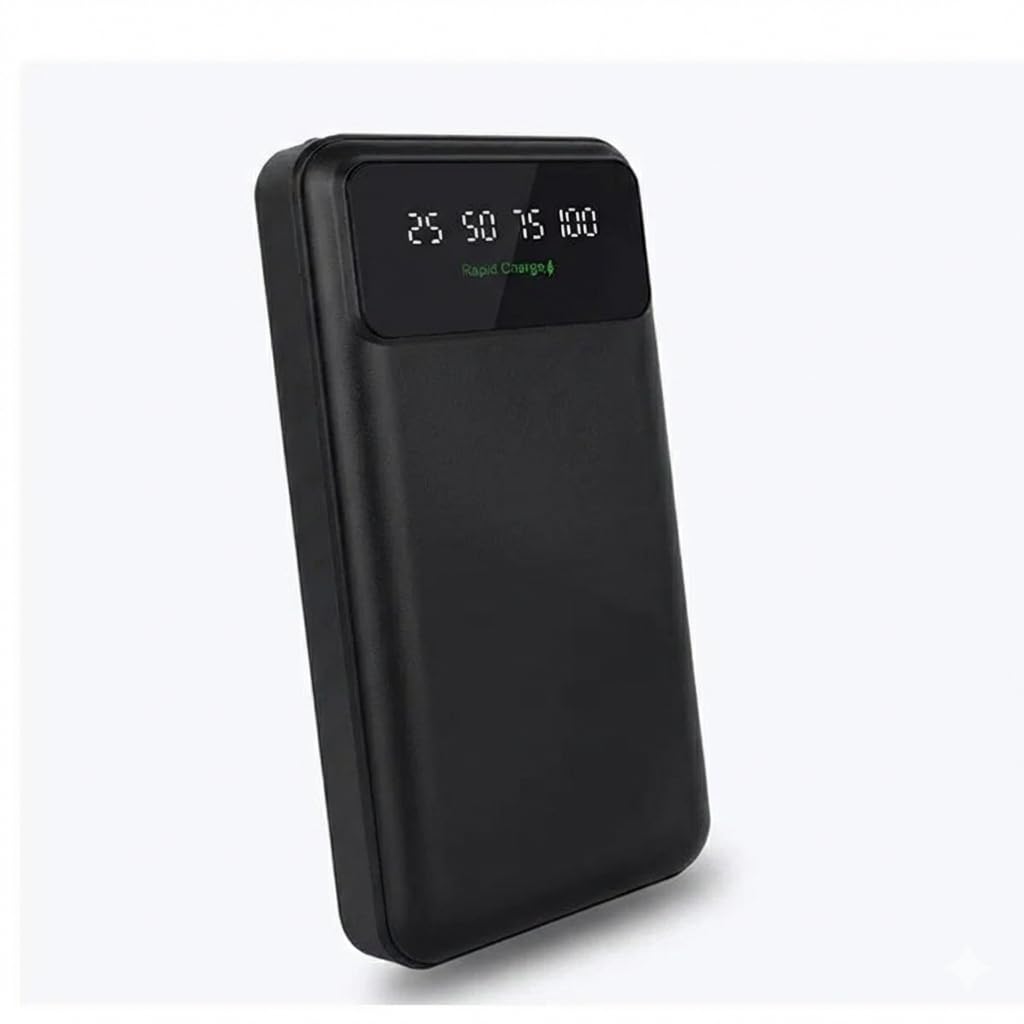
Figure 1: Intex PB-10K Power Bank with LED display, showing rapid charge capability and PD 3.0 Type-C output. The display indicates battery percentage (25, 50, 75, 100) and charging status.
3.1 Package Contents
- Intex 10000mAh PB-10K Power Bank
- USB Charging Cable
- User Manual
3.2 Features
- 10000mAh Capacity: Provides multiple charges for most smartphones.
- Li-Polymer Battery: Ensures safety and efficiency.
- LED Display: Clearly shows the remaining battery percentage (25%, 50%, 75%, 100%).
- Rapid Charge: Supports faster charging for compatible devices.
- PD 3.0 Type-C Output: Offers versatile and fast charging via the Type-C port.
- Portable and Lightweight: Easy to carry for travel and daily use.
4. Setup
4.1 Charging the Power Bank
Before first use, fully charge your Intex PB-10K power bank.
- Connect the provided USB charging cable to the input port of the power bank (Micro USB or Type-C, depending on the model).
- Connect the other end of the cable to a USB wall adapter (not included) or a computer's USB port.
- The LED display will show the charging progress. When all indicators are lit or the display shows 100%, the power bank is fully charged.
- Disconnect the cable once charging is complete.
Note: For optimal charging speed, use a wall adapter with appropriate power output.
5. Operating Instructions
5.1 Charging Your Mobile Device
- Connect your device's charging cable to one of the output ports on the power bank (USB-A or Type-C).
- Connect the other end of the cable to your mobile device.
- The power bank will automatically begin charging your device. The LED display will show the power bank's remaining battery level.
- Once your device is fully charged, disconnect it from the power bank.
Note: The power bank may automatically turn off after your device is fully charged or if no device is connected for a period.
5.2 Checking Battery Level
Press the power button (if available) or simply connect a device to see the current battery level on the LED display. The display will show the percentage in increments (e.g., 25, 50, 75, 100).
6. Maintenance
- Cleaning: Use a soft, dry cloth to clean the power bank. Do not use harsh chemicals or abrasive materials.
- Storage: Store the power bank in a cool, dry place away from direct sunlight and extreme temperatures. If storing for extended periods, charge the power bank to about 50-75% every 3 months to prolong battery life.
- Battery Care: Avoid fully discharging the power bank regularly, as this can reduce its overall lifespan.
7. Troubleshooting
| Problem | Possible Cause | Solution |
|---|---|---|
| Power bank not charging | Cable is faulty; adapter is not working; power bank is fully charged. | Try a different charging cable and adapter. Check the LED display for battery level. |
| Device not charging from power bank | Power bank is discharged; cable is faulty; device is incompatible; power bank is in standby mode. | Recharge the power bank. Try a different charging cable. Ensure your device is compatible. Press the power button on the power bank to activate it. |
| Slow charging | Cable or adapter is low power; device does not support rapid charging. | Use a high-quality, rapid-charge compatible cable and adapter. Ensure your device supports rapid charging. |
8. Specifications
| Feature | Detail |
|---|---|
| Brand | Intex |
| Model Number | PB-10K poly |
| Battery Capacity | 10000 Milliampere Hour (mAh) |
| Battery Cell Composition | Lithium Polymer |
| Battery Weight | 100 Grams |
| Color | Black |
| Manufacturer | Intex Technologies P Ltd |
9. Warranty and Support
For warranty information and customer support, please refer to the warranty card included with your product or visit the official Intex website. Keep your purchase receipt as proof of purchase for warranty claims.