
Important Safety Instructions
Please read all instructions carefully before using this heating pad. Failure to follow these instructions may result in fire, electric shock, or injury.
- Always turn off and unplug the heating pad when not in use.
- Do not use while sleeping.
- Do not use on an infant.
- Do not use on a person with diabetes, paralysis, or sensitive skin, or on a person who is insensitive to heat.
- Do not use on areas of the body that are swollen, inflamed, or have open wounds. Consult a physician before use if you have any medical conditions.
- Never pull this pad by the supply cord.
- Do not use pins or other metallic objects to fasten this pad.
- Do not sit on, or crush, the pad.
- Do not use with liniments, salves, or ointments, especially those containing heat-producing ingredients, as skin burns could result.
- Do not dry clean this product. Cleaning fluids may damage the insulation.
- This appliance is not intended for medical use in hospitals.
Product Overview
The Sunbeam XpressHeat Wrapping Heating Pad is designed to provide targeted heat therapy for fast pain relief. Its flexible design and fastening straps allow for hands-free application on various body parts, such as arms and legs.
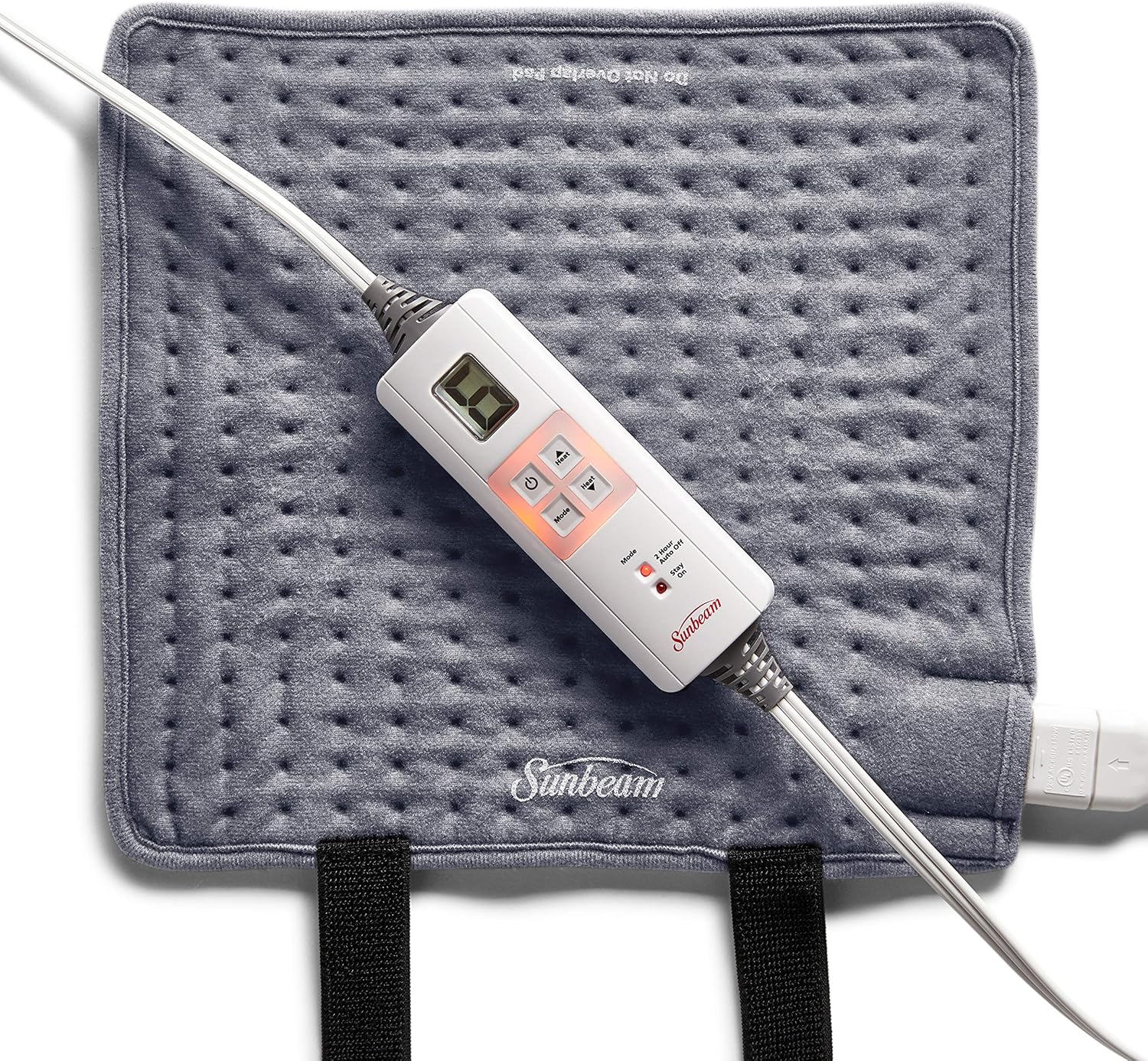
Image: The Sunbeam XpressHeat Wrapping Heating Pad in Slate Grey, showing the pad and its attached digital controller.
Key Features:
- XpressHeat Technology: Delivers heat in 30 seconds for rapid relief.
- Hands-Free Application: Features 2 fastening straps to secure the pad on arms and legs.
- Customizable Heat: Offers 6 heat settings for personalized comfort.
- Auto-Off Feature: Includes a selectable 2-hour auto-off for peace of mind.
- Soft and Flexible Material: Made from a soft, flexible fabric for comfortable use.
- Moist Heat Option: Can be used with moist heat by lightly spraying the fabric with water.
- Machine-Washable: The pad is machine-washable for easy cleaning.
Setup
Unpacking and Initial Inspection:
- Carefully remove the heating pad and all components from the packaging.
- Inspect the pad and cord for any signs of damage. Do not use if damaged.
- Ensure the pad measures approximately 12 inches by 11 inches.

Image: The heating pad unfolded, illustrating its approximate dimensions of 12 inches by 11 inches.
Operating Instructions
Connecting the Controller:
Ensure the controller is securely plugged into the heating pad. Then, plug the power cord into a standard 110V electrical outlet.
Applying the Heating Pad:
The XpressHeat pad is designed with two fastening straps for hands-free use. Wrap the pad around the desired area (e.g., arm, leg) and secure it using the straps. Ensure the pad is flat against the skin for optimal heat transfer.

Image: A man demonstrating how to wrap the heating pad around his arm using the fastening straps for targeted relief.

Image: A woman comfortably using the heating pad wrapped around her leg, highlighting the hands-free design and quick heat delivery.
Selecting Heat Settings:
Use the digital controller to select your desired heat level. The pad features 6 heat settings, allowing you to customize the intensity of the heat therapy. Press the 'Heat' up or down buttons to adjust the temperature.

Image: A detailed view of the digital controller, illustrating the buttons for adjusting heat settings and the indicators for the 2-hour auto-off and 'Stay On' modes.
Auto-Off Feature:
The heating pad is equipped with a 2-hour auto-off feature for safety. This feature automatically turns off the pad after two hours of continuous use. You can also select a 'Stay On' mode if continuous heat is desired, by pressing the 'Mode' button.
Moist Heat Application:
For moist heat therapy, lightly spray the fabric of the heating pad with water before applying it to the body. Do not immerse the pad in water. Ensure the pad is not excessively wet.
Maintenance and Care
Cleaning Instructions:
The Sunbeam XpressHeat Wrapping Heating Pad is machine-washable. Always disconnect the controller from the pad before washing. Follow these steps:
- Disconnect the controller from the pad.
- Machine wash on a gentle cycle with cold water.
- Tumble dry on low heat or air dry.
- Do not iron or bleach the pad.
- Ensure the pad is completely dry before reconnecting the controller and using it again.
Storage:
When not in use, store the heating pad in a cool, dry place. Avoid folding the pad tightly or placing heavy objects on it, as this may damage the internal heating elements.
Troubleshooting
| Problem | Possible Cause | Solution |
|---|---|---|
| Pad does not heat up. | Not plugged in; controller not connected properly; power outage; internal damage. | Ensure power cord is securely plugged into outlet and controller is firmly connected to pad. Check household circuit breaker. If problem persists, contact customer support. |
| Pad heats unevenly. | Pad is folded or bunched up during use. | Ensure the pad is laid flat or wrapped smoothly around the body part without creasing. |
| Controller display is not working. | Power issue; controller malfunction. | Unplug and re-plug the unit. If the display remains off, contact customer support. |
| Pad turns off unexpectedly. | 2-hour auto-off feature activated. | This is a safety feature. To continue use, turn the pad back on. If you desire continuous heat, select the 'Stay On' mode. |
Specifications
| Feature | Detail |
|---|---|
| Model Number | 802-825-000R |
| Dimensions | 12 inches x 11 inches |
| Wattage | 110W |
| Heat Settings | 6 |
| Auto-Off | 2-hour selectable |
| Material | Cotton (fabric) |
| Color | Slate Grey |
| Manufacturer | Sunbeam Corporation |
Warranty and Support
Warranty Information:
This Sunbeam XpressHeat Wrapping Heating Pad comes with a 5-year limited warranty. This warranty covers defects in material and workmanship under normal household use. Please retain your proof of purchase for warranty claims.
Customer Support:
For product inquiries, troubleshooting assistance, or warranty claims, please contact Sunbeam Customer Service. Visit the official Sunbeam website or refer to the contact information provided in your product packaging for the most up-to-date support details.
You can also visit the Sunbeam Store on Amazon for more information and products.


