1. Introduction
The kwmobile LED Night Light is designed to provide subtle, energy-efficient illumination in dark environments. Featuring a built-in dusk sensor and the ability to switch between three colors, it serves as an ideal orientation light for corridors, children's rooms, staircases, or any area requiring gentle lighting. Its unique intermediate connector design allows you to continue using the power socket even when the night light is plugged in.
2. Safety Information
- This night light is equipped with built-in child protection. The two inputs of the power plug are sealed with a protective plate to prevent accidental contact with live current. These plates automatically retract when a power plug is inserted.
- Do not connect multiple night lights to each other in a series.
- Ensure the product is used only with compatible power sockets (AC 220-240V, 50Hz, 16A).
- Do not disassemble or modify the device. There are no user-serviceable parts inside.
- Keep away from water and high humidity.
3. Package Contents
Your package should contain the following items:
- 2 x kwmobile LED Night Light with Intermediate Switch
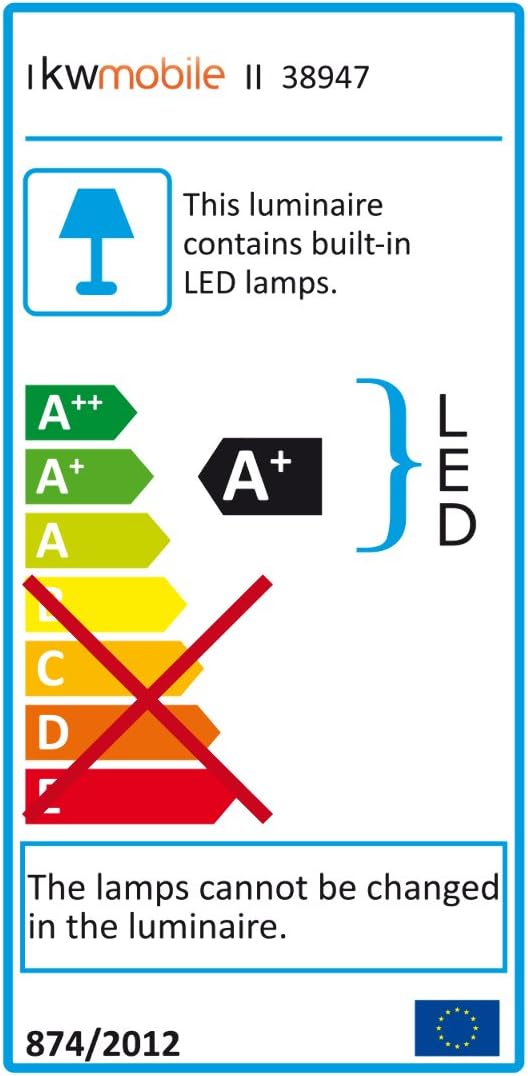
Image: Two kwmobile LED Night Lights, showing their compact design and integrated plug.
4. Setup
Setting up your kwmobile LED Night Light is straightforward:
- Unpack the night lights from their packaging.
- Locate a standard wall power socket (AC 220-240V) in the desired area for illumination.
- Plug the night light directly into the wall socket. Ensure it is firmly seated.
- The night light features an intermediate connector, allowing you to plug another device into the front of the night light, effectively not losing a power outlet.

Image: Front view of two kwmobile LED Night Lights, highlighting the pass-through socket design.
5. Operating Instructions
The kwmobile LED Night Light operates automatically and offers color customization:
- Automatic Operation (Dusk Sensor): The night light is equipped with a CDS (brightness) sensor. It will automatically turn on when the ambient light falls below approximately 10 lux (twilight/darkness) and turn off when the room becomes sufficiently bright.
- Color Change: To change the light color, gently touch the button located on the front of the night light. Each touch will cycle through the available colors: White, Green, and Blue.

Image: The night light illuminated in blue, demonstrating its function in a room.
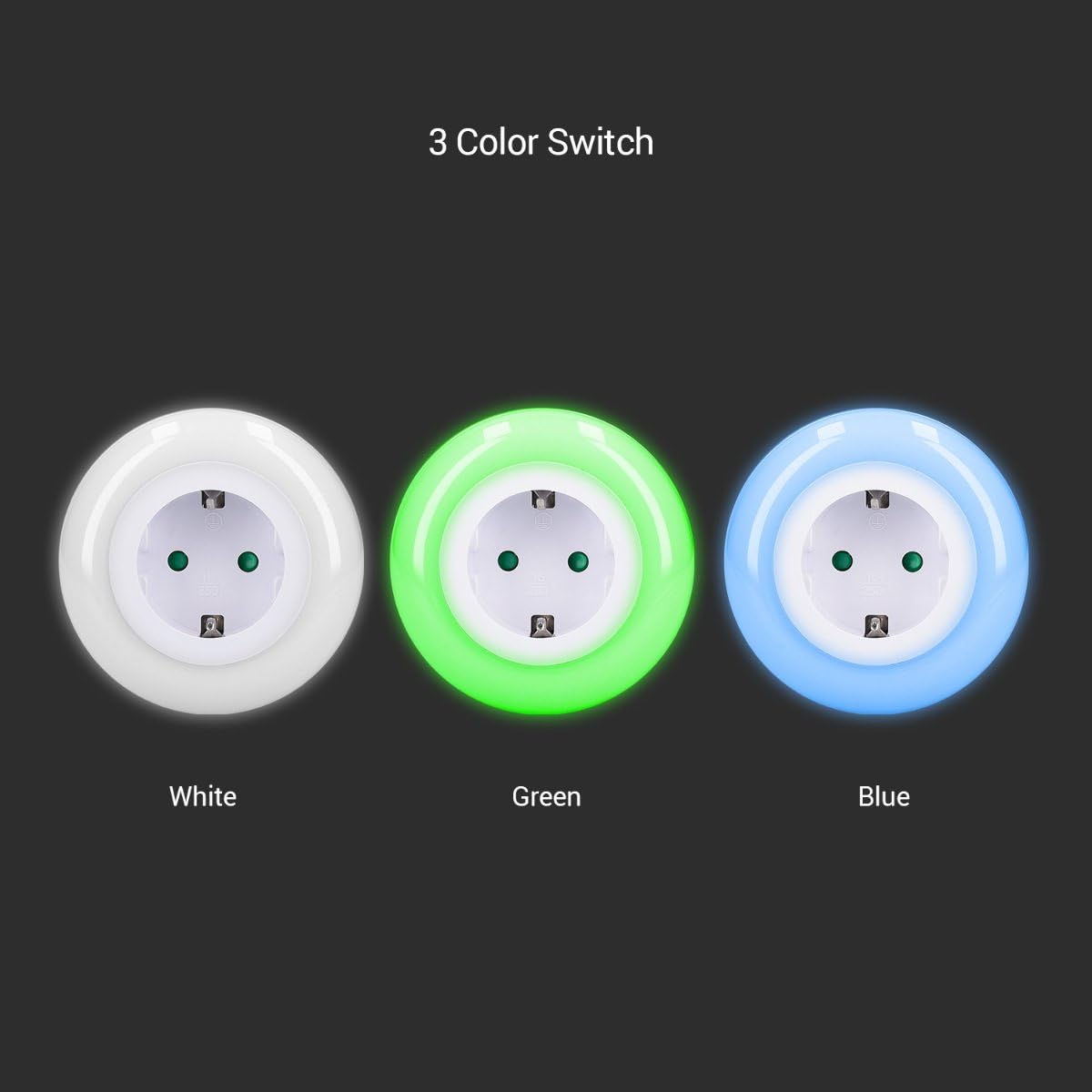
Image: Visual representation of the three selectable light colors: White, Green, and Blue.
6. Maintenance
To ensure the longevity and proper functioning of your night light:
- Before cleaning, always unplug the night light from the power socket.
- Wipe the exterior with a soft, dry cloth. Do not use abrasive cleaners, solvents, or harsh chemicals.
- Do not immerse the device in water or any other liquid.
- Ensure the dusk sensor (small clear window on the front) remains clean and unobstructed for optimal performance.
7. Troubleshooting
If you encounter issues with your kwmobile LED Night Light, please refer to the following common problems and solutions:
| Problem | Possible Cause | Solution |
|---|---|---|
| Light does not turn on in the dark. | 1. Not plugged in correctly. 2. Room is not dark enough (sensor detects light). 3. Sensor is obstructed or dirty. | 1. Ensure the night light is fully inserted into the socket. 2. Test in a completely dark environment. 3. Clean the sensor area with a soft cloth. |
| Light stays on during the day. | 1. Room is too dark (sensor still detects darkness). 2. Sensor is obstructed or dirty. | 1. Ensure the room has sufficient ambient light. 2. Clean the sensor area with a soft cloth. |
| Cannot change color. | Touch button not properly activated. | Ensure you are gently touching the designated button area on the front of the light. |
| No power to device plugged into intermediate connector. | 1. Night light not receiving power. 2. Overload (device drawing too much power). | 1. Check if the night light itself is working. If not, refer to 'Light does not turn on'. 2. Ensure the connected device does not exceed the maximum output power of 3680W. |
8. Specifications
Detailed technical specifications for the kwmobile LED Night Light:
- Model Number: 45018.02_m001316
- Dimensions: 8.5 x 8.5 x 7.5 cm
- Weight: 160 g
- Material: Plastic, Metal
- Lamp Type: 9 LEDs, firmly installed (non-replaceable)
- Power Source: Corded Electric
- Input Voltage: AC 220-240V, 50Hz, 16A
- Power Consumption: 0.6 W
- Max. Output Power (Intermediate Connector): 3680 W
- Color Options: White, Green, Blue
- Sensor Type: CDS (Brightness Sensor)
- Sensor Light Limit: Approx. 10 lux
- Lighting Strength: 3.9 lm
- Lifespan: 30,000 hours
- Additional Features: Color Change, Energy Efficient, Intermediate Connector, Multicolour, Twilight Sensor, Child Protection.

Image: Rear view of the night light, displaying input specifications and certifications.

Image: Energy efficiency label, confirming the product's A+ rating and integrated LED lamps.
9. Warranty Information
kwmobile products are manufactured with quality and durability in mind. For specific warranty terms and conditions, please refer to the purchase documentation or contact your retailer. Keep your proof of purchase for any warranty claims.
10. Support
Should you require further assistance or have questions not covered in this manual, please contact kwmobile customer support through the retailer's platform or the official kwmobile website. Provide your product model number (45018.02_m001316) and a detailed description of your issue for prompt support.


