
1. Introduction
The K&F CONCEPT Variable ND2-ND400 Neutral Density Filter is an essential tool for photographers and videographers seeking precise control over light exposure. This filter allows you to reduce the amount of light entering your camera lens without altering the color balance, enabling creative effects such as longer exposure times in bright conditions or wider apertures for shallow depth of field.
This manual provides comprehensive instructions for the proper use and care of your K&F CONCEPT Variable ND filter.
2. Key Features
- Variable Neutral Density: Adjusts from ND2 (1 stop) to ND400 (9 stops) of light reduction, offering versatility for various lighting conditions.
- High-Quality Optical Glass: Constructed from imported optical glass for superior clarity and high-definition image quality.
- Multi-Coated Design: Features multiple layers of coating to minimize reflections, reduce glare, and enhance light transmission.
- Ultra-Slim Aluminum Alloy Frame: Designed with a durable, lightweight, and ultra-slim frame to prevent vignetting on wide-angle lenses.
- Double-Threaded Design: Allows for the attachment of additional filters or a lens cap on top of the ND filter.
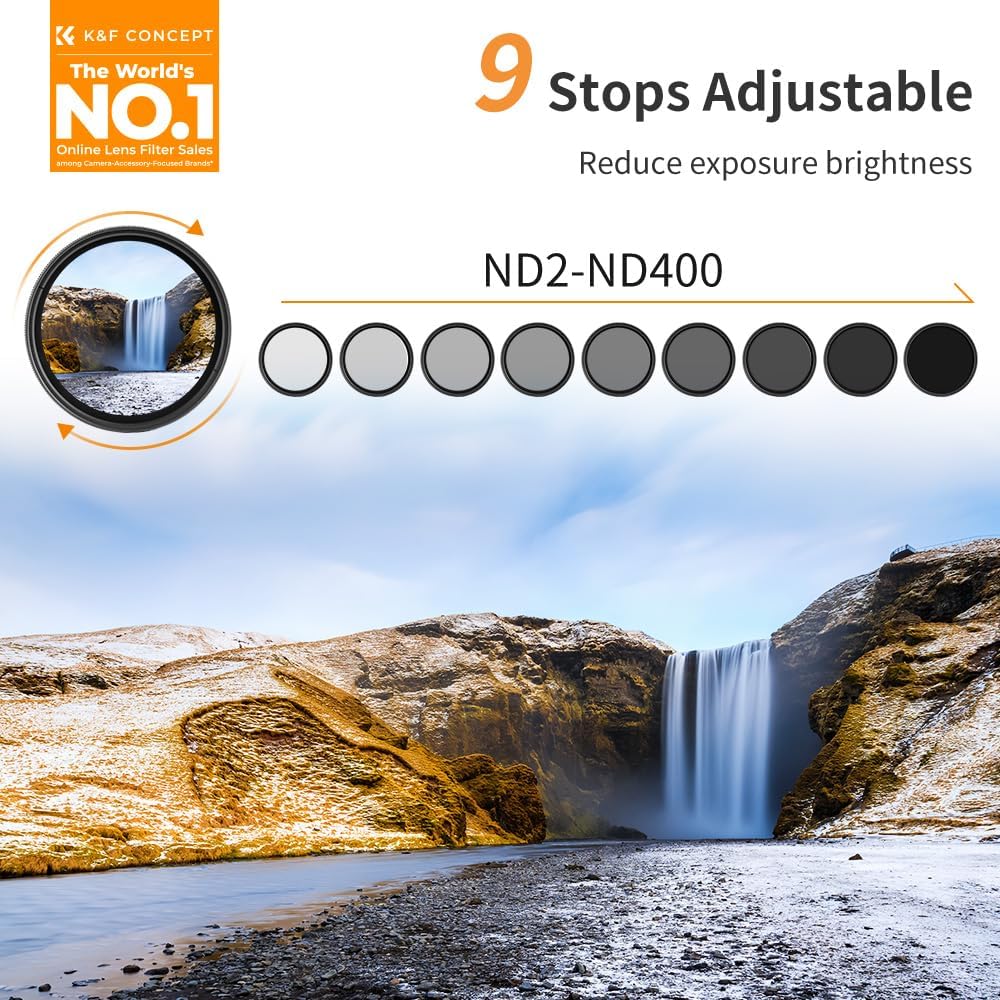
Figure 2.1: K&F CONCEPT Variable ND2-ND400 Filter demonstrating its 9-stop adjustability.

Figure 2.2: Internal structure illustrating the 8-layer nanometer coatings, aluminum alloy frame, and optical glass components.
3. Compatibility and Package Contents
3.1. Compatibility
This K&F CONCEPT Variable ND filter is designed for camera lenses with a 55mm filter thread size. Before purchase and installation, please verify your camera lens's filter thread size. This size is typically marked on the lens barrel or underneath the lens cap, often preceded by a "⌀" (diameter) symbol.
3.2. Package Contents
Upon opening your K&F CONCEPT Variable ND filter package, you should find the following items:
- 1 x K&F CONCEPT Variable ND2-ND400 Filter (55mm)
- 1 x Protective Filter Case
- 3 x Microfiber Cleaning Cloths
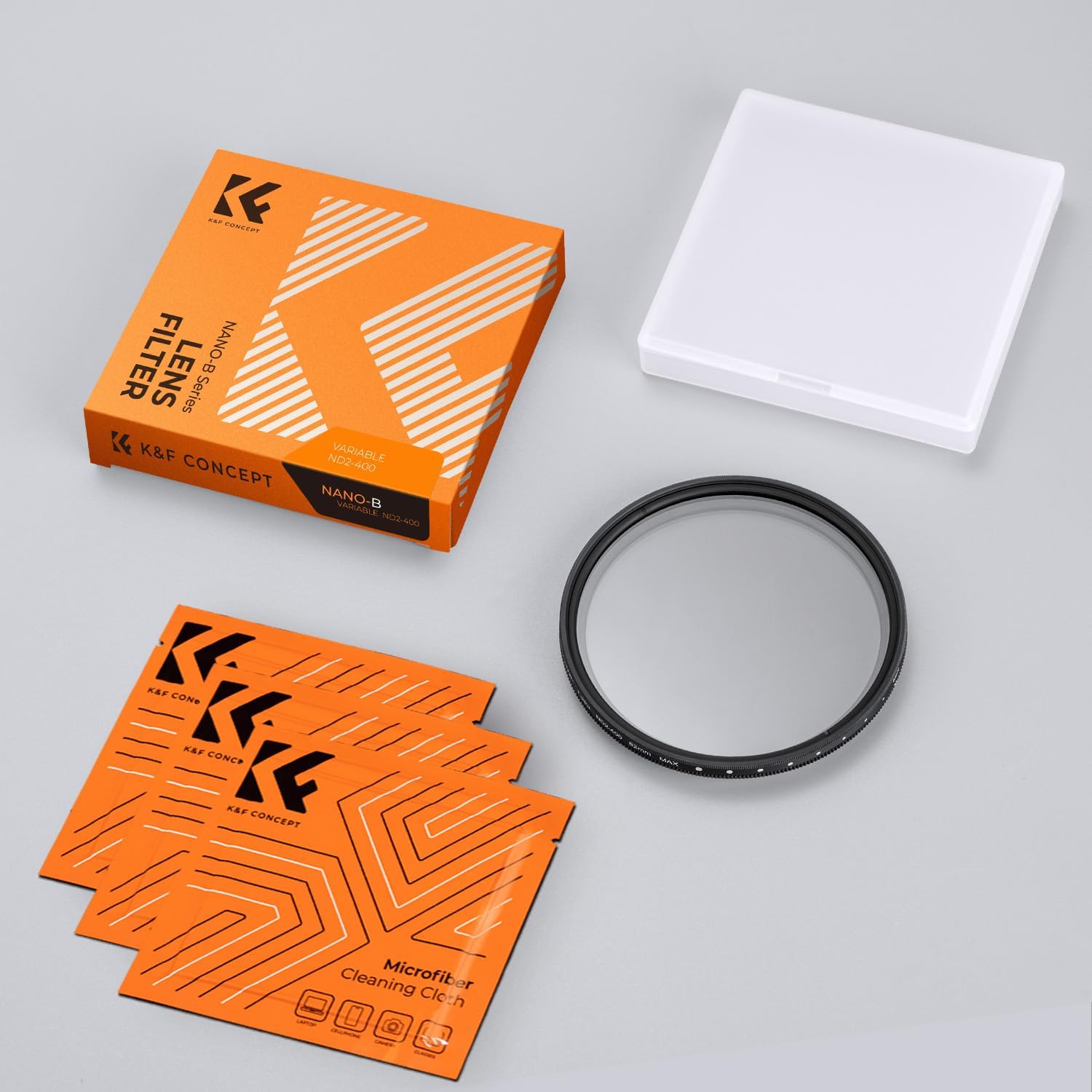
Figure 3.1: The K&F CONCEPT Variable ND filter, its protective case, and microfiber cleaning cloths.
4. Setup and Installation
Follow these steps to properly install your K&F CONCEPT Variable ND filter:
- Prepare Your Lens: Ensure your camera lens is clean and free of dust or smudges. Remove any existing lens cap or filter.
- Align the Filter: Carefully align the filter's threads with the threads on the front of your camera lens.
- Attach the Filter: Gently rotate the filter clockwise until it is securely fastened. Do not overtighten, as this can make removal difficult.

Figure 4.1: Detail of the filter's aluminum alloy frame, designed for easy attachment.
5. Operating Instructions
Once installed, the variable ND filter is simple to operate:
- Adjust ND Level: Rotate the outer ring of the filter to increase or decrease the neutral density. The markings on the filter indicate the range from ND2 to ND400.
- Monitor Exposure: Observe your camera's viewfinder or live view screen to achieve the desired exposure. As you rotate the filter, the scene will appear darker or brighter.
- Creative Applications:
- Long Exposure Photography: Use higher ND settings (e.g., ND400) to blur motion in water, clouds, or traffic, even in daylight.
- Wide Aperture in Bright Light: Maintain a wide aperture (e.g., f/1.8, f/2.8) for shallow depth of field and pleasing bokeh, even under strong sunlight.
- Videography: Achieve cinematic motion blur by maintaining a shutter speed that is approximately double your frame rate (e.g., 1/50s for 24fps or 25fps video).

Figure 5.1: The optical glass ensures high-definition images, even with light reduction.
6. Maintenance
Proper maintenance will prolong the life and performance of your ND filter:
- Cleaning: Use the provided microfiber cleaning cloths to gently wipe away dust, fingerprints, or smudges from the filter's glass surface. For stubborn marks, a specialized lens cleaning solution can be applied to the cloth (not directly to the filter).
- Storage: Always store the filter in its protective case when not in use to prevent scratches and dust accumulation.
- Handling: Avoid touching the glass surface directly with your fingers. Hold the filter by its metal rim.

Figure 6.1: Cleaning the filter with a soft, dust-free microfiber cloth to protect its coating.
7. Troubleshooting
If you encounter issues with your variable ND filter, consider the following:
- Vignetting or "X" Pattern: This can occur when the variable ND filter is rotated beyond its maximum effective density, especially at wider focal lengths. To resolve this, slightly reduce the ND setting by rotating the outer ring.
- Unclear or Soft Images: Ensure the filter is clean and free from smudges or dust. Also, verify that the filter is securely and correctly attached to your lens.
- Difficulty Attaching/Removing: Ensure the filter is aligned correctly with the lens threads. Do not force it. If overtightened, try using a rubber grip or filter wrench for gentle removal.

Figure 7.1: The K&F CONCEPT filter is designed to minimize vignetting, even at wide focal lengths.
8. Specifications
| Attribute | Detail |
|---|---|
| Brand | K&F CONCEPT |
| Model | DFSKU.0886V1 |
| Filter Type | Variable Neutral Density (ND) |
| Density Range | ND2 to ND400 (1 to 9 stops) |
| Filter Thread Size | 55mm |
| Material | Optical Glass, Aluminum Alloy Frame |
| Coating | Multi-Coating |
| Dimensions (L x W) | 5.5 cm x 5.5 cm |
| Waterproof Level | Non-waterproof |
9. Warranty and Support
K&F CONCEPT products are manufactured to high-quality standards. For warranty information, technical support, or customer service inquiries, please refer to the official K&F CONCEPT website or contact your local retailer. Keep your purchase receipt as proof of purchase for warranty claims.