
Danby YK4EB
Danby OEM YK4EB Air Conditioner Remote Control User Manual
Model: YK4EB
Introduction
This manual provides instructions for the proper use and maintenance of your Danby OEM YK4EB Air Conditioner Remote Control. This remote is designed to operate compatible Danby and other specified air conditioner models, offering convenient control over various functions.
Setup
Battery Installation
The remote control requires two AAA batteries (not included) for operation. Follow these steps to install the batteries:
- Locate the battery compartment cover on the back of the remote control.
- Press down on the tab and slide the cover off in the direction of the arrow.
- Insert two new AAA batteries, ensuring the positive (+) and negative (-) terminals match the diagrams inside the compartment.
- Slide the battery compartment cover back into place until it clicks securely.
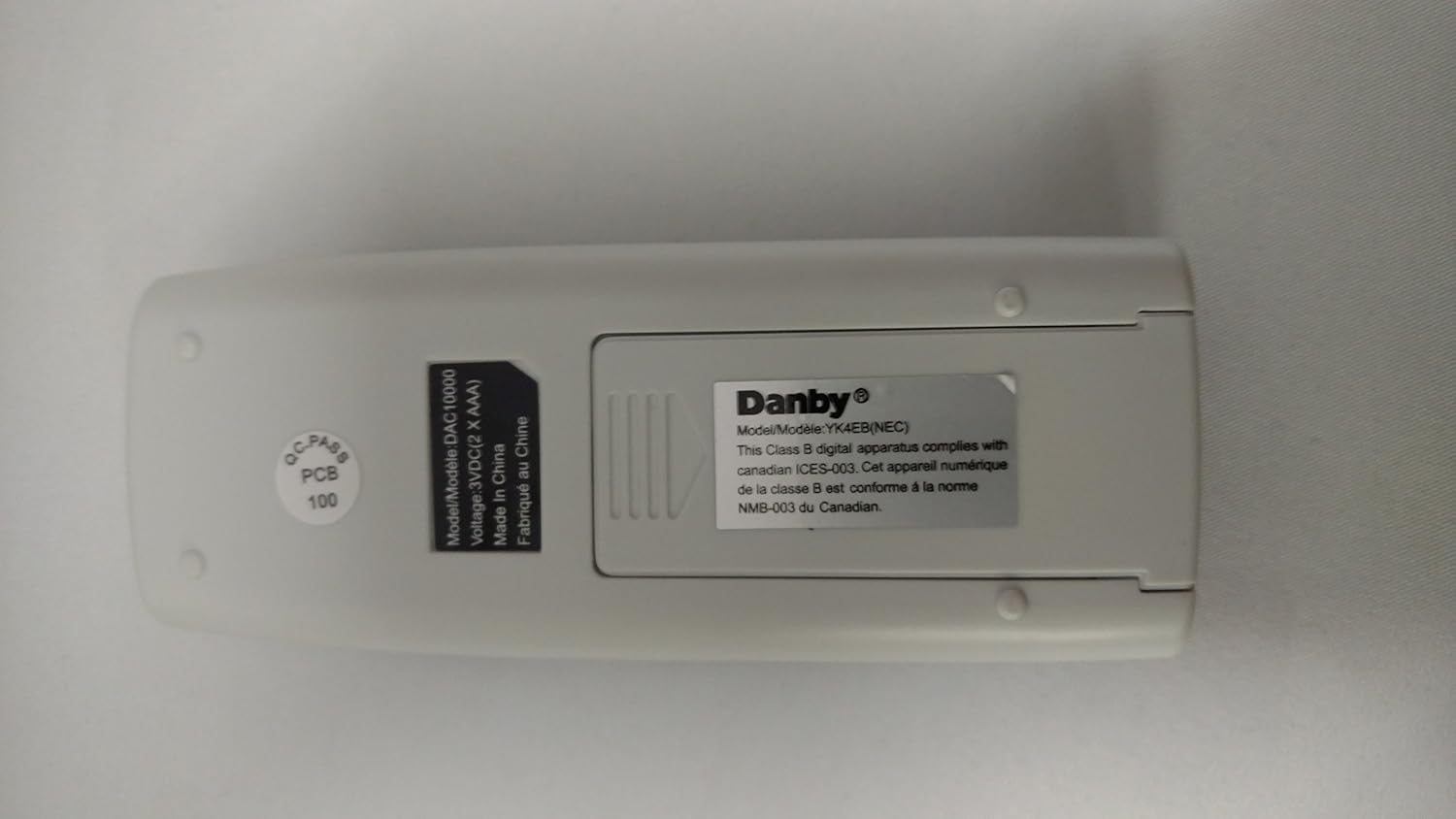
Figure 1: Back view of the remote control, showing the battery compartment. The cover slides off to reveal the battery slots.
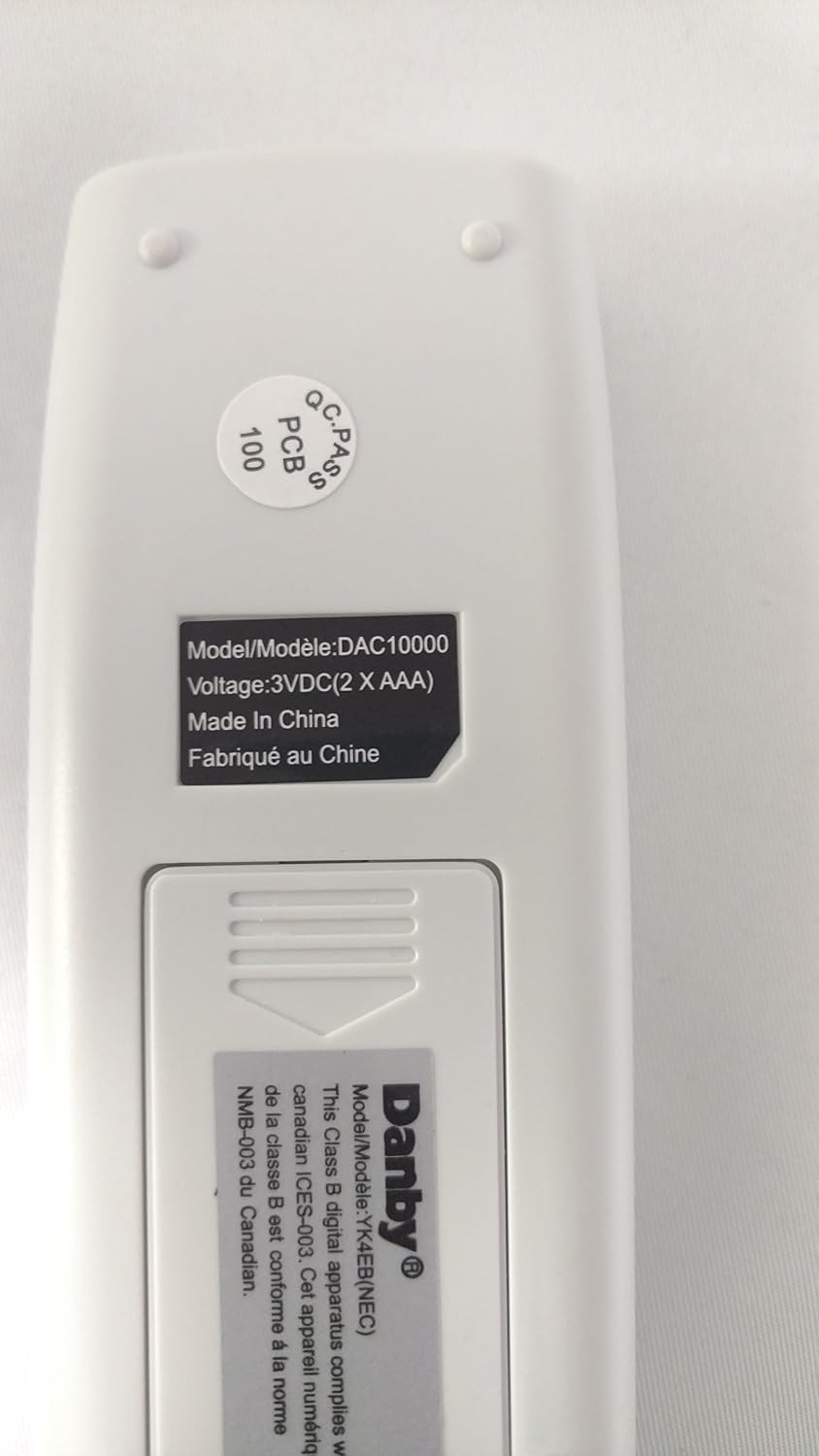
Figure 2: Close-up of the label on the back of the remote, indicating "Model/Modèle: DAC10000" and "Voltage: 3VDC (2 X AAA)".
Operating Instructions
Point the remote control directly at the air conditioner's receiver window. Ensure there are no obstructions between the remote and the air conditioner.

Figure 3: Front view of the remote control, displaying the buttons for various functions.
Button Functions
- Power Button (⏻): Turns the air conditioner ON or OFF.
- MODE Button: Cycles through operating modes such as Cool, Dry, Fan, and Heat (if applicable to your AC unit).
- AUTO Button: Activates the automatic operating mode, where the air conditioner selects the appropriate mode and fan speed based on the room temperature.
- Temperature Adjustment Buttons (▲ / ▼): Adjusts the desired temperature setting.
- Fan Speed Buttons (⇌ / ⇋): Adjusts the fan speed (e.g., Low, Medium, High, Auto). The symbols likely represent increasing and decreasing fan speed.
- Timer Button (⌛): Used to set the timer for automatic ON/OFF operations. Refer to your air conditioner's main manual for detailed timer settings.
Maintenance
Cleaning the Remote Control
To ensure optimal performance and longevity, keep the remote control clean:
- Wipe the surface of the remote control with a soft, dry cloth.
- Do not use liquid cleaners, abrasive cleaners, or chemical solvents, as these may damage the remote's surface or internal components.
Battery Replacement
Replace the batteries when the remote control's range decreases or if the air conditioner does not respond to commands. Always replace both batteries at the same time with new AAA batteries. Do not mix old and new batteries or different types of batteries.
Remove batteries if the remote control will not be used for an extended period to prevent leakage and damage.
Troubleshooting
If your remote control is not functioning as expected, consider the following:
- No Response from AC Unit:
- Ensure the remote is pointed directly at the air conditioner's receiver.
- Check if there are any obstructions between the remote and the AC unit.
- Verify that the batteries are correctly installed with the correct polarity.
- Replace the batteries with new ones.
- Confirm the air conditioner unit is powered on.
- Intermittent Operation:
- This often indicates low battery power. Replace the batteries.
- Ensure the remote's infrared emitter is clean and free from dust.
- Remote Display Not Working:
- Check and replace batteries.
- If the display remains blank after battery replacement, the remote may be faulty.
Specifications
| Feature | Detail |
|---|---|
| Brand | Danby |
| Model Name | YK4EB, YK4EA, YK4E, YK4EB(NEC) |
| Model Number (Mfr Part) | 30510540_115439 |
| Connectivity Technology | Infrared |
| Compatible Devices | Air Conditioner |
| Controller Type | Button Control |
| Power Source | 2 x AAA batteries (3VDC) |
| Color | White |
| Special Feature | Ergonomic |
Compatibility
This Danby OEM YK4EB remote control is compatible with the following Danby air conditioner models and serves as a guaranteed feature substitute for other specified models:
OEM for Danby Models:
- DAC10000
- DAC12011
- DAC8000
Guaranteed Feature Substitute for Models (including GE):
- WJ01X10348 YK4EB
- WJ26X10247
- GE AED06LNH1, AED06LNL1, AED08LNH1, AED08LNQ1, AED18DNH1
- GE AEH05LMG1, AEH05LMS1, AEH06LLG1, AEH06LMG1, AEH06LML1, AEH06LNH1, AEH06LNL1, AEH08ALG1, AEH08ALM1, AEH08FMG1, AEH08LNH1, AEH08LNQ1, AEH10ALG1, AEH10AMG1, AEH10AMS1, AEH10ANH1, AEH10ANW1, AEH12ALG1, AEH12AMG1, AEH12ANL1, AEH12ANW1, AEH18DNH1, AEH18DPH1, AEH25DNL1
- GE AEL05LJS1
- GE AEM05LML1, AEM05LMS1, AEM06LMG1, AEM06LML1, AEM08FLM1, AEM08FMG1, AEM08LNQ1, AEM10AMG1, AEM10AMS1, AEM10ANH1, AEM10ANW1, AEM12AMG1, AEM12ANL1, AEM12ANW1
- GE AEN08LPQ1, AEN08LQQ1, AEN10APH1, AEN12APL1
- GE AEQ05LMG1, AEQ05LMS1, AEQ05LNQ1, AEQ06LMG1, AEQ06LNH1, AEQ08AMG1, AEQ10AMG1, AEQ12AMG1, AEQ12ANW1, AEQ12DMG1
- GE AEW05LJG1, AEW05LJS1, AEW05LJW1, AEW05LMG1, AEW05LMS1, AEW05LMS2, AEW05LNH1, AEW05LNL1, AEW05LNQ1, AEW06LJG1, AEW06LJS1, AEW06LMG1, AEW06LML1, AEW06LNH1, AEW06LNL1, AEW08AJS1, AEW08FMG1, AEW08LNH1, AEW08LNQ1, AEW10AJG1, AEW10AJS1, AEW10AMG1, AEW10AMS1, AEW10ANH1, AEW12AMG1, AEW12ANL1, AEW12ANW1, AEW18DNH1
Warranty and Support
For warranty information or technical support regarding your Danby OEM YK4EB Air Conditioner Remote Control, please refer to the documentation provided with your air conditioner unit or contact Danby customer service directly. Specific warranty details for this remote control are typically covered under the main appliance's warranty.
For further assistance, visit the official Danby website or consult your product retailer.
Related documentsYK4EB


Ask a question about this manual
Ask about setup, troubleshooting, compatibility, parts, safety, or missing instructions. Manuals+ will review the question and use this page’s manual context to help answer it.