1. Introduction
Thank you for choosing the Parkside 20V 4Ah XTEAM Lithium-ION Battery. This manual provides essential information for the safe and efficient use of your battery. Please read these instructions carefully before first use and keep them for future reference.
This battery is designed for use with the Parkside XTEAM 20V series of power tools, providing reliable and long-lasting power for various applications. It features a convenient 3-level charge indicator to monitor battery status.
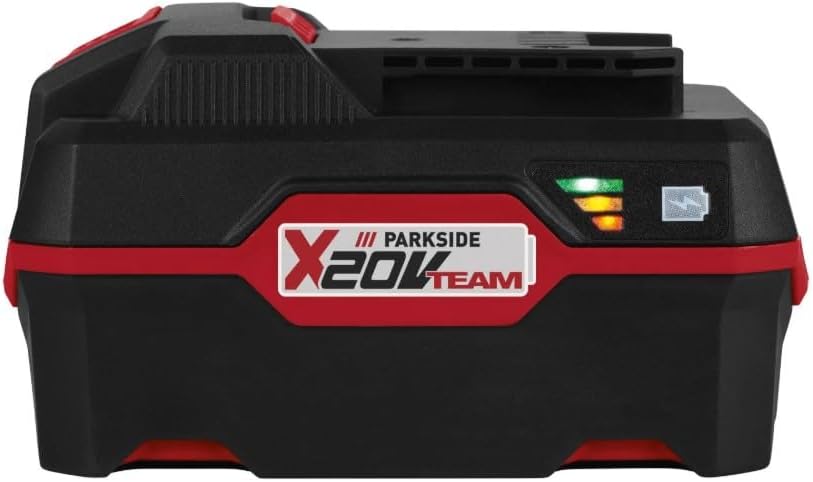
Front view of the Parkside 20V 4Ah XTEAM Lithium-ION Battery, showing the X20V TEAM logo and charge indicator lights.
2. Safety Instructions
Always observe the following safety precautions to prevent injury and damage to the battery or connected tools:
- Read the Manual: Always read the instruction manuals for both the battery and the power tool before use.
- Proper Charging: Only use chargers specifically approved by Parkside for XTEAM 20V Lithium-ION batteries. Using an incompatible charger can cause fire, explosion, or injury.
- Avoid Short Circuits: Do not short-circuit the battery terminals. Keep the battery away from metal objects like paper clips, coins, keys, nails, screws, or other small metal objects that could make a connection from one terminal to another.
- Do Not Open: Never attempt to open, disassemble, or modify the battery pack. There are no user-serviceable parts inside.
- Protect from Heat: Do not expose the battery to excessive heat (e.g., direct sunlight, fire, or temperatures above 50°C / 122°F).
- Protect from Water: Do not immerse the battery in water or other liquids. Keep it away from rain and moisture.
- Handle with Care: Do not drop, puncture, or subject the battery to strong impacts.
- Damaged Batteries: Do not use a damaged or modified battery. Damaged batteries may exhibit unpredictable behavior resulting in fire, explosion, or risk of injury.
- Disposal: Dispose of batteries responsibly according to local regulations. Do not dispose of batteries in household waste or by incineration.
- Keep Away from Children: Store the battery out of reach of children.
3. Setup and Initial Use
3.1 Unpacking
Carefully remove the battery from its packaging. Check for any signs of damage. The package should contain the Parkside 20V 4Ah XTEAM Lithium-ION Battery and this instruction manual.

The Parkside 20V 4Ah XTEAM Lithium-ION Battery alongside its instruction manual, as typically found upon unboxing.
3.2 Initial Charging
For optimal performance and battery longevity, it is recommended to fully charge the battery before its first use. Use only a compatible Parkside XTEAM 20V battery charger (sold separately).
- Connect the charger to a suitable power outlet.
- Slide the battery onto the charger until it clicks into place.
- Observe the charger's indicator lights to confirm charging has begun. Refer to your charger's manual for specific light patterns.
- Once fully charged, disconnect the battery from the charger.
4. Operating the Battery
4.1 Inserting the Battery into a Tool
To insert the battery into a compatible Parkside XTEAM 20V power tool:
- Align the battery with the battery slot on the tool.
- Slide the battery firmly into the slot until it clicks securely into place. Ensure it is fully seated and does not wobble.
4.2 Removing the Battery from a Tool
To remove the battery from a tool:
- Locate the battery release button(s) on the tool or battery.
- Press and hold the release button(s) while sliding the battery out of the tool.

Top view of the Parkside 20V 4Ah XTEAM Lithium-ION Battery, highlighting the tool interface and release button.
4.3 Charge Level Indicator
The battery is equipped with a 3-level LED indicator to show the approximate charge status:
- 3 Green LEDs: Full charge.
- 2 Orange LEDs: Medium charge.
- 1 Red LED: Low charge, recharge soon.
Press the small button next to the LEDs to activate the indicator.
5. Maintenance and Storage
5.1 Cleaning
Keep the battery clean and free from dust and debris. Use a dry, soft cloth to wipe the battery casing. Do not use water, solvents, or abrasive cleaners.
5.2 Storage
When not in use, store the battery in a cool, dry place, away from direct sunlight and extreme temperatures. Ideal storage temperature is between 0°C and 40°C (32°F and 104°F).
For long-term storage, it is recommended to store the battery with a partial charge (around 50-70%). Recharge the battery every 3-6 months to prevent deep discharge, which can reduce battery life.
6. Troubleshooting
- Battery not charging:
- Ensure the charger is properly plugged into a working power outlet.
- Verify the battery is correctly seated on the charger.
- Check if the battery or charger is too hot or too cold. Allow them to reach room temperature.
- Inspect the battery and charger for any visible damage.
- Tool not operating with charged battery:
- Ensure the battery is fully inserted and clicked into place in the tool.
- Check the battery's charge level using the indicator.
- Refer to the tool's instruction manual for specific troubleshooting steps.
- Reduced battery runtime:
- Battery capacity naturally decreases over time and with usage cycles.
- Operating in extreme temperatures (very hot or very cold) can temporarily reduce runtime.
- Ensure the battery is fully charged before each use.
7. Specifications
| Model Number | PAP 20 B3 |
| Battery Type | Lithium-ION |
| Voltage | 20 V |
| Capacity | 4 Ah |
| Energy | 80 Wh |
| Weight | Approx. 800 g |
| Manufacturer | Parkside (Kompernass) |
| UPC | 4052916329009 |
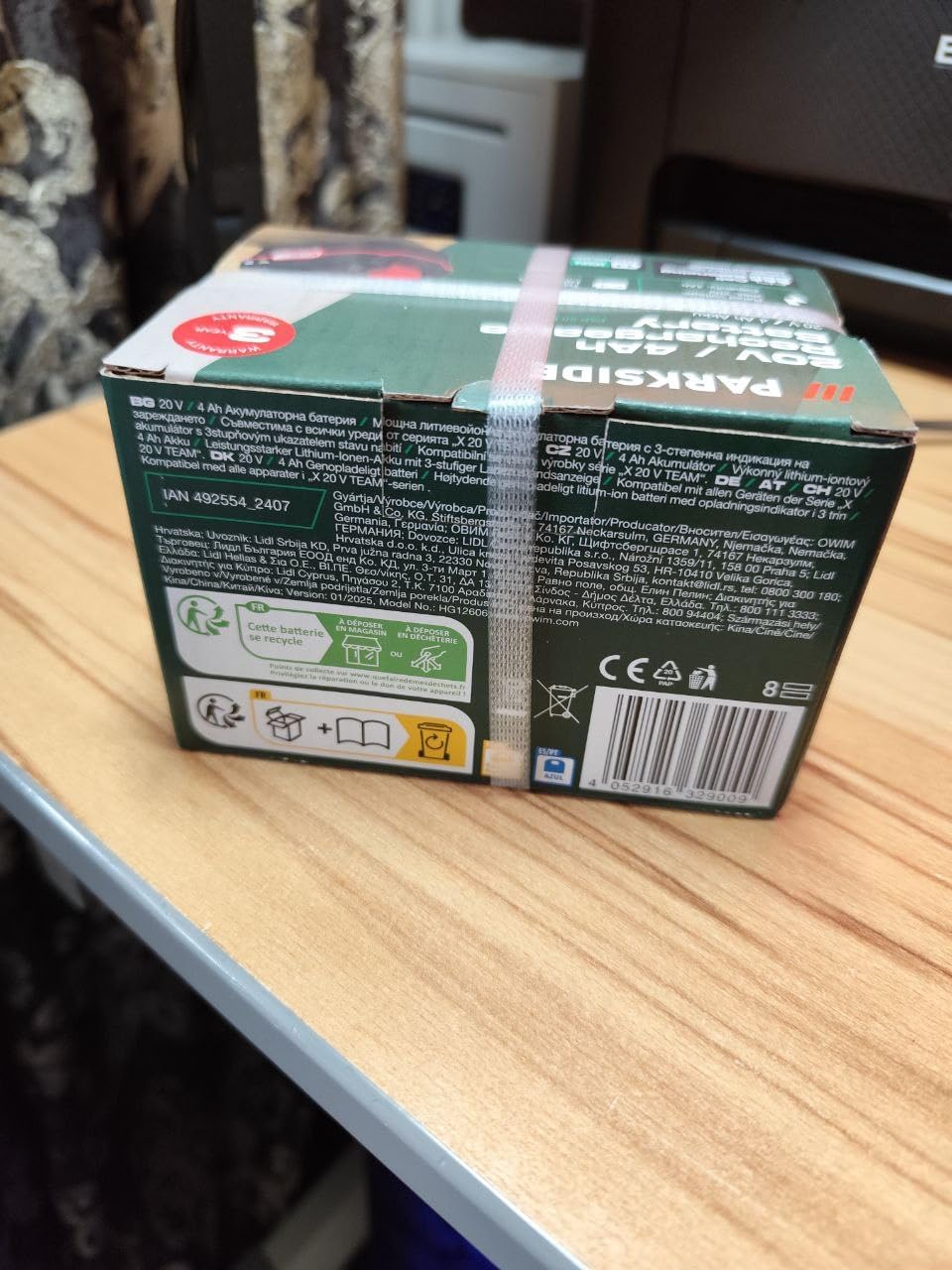
Close-up view of the product label on the underside of the Parkside 20V 4Ah XTEAM Lithium-ION Battery, displaying model number PAP 20 B3, voltage, capacity, and safety markings.
8. Disposal
Batteries contain materials that can be harmful to the environment if not disposed of properly. Do not dispose of the battery with household waste. Please recycle the battery at designated collection points or return it to your retailer in accordance with local environmental regulations.
Look for the crossed-out wheeled bin symbol on the battery, indicating that it must not be disposed of with general waste.
9. Warranty and Support
For warranty information, technical support, or inquiries regarding spare parts, please refer to the warranty card included with your purchase or contact the manufacturer directly. Specific warranty terms and conditions may vary by region and retailer.


