
1. Introduction
This manual provides essential instructions for the installation, operation, and maintenance of your HiLook by Hikvision IPC-T240H 4MP IP PoE Turret Network Camera. Please read this manual thoroughly before using the product to ensure correct and safe operation. Keep this manual for future reference.
The IPC-T240H is a high-performance 4-megapixel IP camera designed for surveillance applications. It features a 2.8mm lens, 30-meter night vision, IP67 weather resistance for outdoor use, and supports H.265+/H.265 high-efficiency video codecs for optimized bandwidth and storage. Integrated 120dB Wide Dynamic Range (WDR) ensures clear images in challenging lighting conditions.
2. Safety Information
- Power Supply: Use only the specified power adapter or Power over Ethernet (PoE) compliant devices. Ensure the power source meets the camera's requirements.
- Installation: Install the camera in a secure location where it cannot be easily tampered with. Ensure the mounting surface can support the camera's weight.
- Environment: Avoid exposing the camera to extreme temperatures, humidity, dust, or corrosive environments.
- Cleaning: Disconnect power before cleaning. Use a soft, dry cloth. Do not use strong detergents or abrasive materials.
- Water and Moisture: This camera is IP67 rated for outdoor use, but avoid submerging it in water. Ensure all cable connections are properly sealed to maintain weather resistance.
- Servicing: Do not attempt to disassemble or repair the camera yourself. Refer all servicing to qualified personnel.
3. Package Contents
Verify that all items are present in your package. If any items are missing or damaged, contact your supplier.
- HiLook by Hikvision IPC-T240H Turret Network Camera
- Mounting Template
- Mounting Screws and Wall Plugs
- Waterproof Connector for Ethernet Cable
- Quick Start Guide (this document)
4. Product Overview
The HiLook IPC-T240H is a compact turret-style IP camera designed for versatile surveillance. Its robust construction and IP67 rating make it suitable for both indoor and outdoor environments.
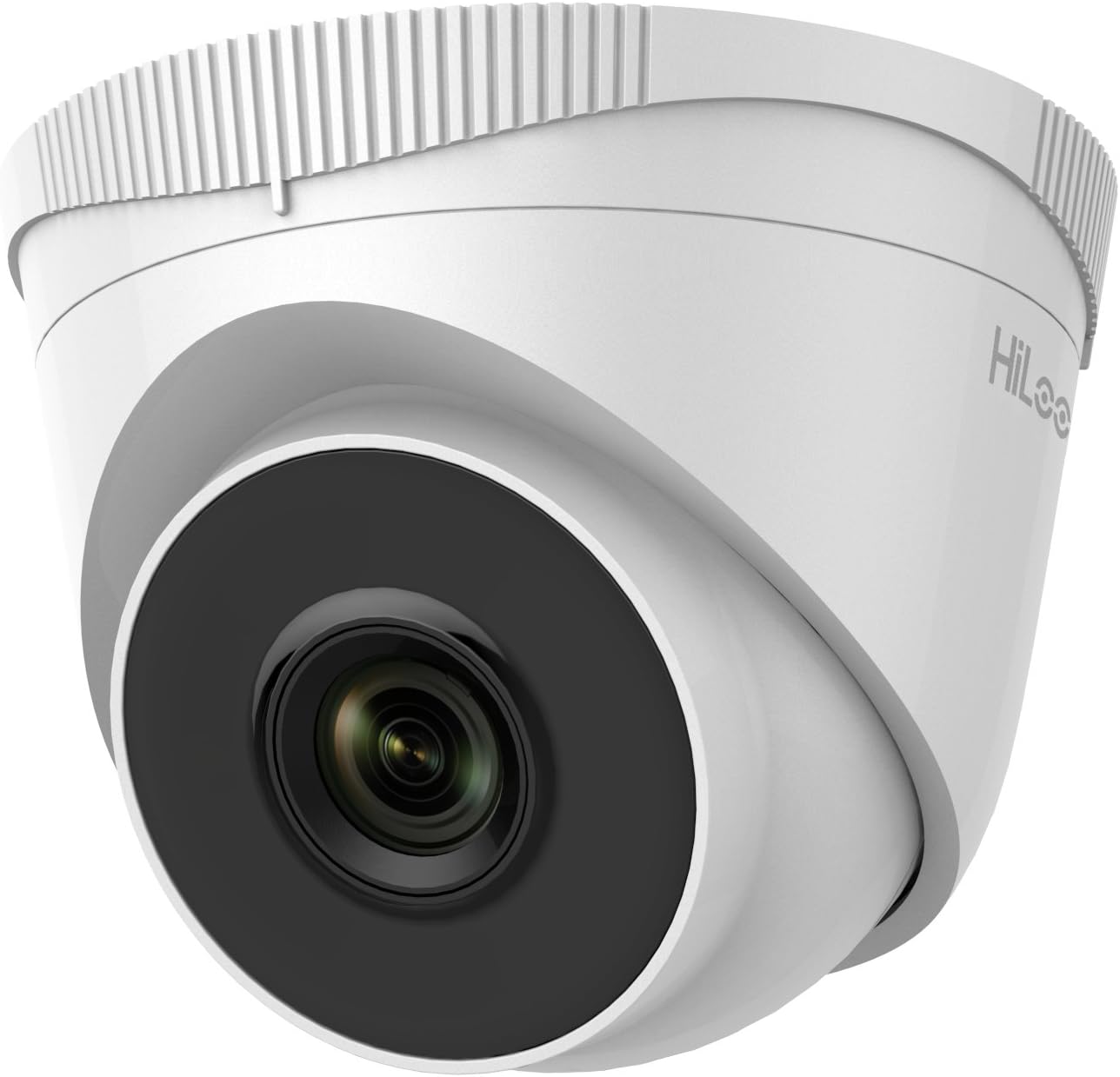
Figure 4.1: Front view of the HiLook IPC-T240H Turret Network Camera. This image shows the camera's main lens and infrared illuminators, housed within its white turret casing.

Figure 4.2: Angled view of the HiLook IPC-T240H Turret Network Camera. This perspective highlights the camera's dome-like structure and the adjustable base for mounting.
Key Components:
- Lens: 2.8mm fixed lens for a wide field of view.
- IR LEDs: Infrared illuminators for night vision up to 30 meters.
- Ethernet Port (RJ45): For network connection and Power over Ethernet (PoE).
- Power Input: 12V DC power input (if not using PoE).
- Mounting Base: Adjustable base for wall or ceiling installation.
5. Setup
5.1 Physical Installation
- Choose a Location: Select a suitable location for surveillance, considering the camera's field of view and night vision range.
- Mounting: Use the provided mounting template to mark drill holes. Drill holes, insert wall plugs, and secure the mounting base with screws.
- Cable Routing: Route the Ethernet cable through the designated opening in the mounting base. Use the waterproof connector for outdoor installations to protect the RJ45 connection.
- Attach Camera: Secure the camera body to the mounting base. Adjust the camera angle for optimal coverage.
5.2 Network Connection and Initial Configuration
- Connect to Network: Connect the camera to your network using an Ethernet cable. If using PoE, connect to a PoE-enabled switch or NVR. If not using PoE, connect a 12V DC power adapter.
- Discover Device: The camera typically ships with a default static IP address. To discover the camera on your network and change its IP address, use the Hikvision SADP (Search Active Device Protocol) tool. This tool can be downloaded from the Hikvision official website.
- Activate Camera: Upon first access, you will be prompted to create a strong password for the camera. This activates the device.
- Access Web Interface: Open a web browser (Internet Explorer is often recommended for full functionality with older Hikvision/HiLook firmware due to ActiveX plugins). Enter the camera's IP address in the address bar. Log in with your newly created password.
- Network Settings: Configure network settings (e.g., change to DHCP or assign a static IP address within your network range) through the web interface.
6. Operating Instructions
6.1 Video Codec Efficiency (H.265+)
The IPC-T240H supports H.265+ video compression, which significantly reduces bandwidth and storage requirements compared to older H.264 or H.265 standards. This allows for longer recording times and more efficient network usage without compromising video quality.

Figure 6.1: This chart illustrates the storage efficiency of H.265+ compared to H.264 and H.265 codecs. H.265+ can reduce 24-hour recording file sizes by up to 83% for daytime footage and 67% for nighttime footage, optimizing storage and bandwidth.
6.2 Wide Dynamic Range (WDR)
The 120dB WDR feature allows the camera to capture clear images in scenes with both very bright and very dark areas. It balances the exposure to prevent overexposure in bright spots and underexposure in shadows, ensuring details are visible across the entire image.

Figure 6.2: Comparison of image quality with WDR off (top) and WDR on (bottom). The top image shows significant glare and underexposed areas, while the bottom image, with WDR enabled, provides balanced exposure and clearer details in both bright and dark regions.
6.3 Night Vision
The camera is equipped with infrared (IR) LEDs, providing clear black and white video surveillance in low-light or completely dark conditions up to a range of 30 meters.
6.4 Remote Access (HiLookVision)
You can manage and view your camera remotely using the HiLookVision PC Client software or the HiLookVision mobile application. These tools allow for live viewing, playback, and configuration from your computer or smartphone.

Figure 6.3: This diagram illustrates the HiLookVision ecosystem for easy device management. HiLook products can connect to the HiLookVision Cloud Server, which then allows access via the HiLookVision PC Client or the HiLookVision App on a smartphone.
7. Maintenance
- Cleaning: Regularly clean the camera lens and housing with a soft, lint-free cloth. For stubborn dirt, use a mild cleaning solution applied to the cloth, not directly to the camera.
- Firmware Updates: Periodically check the official HiLook or Hikvision website for firmware updates. Firmware updates can improve performance, add new features, and enhance security. Follow the provided instructions carefully when performing updates.
- Cable Inspection: Periodically inspect all cables and connections for signs of wear, damage, or corrosion, especially for outdoor installations.
8. Troubleshooting
- No Image/Video:
- Check power supply (PoE or 12V DC adapter).
- Verify network cable connection.
- Ensure the camera's IP address is correct and accessible on your network. Use the SADP tool to confirm.
- Poor Image Quality:
- Clean the camera lens.
- Check for obstructions in the camera's field of view.
- Adjust image settings (brightness, contrast, WDR) via the web interface.
- Ensure sufficient lighting for night vision within the 30m range.
- Cannot Access Web Interface:
- Confirm the camera's IP address using the SADP tool.
- Ensure your computer is on the same network segment as the camera.
- Try a different web browser, especially Internet Explorer for initial setup with older firmware.
- Temporarily disable firewall or antivirus software on your computer.
- Fixed IP Address Issue: If the camera starts with a fixed IP address that conflicts with your network, use the Hikvision SADP tool to modify its IP address to match your network's range or enable DHCP.
9. Specifications
| Feature | Specification |
|---|---|
| Model | IPC-T240H |
| Resolution | 4 Megapixel |
| Lens | 2.8mm Fixed Lens |
| Night Vision Range | Up to 30 meters |
| Weather Resistance | IP67 Rated |
| Video Compression | H.265+/H.265, H.264+/H.264 |
| Wide Dynamic Range (WDR) | 120dB WDR |
| Connectivity | Wired (PoE), ONVIF Protocol |
| Power Source | PoE (802.3af) or 12V DC |
| Indoor/Outdoor Usage | Outdoor |
| Product Dimensions | 15 x 15 x 14.1 cm |
| Weight | 350 g |
| Manufacturer | Hikvision |
10. Warranty and Support
For warranty information and technical support, please refer to the documentation provided with your purchase or visit the official HiLook or Hikvision website. Keep your proof of purchase for warranty claims.


