1. Introduction
Thank you for purchasing the Teac TN-180BT-B 3-Speed Analog Turntable. This turntable is designed for music enthusiasts, offering a classic vinyl listening experience with modern convenience, including Bluetooth connectivity. Its belt-drive motor ensures clear sound, and the high-density MDF cabinet helps dampen vibrations for richer audio. This manual provides essential information for setup, operation, maintenance, and troubleshooting to ensure optimal performance and longevity of your turntable.

Figure 1: Teac TN-180BT-B Turntable with dust cover open, showcasing the platter and tonearm.
2. Safety Information
- Read all instructions before operating the unit.
- Keep the unit away from water or moisture.
- Do not block ventilation openings.
- Use only attachments/accessories specified by the manufacturer.
- Unplug the unit during lightning storms or when unused for long periods.
- Refer all servicing to qualified service personnel.
3. What's in the Box
Verify that all items listed below are included in your package:
- Turntable Unit
- Rubber Mat x 1
- EP Adapter x 1
- MM-type Cartridge x 1 (Installed)
- Dust Cover x 1
- Dust Cover Hinges x 2
- RCA Audio Cable x 1
- AC Adapter (GPE053A-V120050-Z) x 1
- Owner’s Manual (including Warranty Card)
4. Setup
4.1 Placement
Place the turntable on a flat, stable surface away from direct sunlight, heat sources, and excessive dust. Ensure it is not placed near speakers or other devices that may cause vibrations, which can affect sound quality.
4.2 Dust Cover Installation
Attach the two dust cover hinges to the designated slots on the back of the turntable unit. Then, carefully insert the dust cover onto the hinges. The dust cover protects the platter and stylus from dust when not in use.
4.3 Platter and Belt Installation
- Place the platter onto the center spindle of the turntable.
- Locate the drive belt, which is pre-installed on the underside of the platter.
- Carefully pull the belt through the opening on the platter and loop it around the motor pulley. Ensure the belt is not twisted.
- Place the rubber mat on top of the platter.
4.4 Cartridge and Stylus
The MM-type cartridge is pre-installed on the tonearm. Handle the stylus with care to avoid damage. A stylus guard is typically in place during shipping; remove it before playing records.
4.5 Audio Connections
The TN-180BT-B offers both wired and wireless audio output options.
- Wired Connection (RCA): Connect the supplied RCA audio cable from the "L" and "R" output jacks on the back of the turntable to the corresponding input jacks on your amplifier, receiver, or powered speakers.
- Phono EQ Switch: On the back of the turntable, locate the "PHONO EQ" switch.
- Set to "ON" if connecting to an amplifier/receiver without a built-in phono input (e.g., AUX, LINE IN). This activates the internal pre-amplifier.
- Set to "THRU" if connecting to an amplifier/receiver with a dedicated phono input.
- Bluetooth Connection:
- Ensure your Bluetooth speaker or headphones are in pairing mode.
- Turn on the turntable. The Bluetooth indicator light will flash, indicating it's searching for a device.
- Once paired, the Bluetooth indicator light will remain solid.
- If pairing fails, turn off both devices and try again.

Figure 2: Rear panel of the Teac TN-180BT-B, highlighting the RCA output jacks and the PHONO EQ switch.
4.6 Power Connection
Connect the supplied AC adapter to the DC IN 12V jack on the back of the turntable, then plug the adapter into a wall outlet. The power switch is located on the back of the unit.
5. Operating the Turntable
5.1 Power On/Off
To turn the turntable ON, push the power switch located on the back of the unit to the "ON" position. To turn it OFF, push the switch to "STANDBY".
5.2 Playing a Record
- Place a record on the platter. If playing a 45 RPM single, use the EP adapter.
- Select the appropriate speed (33, 45, or 78 RPM) using the speed selector switch on the turntable.
- Unlock the tonearm clamp.
- Raise the tonearm using the cueing lever.
- Manually position the tonearm over the desired starting groove of the record.
- Gently lower the tonearm using the cueing lever. The stylus will descend onto the record and playback will begin.
- At the end of the record, the auto-return mechanism will automatically lift the tonearm and return it to the tonearm rest.
- When finished listening, raise the tonearm, return it to the rest, and secure it with the tonearm clamp. Turn off the power.
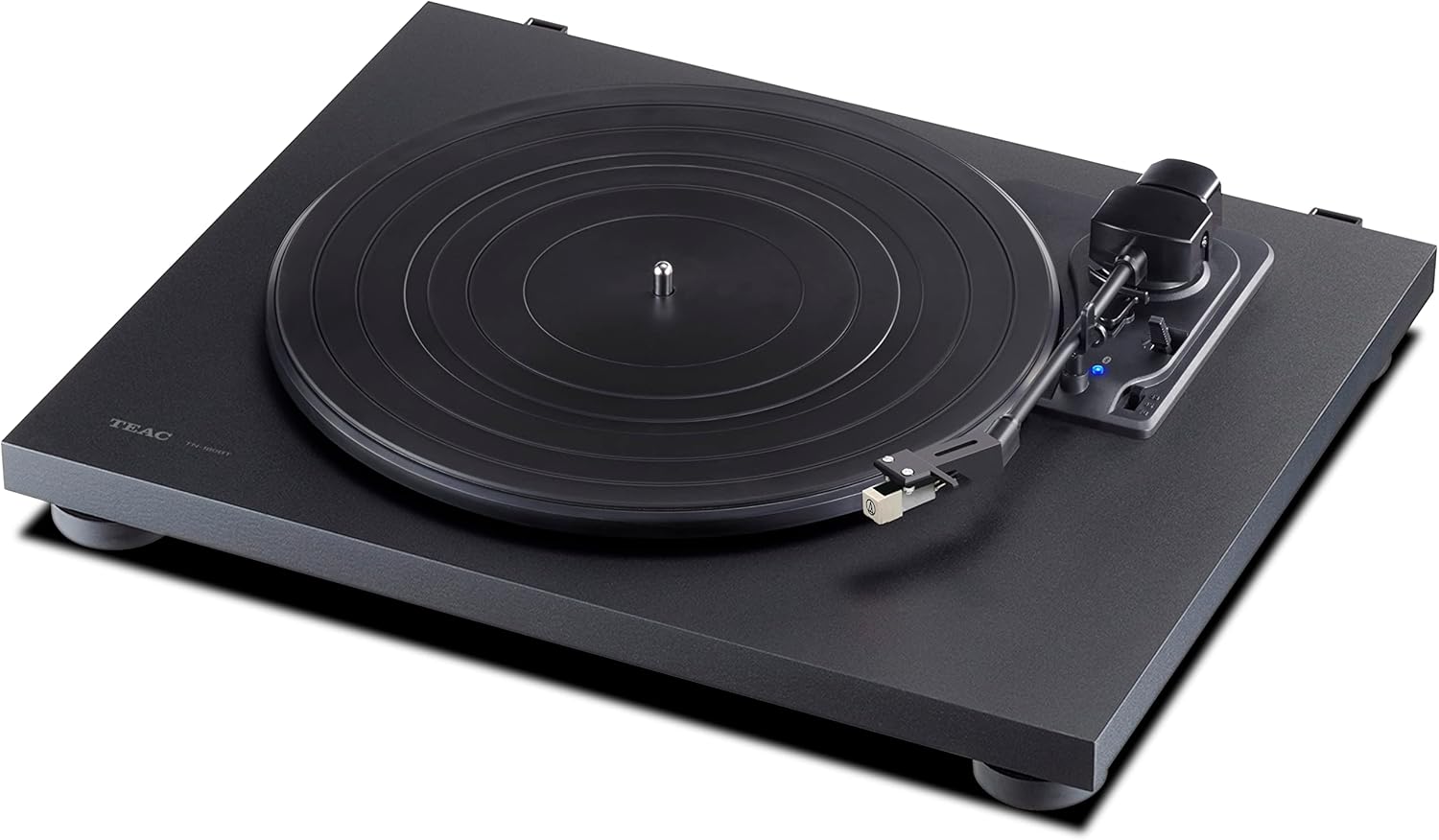
Figure 3: Front view of the Teac TN-180BT-B, showing the platter, tonearm, and speed selector.
6. Maintenance
6.1 Cleaning the Unit
- Wipe the dust cover and cabinet with a soft, dry cloth.
- For stubborn dirt, use a slightly damp cloth and then dry thoroughly.
- Do not use abrasive cleaners, waxes, or solvents as they can damage the finish.
6.2 Stylus Care
- Gently clean the stylus regularly using a soft brush designed for stylus cleaning, brushing from back to front.
- Avoid touching the stylus with your fingers.
- The stylus typically lasts for approximately 300-500 hours of playback. Replace it when sound quality deteriorates or distortion occurs. Consult your dealer for replacement stylus information.
7. Troubleshooting
| Problem | Possible Cause | Solution |
|---|---|---|
| No power | AC adapter not connected; Power switch OFF. | Ensure AC adapter is securely connected and plugged into a live outlet. Turn power switch to ON. |
| No sound or low volume | Incorrect PHONO EQ switch setting; RCA cables not connected properly; Bluetooth not paired; Amplifier/speakers off or volume low. | Adjust PHONO EQ switch (ON for LINE IN, THRU for PHONO IN). Check RCA cable connections. Re-pair Bluetooth device. Ensure amplifier/speakers are on and volume is adequate. |
| Sound distorted or skipping | Dirty or worn stylus; Record is dirty or damaged; Turntable not level; Excessive vibration. | Clean or replace stylus. Clean record. Ensure turntable is on a level, stable surface. Place turntable away from speakers. |
| Turntable not spinning | Drive belt dislodged or broken; Platter not correctly installed. | Check and re-seat the drive belt around the motor pulley and platter. Ensure platter is seated correctly. |
| Auto-return not working | Mechanism obstruction; Unit malfunction. | Ensure no foreign objects are obstructing the tonearm's path. If issue persists, contact support. |
8. Specifications
| Feature | Detail |
|---|---|
| Product Dimensions | 14 x 16.5 x 4.1 inches |
| Item Weight | 10.78 pounds (4.9 Kilograms) |
| Brand | Teac |
| Model Name | TN-180BT-B |
| Connectivity Technology | Bluetooth, RCA |
| Motor Type | AC Motor |
| Speeds Supported | 33 1/3, 45, 78 RPM |
| Material | Engineered Wood, Wood |
| Color | Black |
| Features | Built-in Phono EQ, Auto-return, Manual arm lifter |
9. Warranty and Support
For warranty information, please refer to the Warranty Card included in your product packaging. For technical support, troubleshooting assistance beyond this manual, or inquiries about replacement parts, please visit the official Teac website or contact their customer service directly. Keep your purchase receipt for warranty claims.
You can find more information and support resources at the Teac Store on Amazon.


