1. Introduction
This manual provides comprehensive instructions for the installation, operation, maintenance, and troubleshooting of the Lenel LNL-1320-S3 Dual Reader Interface (DRI) Module Series 3. The LNL-1320-S3 is designed to integrate various access control card readers, keypads, or readers with keypads into a security system. Please read this manual thoroughly before attempting any installation or operation to ensure proper functionality and safety.
2. Product Overview
The Lenel LNL-1320-S3 Dual Reader Interface (DRI) module facilitates communication between access control readers and the main control system. It supports a wide range of reader types and communication protocols, enhancing flexibility in access control solutions.
Key Features:
- Supports 12 or 24 VDC power supply.
- Compatible with Data1/Data0, Clock/Data, Supervised and Unsupervised F2F, and OSDP-compatible RS-485 readers and keypads.
- Includes support for Open Supervised Device Protocol (OSDP) readers, enabling biometric template transfer and Secure Channel encryption.
- Features downloadable firmware for future updates and enhancements.
- Equipped with six Form-C 5 A at 28 VDC relay outputs.
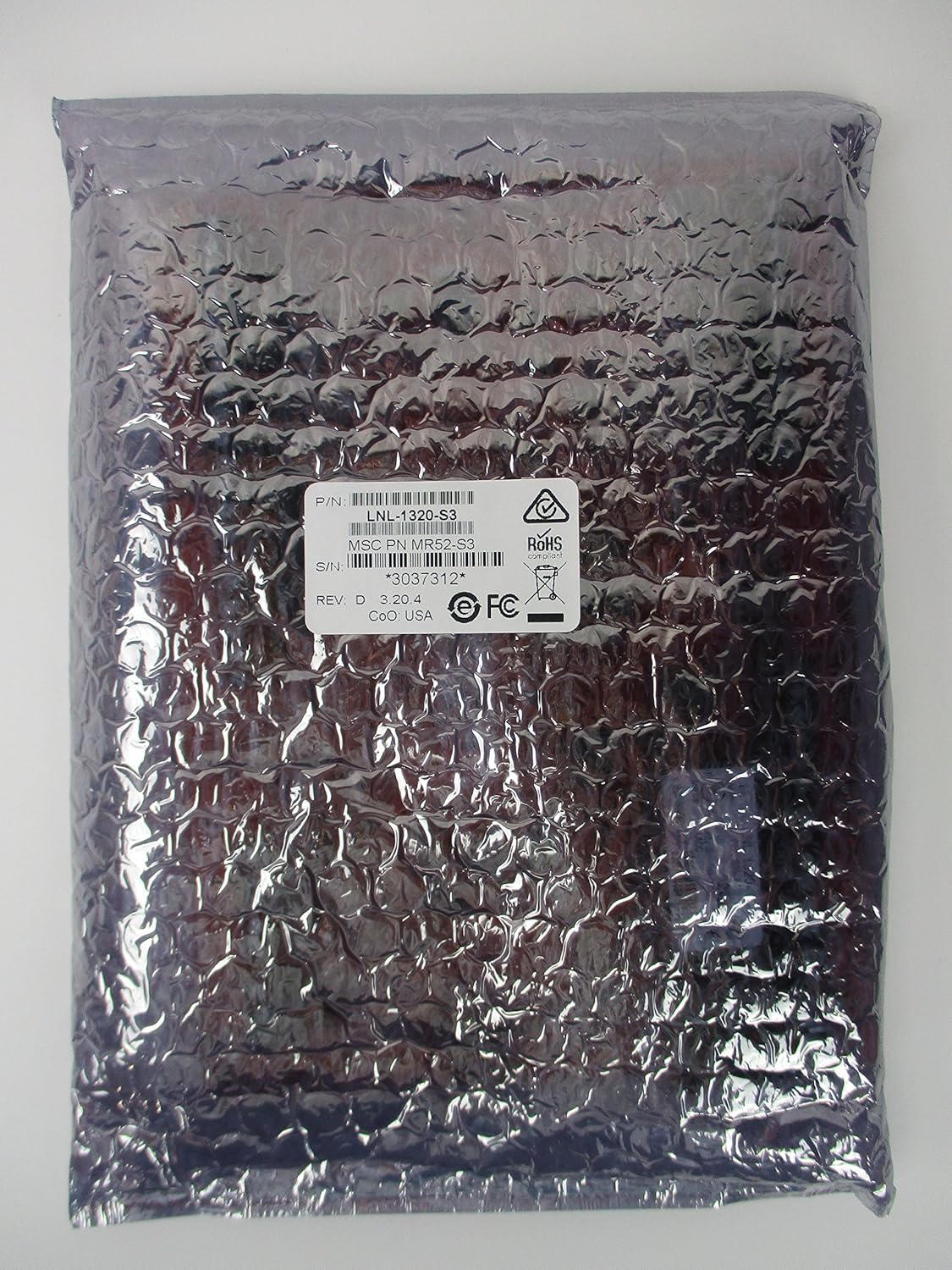
Figure 1: Lenel LNL-1320-S3 Dual Reader Interface Module as received in its protective anti-static packaging.

Figure 2: Front view of the LNL-1320-S3 circuit board, showing various electronic components, input/output terminals, and reader connections.

Figure 3: Back view of the LNL-1320-S3 circuit board, illustrating the solder points and circuit traces.
3. Setup and Installation
Proper installation is crucial for the reliable operation of the LNL-1320-S3 module. Ensure all power is disconnected before beginning installation.
3.1. Power Supply
The module requires a 12 VDC or 24 VDC power supply. Connect the appropriate power source to the designated power input terminals on the board. Verify correct polarity to prevent damage.
3.2. Reader Connections
The LNL-1320-S3 supports two readers. Connect your access control readers to the 'READER 1' and 'READER 2' terminals. Ensure that the wiring for Data1/Data0, Clock/Data, or RS-485 (for OSDP) is correctly matched according to your reader's specifications and the module's terminal labels.
3.3. Relay Outputs
The module provides six Form-C relay outputs. These can be used to control locks, alarms, or other devices. Connect the devices to be controlled to the respective relay terminals (RLY 1 through RLY 6). Observe the maximum switching capacity of 5 A at 28 VDC.
3.4. Inputs
The module includes several input terminals for various purposes, such as door contacts, request-to-exit buttons, or other auxiliary inputs. Refer to the system's wiring diagram for specific input assignments and configurations.
4. Operating Instructions
Once installed and powered, the LNL-1320-S3 module operates under the control of the connected access control system. Its primary function is to interface between the readers and the system controller.
4.1. Supported Readers
The module is designed to work with most access control card readers, keypads, or readers with keypads that utilize standard Wiegand Data1/Data0 or Clock/Data communication. It also supports devices using the bidirectional RS-485 Open Supervised Device Protocol (OSDP).
4.2. Access Modes
The LNL-1320-S3 supports various offline access modes, including lock, unlock, and facility code access, on all connected readers. These modes are typically configured through the main access control software.
4.3. Card Formats
Each DRI supports up to 16 different card formats. It also handles issue codes for both magnetic and Wiegand card formats, providing broad compatibility with existing card systems.
5. Maintenance
The LNL-1320-S3 module is designed for long-term reliability with minimal maintenance. However, periodic checks and updates are recommended.
5.1. Firmware Updates
The module's firmware is downloadable, allowing for updates to incorporate new features, security enhancements, or bug fixes. Refer to the LenelS2 documentation or support portal for the latest firmware and update procedures.
5.2. Cleaning
Keep the module free from dust and debris. If cleaning is necessary, use a soft, dry cloth. Do not use liquid cleaners or solvents, as these can damage electronic components.
5.3. Environmental Conditions
Ensure the module is operated within its specified environmental conditions (temperature, humidity) to prevent premature failure. Avoid exposing the module to extreme temperatures or moisture.
6. Troubleshooting
This section provides guidance for common issues that may arise during the operation of the LNL-1320-S3 module.
6.1. Common Issues and Solutions
- Module Not Powering On:
Check the power supply connections and ensure the voltage is within the 12-24 VDC range. Verify that the power source is active. - Reader Not Responding:
Confirm that the reader is correctly wired to the module's reader terminals. Check for proper communication protocol settings (Wiegand, OSDP) in the access control system software. Ensure the reader itself is functional. - Relay Output Not Activating:
Verify the wiring to the controlled device. Check the configuration of the relay in the access control system software. Ensure the device connected to the relay is operational and within the relay's current/voltage limits. - Communication Errors:
Inspect all data wiring for continuity and correct connections. For RS-485 (OSDP), check for proper termination and addressing. Consult the access control system's diagnostic tools. - Firmware Update Failure:
Ensure a stable power supply during the update process. Follow the specific firmware update instructions provided by LenelS2 precisely. Do not interrupt the update.
If issues persist after attempting these troubleshooting steps, contact LenelS2 technical support for further assistance.
7. Specifications
| Item Model Number | LNL-1320-S3 |
| Power Supply | 12 or 24 VDC |
| Reader Support | Data1/Data0, Clock/Data, Supervised/Unsupervised F2F, OSDP-compatible RS-485 |
| Relay Outputs | Six Form-C, 5 A at 28 VDC |
| Firmware | Downloadable |
| Package Dimensions | 9 x 8.5 x 3 inches |
| Item Weight | 12.8 ounces |
| Manufacturer | LENEL |
8. Warranty and Support
LenelS2 products are backed by a manufacturer's warranty. For specific warranty terms and conditions, please refer to the documentation included with your purchase or visit the official LenelS2 website. For technical support, product inquiries, or service requests, please contact LenelS2 customer support through their official channels. Providing your product model number (LNL-1320-S3) and a detailed description of the issue will help expedite support.


