
1. Introduction
Thank you for purchasing the Uten EK8461H Electronic Kitchen Scale. This high-precision digital scale is designed to provide instant and accurate measurements for various ingredients, water, milk, and other food items. Its user-friendly design, durable stainless steel platform, and multiple functions make it an essential tool for any kitchen. Please read this manual thoroughly before use to ensure proper operation and maintenance.

Image: The Uten EK8461H Electronic Kitchen Scale, showcasing its sleek design and digital display amidst various fresh ingredients, illustrating its versatility in a kitchen setting.
2. Important Safety Instructions
- Always place the scale on a hard, flat, and stable surface for accurate readings.
- Do not immerse the scale in water or other liquids. The scale is not waterproof.
- Clean the scale with a damp cloth. Do not use abrasive cleaners or chemicals.
- Avoid exposing the scale to extreme temperatures or humidity.
- Do not overload the scale beyond its maximum capacity of 5 kg (11 lbs).
- Keep the scale away from strong electromagnetic fields.
- Remove batteries if the scale will not be used for an extended period.
- This scale is for household use only.
3. Setup
3.1 Unpacking
Carefully remove the scale from its packaging. Inspect the scale for any signs of damage. If any damage is found, do not use the scale and contact customer support.
3.2 Battery Installation
- Locate the battery compartment on the underside of the scale.
- Open the battery compartment cover.
- Insert 2 AAA batteries, ensuring correct polarity (+/-).
- Close the battery compartment cover securely.
3.3 Initial Placement
Place the scale on a firm, level surface. Avoid placing it on soft or uneven surfaces, as this can affect accuracy.
4. Operation
4.1 Power On/Off
- To turn on: Press the ON/OFF button. The display will show "8888" and then "0g" or "0.0oz".
- To turn off: Press and hold the ON/OFF button for a few seconds, or the scale will automatically shut off after a period of inactivity to conserve battery life.
4.2 Unit Conversion
The scale supports 4 units of conversion for both weight and volume measurements.
- Press the UNIT button to cycle through the available units: grams (g), kilograms (kg), ounces (oz), milliliters (ml), and fluid ounces (fl'oz).
- The scale can measure water and milk volume directly using the ml and fl'oz settings.

Image: A close-up of the scale's display illustrating the various unit options for weight (lb:oz, g, kg) and volume (ml, fl.oz), demonstrating the ease of switching between them.
4.3 Zero and Tare Function
The Zero and Tare functions allow you to weigh multiple ingredients consecutively without removing them from the scale, or to subtract the weight of a container.
- Place an empty container on the scale. The display will show its weight.
- Press the ZERO/TARE button. The display will reset to "0".
- Add the first ingredient to the container. The display will show the weight of the ingredient.
- To add another ingredient, press the ZERO/TARE button again to reset the display to "0", then add the next ingredient.

Image: A step-by-step visual guide demonstrating how to use the Zero and Tare function, showing an empty bowl being placed, then tared, and finally ingredients added for accurate measurement.
4.4 Alarm Timer
The integrated alarm timer can be used for cooking or baking tasks.
- To set the timer: Press the T-STE button to enter timer setting mode. Use the UNIT and ZERO/TARE buttons to adjust hours/minutes.
- To start/stop the timer: Press the T-STE button again to start or pause.
- When the timer counts down to zero, an audible alarm will sound.
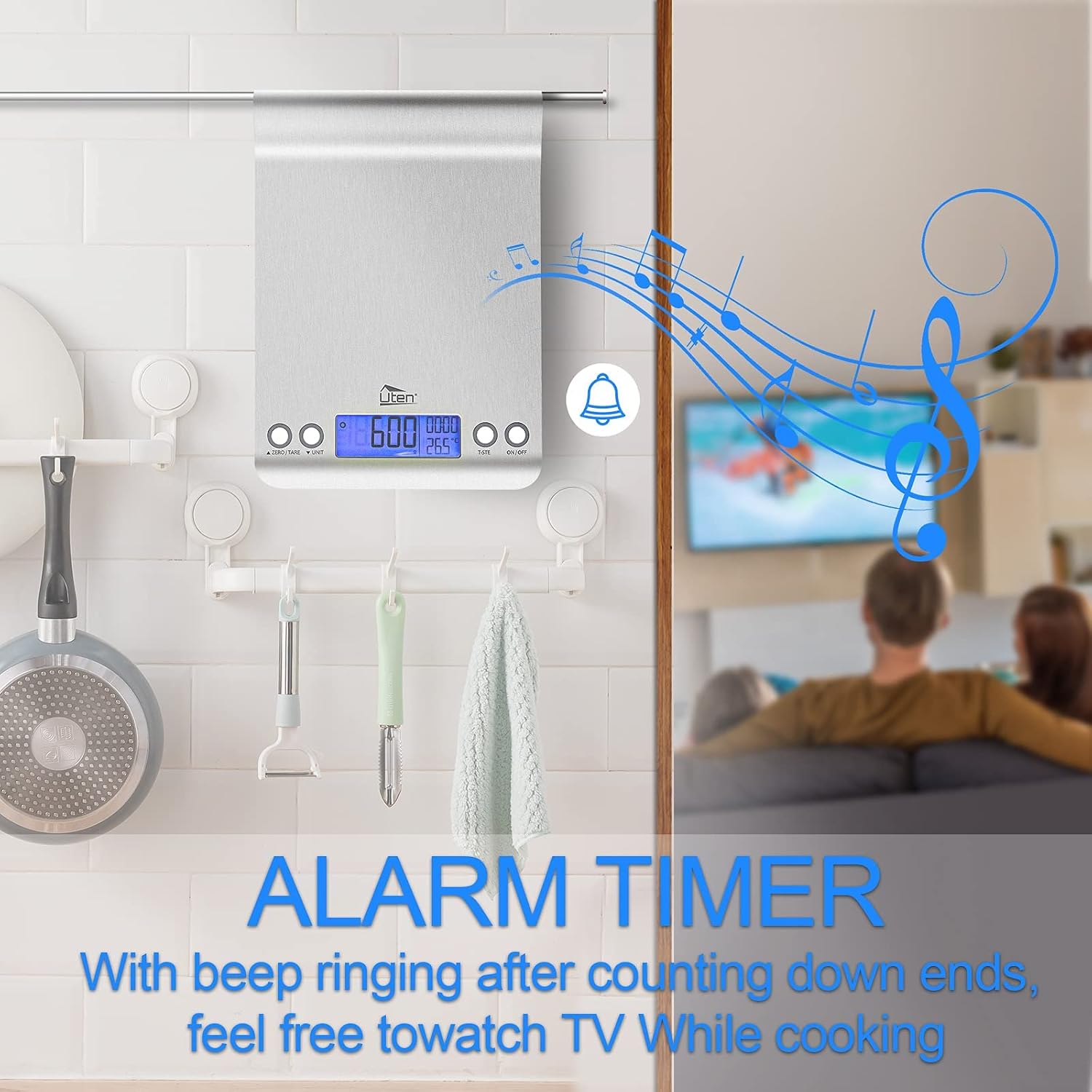
Image: The kitchen scale displayed in a kitchen setting, with a graphic overlay of musical notes and a bell, indicating the alarm timer function for hands-free cooking.
4.5 Real-time Clock and Temperature Sensor
The scale features a real-time clock display and an integrated temperature sensor, providing additional utility in your kitchen.
- The current time is displayed on the LCD screen when the scale is not actively weighing.
- The ambient temperature is also shown, typically in Celsius or Fahrenheit.
5. Key Features
- High Precision Sensor System: Ensures instant and accurate measurements.
- Stainless Steel Platform: Durable, anti-fingerprint, and easy to clean.
- Slim and Hangable Design: Space-saving storage, ideal for small kitchens.
- Large LCD Display with Blue Backlight: Clear and easy-to-read measurements.
- Multiple Unit Conversions: Switch between g, kg, oz, ml, and fl'oz.
- Zero and Tare Function: For accurate measurement of multiple ingredients in one container.
- Alarm Timer: Built-in timer for cooking and baking.
- Real-time Clock and Temperature Sensor: Additional utility for kitchen tasks.
- Low Battery and Overload Indicators: Alerts for maintenance and safe use.

Image: The Uten EK8461H kitchen scale positioned next to various baked goods, emphasizing its large, flat weighing platform and slim profile for easy storage and use.
6. Maintenance and Care
6.1 Cleaning
The stainless steel platform is designed for easy cleaning.
- Wipe the scale surface with a soft, damp cloth.
- For stubborn stains, use a mild detergent on the cloth, then wipe with a clean, damp cloth.
- Do not use abrasive pads, harsh chemicals, or immerse the scale in water.
- Ensure the scale is completely dry before storage or next use.

Image: A hand wiping a red liquid spill from the stainless steel surface of the kitchen scale with a grey cloth, highlighting the scale's easy-to-clean and anti-fingerprint design.
6.2 Storage
- Store the scale in a cool, dry place.
- The slim design allows for easy storage in drawers or cabinets. The integrated hook allows it to be hung on a wall or rack.
- Avoid placing heavy objects on the scale during storage.
6.3 Battery Replacement
When the "Lo" indicator appears on the display, it's time to replace the batteries.
- Follow the battery installation steps in Section 3.2.
- Always replace both AAA batteries at the same time.
- Dispose of old batteries responsibly according to local regulations.
7. Troubleshooting
| Problem | Possible Cause | Solution |
|---|---|---|
| Scale does not turn on | Dead or incorrectly installed batteries. | Check battery polarity. Replace with new AAA batteries. |
| Inaccurate readings | Scale on an uneven surface; overloaded; strong vibrations; air currents. | Place on a flat, stable surface. Do not exceed 5 kg. Avoid drafts. Recalibrate if necessary (refer to advanced settings if available, otherwise contact support). |
| "Lo" displayed | Low battery power. | Replace batteries with new AAA batteries. |
| "O-Ld" or "EEEE" displayed | Scale overloaded. | Remove items immediately. Do not exceed the maximum capacity of 5 kg. |
| Display is dim or flickering | Low battery power. | Replace batteries. |
8. Product Specifications
| Model Number | EK8461H |
| Brand | Uten |
| Maximum Capacity | 5 kg (11 lbs) |
| Measurement Precision | 1g / 0.05 oz |
| Units of Measurement | g, kg, oz, ml, fl'oz |
| Display Type | LCD with Blue Backlight |
| Material | Stainless Steel |
| Dimensions (L x W x H) | 26.59 x 19.99 x 4.39 cm (approx. 10.47 x 7.87 x 1.73 inches) |
| Item Weight | 520 grams |
| Power Source | 2 x AAA Batteries (not included) |
| Special Features | Tare Function, Alarm Timer, Real-time Clock, Temperature Sensor, Low Battery Indicator, Overload Indicator, Hangable Design |
| UPC | 717877579026 |
9. Warranty and Support
9.1 Warranty Information
Uten products are manufactured to high-quality standards. This product comes with a standard manufacturer's warranty against defects in materials and workmanship. Please refer to the product packaging or the official Uten website for specific warranty terms and duration.
9.2 Customer Support
If you have any questions, concerns, or require assistance with your Uten EK8461H Electronic Kitchen Scale, please contact our customer support team. You can typically find contact information on the product packaging, the official Uten website, or through your retailer.
When contacting support, please have your model number (EK8461H) and proof of purchase ready.