Introduction
This manual provides comprehensive instructions for the installation, operation, and maintenance of your Suptek Single Monitor Arm Desk Mount MD6821. Please read this manual thoroughly before installation and use to ensure safe and efficient operation. Keep this manual for future reference.
Safety Information
Always ensure that the monitor arm is securely attached to a stable desk surface. Do not exceed the maximum weight capacity of 22 lbs (10 kg) or the maximum screen size of 32 inches. Improper installation or exceeding weight limits can result in property damage or personal injury. Keep children and pets away during installation. Use all provided hardware and tools as instructed.
Setup and Installation
Before beginning, ensure all components are present and undamaged. Refer to the parts list in your packaging. Two installation methods are available: C-clamp mounting and grommet mounting.
Product Dimensions and Compatibility

Image: Product dimensions, weight capacity, and VESA compatibility for the Suptek MD6821 monitor arm.
The Suptek MD6821 is compatible with most screens up to 32 inches and weighing up to 22 lbs (10 kg). It supports VESA mounting patterns of 75x75mm and 100x100mm.
Installation Methods
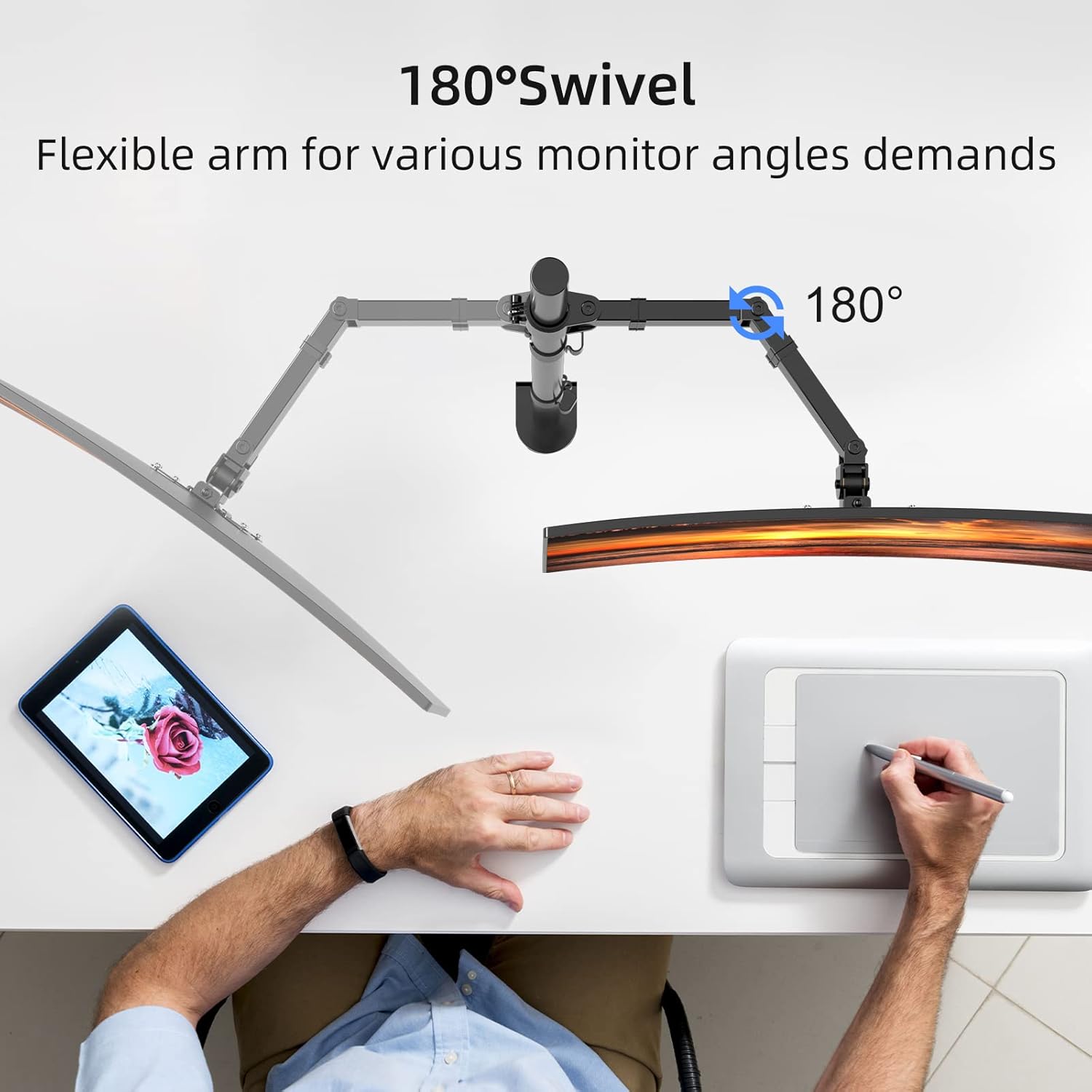
Image: Two available installation methods: C-Clamp and Grommet Mounting.
1. C-Clamp Mounting
- Attach the C-clamp base to the bottom of the main pole using the provided screws.
- Position the C-clamp on your desk edge. Ensure the desk thickness is up to 3.93 inches (100mm).
- Tighten the C-clamp screw until the mount is firmly secured to the desk. Do not overtighten.
2. Grommet Mounting
- If your desk has a grommet hole (minimum 42mm diameter), insert the grommet base through the hole.
- Secure the grommet base from underneath the desk using the provided washer and nut.
- Attach the main pole to the grommet base using the provided screws.
Attaching the Monitor Arm and VESA Plate

Image: Removable VESA plate for easy monitor installation, with cable management and Allen key storage features.
- Slide the monitor arm onto the main pole and adjust to your desired height. Secure it with the tightening knob.
- Attach the VESA plate to the back of your monitor using the appropriate screws (M4 or M5, depending on your monitor).
- Slide the monitor with the attached VESA plate onto the monitor arm's mounting head. Ensure it clicks securely into place.
- Tighten any remaining screws to secure the monitor to the arm.
Operating and Adjustments
The Suptek MD6821 monitor arm offers extensive adjustability for optimal viewing comfort and ergonomic benefits.
Monitor Adjustments
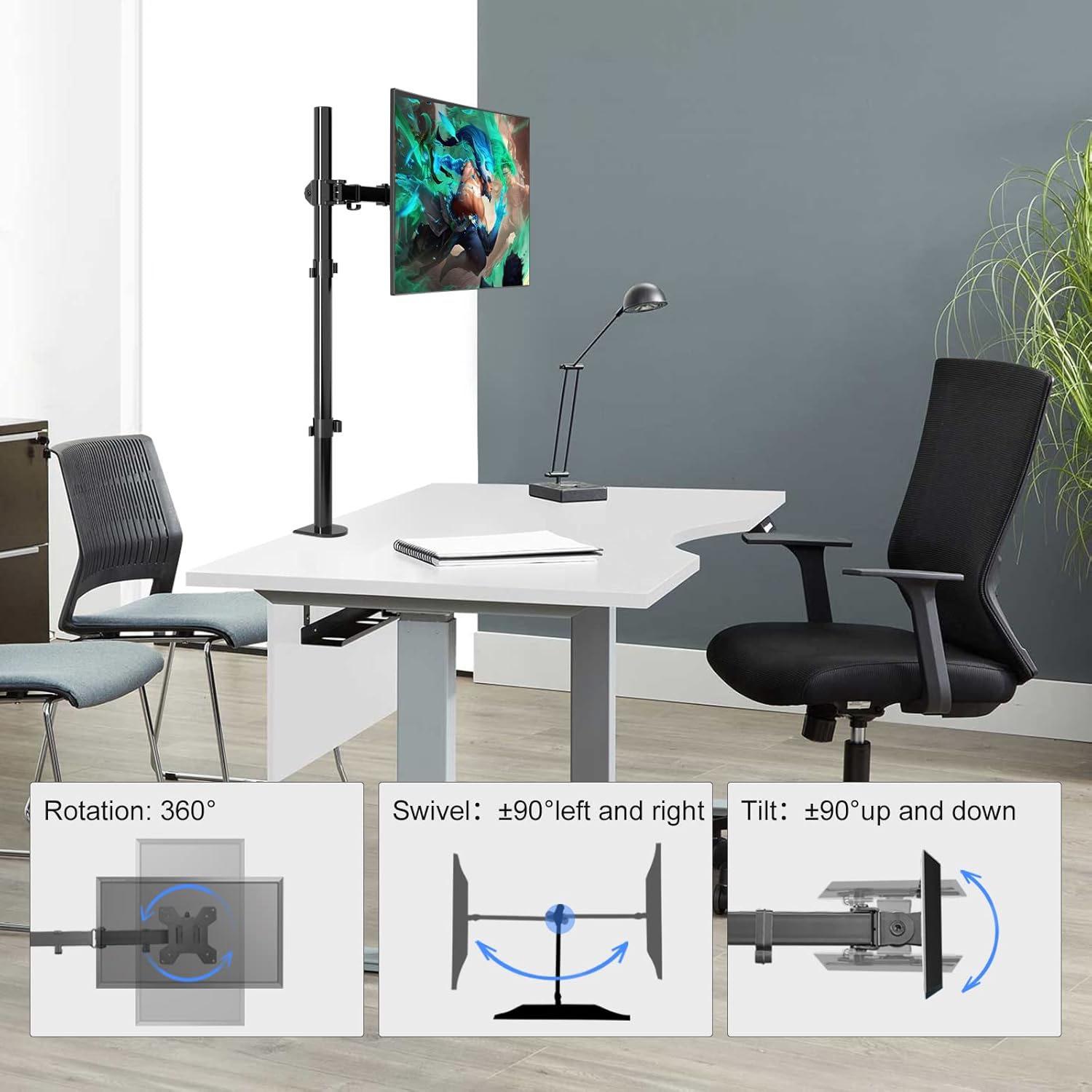
Image: Demonstrating the rotation, swivel, and tilt adjustments of the monitor arm.
- Rotation: The monitor can rotate 360 degrees, allowing for landscape or portrait orientation.
- Tilt: Adjust the monitor tilt by +/-90 degrees (up and down) to reduce glare and optimize viewing angles.
- Swivel: Swivel the monitor +/-90 degrees (left and right) to share your screen or adjust your viewing position.
- Height Adjustment: The monitor arm can be moved up or down along the 31.5-inch (80cm) pole to achieve the ideal ergonomic height. Loosen the height adjustment collar, reposition the arm, and then re-tighten.
Ergonomic Benefits

Image: Ergonomic design promoting healthier work postures, both sitting and standing.
Proper adjustment of your monitor arm can help reduce neck and eye strain, promoting a healthier and more comfortable workspace. Adjust the monitor so the top of the screen is at or slightly below eye level when you are sitting or standing.
Cable Management
Utilize the integrated cable management clips along the arm and pole to keep your power and AV cables organized and out of sight. This contributes to a tidy and clean desk environment.
Maintenance
Regular maintenance ensures the longevity and optimal performance of your monitor arm.
- Cleaning: Wipe the monitor arm with a soft, damp cloth. Avoid using abrasive cleaners or solvents that could damage the finish.
- Tightness Check: Periodically check all screws and connections to ensure they remain tight. Re-tighten if necessary, but do not overtighten.
- Lubrication: No lubrication is required for the moving parts.
Troubleshooting
- Monitor is unstable or sags:
- Ensure all mounting screws, especially those connecting the VESA plate to the monitor and the arm to the pole, are securely tightened. Verify that the monitor's weight does not exceed the 22 lbs (10 kg) capacity.
- Difficulty adjusting monitor position:
- Check if any adjustment knobs or screws are overtightened. Loosen them slightly to allow movement, then re-tighten to hold the desired position. For height adjustment, ensure the collar clamp is loosened before attempting to move the arm.
- Cables are not staying in clips:
- Ensure cables are properly routed through the clips. If cables are too thick or numerous, consider using additional cable ties for better organization.
Specifications
| Model Number | MD6821 |
| Brand | Suptek |
| Screen Size Compatibility | Up to 32 inches |
| Weight Capacity | Max. 22 lbs (10 kg) |
| VESA Compatibility | 75x75mm, 100x100mm |
| Pole Height | 31.5 inches (80 cm) |
| Desk Thickness (C-Clamp) | Up to 3.93 inches (100mm) |
| Grommet Hole Diameter | Min. 42mm |
| Adjustments | 360° Rotation, ±90° Tilt, ±90° Swivel, Height Adjustment |
| Material | Alloy Steel |
Product Overview Video
Video: Official overview of the Suptek Single Monitor Mount MD6821, demonstrating its features and adjustability.
Warranty and Support
Suptek products are designed for durability and performance. This product comes with a standard manufacturer's warranty against defects in materials and workmanship. For specific warranty details, please refer to the warranty card included with your product or visit the official Suptek website.
For technical support, missing parts, or any questions regarding your Suptek MD6821 monitor arm, please contact Suptek customer service through their official website or the retailer where the product was purchased. Please have your model number (MD6821) and purchase information ready when contacting support.


