
Introduction
This manual provides detailed instructions for the safe installation, operation, and maintenance of your Tech Drive 70 CFM 2.0 Sone Bathroom Exhaust Fan. Please read this manual thoroughly before installation and retain it for future reference.
The Tech Drive bathroom exhaust fan is designed to efficiently remove moisture and odors from bathrooms up to 75 square feet. It features a quiet 2.0 Sone operation and a powerful 70 CFM airflow. This unit is Energy Star qualified, UL, and HVI certified, ensuring performance and energy efficiency. Its design allows for room-side installation without requiring attic access, making replacement and new installations simpler.
Safety Information
WARNING: To reduce the risk of fire, electric shock, or injury to persons, observe the following:
- Use this unit only in the manner intended by the manufacturer. If you have questions, contact the manufacturer.
- Before servicing or cleaning the unit, switch power off at the service panel and lock the service disconnecting means to prevent power from being switched on accidentally. When the service disconnecting means cannot be locked, securely fasten a prominent warning device, such as a tag, to the service panel.
- Installation work and electrical wiring must be done by qualified person(s) in accordance with all applicable codes and standards, including fire-rated construction codes and standards.
- Sufficient air is needed for proper combustion and exhausting of gases through the flue (chimney) of fuel-burning equipment to prevent back-drafting. Follow the heating equipment manufacturer’s guideline and safety standards such as those published by the National Fire Protection Association (NFPA), and the American Society for Heating, Refrigeration and Air Conditioning Engineers (ASHRAE), and the local code authorities.
- When cutting or drilling into wall or ceiling, do not damage electrical wiring and other hidden utilities.
- Ducted fans must always be vented to the outdoors.
- This unit is suitable for use over a bathtub or shower when connected to a GFCI-protected branch circuit.
Package Contents
Verify that all components are present before beginning installation:
- Fan Housing
- Grille
- Screws (4)
- User Manual

Figure 1: Package Contents
Setup and Installation
This fan is designed for easy room-side installation, eliminating the need for attic access. The housing dimensions are 7.5 in x 7.25 in x 4 in, fitting most standard bathroom openings (7.6 in x 7.3 in).
Installation Steps:
- Prepare Ceiling Opening: Ensure the ceiling opening is approximately 7.6 inches by 7.3 inches.
- Remove Fan Assembly: Disconnect and remove the fan motor assembly from the housing.
- Wiring: Connect the fan's electrical wires (white to house white, black to house black, green to ground) using wire nuts. Secure the wiring connection.
- Install Duct: Attach the 3-inch duct (included) to the fan housing's exhaust port. Use tape or a 3-inch duct clamp (not included) to secure the connection.
- Mount Housing: Insert the fan housing into the ceiling opening. Secure the housing to the ceiling joist using the provided screws through the keyhole slots.
- Reattach Fan Assembly: Reinstall the fan motor assembly into the secured housing.
- Install Grille: Attach the grille to the housing by aligning the springs with the slots and pushing it firmly into place.

Figure 2: Room-Side Installation Steps
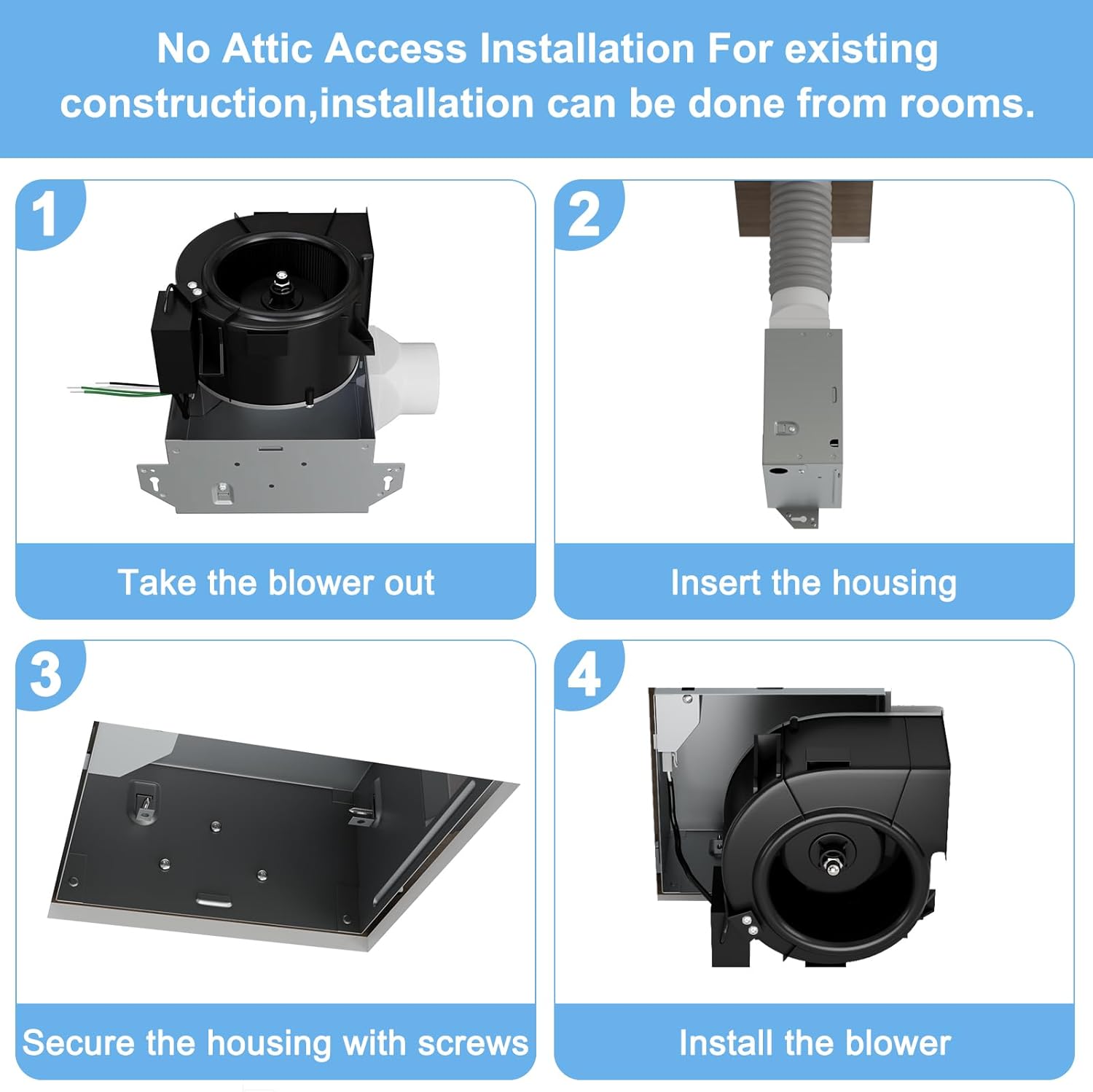
Figure 3: Attaching the Grille
Video 1: Installation guide for the 70 CFM bath fan, demonstrating the easy room-side installation process.
Video 2: General installation steps for Tech Drive standard fans, including wiring and mounting. (Note: This video references 50 CFM, but the installation principles are applicable.)
Operating Instructions
The Tech Drive bathroom exhaust fan operates via a standard wall switch (not included). Simply toggle the switch to turn the fan on or off. For optimal performance, operate the fan during and after showering or bathing to effectively remove humidity and prevent moisture buildup.
Maintenance
Regular cleaning of your exhaust fan will ensure optimal performance and longevity. Always disconnect power at the circuit breaker before performing any maintenance.
Cleaning the Grille:
- Gently pull down on the grille to disengage the spring clips.
- Wash the grille with mild soap and water.
- Rinse thoroughly and allow to dry completely before reattaching.
- Align the spring clips with the slots in the housing and push the grille back into place until it snaps securely.
Cleaning the Fan Housing and Motor:
With the grille removed and power disconnected, carefully wipe down the fan housing and motor assembly with a damp cloth. Avoid getting water directly into the motor or electrical components. Allow all parts to dry completely before restoring power.
Troubleshooting
| Problem | Possible Cause | Solution |
|---|---|---|
| Fan does not operate | No power to the fan; Loose wiring connection; Motor malfunction | Check circuit breaker; Verify wiring connections; Contact customer support if motor is faulty. |
| Fan is noisy | Loose mounting screws; Debris in fan blades; Motor bearing issue | Tighten mounting screws; Clean fan blades; Contact customer support if motor is faulty. |
| Poor air movement | Blocked ductwork; Dirty grille/fan blades; Incorrect fan size for room | Check ductwork for obstructions; Clean grille and fan blades; Ensure fan is appropriate for room size. |
Specifications
- Brand: Tech Drive
- Model Name: 70 CFM 2.0 Sone New Version
- Model Number: TD-BF-03-1
- Air Flow Capacity: 70 Cubic Feet Per Minute (CFM)
- Noise Level: 2.0 Sones
- Room Type: Bathroom (up to 75 Sq. Ft.)
- Mounting Type: Ceiling Mount (Room-side installation)
- Duct Size: 3-inch
- Housing Dimensions: 7.5"D x 7.25"W x 4"H
- Ceiling Mounting Opening: 7.6" x 7.3"
- Power Source: AC
- Voltage: 120 Volts
- Wattage: 20 watts
- Material: Metal (housing), Plastic (blade)
- Certifications: Energy Star qualified, UL Certified, HVI Certified
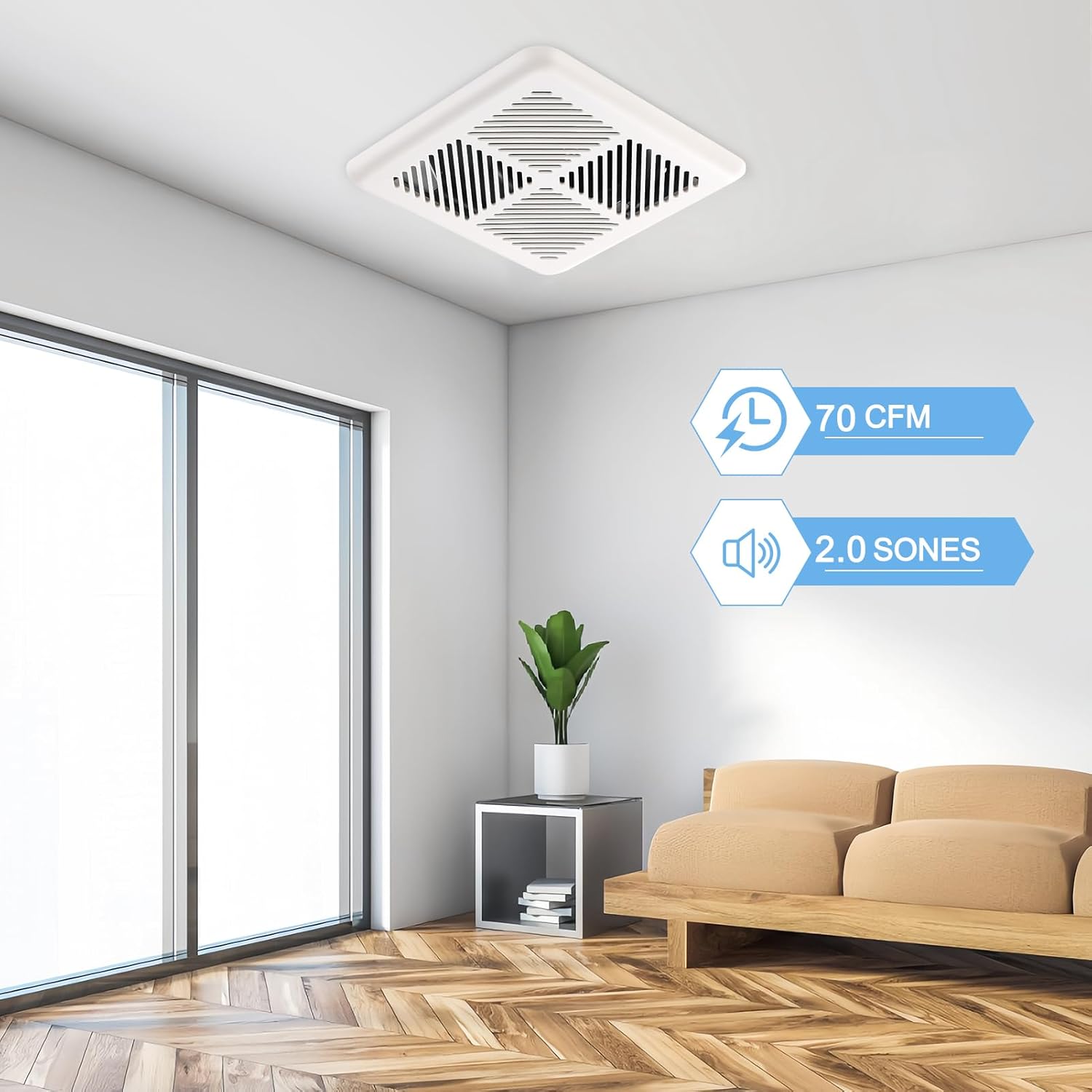
Figure 4: Product Dimensions and Certifications

Figure 5: Airflow and Noise Level
Warranty and Support
For warranty information or technical support, please refer to the contact details provided with your purchase documentation or visit the official Tech Drive website. Keep your proof of purchase for warranty claims.
