
1. Product Overview
The IPEGA PG-9067 is a versatile wireless gaming controller designed for use with Android smartphones, tablets, PCs, and TV boxes. It features Bluetooth 3.0 connectivity for a stable wireless connection and an ergonomic design for comfortable extended gameplay sessions. The controller includes a built-in stretchable phone bracket, allowing for easy mobile gaming.

Figure 1: Front view of the IPEGA PG-9067 Wireless Gaming Controller.
2. Package Contents
Please check the package contents upon unboxing to ensure all items are present:
- 1 x IPEGA PG-9067 Game Controller
- 1 x USB Charging Cable
- 1 x User Manual
3. Specifications
| Feature | Detail |
|---|---|
| Model | PG-9067 |
| BT Standard | V3.0 |
| Wireless Range | 8-10 meters |
| Compatible Models | Cellphone, Tablet, PC, TV Box |
| Supported Systems | Android 3.2 and above, iOS 7 and above |
| Battery | Built-in Lithium rechargeable 3.7V/380mAh |
| Working Voltage | DC3.7V |
| Working Current | ≤30mA |
| Quiescent Current | ≤80mA |
| Product Dimensions | Approx. 16 x 12 x 6 cm (6.24 x 4.7 x 2.34 in) |
| Product Weight | Approx. 180g (7.35oz) |
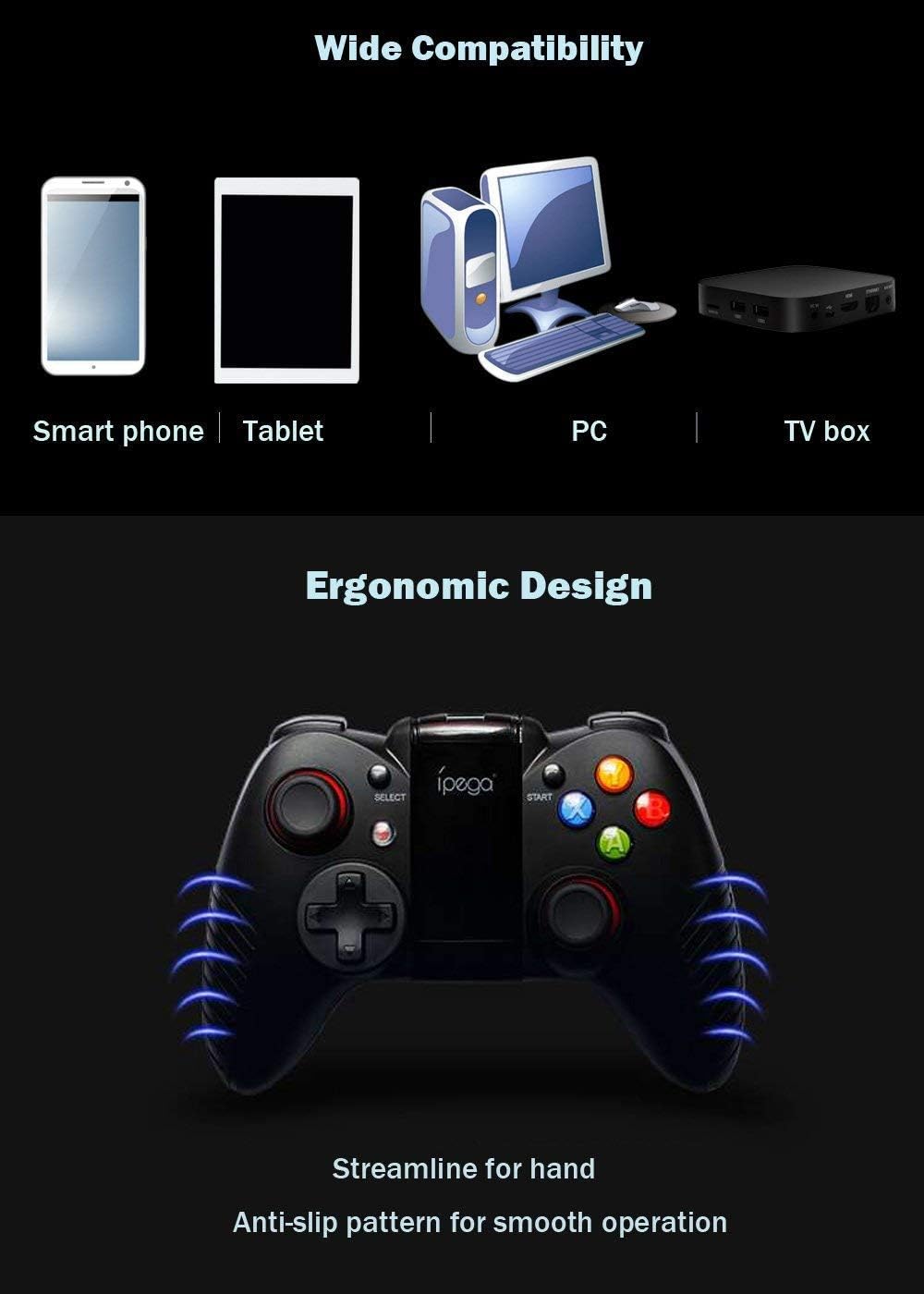
Figure 2: The PG-9067 controller highlighting wide compatibility and ergonomic design.
4. Setup and Connection
4.1 Charging the Controller
Before first use, fully charge the controller using the provided USB cable. Connect the small end of the USB cable to the charging port on the controller and the other end to a USB power source (e.g., computer USB port, USB wall adapter). The charging indicator light will show the charging status.
4.2 Pairing with Android Devices
Follow these steps to pair your PG-9067 controller with an Android smartphone or tablet:
- Press and hold the X button and the Home button (
 ) simultaneously for approximately 2 seconds.
 - Release both buttons when LED1 starts to flash quickly. This indicates the controller is in pairing mode.
- On your Android device, open the Bluetooth settings and enable Bluetooth.
- Search for available devices. The controller will appear as "PG-9067". Select it to pair.
- Once successfully connected, LED1 on the controller will remain lit.
Figure 3: Visual guide for connecting the controller to an Android device.
Note: This device supports only Bluetooth enabled PC, laptop and TV box. Not all games can be fully played with this controller.
5. Operating Instructions
5.1 Game Compatibility and Platforms
The PG-9067 controller supports various game application platforms. For optimal compatibility, it is recommended to download games from specific game halls or platforms that support gamepad control. Some recommended platforms include:
- Micro Game Lobby
- Chicken Simulator
- KO Video Game City
- Grape Game Hall
You can download games within these game halls. After connecting the controller via Bluetooth, you can control gameplay directly.
For simulator games, you can download the Android Game Center App from http://www.xiaoji001.com/m/. This app has a vast selection of popular compatible games.
For games downloaded from Google Playstore (e.g., PUBG Mobile, Rules of Survival) that may not fully support the controller natively, you might need to download a key mapping tool like Octopus Driver. More information can be found at http://www.phoenixos.com/octopus/intro?ref=ipega or by searching for relevant operation videos on YouTube.

Figure 4: The controller with its integrated phone bracket extended.
6. Maintenance
- Keep the controller dry. Avoid exposure to humidity, rain, or liquids.
- Do not store the controller in hot or cold environments.
- Clean the controller with a soft, dry cloth. Do not use harsh chemicals or abrasive cleaners.
- Avoid dropping or subjecting the controller to strong impacts.
- When not in use for extended periods, charge the controller at least once every three months to preserve battery life.
7. Troubleshooting
| Problem | Possible Cause / Solution |
|---|---|
| Controller does not turn on. | Battery may be depleted. Charge the controller fully. |
| Controller does not pair with device. |
|
| Controller connects but games do not respond. |
|
| Connection is unstable or disconnects frequently. |
|
For further assistance, you may find relevant videos and troubleshooting guides on YouTube by searching for "IPEGA PG-9067 connection" or "IPEGA gamepad setup".
8. Warranty and Support
Specific warranty information for the IPEGA PG-9067 controller is not provided in this manual. Please refer to the retailer or point of purchase for details regarding warranty coverage and return policies.
For technical support or inquiries, please contact the IPEGA customer service or visit their official website if available. Always retain your proof of purchase for any warranty claims.


