
1. Introduction
Thank you for choosing the TechniSat VIOLA 2 Portable DAB/FM Radio. This compact and versatile radio allows you to enjoy high-quality digital DAB+ and traditional FM radio broadcasts wherever you are. This manual provides essential information for setting up, operating, and maintaining your device to ensure optimal performance and longevity.

Image 1.1: The TechniSat VIOLA 2 radio positioned on a wooden table in an outdoor setting, highlighting its portability.
2. Safety Information
Please read these safety instructions carefully before using the device and keep them for future reference.
- Power Supply: Use only the provided power adapter. Ensure the voltage matches the requirements of your region.
- Batteries: Use 4 x AA-LR6 batteries. Do not mix old and new batteries, or different types of batteries. Remove batteries if the device will not be used for an extended period.
- Water and Moisture: Do not expose the device to rain, moisture, or dripping/splashing liquids. Do not place objects filled with liquids, such as vases, on the device.
- Heat: Keep the device away from heat sources such as radiators, heat registers, stoves, or other apparatus (including amplifiers) that produce heat.
- Ventilation: Ensure adequate ventilation. Do not block any ventilation openings.
- Cleaning: Disconnect the power before cleaning. Use a soft, dry cloth. Do not use liquid cleaners or aerosol cleaners.
- Servicing: Do not attempt to service this product yourself. Refer all servicing to qualified service personnel.
3. Package Contents
Carefully unpack the box and ensure all items are present and in good condition:
- TechniSat VIOLA 2 Portable DAB/FM Radio
- Power Adapter (6V DC)
- User Manual (this document)
Note: 4 x AA-LR6 batteries are required for portable use and are not included in the package.
4. Product Overview
Familiarize yourself with the various parts and controls of your VIOLA 2 radio.

Image 4.1: Front view of the TechniSat VIOLA 2, displaying the speaker grille, LCD screen, and control buttons.
4.1 Front Panel Controls
- Speaker: Integrated speaker for audio output.
- LCD Display: Two-line display showing station information, time, and menu options.
- On/Off Button: Powers the device on or off.
- Volume/Enter Knob: Rotate to adjust volume, press to confirm selections.
- Tune +/- Buttons: Used for manual tuning or navigating menus.
- DAB/FM Button: Switches between DAB+ and FM radio modes.
- Info/Menu Button: Displays additional information or accesses the menu settings.

Image 4.2: A detailed view of the control buttons and rotary knob on the TechniSat VIOLA 2, illustrating its simple operation.
4.2 Rear Panel Connections

Image 4.3: The rear panel of the radio, showing the headphone output and the DC 6V power input.
- Headphone Jack (3.5mm): For private listening.
- DC 6V Input: Connect the provided power adapter here.
- Battery Compartment: Located on the rear, for 4 x AA batteries.
- Telescopic Antenna: Extend for optimal radio reception.
5. Setup
5.1 Powering the Device
The VIOLA 2 can be powered by the included mains adapter or by batteries for portable use.
5.1.1 Mains Power
- Insert the small plug of the power adapter into the DC 6V input on the rear of the radio.
- Plug the power adapter into a standard wall outlet.
5.1.2 Battery Power
- Open the battery compartment cover on the rear of the radio.
- Insert 4 x AA-LR6 batteries, ensuring correct polarity (+/-).
- Close the battery compartment cover securely.
5.2 Antenna Adjustment
For optimal reception, fully extend the telescopic antenna. Adjust its position and angle to achieve the best signal quality, especially in FM mode or areas with weaker DAB+ signals.
6. Operating Instructions
6.1 Turning On/Off
Press the On/Off button to turn the radio on or off.
6.2 Mode Selection (DAB/FM)
Press the DAB/FM button to switch between DAB+ digital radio mode and FM analog radio mode.
6.3 Scanning for Stations
6.3.1 DAB+ Auto Scan
When you first turn on the radio in DAB+ mode, it will automatically perform a full scan for available stations. If you move to a new location or wish to refresh the station list:
- Ensure the radio is in DAB+ mode.
- Press and hold the Info/Menu button to enter the menu.
- Rotate the Volume/Enter knob to select "Full Scan" and press the knob to confirm.
- The radio will scan and update the station list.
6.3.2 FM Auto Scan
In FM mode:
- Ensure the radio is in FM mode.
- Press and hold the Tune +/- buttons. The radio will scan for the next available station.
6.4 Volume Control
Rotate the Volume/Enter knob to adjust the listening volume.
6.5 Headphone Use
Connect standard 3.5mm headphones to the headphone jack on the rear of the radio for private listening. The internal speaker will automatically mute when headphones are connected.
6.6 Display Information

Image 6.1: A close-up of the radio's two-line LCD display, showing current station and program information.
The two-line LCD display provides various information depending on the mode:
- DAB+ Mode: Station name, program type, scrolling text (DLS), signal strength, time, date.
- FM Mode: Frequency, station name (if RDS available), program type (if RDS available), time, date.
Press the Info/Menu button repeatedly to cycle through available display information.
7. Maintenance
7.1 Cleaning
Wipe the radio with a soft, dry, lint-free cloth. Do not use abrasive cleaners, waxes, or solvents as they may damage the finish.
7.2 Battery Replacement
When the battery indicator on the display shows low power, replace all four AA batteries with new ones. Ensure the radio is turned off or connected to mains power before replacing batteries.
8. Troubleshooting
| Problem | Possible Cause | Solution |
|---|---|---|
| No power | Power adapter not connected; Batteries depleted or incorrectly inserted. | Check power adapter connection; Replace batteries or ensure correct polarity. |
| No sound | Volume too low; Headphones connected; Mute activated. | Increase volume; Disconnect headphones; Check for mute function (if applicable). |
| Poor reception (DAB+/FM) | Antenna not extended or poorly positioned; Weak signal area. | Fully extend and adjust the telescopic antenna; Try moving the radio to a different location. Perform a full scan in DAB+ mode. |
| DAB+ stations missing | Not all stations scanned; Moved to a new area. | Perform a full scan (see Section 6.3.1). |
| Display not working | Device off; Faulty unit. | Ensure device is on; If problem persists, contact customer support. |
9. Specifications
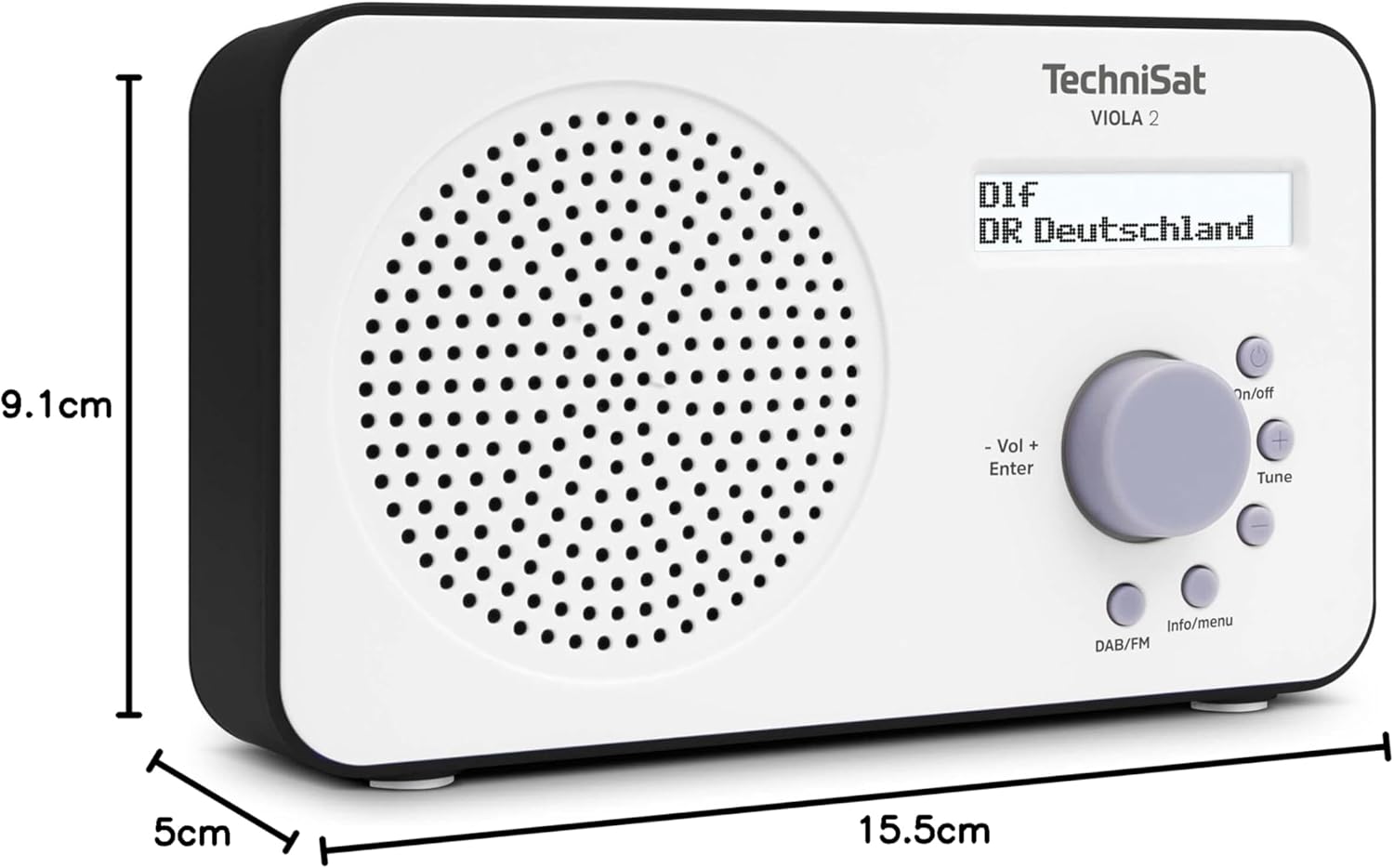
Image 9.1: The TechniSat VIOLA 2 radio with its physical dimensions indicated.
- Model: VIOLA 2
- Manufacturer: TechniSat
- Model Number: 0000/3906
- Product Dimensions (W x D x H): 15.5 x 5 x 9.1 cm
- Weight: 338 g
- Supported Radio Bands: DAB+, FM (with RDS and PLL)
- Tuner Technology: DAB/FM
- Speaker Output: 1 Watt RMS
- Display: Two-line LCD with backlight
- Connectivity: 3.5mm Headphone Jack (AUX)
- Power Source: Corded Electric (6V DC adapter) and Battery Powered
- Batteries: 4 x AA-LR6 (not included)
- Special Features: Automatic station search, electronic volume control
- Country of Origin: China
10. Warranty and Support
TechniSat products are designed for reliability and performance. For warranty information, please refer to the warranty card included with your purchase or visit the official TechniSat website. If you encounter any issues not covered in this manual, please contact TechniSat customer support for assistance.
You can find contact details and further support resources on the official TechniSat website: www.technisat.com


