1. Introduction and Overview
The PROGRACE Kids Waterproof Action Camera is designed for young adventurers, offering durable and fun ways to capture photos and videos. Featuring a 1.77-inch LCD screen, 1080P/30fps video recording, and 5MP photo capabilities, it comes with a robust waterproof case and various accessories for diverse activities.
Explore your child's creativity with built-in photo frames, color modes, and even a mini-game. This camera is built to withstand the rigors of active play, being waterproof, dustproof, anti-shock, and anti-fall.

Image: The PROGRACE Kids Waterproof Camera in blue, shown with its waterproof case and various mounting accessories.

Image: The camera in its waterproof case on a beach, highlighting features like waterproofing, time-lapse, burst shooting, 1080P video, USB charging, 5MP photos, and 4X zoom.
2. What's in the Box
- 1 X Kids Waterproof Camera
- 1 X Waterproof Case
- 1 X 32GB Micro SD Card (pre-inserted)
- 1 X USB Cable
- 2 X Fastening Strap
- 1 X Bicycle Mount
- 1 X Helmet Mount
- 1 X Lanyard
- 1 X User Manual

Image: A visual representation of all items included in the product packaging.
3. Product Features
- High-Definition Capture: 1.77" LCD screen, HD 1080P/30fps videos, and 5MP (2592x1944) photos.
- Creative Modes: Built-in 40 different Frame Photo Modes and 7 Color Video Modes.
- Digital Zoom: 4X Digital Zoom for capturing distant subjects.
- Audio Control: 3-Level Volume Adjustment.
- Durability: Waterproof, dustproof, anti-shock, and anti-fall design.
- Versatile Mounting: Comes with mounts for skateboards, helmets, and bikes.
- Long-Lasting Battery: Built-in 3.7V rechargeable battery provides about 1.5 hours of recording time. Features an Automatic Energy Saving Mode.
- Storage: Includes a 32GB memory card for storing hundreds of photos and videos.
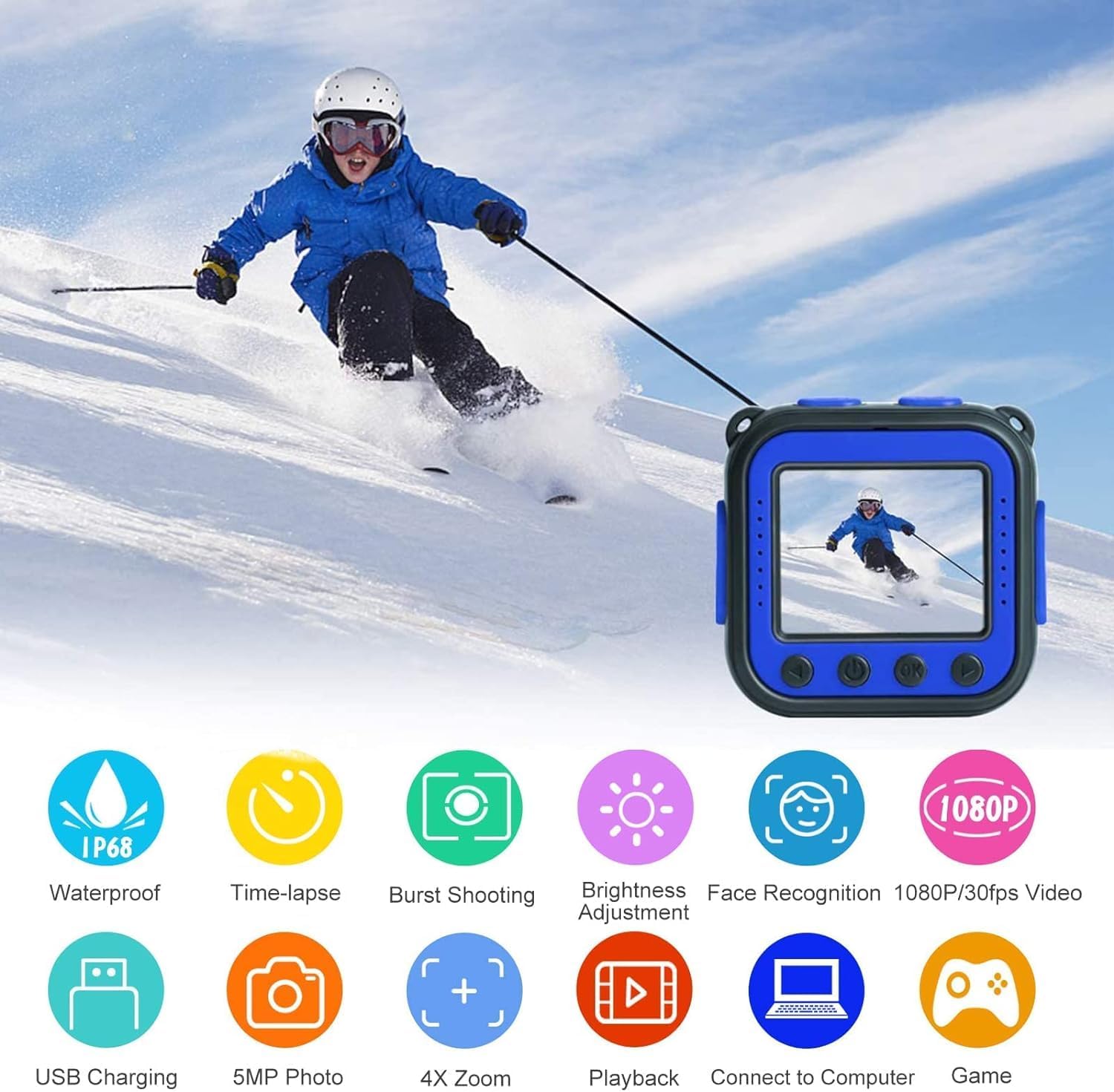
Image: Icons illustrating key features such as waterproofing, time-lapse, burst shooting, brightness adjustment, face recognition, 1080P/30fps video, USB charging, 5MP photos, 4X zoom, playback, computer connectivity, and games.

Image: Demonstrations of face recognition, continuous shooting, time-lapse photo, and 4x digital zoom capabilities.

Image: A comparison between 1080P/30fps and 720P/15fps video quality, along with examples of 40 funny frames and 7 color filter effects.
3.1 Waterproof Capability
The camera comes with a strong waterproof case, allowing it to be used up to 100 feet (30 meters) underwater. This makes it ideal for swimming, snorkeling, and other water activities.

Image: A child giving a thumbs-up underwater with the PROGRACE Kids Camera, indicating its 100ft (IP68) waterproof capability.
Video: An official PROGRACE video demonstrating the waterproof capabilities of the camera, showing it being used by children underwater and in various water-related activities.
4. Setup
4.1 Initial Charging
Before first use, ensure the camera's battery power switch is set to "I" (on) status. Connect the camera to a USB power source using the provided USB cable. The camera has a built-in 3.7V rechargeable battery. A full charge typically takes about 1.5 hours.
4.2 Inserting/Formatting the Micro SD Card
The camera comes with a 32GB Micro SD card pre-inserted. If the memory card is not recognized, connect the camera to a PC with the USB data cable. Format the SD card to FAT32 on your PC. After formatting, remove the SD card, find "Reset all" in the camera settings to reset the device, and then re-insert the SD card for proper recognition.
Note: When using an Apple Mac to transfer data, an adapter may be required.
Video: A detailed review of the camera, including a demonstration of the camera's components, how to remove it from the waterproof case, and access the USB charging port and SD card slot.
5. Operating Instructions
5.1 Power On/Off
Press and hold the power button (usually marked with a power icon) to turn the camera on or off. The screen will display a welcome message upon startup.
5.2 Taking Photos and Videos
The camera features dedicated buttons for photo and video capture, typically located on the top of the device. Press the camera icon button to take a photo, or the video icon button to start/stop video recording.
The camera also supports various creative modes like time-lapse and continuous shooting, accessible through the menu options.
5.3 Navigation and Settings
Use the arrow buttons (left/right) and the OK button on the front of the camera to navigate through menus and select options. You can adjust settings such as resolution, color filters, and photo frames.
Video: A review demonstrating the camera's basic operation, including power on/off, taking photos and videos, and navigating the menu.
6. Mounting Instructions
The PROGRACE Kids Camera comes with multiple mounts to attach it to various surfaces and gear, making it a versatile action camera for kids' sports and activities.
6.1 Helmet Mount
To attach the camera to a helmet, use the provided helmet mount and fastening straps. Thread the straps through the helmet's vents and secure them to the mount. Ensure the camera is firmly attached before use.

Image: Examples of the camera being used in various scenarios: worn on a helmet, swimming underwater, stuck on a skateboard, and attached to a bike.
Video: An official PROGRACE video demonstrating the step-by-step process of attaching the camera to a helmet using the provided helmet mount and straps.
6.2 Bicycle Mount
Use the bicycle mount to secure the camera to handlebars or seat posts. This mount allows for stable recording during bike rides.

Image: A child riding a bike with the PROGRACE Kids Camera mounted, demonstrating its use for capturing cycling adventures.
7. Maintenance
7.1 Waterproof Case Care
After using the camera in water, rinse the waterproof case with fresh water to remove any salt or chlorine. Dry it thoroughly before storing to prevent water spots or damage.
7.2 Battery Care
To prolong battery life, avoid fully discharging the battery frequently. Charge the camera regularly, especially if it will be stored for an extended period.
7.3 Cleaning
Use a soft, dry cloth to clean the camera and its screen. For the lens, use a specialized lens cleaning cloth to avoid scratches.
8. Troubleshooting
8.1 SD Card Not Recognized
If the memory card is not recognized, connect the camera to a PC with a data cable. Format the SD card to FAT32 on the PC. Then, take out the SD card, find "Reset all" in the camera settings to reset the device, and then insert the SD card to read again.
8.2 Camera Freezing/Unresponsive
If the camera becomes unresponsive, locate the reset button (often a small pinhole) and gently press it with a thin object (like a paperclip) to perform a hard reset. This can resolve minor software glitches.
9. Specifications
| Feature | Detail |
|---|---|
| Product Dimensions | 2.3 x 2.3 x 1 inches |
| Item Weight | 1.6 ounces |
| Item Model Number | kids waterproof camera blue |
| Batteries | 1 Lithium Polymer batteries required (included) |
| Photo Sensor Technology | CMOS |
| Video Capture Resolution | 1080p |
| Flash Memory Type | Micro SD |
| Video Capture Format | AVI |
| Supported Audio Format | AAC |
| Screen Size | 1.8 Inches |
| Connectivity Technology | USB |
| Color | Blue |
| Special Feature | Lightweight |
10. Warranty and Support
For detailed warranty information and further support, please refer to the complete User Manual PDF provided with your product or visit the official PROGRACE website.
You can also download the full User Manual PDF here.


