
1. Introduction
This manual provides instructions for the proper setup, operation, and maintenance of your Health-o-Meter Body Analysis Scale, model BFM149DQ-05. This digital scale is designed to measure body weight, and through bioelectrical impedance analysis, estimate body fat percentage, Body Mass Index (BMI), bone mass, and hydration levels. It supports up to four user profiles for tracking individual progress.
Key Features:
- Measures body weight up to 400 lbs (180 kg) in 0.1 lb (0.05 kg) increments.
- Tracks body fat, BMI, bone mass, and hydration.
- Stores information for up to 4 users.
- Features an easy-to-read blue backlit LCD display.
- Utilizes indium tin oxide (ITO) coating technology for transparent conductivity.
- Tempered glass platform.

Image 1.1: Front view of the Health-o-Meter Body Analysis Scale displaying weight and body fat percentage.
2. Setup
2.1 Battery Installation
- Locate the battery compartment on the underside of the scale.
- Open the battery compartment cover.
- Insert four (4) AA batteries, ensuring correct polarity (+/-) as indicated inside the compartment. Four AA batteries are included with the scale.
- Close the battery compartment cover securely.

Image 2.1: The underside of the scale, highlighting the battery compartment and anti-skid padding.
2.2 Scale Placement
For accurate readings, place the scale on a hard, flat, and level surface. Avoid placing it on carpets or uneven flooring, as this can affect measurement precision.
3. Operating Instructions
3.1 Initial Power-On and Unit Selection
The scale powers on automatically when you step on it. The default unit is typically pounds (lb). If you wish to change the unit to kilograms (kg), locate the unit switch button on the underside of the scale, usually near the battery compartment. Press this button to toggle between lb and kg.
3.2 Setting Up User Profiles (P1-P4)
The scale can store data for up to four users (P1, P2, P3, P4). To set up a user profile:
- Press the 'SET' button to enter setup mode. The user number (P1, P2, P3, or P4) will flash.
- Use the '▲' (Up) or '▼' (Down) arrows to select your desired user number. Press 'SET' to confirm.
- The display will then prompt for gender (male/female). Use the arrows to select and 'SET' to confirm.
- Next, enter your height. Use the arrows to adjust the value and 'SET' to confirm.
- Finally, enter your age. Use the arrows to adjust and 'SET' to confirm.
- The scale will save your profile and return to standby mode.
3.3 Taking a Measurement
To take a measurement:
- Ensure your feet are clean and dry.
- Gently step onto the scale with bare feet, positioning them evenly on the ITO coated areas (the transparent conductive sections).
- Stand still until your weight is displayed. The scale will then begin its body analysis.
- The display will cycle through your weight, body fat percentage, BMI, bone mass, and hydration levels.
- If you have set up a user profile, the scale will attempt to identify you based on your weight. If multiple users have similar weights, you may need to select your user number using the arrow buttons before the analysis begins.
- Step off the scale once all readings have been displayed. The scale will automatically power off after a few seconds.

Image 3.1: Feet positioned on the scale for a body analysis measurement, with the display showing readings.
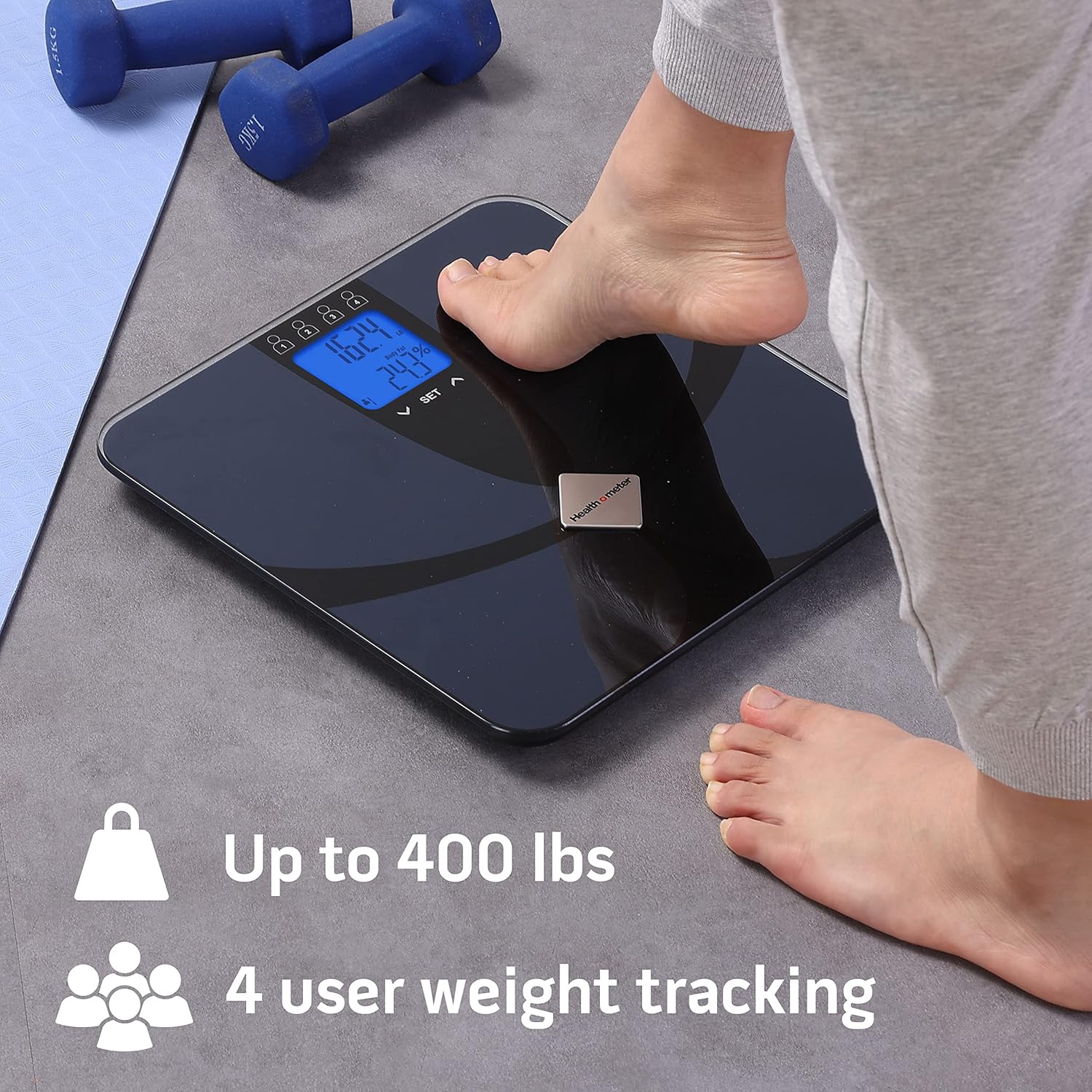
Image 3.2: Illustrates the scale's capacity and multi-user tracking capability.

Image 3.3: Visual representation of the body analysis metrics provided by the scale.
4. Maintenance
4.1 Cleaning
To clean the scale, wipe the surface with a soft, damp cloth. Do not use abrasive cleaners or immerse the scale in water. Avoid harsh chemicals that could damage the ITO coating or the display.
4.2 Storage
Store the scale in a dry place at room temperature. Avoid extreme temperatures or high humidity, which can affect electronic components.
4.3 Battery Replacement
When the battery indicator appears on the display (often 'Lo'), replace all four AA batteries simultaneously. Do not mix old and new batteries or different types of batteries.
5. Troubleshooting
- No Display / Scale Not Turning On:
- Check if batteries are installed correctly with proper polarity.
- Replace all four AA batteries with new ones.
- Inaccurate Readings:
- Ensure the scale is placed on a hard, flat, and level surface. Avoid carpets.
- Ensure your feet are clean and dry for body analysis measurements.
- Stand still during measurement.
- Calibrate the scale by stepping on it briefly, letting it display '0.0', then stepping off before taking a measurement.
- 'Lo' Display:
- Indicates low battery. Replace all batteries.
- 'Err' Display:
- May indicate an overload (weight exceeds 400 lbs) or a measurement error. Step off the scale and try again.
- Ensure proper contact with the ITO sensors for body analysis.
- Body Analysis Readings Not Appearing:
- Ensure you are stepping on the scale with bare, clean, and dry feet.
- Confirm your user profile (height, age, gender) is correctly set up.
6. Specifications
| Feature | Specification |
|---|---|
| Brand | Health o Meter |
| Model Number | BFM149DQ-05 |
| Weight Capacity | 400 lbs (180 kg) |
| Weight Increments | 0.1 lb (0.05 kg) |
| Body Analysis Metrics | Body Fat, BMI, Bone Mass, Hydration |
| User Profiles | Up to 4 users |
| Display Type | Blue Backlit LCD |
| Power Source | 4 x AA Batteries (included) |
| Platform Material | Tempered Glass |
| Dimensions (LxWxH) | 31 x 31 x 2.9 cm (approx. 12 x 12 x 1.1 inches) |
| Item Weight | 2.28 kg (5.03 lbs) |

Image 6.1: Dimensions of the Health-o-Meter Body Analysis Scale.
7. Warranty and Support
Warranty information for the Health-o-Meter Body Analysis Scale BFM149DQ-05 is typically provided with the product packaging or can be found on the official Health o Meter website. Please refer to these resources for details regarding warranty coverage and terms.
For technical support, troubleshooting assistance beyond this manual, or inquiries about replacement parts, please contact Health o Meter customer service. Contact information is usually available on the product packaging or the manufacturer's official website.