
Product Overview
The Inateck HB9002 is a versatile docking station designed to expand the connectivity of your Microsoft Surface device. It integrates multiple essential ports, including an HDMI 1.4 interface, a Gigabit Ethernet port, three USB 3.0 A ports, and a 5V DC power input. This docking station enhances productivity by allowing connection to external displays, wired networks, and various USB peripherals.
Key features include:
- 6-in-1 Connectivity: 1x HDMI, 1x Gigabit Ethernet, 3x USB 3.0, and 1x 5V DC port.
- 4K HDMI Output: Convert Mini DP to 4K x 2K @30Hz HDMI, supporting 8-channel sound output for an enhanced visual and audio experience.
- Gigabit Ethernet: Provides a stable and fast wired network connection.
- USB 3.0 Hub: Offers three high-speed USB 3.0 ports for connecting peripherals.
- Integrated Power Input: A 5V DC port allows for external power supply to support high-power downstream devices.
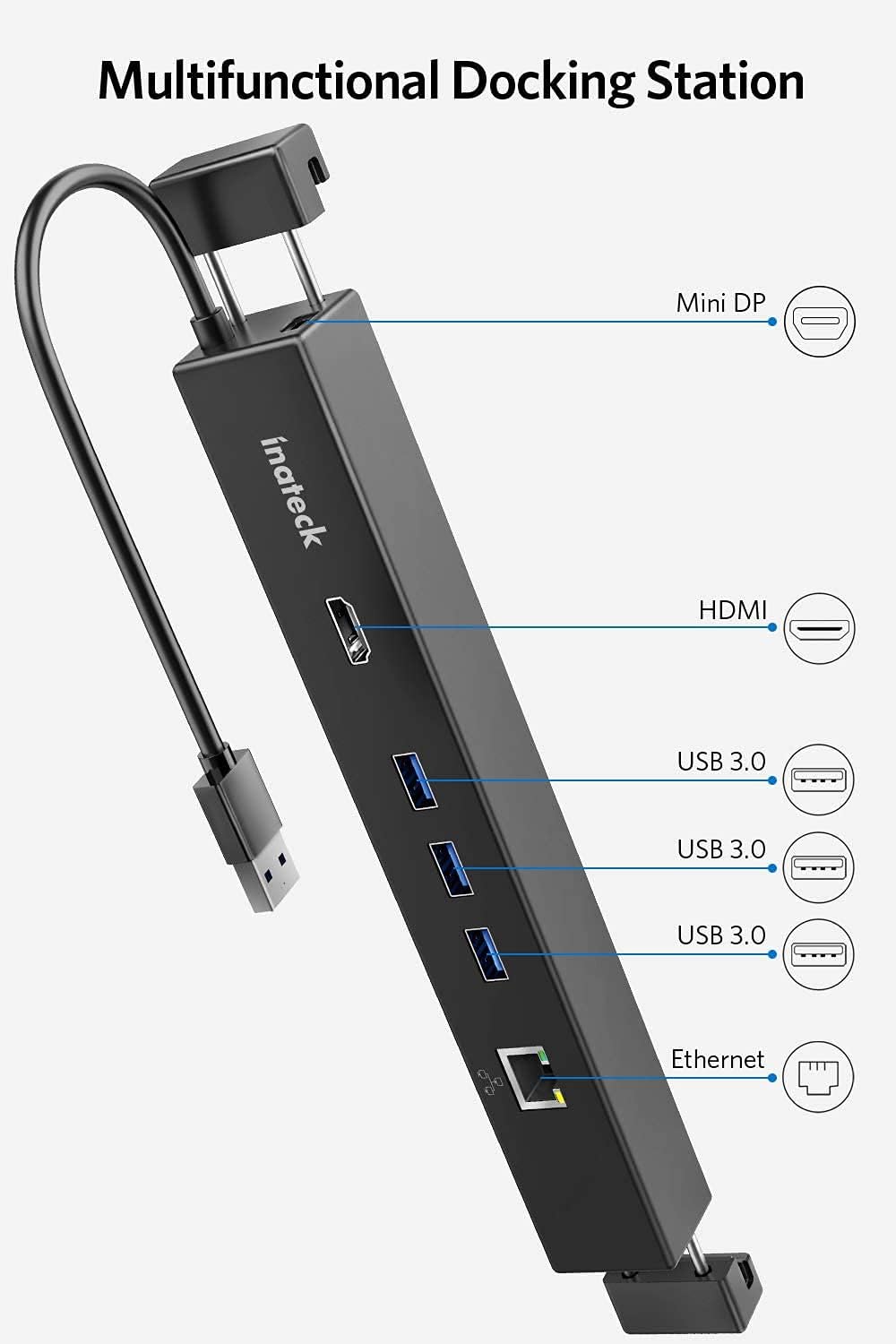
Image: The Inateck HB9002 docking station, showcasing its various ports including Mini DP, HDMI, USB 3.0, and Ethernet, each clearly labeled for easy identification.
Package Contents
The Inateck HB9002 Surface Docking Station package includes the following items:
- 1x Inateck HB9002 Surface Docking Station
- 1x DC Power Adapter (5V2A, DC3.5*1.35MM L=1.5M)
- 1x Mini DP to Mini DP cable (20CM)
- 1x Multilingual User Manual

Image: A visual representation of all items included in the product package: the Inateck HB9002 docking station, its power adapter, the Mini DP to Mini DP cable, and the instruction manual.
Compatibility
The Inateck HB9002 Surface Pro Docking Station is compatible with the following Microsoft Surface models:
- Surface Pro 3
- Surface Pro 4
- Surface Pro 6
- Surface 3
- Surface Pro (2017)
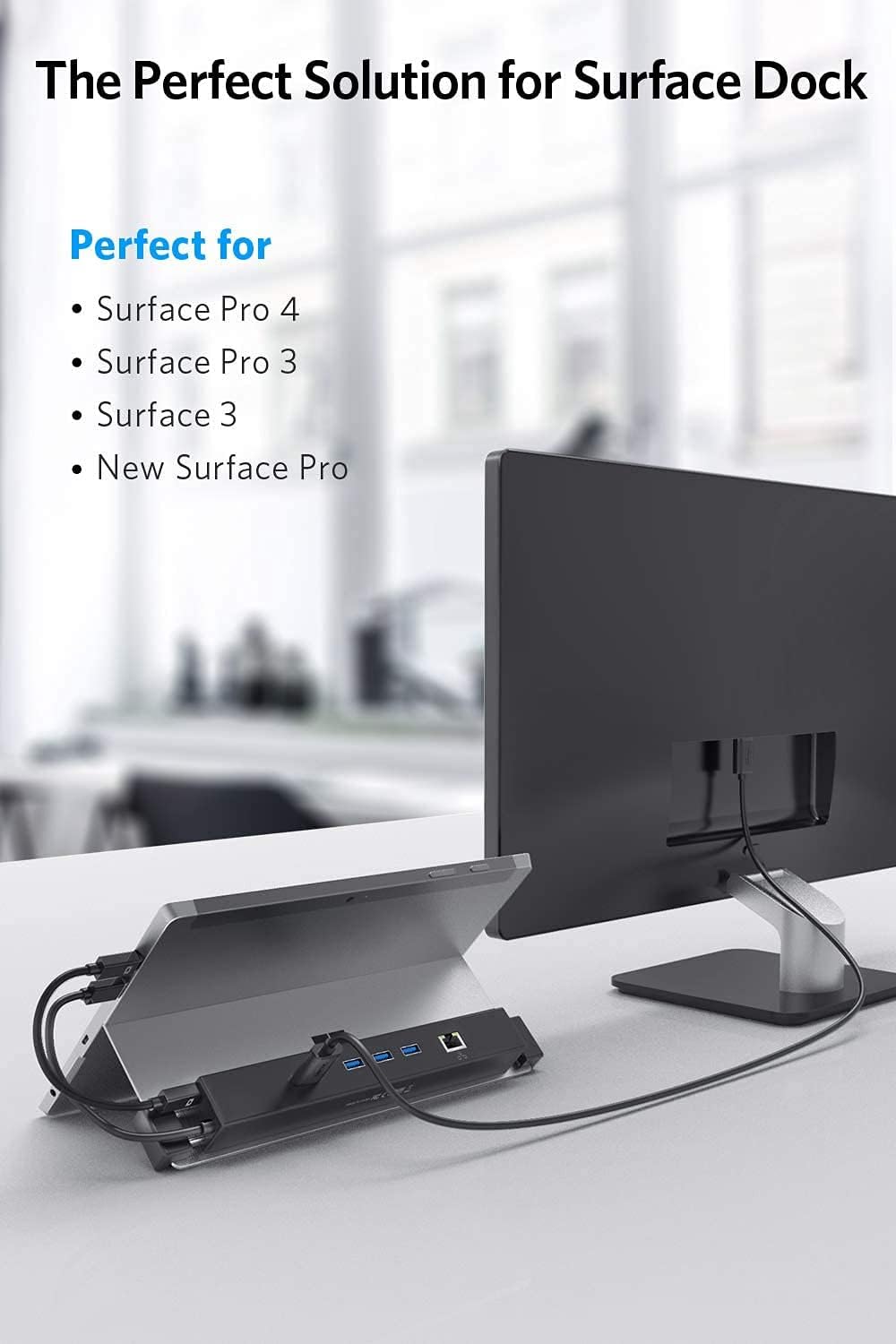
Image: The Inateck HB9002 docking station seamlessly attached to a Microsoft Surface device, demonstrating its perfect fit and compatibility.
Setup Instructions
Follow these steps to set up your Inateck HB9002 Docking Station:
- Attach the Docking Station: Align the docking station with the kickstand of your Microsoft Surface device. The elastic and stretchy design allows it to clip securely to the kickstand.
- Connect to Surface: Connect the integrated USB cable from the docking station to a USB port on your Surface.
- Connect Mini DP: Use the provided Mini DP to Mini DP cable to connect the docking station's Mini DP input to the Mini DP output on your Surface.
- Power Connection (Optional but Recommended): For high-power devices or stable operation, connect the included 5V DC power adapter to the DC port on the docking station and then to a power outlet.
- Connect Peripherals:
- HDMI Display: Connect an HDMI cable from the docking station's HDMI port to your external monitor or TV.
- Ethernet Network: Connect an Ethernet cable from your router or network switch to the Gigabit Ethernet port on the docking station.
- USB Devices: Connect USB devices such as keyboards, mice, external hard drives, or USB flash drives to the three USB 3.0 ports.
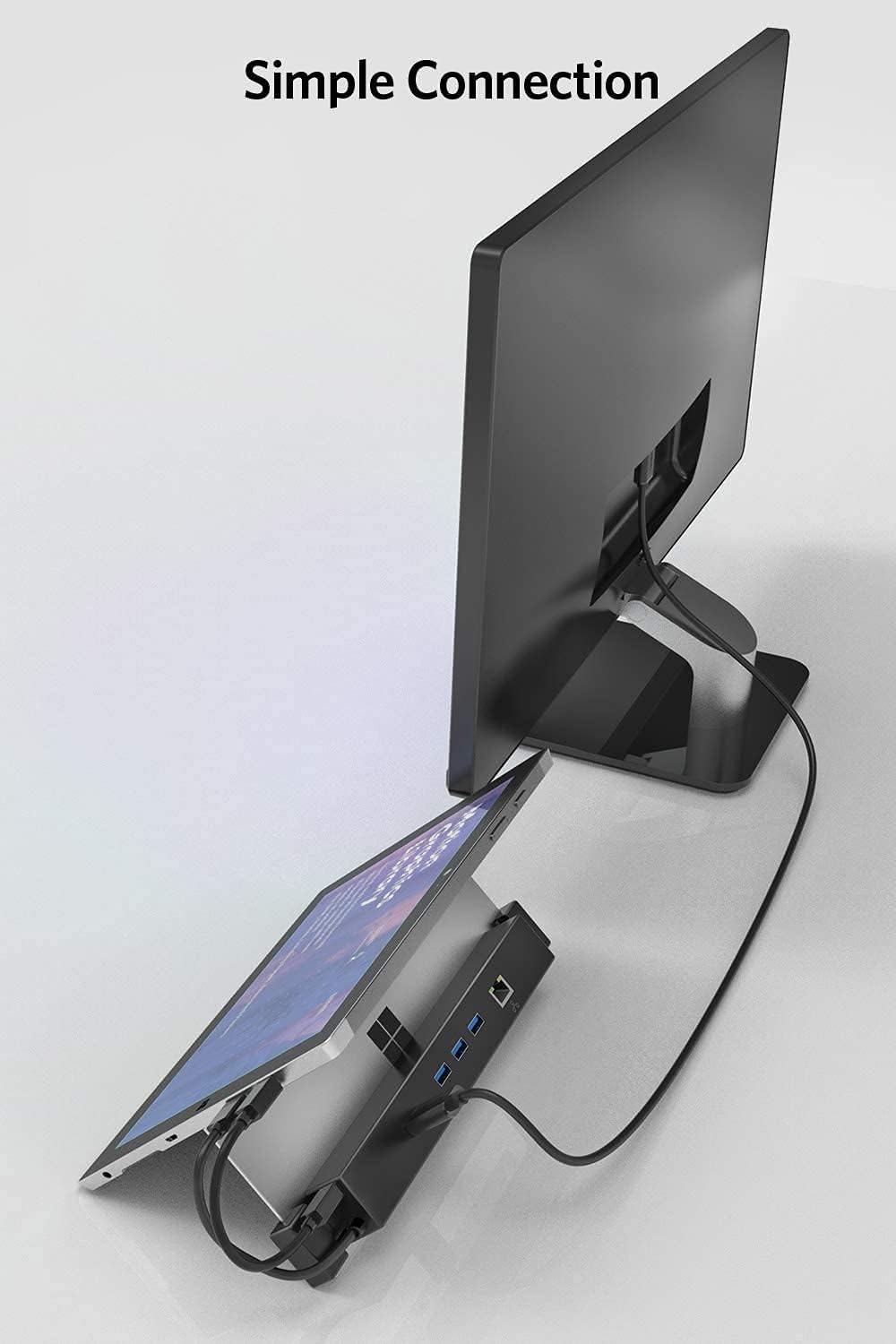
Image: A Microsoft Surface device connected to an external monitor via the Inateck HB9002 docking station, illustrating a simple and effective setup.
Operating Instructions
Once the Inateck HB9002 Docking Station is set up, it operates automatically with your Surface device.
- HDMI Output: The Mini DP to HDMI conversion supports 1080p and 4K x 2K @30Hz 24-bit color output, along with 8-channel sound output. Ensure your external display is set to the correct input source.
- Gigabit Ethernet: The RJ45 Gigabit Ethernet interface provides a stable wired network connection, supporting 10/100/1000Mbps transmission.
- USB 3.0 Ports: The three USB 3.0 Type-A ports offer high-speed data transfer for connected peripherals. When the DC power adapter is connected, these ports can supply sufficient power to high-power USB devices.

Image: A Microsoft Surface tablet connected to a large external monitor, demonstrating 4K HDMI video transmission for an extended display setup.
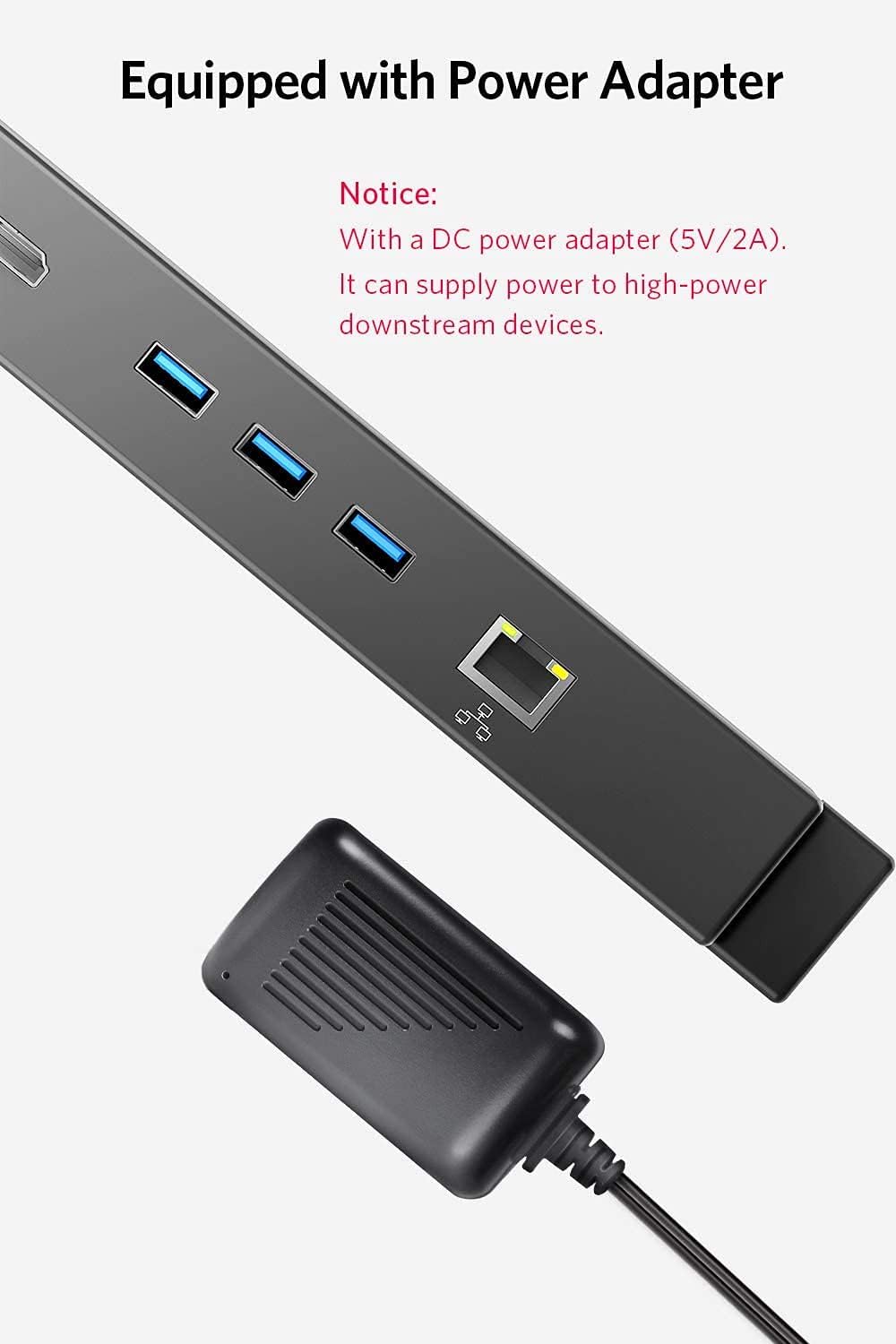
Image: A close-up view of the Inateck HB9002 docking station alongside its 5V DC power adapter, highlighting the power input for stable operation and high-power device support.
Maintenance
To ensure the longevity and optimal performance of your Inateck HB9002 Docking Station:
- Cleaning: Use a soft, dry cloth to clean the exterior of the docking station. Avoid using liquid cleaners or solvents.
- Storage: Store the device in a cool, dry place away from direct sunlight and extreme temperatures.
- Handling: Handle the docking station with care to prevent physical damage to ports or cables.
Troubleshooting
If you encounter issues with your Inateck HB9002 Docking Station, refer to the following troubleshooting tips:
- No Display on External Monitor:
- Ensure the Mini DP to Mini DP cable and HDMI cable are securely connected.
- Verify that the external monitor is powered on and set to the correct HDMI input source.
- Check your Surface display settings to ensure the external display is detected and configured correctly (e.g., Extend, Duplicate).
- No Network Connection via Ethernet:
- Confirm the Ethernet cable is securely connected to both the docking station and your network router/switch.
- Check network settings on your Surface.
- Ensure your network router/switch is functioning correctly.
- USB Devices Not Working or Unstable:
- Ensure the USB devices are properly inserted into the USB 3.0 ports.
- If using high-power USB devices (e.g., external hard drives), ensure the 5V DC power adapter is connected to the docking station and a power outlet. This provides additional power stability for USB peripherals.
- Try connecting the USB device directly to your Surface to rule out the device itself as the issue.
- Docking Station Not Recognized by Surface:
- Ensure the integrated USB cable from the docking station is fully inserted into your Surface's USB port.
- Restart your Surface device.
- Disconnect and reconnect all cables.
- Overheating:
- Ensure the docking station is placed in a well-ventilated area. Avoid covering it with other objects.
Product Specifications
| Feature | Specification |
|---|---|
| Model | HB9002 |
| Interfaces | 1x HDMI 1.4, 1x Gigabit Ethernet (RJ45), 3x USB 3.0 Type-A, 1x 5V DC Port, 1x Mini DP Input |
| HDMI Output | 4K x 2K @30Hz, 1080p, 24-bit color, 8-channel sound |
| Ethernet | IEEE 802.3 standard, 10/100/1000Mbps auto-sensing |
| USB | USB 3.0 (5 Gbps data transfer rate) |
| Chipset | VL813+RTL8153+PS171HDM |
| Special Features | Hot swap supported |
| Power Input | 5V DC (via included 5V2A adapter) |
| Dimensions | 25.65 x 3.2 x 2.57 cm |
| Weight | 163.29 g |
| Material | Plastic |
| Compatible OS | Windows |
Warranty and Support
For warranty information and technical support, please refer to the official Inateck website or contact Inateck customer service directly. Keep your purchase receipt for warranty claims.