1. Introduction
Thank you for choosing the Mebus 41824 Radio-Controlled Wall Clock with Chime. This clock is designed for precise timekeeping through automatic radio signal reception and features a pleasant chime function. Please read this manual carefully before operating your new clock to ensure proper setup and functionality.
2. Safety Information
- Keep the clock away from extreme temperatures, direct sunlight, and high humidity.
- Do not expose the clock to water or other liquids.
- Avoid dropping the clock or subjecting it to strong impacts.
- Only use the specified battery type. Ensure correct polarity when inserting batteries.
- Keep batteries out of reach of children.
- Do not attempt to open or repair the clock yourself. Refer to qualified service personnel.
3. Package Contents
Please check the package for the following items:
- Mebus 41824 Radio-Controlled Wall Clock with Chime
- User Manual (this document)
4. Product Overview
The Mebus 41824 is an analog wall clock featuring large digits and aluminum hands for clear readability. It automatically synchronizes with a radio time signal for absolute precision.
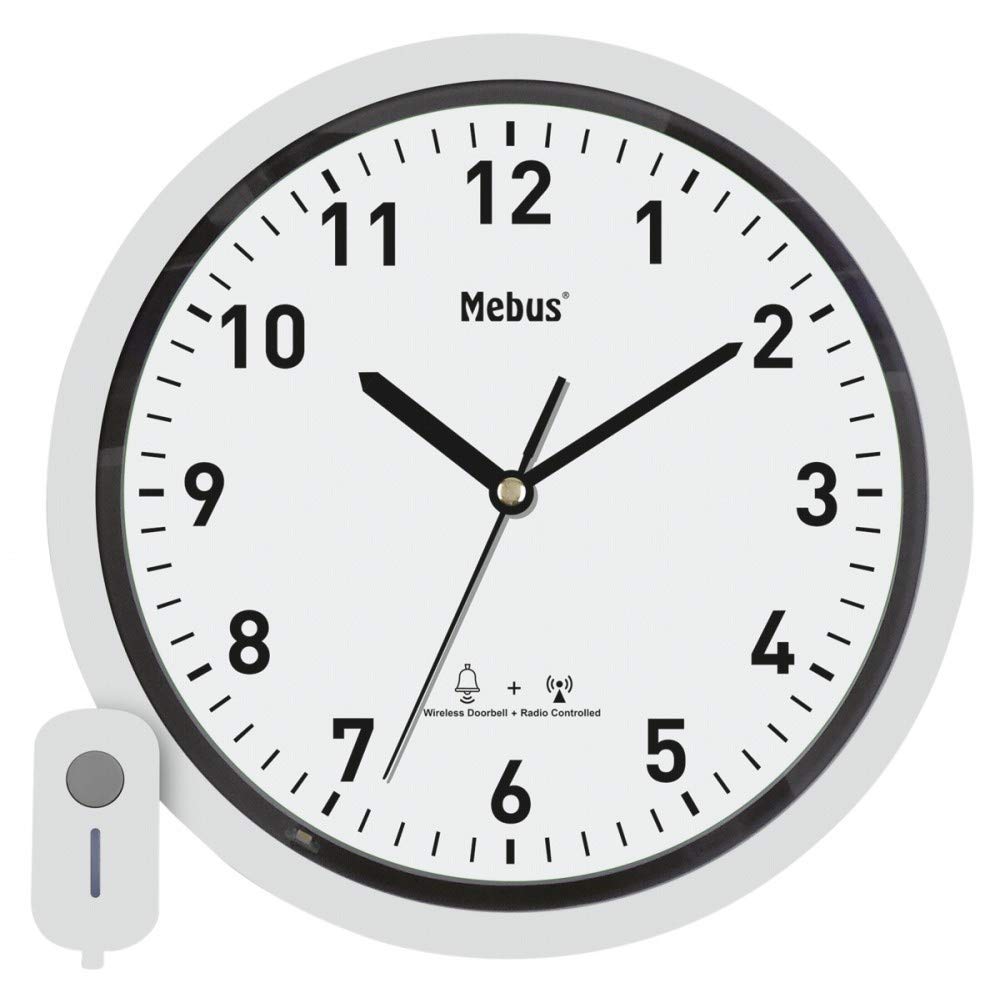
Figure 1: Front view of the Mebus 41824 Radio-Controlled Wall Clock. This image shows the clock's round face with large, clear numbers and aluminum hands, indicating its analog display.
5. Setup
5.1. Battery Installation
- Locate the battery compartment on the back of the clock.
- Open the battery compartment cover.
- Insert the required batteries (not included) according to the polarity markings (+ and -) inside the compartment.
- Close the battery compartment cover securely.
5.2. Initial Setup and Radio Signal Reception
After battery installation, the clock will automatically attempt to receive the radio time signal. This process may take several minutes to a few hours, depending on your location and environmental conditions.
- Place the clock near a window or in an open area, away from electronic devices that might cause interference.
- The hands will typically move to the 12 o'clock position and then begin to search for the signal.
- Once the signal is received, the clock will automatically set itself to the correct time.
5.3. Manual Time Setting (If Radio Signal Fails)
In rare cases, if the radio signal cannot be received (e.g., due to location or strong interference), the clock may not set automatically. This model does not support manual time adjustment. Ensure the clock is in an optimal location for signal reception. If persistent issues occur, try relocating the clock or replacing the batteries.
6. Operating Instructions
6.1. Chime Function
The Mebus 41824 features a chime function with 36 different melodies. The chime operates with simultaneous light and sound transmission.
- The clock is designed to play a selected melody at specific intervals, often on the hour.
- Refer to any specific buttons or switches on the back of the clock for chime activation or melody selection, if present. (Note: Specific controls for chime selection or volume are not detailed in the product description. Please check the physical product for these features.)
7. Maintenance
7.1. Cleaning
To clean the clock, use a soft, dry cloth. Do not use abrasive cleaners, solvents, or chemical sprays, as these can damage the clock's finish or internal components.
7.2. Battery Replacement
When the clock's performance diminishes or it stops working, it is likely time to replace the batteries. Follow the battery installation steps outlined in Section 5.1. Always replace all batteries at the same time with new ones of the same type.
8. Troubleshooting
| Problem | Possible Cause | Solution |
|---|---|---|
| Clock does not set to correct time. | Weak or no radio signal. | Relocate the clock to an area with better signal reception (e.g., near a window, away from electronics). Allow several hours for signal acquisition. |
| Clock stops working or runs slowly. | Low batteries. | Replace all batteries with new ones, ensuring correct polarity. |
| Chime does not sound. | Chime function off or low batteries. | Check for any chime activation switches on the clock. Replace batteries if necessary. |
9. Specifications
| Feature | Detail |
|---|---|
| Brand | Mebus |
| Model Number | 41824 |
| Type | Radio-Controlled Wall Clock with Chime |
| Display Type | Analog |
| Time Setting | Fully automatic via radio signal |
| Chime Melodies | 36 different melodies |
| Chime Transmission | Simultaneous light and sound |
| Max. Range (Chime) | 150° |
| Dimensions (W x H x D) | 300 mm x 300 mm x 40 mm |
| Material | Aluminum (hands, frame) |
| Color | White/Silver |
| Power Source | Battery powered (batteries not included) |
| Item Weight | 998 g |
| Indoor/Outdoor Use | Outdoor (Note: Ensure protection from direct weather elements if used outdoors.) |
10. Warranty and Support
Mebus products are manufactured to high-quality standards. For warranty information or technical support, please refer to the retailer where you purchased the product or visit the official Mebus website. Keep your proof of purchase for warranty claims.