Introduction
This manual provides essential instructions for the proper use and maintenance of your Rowenta ZR005201 Replacement Filter. This filter is designed to maintain the optimal performance of your compatible Rowenta vacuum cleaner.
Compatibility: This replacement filter is compatible with Rowenta Air Force Light and Cyclonic Force Light electric brooms, specifically Rowenta Model RH-654.
Installation
Follow these steps to correctly install the Rowenta ZR005201 Replacement Filter into your vacuum cleaner:
- Power Off: Ensure your vacuum cleaner is turned off and unplugged from the power outlet before beginning any installation or maintenance.
- Locate Filter Compartment: Refer to your vacuum cleaner's original manual to locate the filter compartment. This is typically found within the dust bin or collection area.
- Remove Old Filter: Carefully remove the used filter. Dispose of the old filter according to local regulations.
- Insert New Filter: Place the new Rowenta ZR005201 Replacement Filter into the compartment. Ensure it is seated correctly and securely to prevent air leaks.
- Close Compartment: Close the filter compartment or dust bin securely.
- Power On: Plug in and power on your vacuum cleaner.
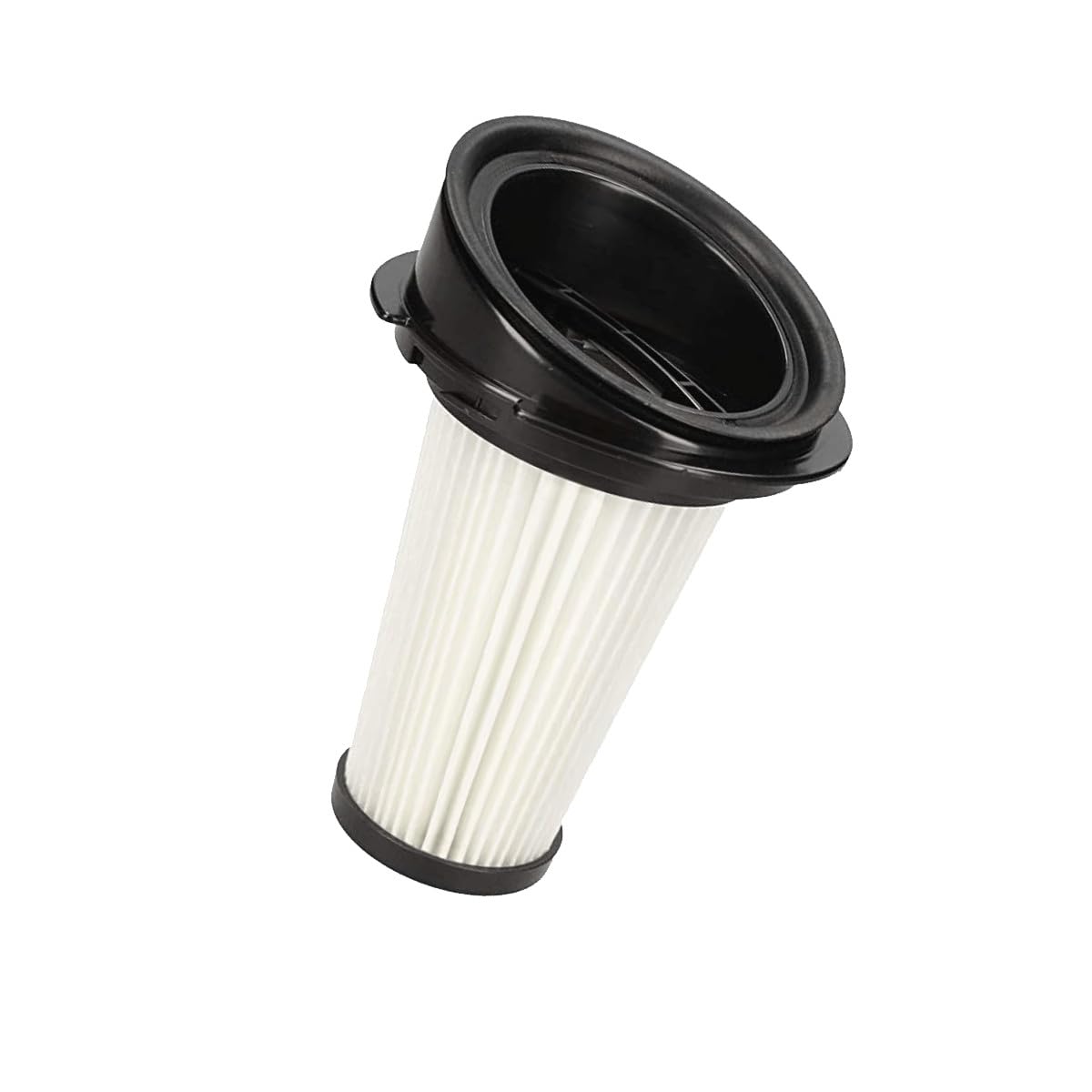
Image 1: The Rowenta ZR005201 Replacement Filter. This image shows the cylindrical pleated filter with black plastic caps on both ends, ready for installation into a compatible vacuum cleaner.
Maintenance
Regular maintenance of your filter is crucial for optimal vacuum performance and longevity. The Rowenta ZR005201 filter is washable and designed for easy removal and replacement.
- Cleaning: The filter can be washed with water. Gently rinse the filter under running water until clean. Do not use harsh detergents or abrasive materials.
- Drying: Allow the filter to air dry completely for at least 24 hours before reinserting it into the vacuum cleaner. Ensure it is thoroughly dry to prevent mold growth and damage to the vacuum.
- Replacement Schedule: It is recommended to replace the filter system every 6 months to maintain peak filtration efficiency and vacuum performance.
Troubleshooting
If you experience issues after installing or maintaining your filter, consider the following:
- Reduced Suction: If suction power decreases, the filter may be clogged or not installed correctly. Remove the filter, clean it thoroughly, ensure it is dry, and reinsert it properly. If the issue persists, consider replacing the filter if it's past its recommended lifespan.
- Unusual Odors: This can indicate a dirty or damp filter. Clean and thoroughly dry the filter. If odors persist, replace the filter.
- Filter Not Fitting: Double-check that you have the correct model (ZR005201) for your specific Rowenta vacuum cleaner model (e.g., RH-654).
Specifications
| Model Number | ZR005201 |
| Compatible Devices | Rowenta Air Force Light series, Rowenta Model RH-654, Cyclonic Force Light electric brooms |
| Material | Kunststoff (Plastic) |
| Product Dimensions | 3.35"L x 3.35"W x 4.92"H (8.5 x 8.5 x 12.5 cm) |
| Item Weight | 2.82 ounces (80 grams) |
| Reusability | Reusable (Washable) |
Warranty and Support
For information regarding product warranty, returns, or technical support, please refer to the official Rowenta website or contact Rowenta customer service directly. This manual focuses solely on the installation and maintenance of the replacement filter.
You can often find support information on the official Rowenta Store or by visiting their main website.


