
1. Important Safety Instructions
Please read all instructions carefully before using the Bestron AOV45 Mini Oven. Retain this manual for future reference.
- Electrical Safety: Ensure the voltage rating on the appliance matches your local power supply. Do not immerse the appliance, cord, or plug in water or other liquids. Unplug from the outlet when not in use and before cleaning.
- Heat and Burn Hazard: The oven surfaces become very hot during and after operation. Always use oven mitts or gloves when handling hot items or reaching into the oven. Do not touch hot surfaces.
- Placement: Place the oven on a stable, heat-resistant surface. Ensure adequate ventilation around the oven; do not block any ventilation openings. Do not place near flammable materials or objects.
- Supervision: Close supervision is necessary when any appliance is used by or near children. This appliance is not intended for use by persons with reduced physical, sensory, or mental capabilities, or lack of experience and knowledge, unless they have been given supervision or instruction.
- Proper Use: Do not use the appliance for anything other than its intended household use. Do not operate the oven with a damaged cord or plug, or after the appliance malfunctions or has been damaged in any manner.
- Accessories: The use of accessory attachments not recommended by the appliance manufacturer may cause injuries.
- Cleaning: Always unplug the oven and allow it to cool completely before cleaning.
2. Product Overview
The Bestron AOV45 is a versatile 45-liter mini oven designed for various cooking tasks, including baking, grilling, and rotisserie. It features a durable stainless steel construction and intuitive controls.
2.1 Components
- Oven Housing: Main body of the oven.
- Glass Door: Double-walled for insulation and safety.
- Control Panel: Located on the right side, featuring three rotary dials.
- Temperature Dial: To set the desired cooking temperature.
- Function Dial: To select cooking modes (e.g., top heat, bottom heat, convection, rotisserie).
- Timer Dial: To set cooking time up to 60 minutes.
- Power Indicator Light: Illuminates when the oven is operating.
- Oven Rack: For placing baking dishes or food directly.
- Baking Tray: Enamelled tray for baking or catching drips.
- Rotisserie Spit: For roasting whole chickens or other meats.
- Rotisserie Handle: For safe insertion and removal of the rotisserie spit.
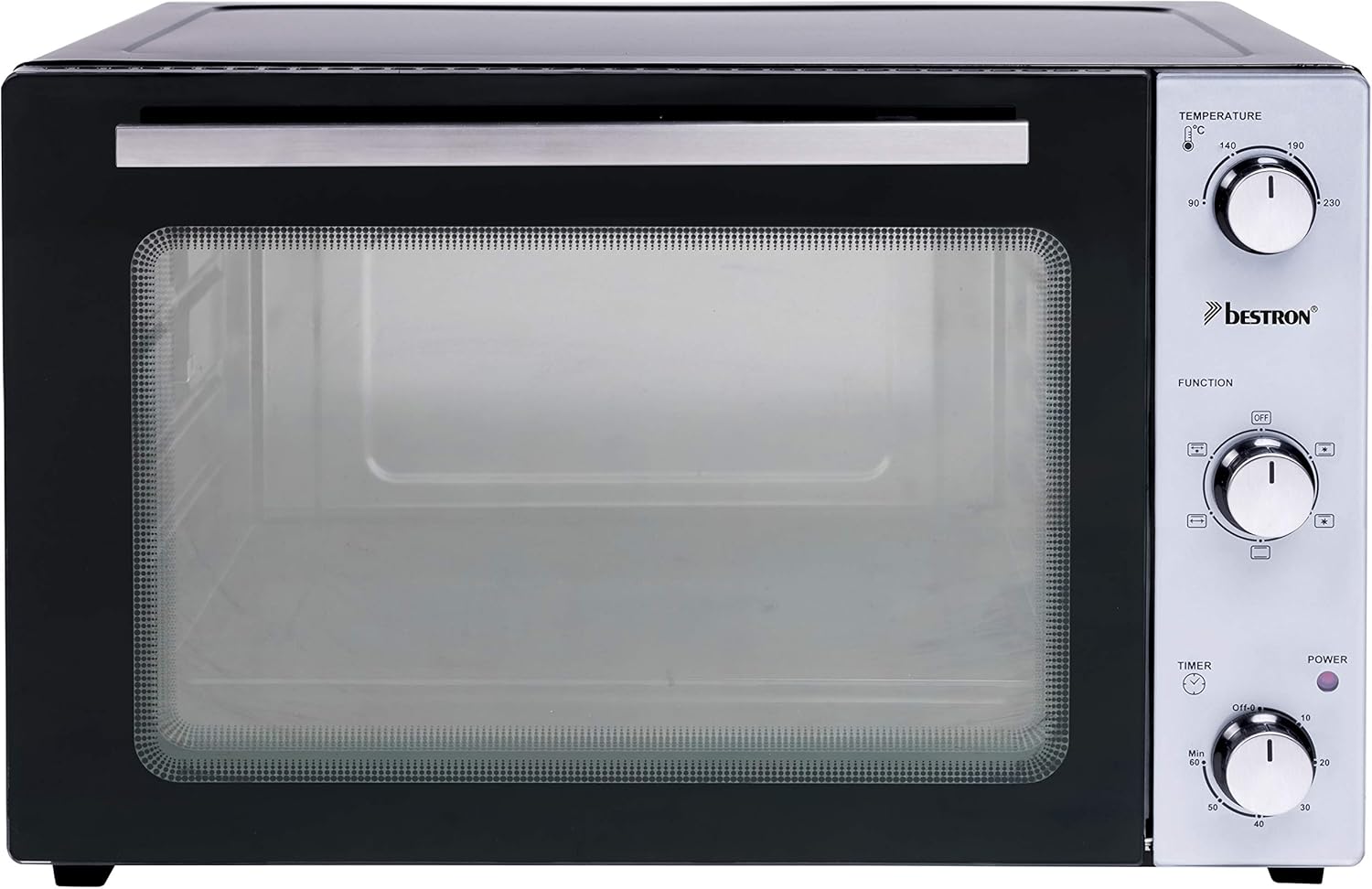
Figure 1: Front view of the Bestron AOV45 Mini Oven, showing the glass door and control panel with temperature, function, and timer dials.
3. Setup
- Unpacking: Carefully remove the oven and all accessories from the packaging. Remove any protective films or stickers.
- Placement: Place the oven on a flat, stable, and heat-resistant surface. Ensure there is at least 10-15 cm of clear space on all sides (back, top, and sides) for proper ventilation. Do not place the oven directly against a wall or under cabinets.
- Initial Cleaning: Wipe the interior and exterior of the oven with a damp cloth. Wash the oven rack, baking tray, rotisserie spit, and handle with warm, soapy water, then rinse and dry thoroughly.
- First Use (Burn-off): Before cooking food, operate the oven empty for approximately 15 minutes to burn off any manufacturing residues.
- Insert the oven rack.
- Close the oven door.
- Set the Temperature Dial to 230°C.
- Set the Function Dial to Top and Bottom Heat with Convection.
- Set the Timer Dial to 15 minutes.
- A slight odor or smoke may be present during this initial operation; this is normal. Ensure the area is well-ventilated.
- Once the timer rings, turn all dials to the "OFF" position and allow the oven to cool completely.
4. Operating Instructions
4.1 General Cooking
- Prepare Food: Place your food on the oven rack or baking tray.
- Insert Food: Carefully slide the rack or tray into the desired level within the oven. The oven has 3 levels.
- Close Door: Ensure the oven door is securely closed.
- Set Temperature: Turn the Temperature Dial to the desired cooking temperature (up to 230°C).
- Select Function: Turn the Function Dial to select the appropriate cooking mode:
- Top Heat: For browning or grilling.
- Bottom Heat: For baking bases or gentle heating.
- Top & Bottom Heat: Standard baking for most dishes.
- Top & Bottom Heat with Convection: For even cooking and faster results.
- Rotisserie with Top & Bottom Heat: For roasting with rotation.
- Set Timer: Turn the Timer Dial to the desired cooking time (up to 60 minutes). The power indicator light will illuminate.
- Monitor Cooking: You can observe the cooking process through the glass door.
- Completion: The oven will automatically turn off and a bell will ring when the timer reaches zero.
- Remove Food: Carefully open the door and use oven mitts to remove the cooked food.

Figure 2: The Bestron AOV45 Mini Oven in operation, baking bread on the oven rack.
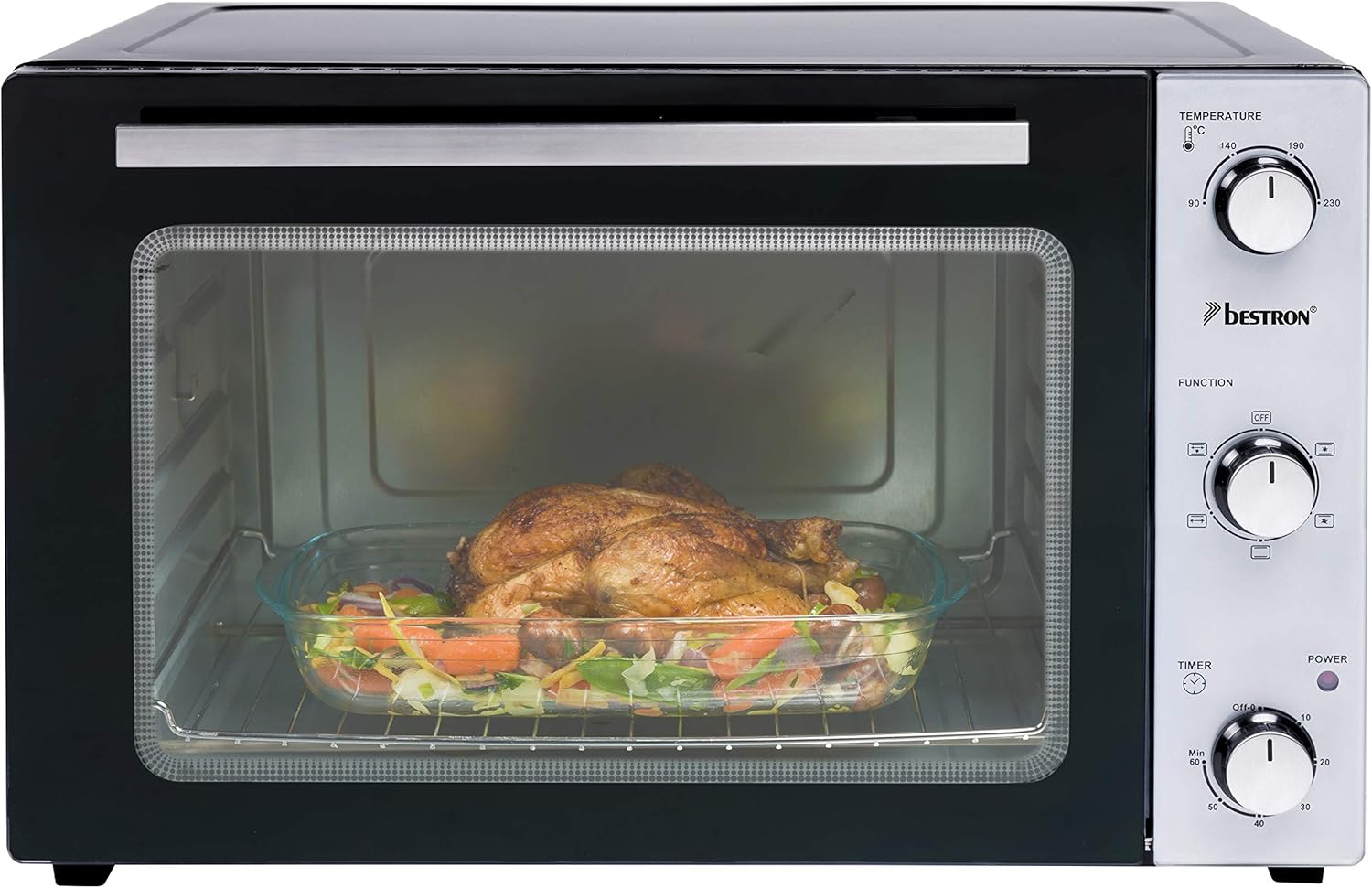
Figure 3: A chicken and vegetables cooking in a baking dish inside the Bestron AOV45 Mini Oven.
4.2 Using the Rotisserie Function
- Prepare Meat: Securely attach the meat (e.g., whole chicken) onto the rotisserie spit using the forks provided. Ensure it is balanced to prevent uneven rotation.
- Insert Spit: Carefully insert the rotisserie spit into the oven. One end fits into the drive socket on the left side, and the other rests on the support bracket on the right.
- Select Function: Turn the Function Dial to the "Rotisserie with Top & Bottom Heat" setting.
- Set Temperature and Time: Set the Temperature Dial and Timer Dial as required for your recipe.
- Monitor: The meat will rotate slowly, ensuring even cooking and browning.
- Remove: Once cooked, use the rotisserie handle to safely remove the hot spit and meat from the oven.

Figure 4: A whole chicken roasting on the rotisserie spit inside the Bestron AOV45 Mini Oven.

Figure 5: A hand demonstrating the safe removal of a cooked chicken from the rotisserie using the provided handle.
5. Maintenance and Cleaning
Regular cleaning and maintenance will ensure the longevity and optimal performance of your Bestron AOV45 Mini Oven.
- Always Unplug: Before cleaning, always unplug the oven from the power outlet and allow it to cool down completely.
- Exterior Cleaning: Wipe the exterior surfaces with a soft, damp cloth. Do not use abrasive cleaners or scouring pads, as they may damage the finish.
- Interior Cleaning: For the interior, wipe with a damp cloth and mild detergent. For stubborn stains, a non-abrasive oven cleaner designed for mini ovens can be used, following the product's instructions. Ensure all cleaner residue is wiped away.
- Glass Door: Clean the glass door with a damp cloth and a mild glass cleaner if necessary.
- Accessories: The oven rack, baking tray, rotisserie spit, and handle can be washed in warm, soapy water. Rinse thoroughly and dry completely before storing or re-inserting into the oven.
- Do Not Immerse: Never immerse the main oven unit in water or any other liquid.
6. Troubleshooting
If you encounter issues with your Bestron AOV45 Mini Oven, refer to the following common problems and solutions:
| Problem | Possible Cause | Solution |
|---|---|---|
| Oven does not turn on. | Not plugged in; power outlet malfunction; timer not set. | Ensure the oven is securely plugged into a working outlet. Turn the Timer Dial to the desired cooking time. |
| Oven not heating properly. | Incorrect temperature or function setting; faulty heating element. | Verify temperature and function dials are set correctly. If the issue persists, contact customer support. |
| Rotisserie not rotating. | Rotisserie function not selected; spit not correctly inserted; meat too heavy/unbalanced. | Ensure the Function Dial is set to a rotisserie mode. Check that the spit is properly seated in the drive socket and support. Re-balance the meat if necessary. |
| Unusual noise during operation. | Normal expansion/contraction of metal; loose component; fan noise. | Some minor noises are normal. If the noise is loud or persistent, or if it's a new development, discontinue use and contact customer support. |
| Smoke or burning smell. | Food spills; residue from first use; excessive grease. | This can be normal during first use (burn-off). For subsequent uses, ensure the oven is clean and free of food debris or excessive grease. If smoke persists, unplug immediately and contact support. |
If the problem is not listed or persists after attempting the solutions, please contact Bestron customer support.
7. Specifications
| Feature | Detail |
|---|---|
| Brand | Bestron |
| Model Number | AOV45 |
| Color | Black |
| Capacity | 45 Liters |
| Power | 1800 Watts |
| Voltage | 240 Volts |
| Material | Stainless Steel |
| Product Dimensions (L x W x H) | 46.2 x 61.1 x 40.3 cm |
| Item Weight | 13.2 Kilograms |
| Special Features | Grill Option, Rotisserie, Convection |
| Timer | 60 minutes with automatic shut-off and bell signal |
| Max Temperature | 230°C |
8. Warranty and Support
The Bestron AOV45 Mini Oven comes with a 5-year warranty, ensuring peace of mind regarding its quality and performance.
For further information, support, or to register your product, please visit the official Bestron website:
Please have your model number (AOV45) and purchase date ready when contacting support.


