
1. Introduction
This manual provides instructions for the proper installation, operation, and maintenance of the uxcell GX20-3 3-pin 20mm Aviation Connector Plug. This connector is designed for reliable signal and power transmission in various industrial and electronic applications.
2. Safety Information
- Always ensure power is disconnected before installing or servicing the connector.
- Verify that the rated voltage (150V) and current (10A) of the connector are suitable for your application.
- Improper installation can lead to electrical shock or equipment damage. If unsure, consult a qualified electrician.
- Do not expose the connector to environments exceeding its waterproof rating or temperature limits.
3. Product Overview
The uxcell GX20-3 is a 3-pin aviation connector, consisting of a male plug and a female socket. It features a hard plastic end cable connector and a straight metal plug, designed for secure and stable connections. It is commonly used in aviation, telecommunications, computer systems, and various instruments requiring robust electrical connections.

Figure 3.1: Identification of Male and Female Connector Heads. The male head features pins, while the female head contains corresponding sockets.
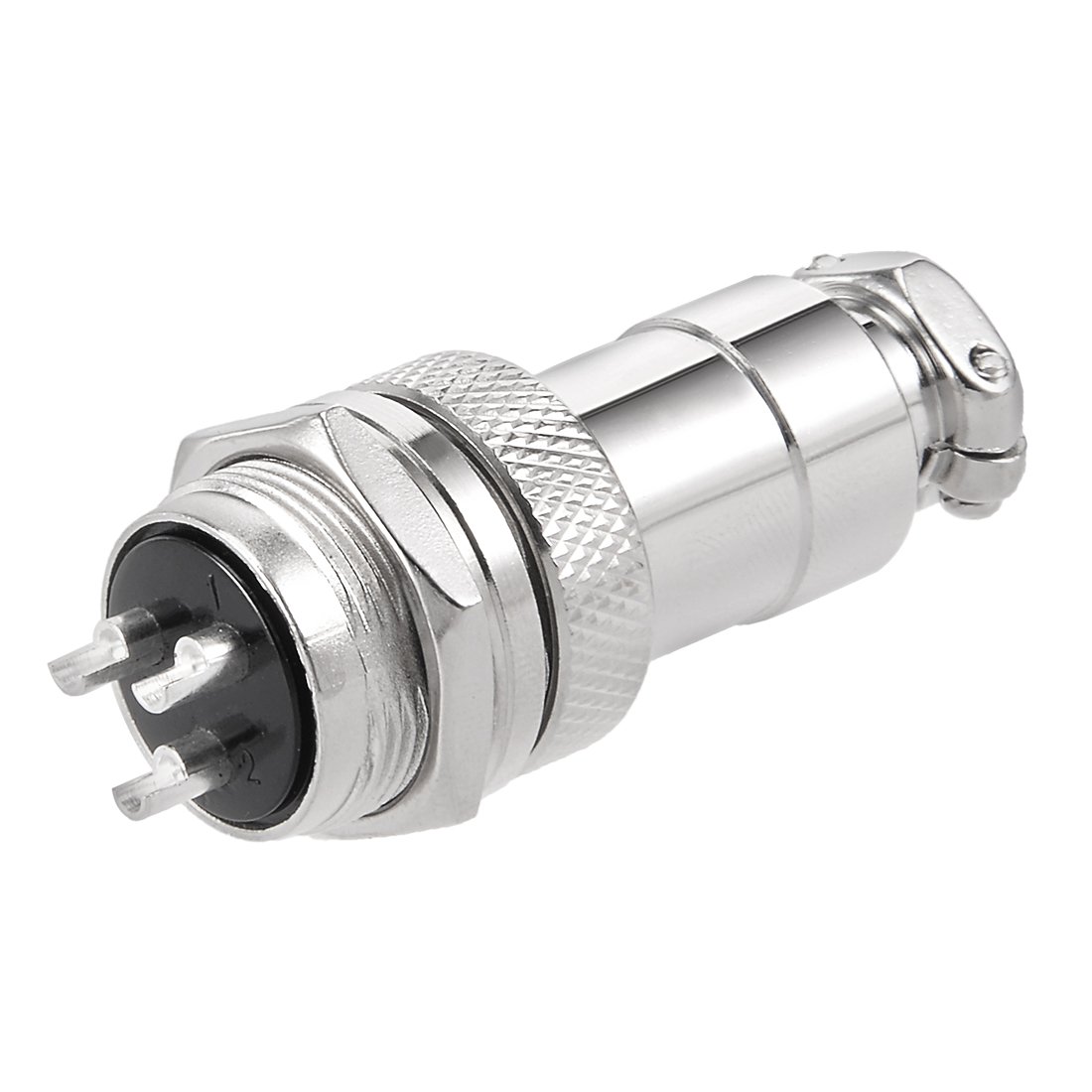
Figure 3.2: Overall view of the uxcell GX20-3 Aviation Connector, illustrating the assembled male plug and female socket components.
4. Setup and Installation
Follow these steps for proper installation of the GX20-3 aviation connector:
- Prepare Wires: Strip the insulation from the ends of the wires to be connected, ensuring the exposed conductor length is appropriate for the terminal screws.
- Disassemble Connector: Unscrew the connector components to access the internal terminals. The package includes one female plug and one male socket.
- Connect Wires: Insert the stripped wire ends into the designated terminals (3 terminals available) and secure them firmly with screws. Ensure no stray wire strands are present that could cause short circuits.
- Assemble Connector: Reassemble the connector components, ensuring all parts are tightened securely. The bottom of the connector is designed with a junction that is fixed with two screws for stability.
- Mounting (if applicable): If panel mounting, ensure the 20mm opening size is used for installation.

Figure 4.1: Detailed view of the male connector's pin side, showing the three terminals where wires are connected.
5. Operating Instructions
Once properly installed, the uxcell GX20-3 aviation connector functions as a reliable electrical interface. Simply connect the male plug to the female socket to establish the electrical connection. Ensure the connection is fully seated and secure to prevent intermittent signals or power loss.
6. Maintenance
- Regular Inspection: Periodically inspect the connector for any signs of physical damage, corrosion, or loose connections.
- Cleaning: If necessary, clean the connector surfaces with a dry, lint-free cloth. Avoid using abrasive cleaners or solvents that could damage the materials.
- Secure Connections: Ensure all screws and mating parts remain tightly secured to maintain optimal performance and safety.
7. Troubleshooting
- No Signal/Power:
- Check all wire connections within the connector for tightness.
- Verify that the male and female parts are fully engaged.
- Inspect wires for breaks or damage.
- Intermittent Connection:
- Ensure the connector is securely fastened and not vibrating loose.
- Check for any debris or corrosion on the pins or sockets.
8. Specifications
| Feature | Specification |
|---|---|
| Model | GX20-3 |
| Terminal Number | 3 Terminals |
| Rated Voltage | 150V |
| Rated Current | 10A |
| Terminal Diameter | 3mm / 0.115" |
| Opening Size (for panel mounting) | 20mm / 0.8" |
| Qualification | CE |
| Package Content | 1 x Aviation Connector (1xFemale Plug + 1xMale socket) |
| Item Weight | 1.58 ounces |
| Item Model Number | a18032200ux0620 |

Figure 8.1: Key dimensions of the uxcell GX20-3 Aviation Connector, including the 20mm opening size and overall length.
9. Warranty and Support
For warranty information or technical support regarding your uxcell GX20-3 Aviation Connector, please refer to the product packaging or contact uxcell customer service directly. Keep your purchase receipt for any warranty claims.